 Meet DashBeta
Your AI Assistant for marketing data.
Dash lives inside Two Minute Reports. Ask about your data, get how-to help, or just tell it what to do — build dashboards, set goals, connect sources — all in plain English.
No credit card required · 30+ data sources · Works where you already report
 DashBeta
 Google Ads
 GA4
GA4 Search Console
 Facebook Ads
 Instagram
 LinkedIn Ads
 TikTok Ads
From "what happened?" to "it's done."
Dash spans the jobs an agency analyst actually does — answering, building, tracking, and tidying up — without leaving your reports.
Ask anything about your data
Plain-language questions get answers backed by a live query — with the metric, date range, and accounts stated every time.
- Auto prior-period comparisons ("why did X drop?")
- True top / bottom rankings across accounts
- On-demand "what changed this week" digest
Build dashboards by describing them
Describe the report you want and Dash generates a full multi-page dashboard bound to your real accounts — then edits it live.
- Add, move, resize & re-theme widgets by asking
- Recreate a report from a screenshot or PDF
- Watch it build — every edit is undoable
Set & track goals that make sense
Dash proposes the goals a client is missing, computes targets from their own history, and reports who's on track.
- Coverage across every account, not just one metric
- Targets computed from real data, never guessed
- On-track / at-risk / behind at a glance
Run your whole workspace
Connect sources, map accounts to clients, and let Dash audit the gaps — so nothing important goes untracked.
- "Audit my setup" — a read-only health check
- Spots unmapped accounts & goal-less clients
- One tap to fix each gap it finds
Built for the way your team works
Paid, organic, store or social — Dash already speaks your stack. Pick a discipline and see the kinds of questions it answers.
Know exactly where every ad dollar goes
- Compare spend, CPA and ROAS across Google, Meta and TikTok in a single answer — no tab-hopping.
- Spot the campaigns quietly burning budget and the ones worth scaling.
- Set a target CPA and Dash flags any campaign that drifts past it.
DashBetaPaid mediaBuild, customize, and optimize your dashboards
Create dashboards with AI, customize them with your own designs, and set goals to track performance - all from one powerful workspace.
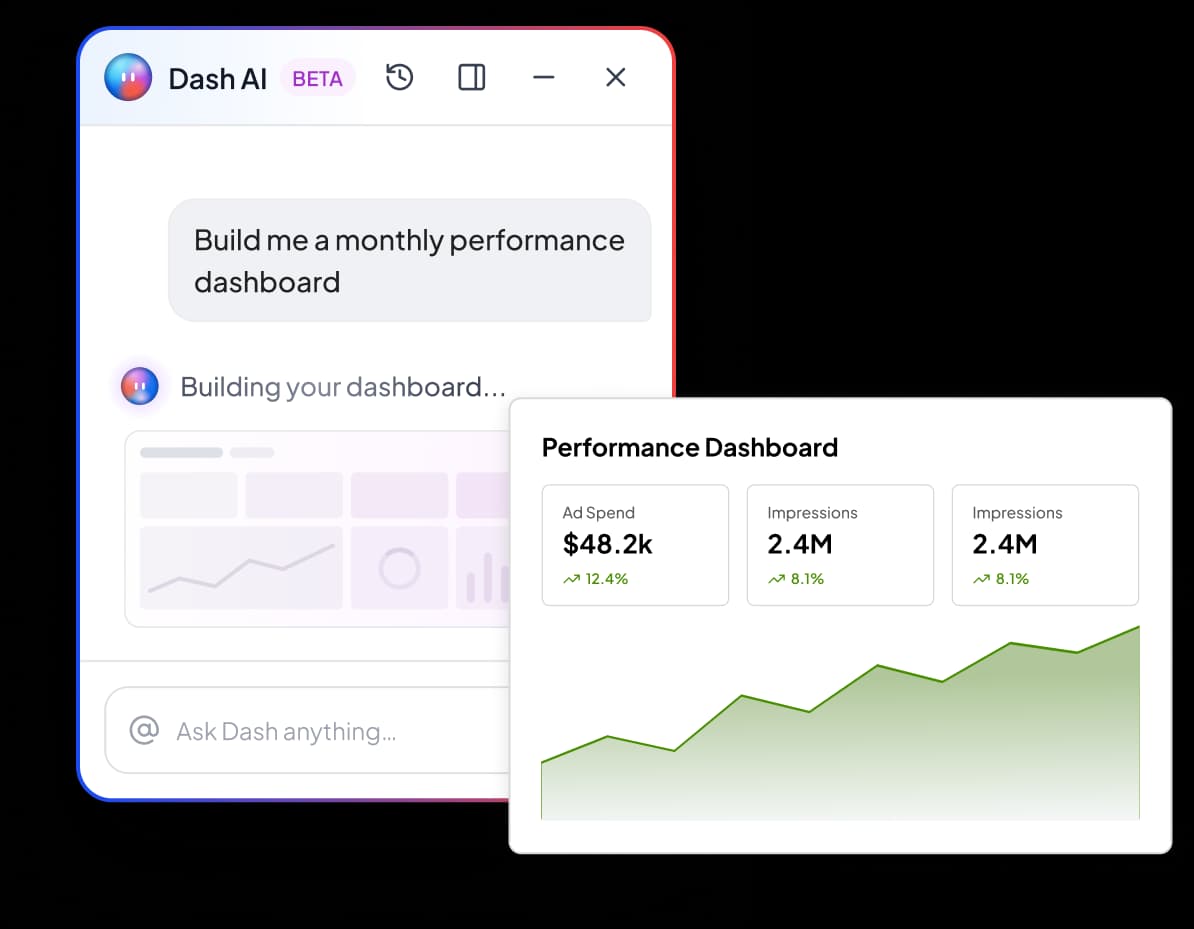
Say what you want to see. Dash builds it.
“Build me a monthly performance dashboard for Acme across Google Ads and GA4.” Seconds later it's on screen — score cards, charts and pages laid out on a real grid, wired to your accounts.
- Whole dashboards or single pages from one prompt.
- Live editing — “make that chart a line”, “add a spend page”, “use our brand theme”.
- Self-checks every widget before it ships — no broken charts.
Every client, tracked like an analyst would.
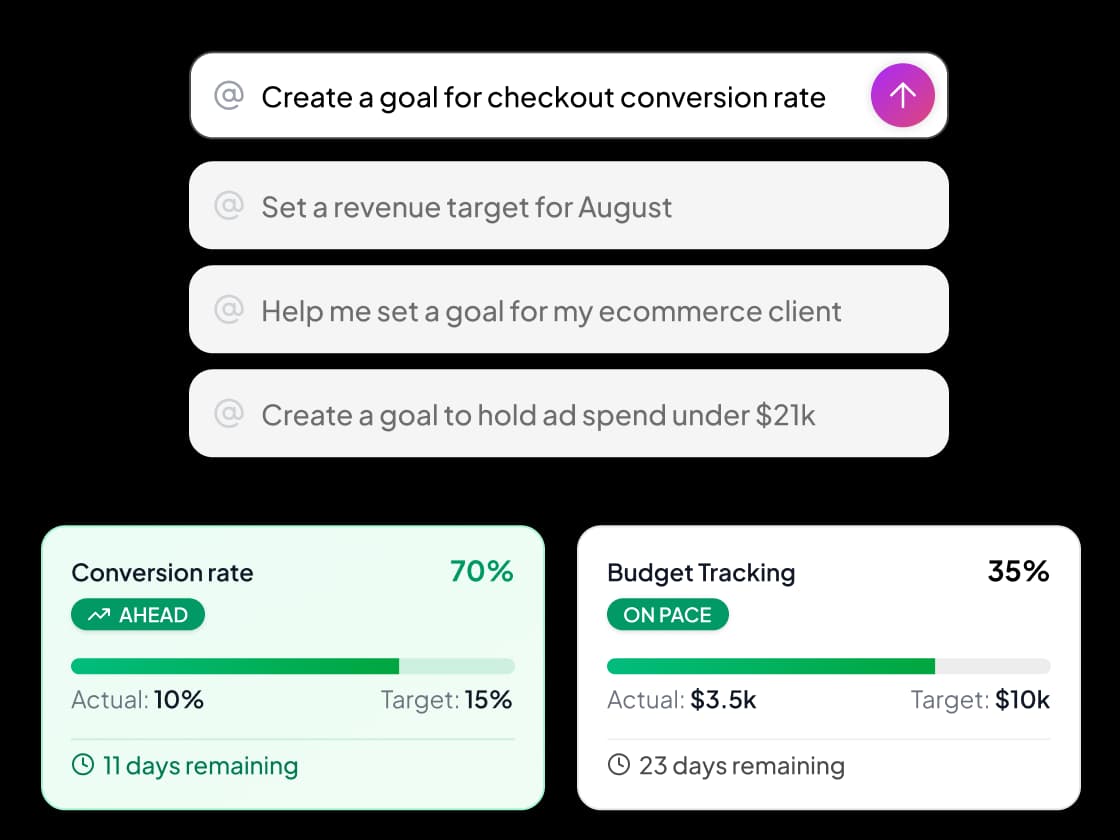
Ask Dash to set goals for a client and it thinks in coverage — proposing the high-value metrics each account is missing and computing a sensible target from the last period. Then it tells you who needs attention.
- “Bump the Q3 revenue target to 500k” — edits in one line.
- Budget pacing & performance goals in one place.
- Confirms each goal before it's created.
Fast, but never reckless
Dash moves quickly — and stays inside guardrails you can count on with real client data.
Grounded in real numbers
Every figure comes from a live query in that same reply — Dash never estimates or invents a metric.
Confirms before changing
Any create or edit shows a confirm card first. Decline and it stops — and there are no delete tools at all.
Acts as you, respects roles
Dash only sees and touches what your account can. Read-only team members stay read-only.
Isolated & injection-safe
In-chat charts run fully sandboxed, and Dash treats your data as data — embedded "instructions" in it are ignored.
The details that make it feel like a teammate
Charts in the chat
Ask Dash to visualise anything and it renders an interactive chart right in the conversation — download it as a PNG for the deck.
@-mention anything
Type @ to point Dash at a specific client, dashboard or goal — no more "which one did you mean?"
Ask Dash about this
Hover any widget, goal or client card and open Dash already primed with the context — straight from where you're looking.
Remembers the conversation
Follow-ups just work. "Now do Beta Corp", "open the third one" — Dash keeps context across the whole thread.
Read aloud
Have Dash read a reply back to you — handy when you're reviewing numbers hands-free.
Also in Slack
Ask Dash your data questions right from Slack — same grounded answers, same confirm-before-write safety.
Right where you already work
No new tab, no context-switching. Dash rides along inside Two Minute Reports and reaches into Slack.
Frequently Asked Questions
Let Dash do the reporting
Start free, connect your sources, and ask Dash your first question in under two minutes.