Set Goals. Prove Your Agency's Impact.
Set a goal for every client, see the metrics that drive it, and let AI suggest goals and targets from each client's own data, with goal and budget tracking built for agencies.
Show Your Clients Every Goal You Achieve
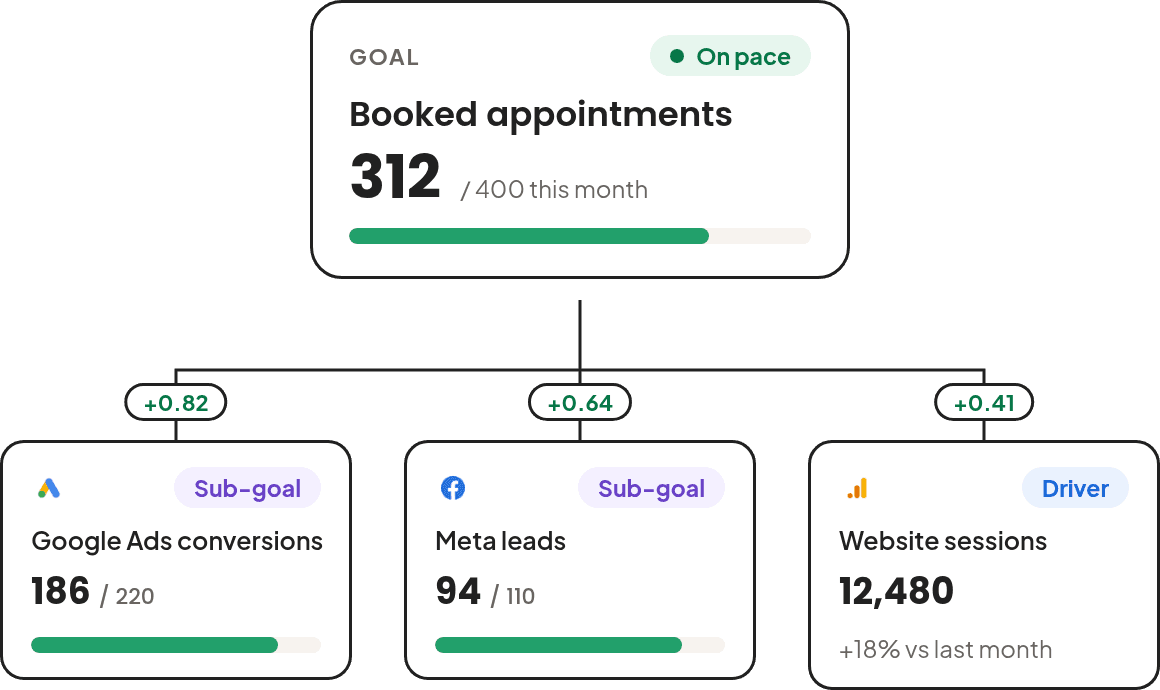
Agencies that report on goals retain clients longer. Give every stakeholder a clear, shared picture of what success looks like and how close you are to it.
Monitor Goals
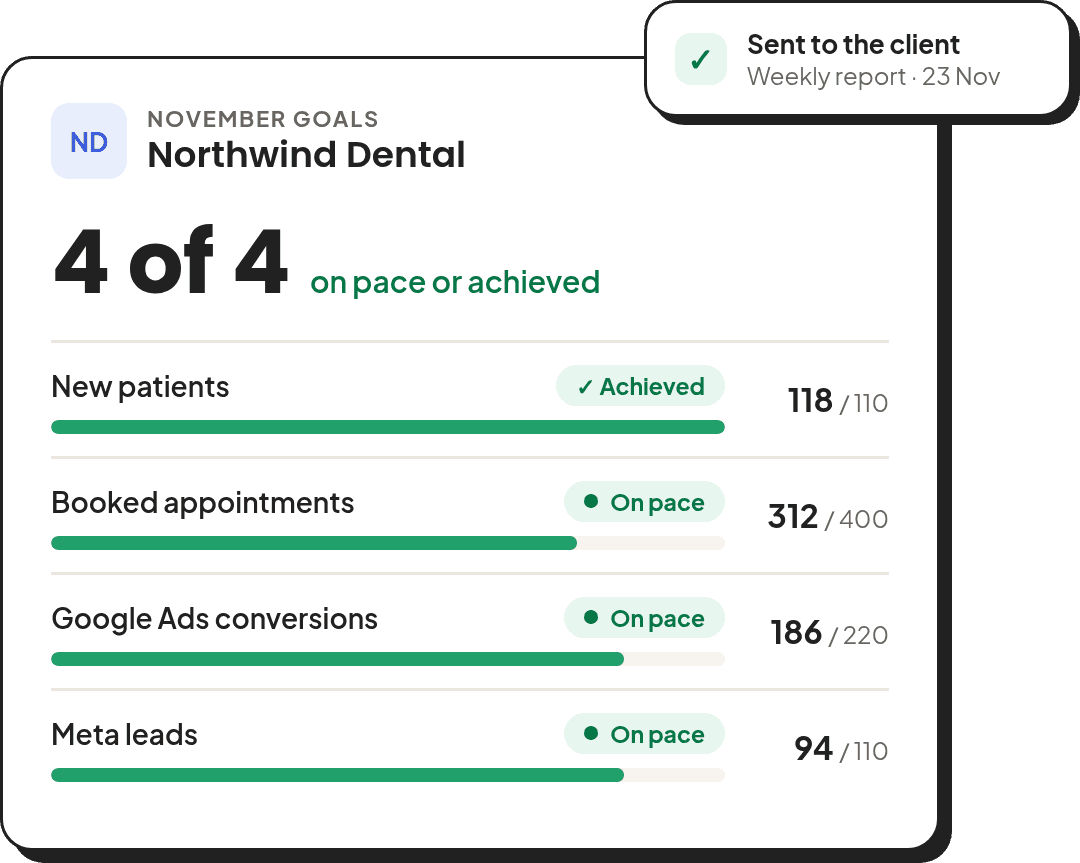
Set your goals and watch how close you are to achieving them.
See What Drives Results
Every goal has a tree of the metrics that move it, so you see which one is off course.
Control Every Dollar Spent
Set spend targets, see daily pacing, and get ahead of overruns before they happen.
Build Long-Term Client Trust
Keep your clients' budget on track and aligned with their goals.
Up and Running in Under 5 Minutes
No engineering, no complex setup. Just connect your accounts and start setting goals in a few simple steps.
Connect Your Client Accounts
Connect your data sources and map each account to the right client from a single workspace. Supports Google Ads, Meta, LinkedIn, TikTok, and 19+ more integrations.
Create Goals With AI or Your Own
Define Goal Details
Set Your Target
Track and Share Progress
Every Feature You Need to Prove Performance
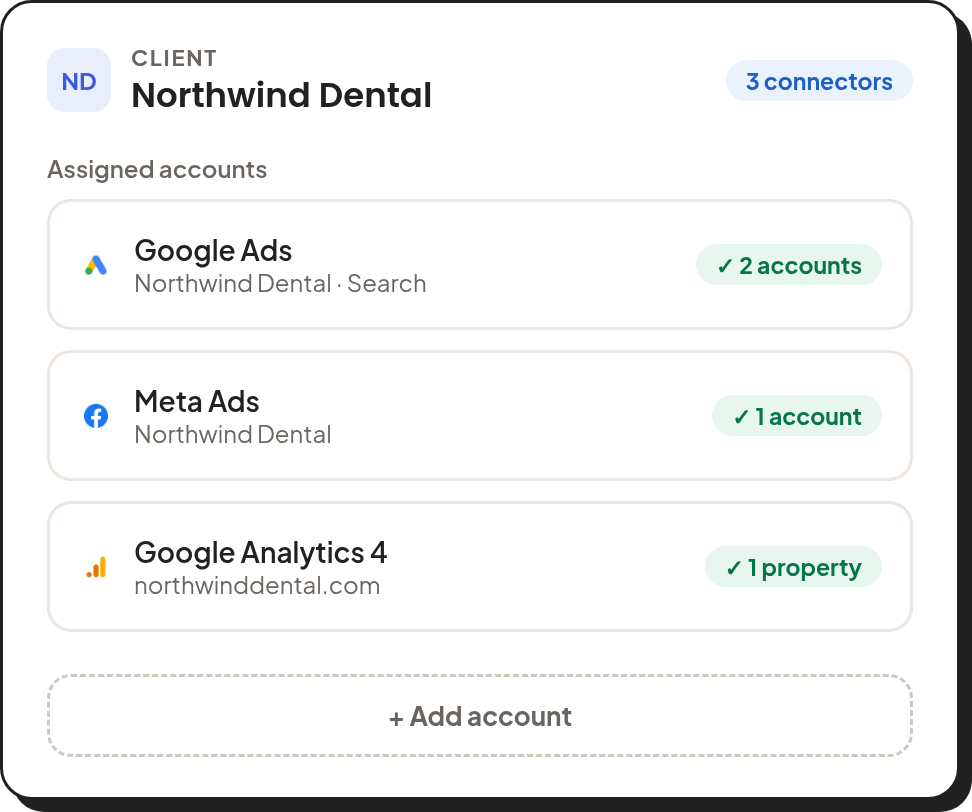
From goal trees and AI goal suggestions to budget pacing, projections, and what-if planning, all live in one place.
See What Drives Every Client Goal
Each goal sits at the top of a tree of the metrics that move it, such as spend, clicks, and sessions. Every link shows how closely two metrics move together, so when a goal falls behind, you see which driver is off course.
Learn how goal trees work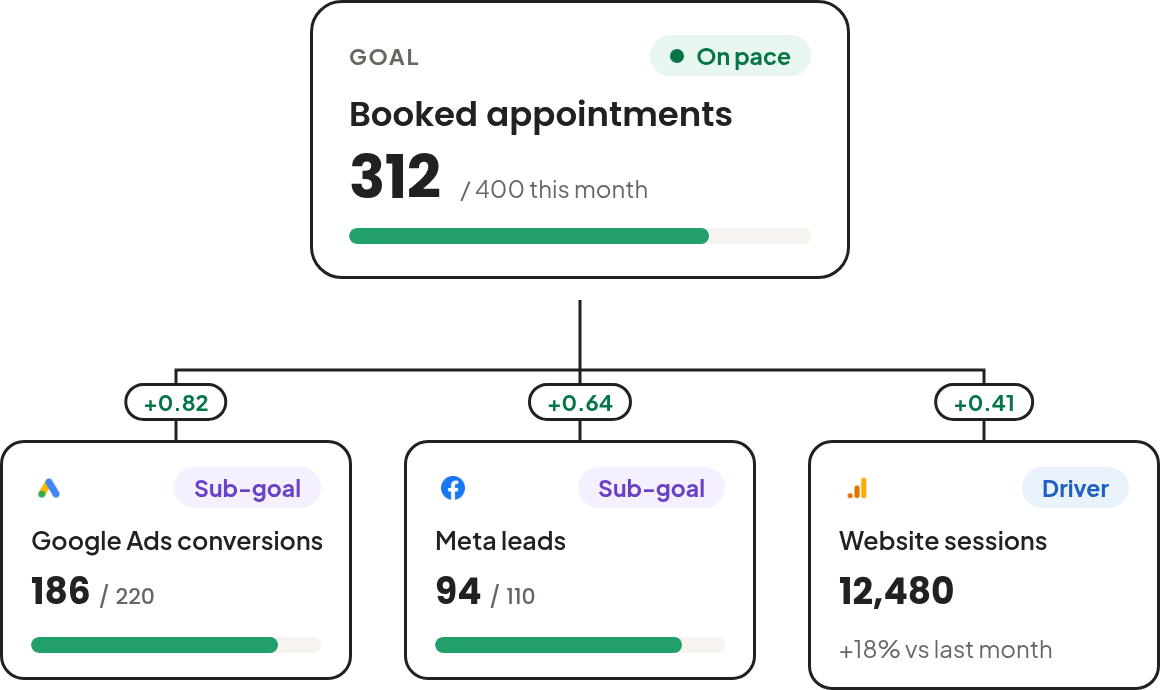
Get a Goal, Its Drivers, and Targets in Minutes
Pick a client and Two Minute Reports reads its accounts, website, and past months of data, then suggests the main goal, the drivers under it, and a target for each. You review every card before anything is saved.
See how suggestions work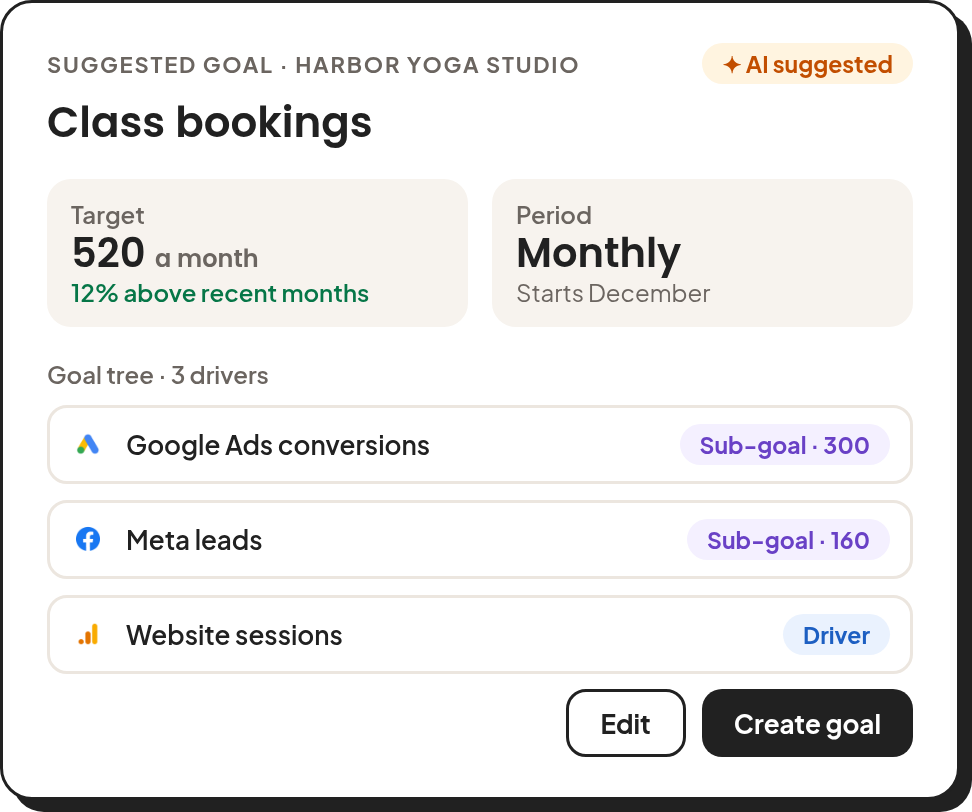
Create Client-Specific Goals That Prove Results
Create goals tied to the metrics that matter most to each client, such as conversions, ROAS, leads, or any custom metric. See the current value, the target, and the progress of the goal and each sub-goal.
Learn how goal tracking works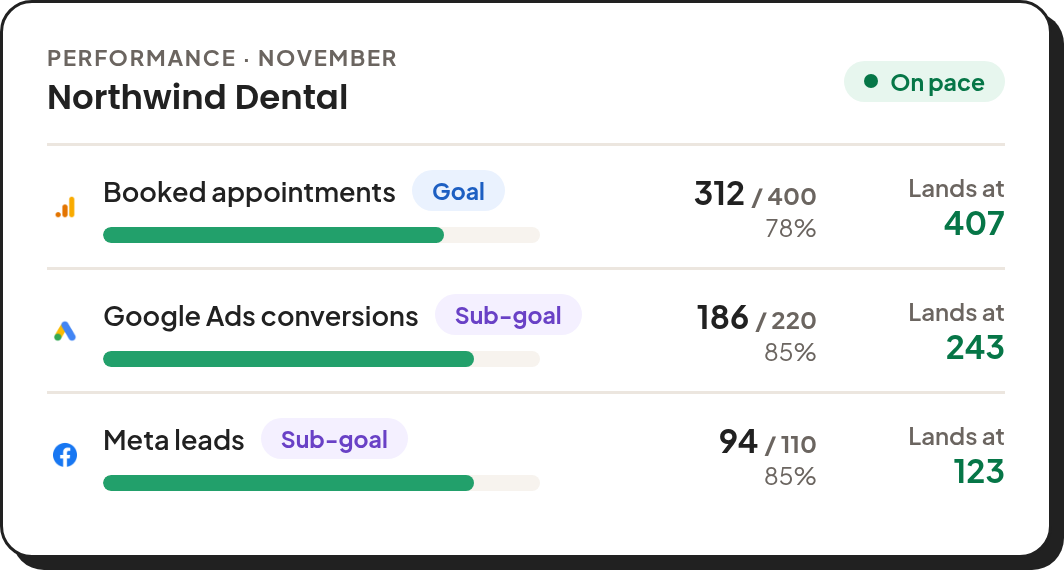
Know Where You'll Land Before the Period Ends
The trend chart shows the metric day by day against its target, with a projection to the end of the period at the current pace. See a shortfall early enough to do something about it.
Learn about projections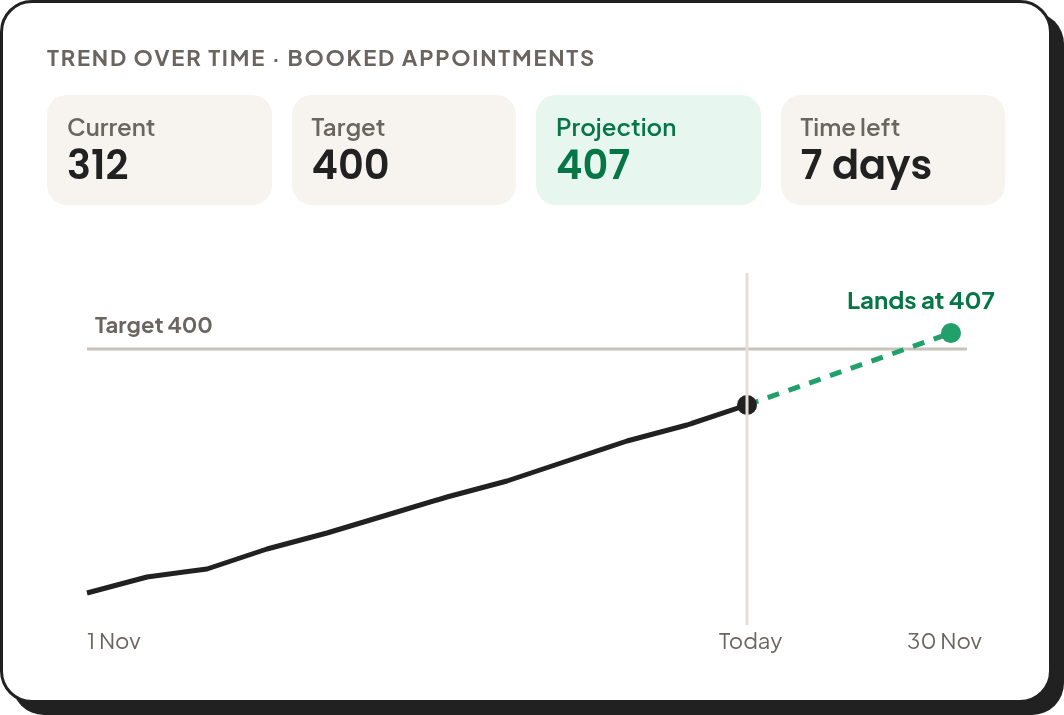
Test a Budget Change Before You Make It
Move the slider on a budget or rate and see how the drivers and the goal would change. Simulate learns from the goal's own history, so you can plan the next step with your client using their numbers.
Explore Simulate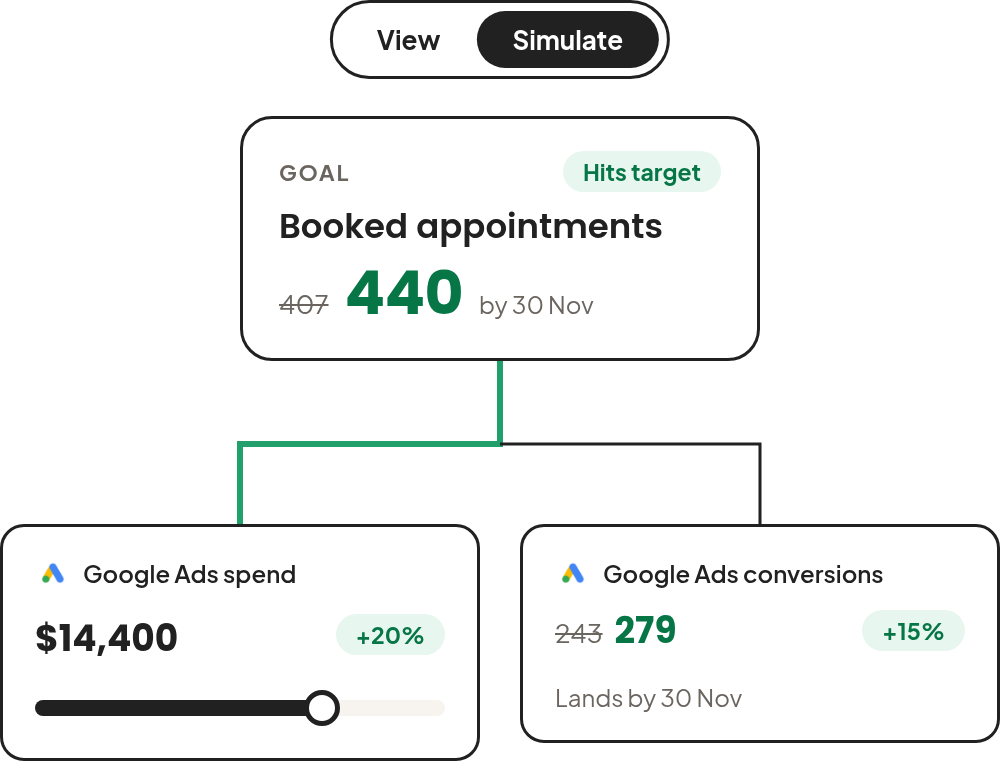
Use Goal-Driven Budget Pacing
Two Minute Reports tracks spend against the budget limit every day. See what is spent, what is left, the projected spend, and the daily spend that keeps the budget on pace, so overspend and underspend never surprise you or your client.
Explore budget pacing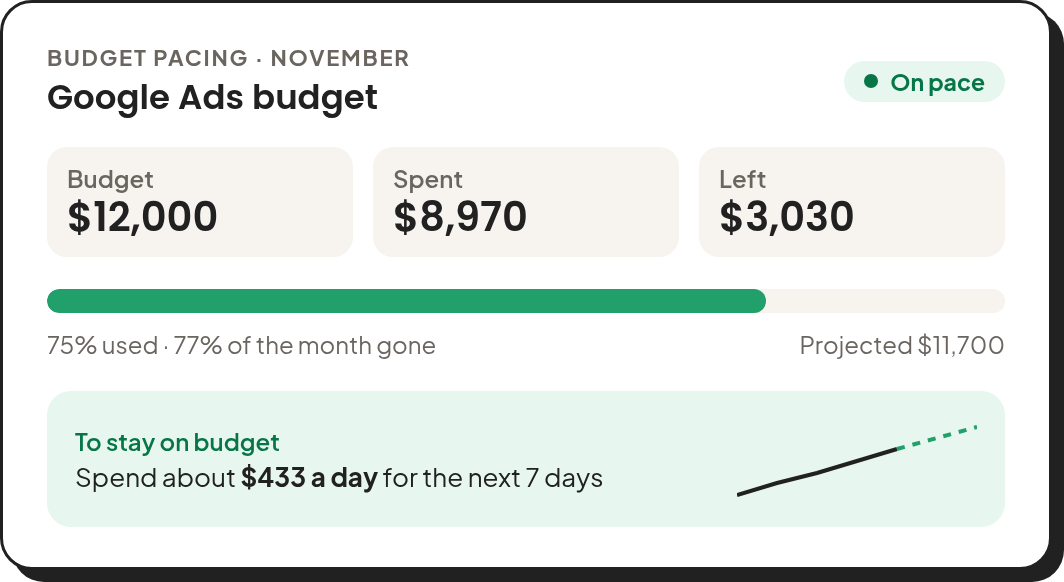
Set Campaign Targets Aligned With Your Client's Strategy
Set recurring goals that start again each month, quarter, or year, or one-time goals for fixed campaigns. Choose the accounts and campaign filters each goal reads, so it fits exactly how each client works.
Learn about goal settings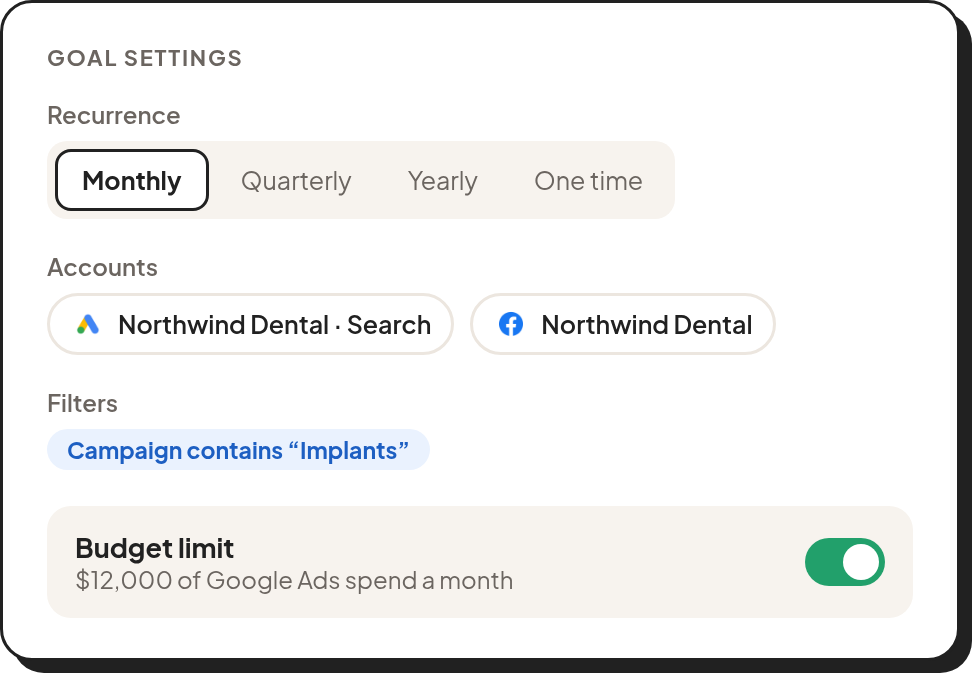
Manage Every Client's Ad Spend in One Place
Stop monitoring budgets manually across dozens of campaigns and clients. Automate the hard parts so nothing slips through the cracks.
Stay Within Budget
Set a spending limit for each client's goal and always know exactly where the budget stands before it becomes a problem.
See Every Client's Budget at a Glance
See every client's budget and its pacing in one list on the Goals page. No more jumping between accounts to check where things stand.
Plan Ahead With Budget Targets
Plan your budget targets so every campaign starts with a clear spending plan and no surprises down the line.
Budgets Built Your Way
Set monthly, quarterly, yearly, or one-time budgets, filtered to the campaigns that count. Match exactly how each client plans and spends.
“Two Minute Reports changed how we run client reviews. Goal tracking used to take hours each week, now it's all automated and our clients can see exactly where every dollar is going. Retention has genuinely improved since we started using it.”
Everything Your Agency Needs
Goals & Budget is just one piece. Two Minute Reports is a complete reporting stack for modern marketing agencies.
Blazing-Fast Reports In A Blink
Your automated reports load in under 5 seconds and reach clients instantly, backed by 99.9% uptime you can rely on.
Learn moreFully Brand Every Report Your Way
Deliver reports, dashboards, and emails under your own branding, so your agency stays front and center with every client update.
Learn moreSet Reports On Autopilot
Set up reports once and deliver them on time, automatically. Get alerted instantly if any automation fails, so nothing slips through.
Learn moreBlend Your Campaign Data Across Sources
Get notified when refresh fails across blended sources, ensuring your cross-channel insights are always up-to-date.
Learn moreNever Send a Broken Report
Catch issues like query failures or refresh errors before your clients do, and ensure every report is complete and reliable.
Learn moreManage Multi-Client Reporting In One Click
Map data sources to the right clients, automate delivery, and ensure every report reaches the right stakeholder on time.
Learn moreBuild Dashboards That Bring Clarity
Create client-specific dashboards that are structured, branded, and built to clearly communicate performance.
Learn moreAsk Dash About Your Data
Ask Dash, the AI assistant inside Two Minute Reports, about your marketing data, and build dashboards by describing them.
Learn moreMaximize reporting effectiveness with various data sources
Effortlessly connect and automate data collection from all your sources within minutes. Retrieve important marketing data tailored to your needs.

































Frequently Asked Questions
Take back your time. Wow clients.
Get Two Minute Reports.
Start your free trial todayBuilt by marketers. Built for marketers.