Two Minute Reports MCP Server connects your marketing and business data directly to Claude, allowing you to explore, analyze, and visualize your data using natural language.
Two Minute Reports itself is a reporting and data delivery platform built for marketers, advertisers, and agencies. It brings data from ad platforms, online stores, websites, and social channels into Google Sheets and Looker Studio with minimal setup.
The MCP Server builds on top of this by letting you ask questions about your data directly in Claude. Instead of manually digging through dashboards, you can get clear explanations, summaries, comparisons, and visualizations in a conversational way within Claude.
Features
- Natural language data analysis - Ask questions like you would to a teammate and get clear, structured answers based on your actual data.
- Multi-source reporting - Analyze data from ad platforms, Shopify stores, websites, and other connected sources available in your Two Minute Reports account.
- Automated summaries and insights - Quickly understand performance changes, trends, and key KPIs without manual calculations.
- Comparisons and trend analysis - Compare performance across time periods, channels, campaigns, or products.
- Data visualization - Ask Claude to plot charts and visual breakdowns to make insights easier to understand and share.
Setup Instructions
Before you start, please make sure:
- You have a paid Claude subscription, which is required to add custom connectors.
- You have an active Two Minute Reports account. If not, you can sign up at twominutereports.com. The setup only takes a few minutes
Connecting the MCP Server
1. Open Claude.ai in your browser or launch the Claude desktop app.
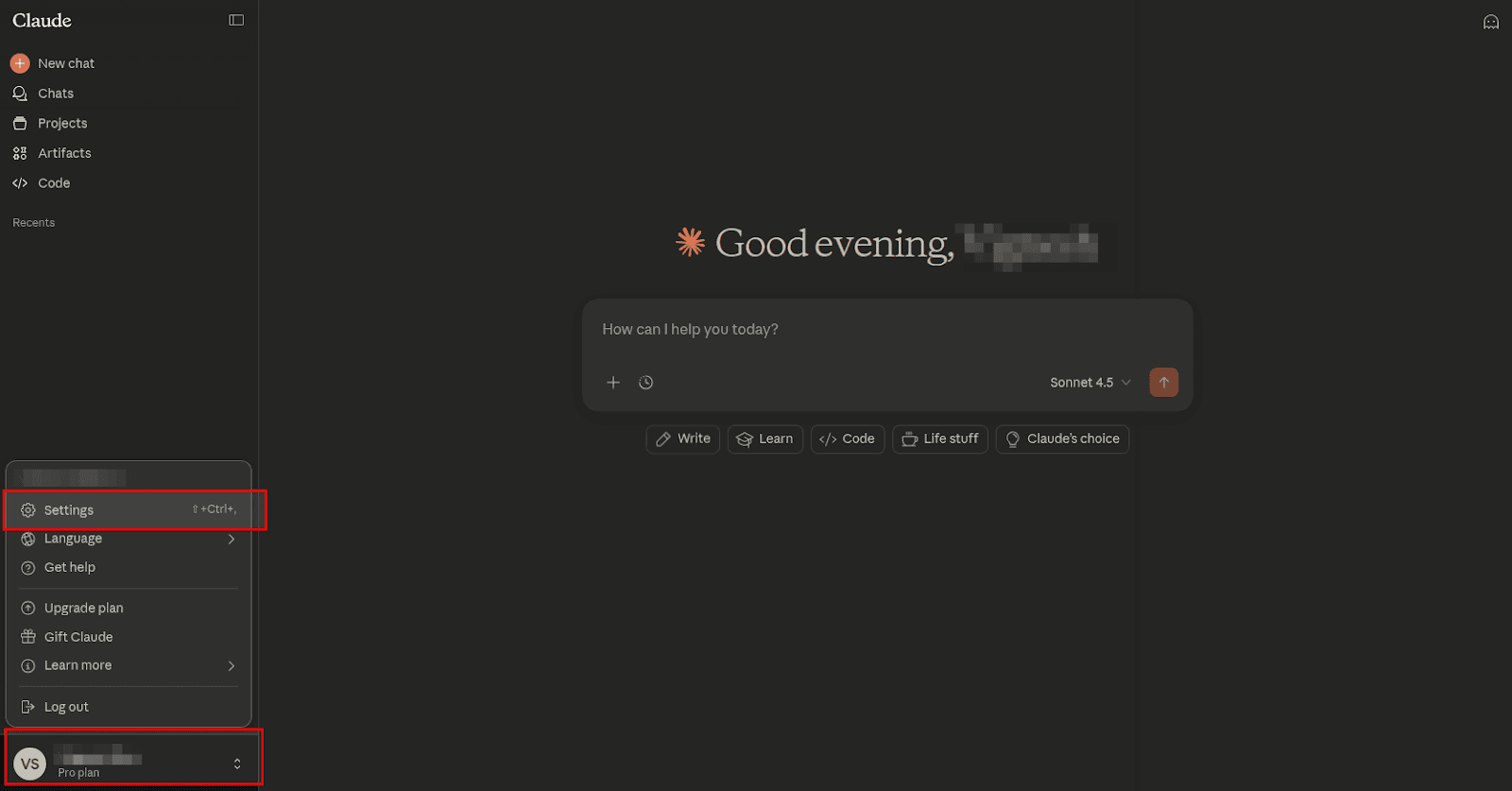
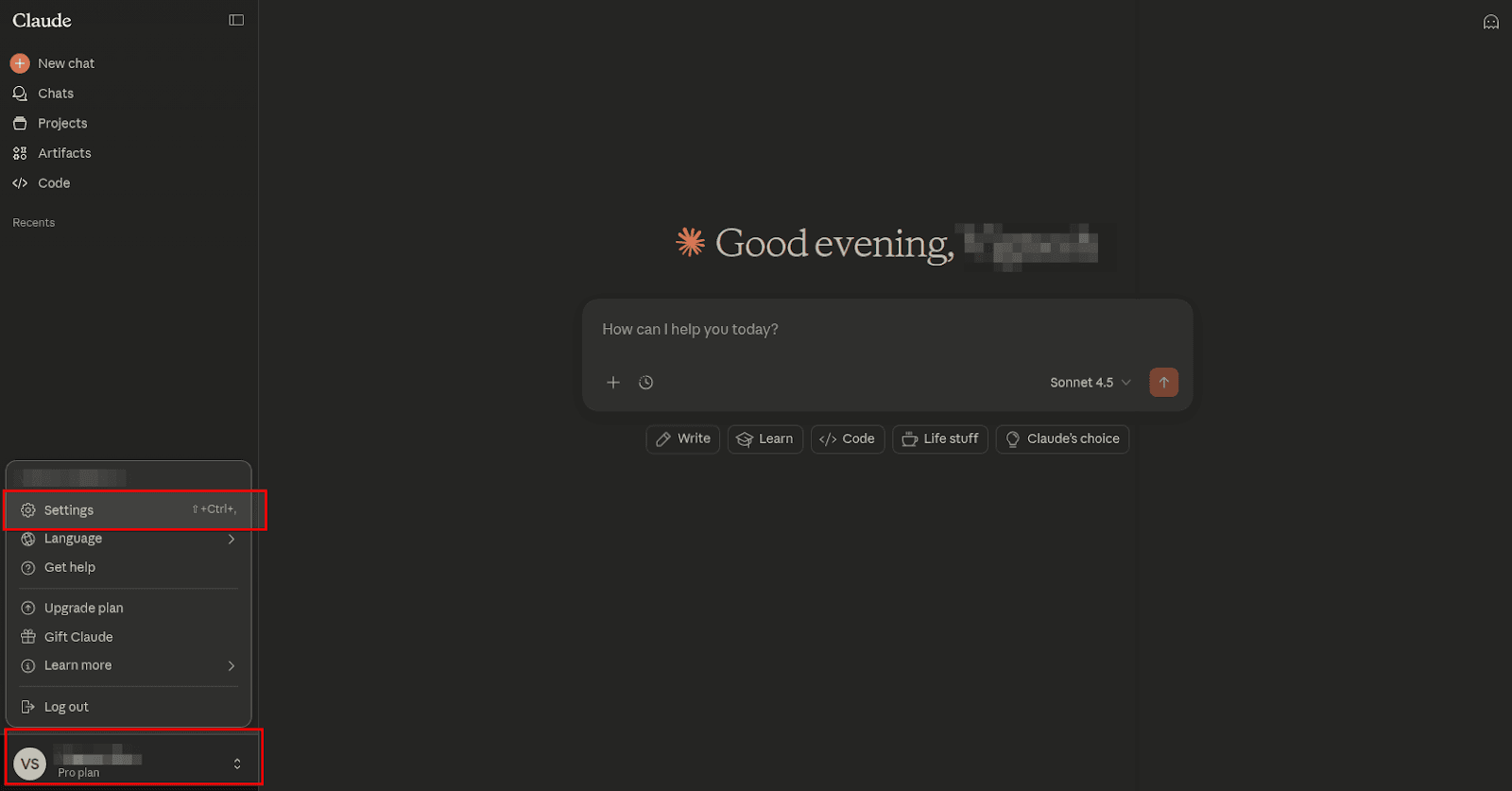
2. Click your profile icon in the bottom-right corner and open Settings.
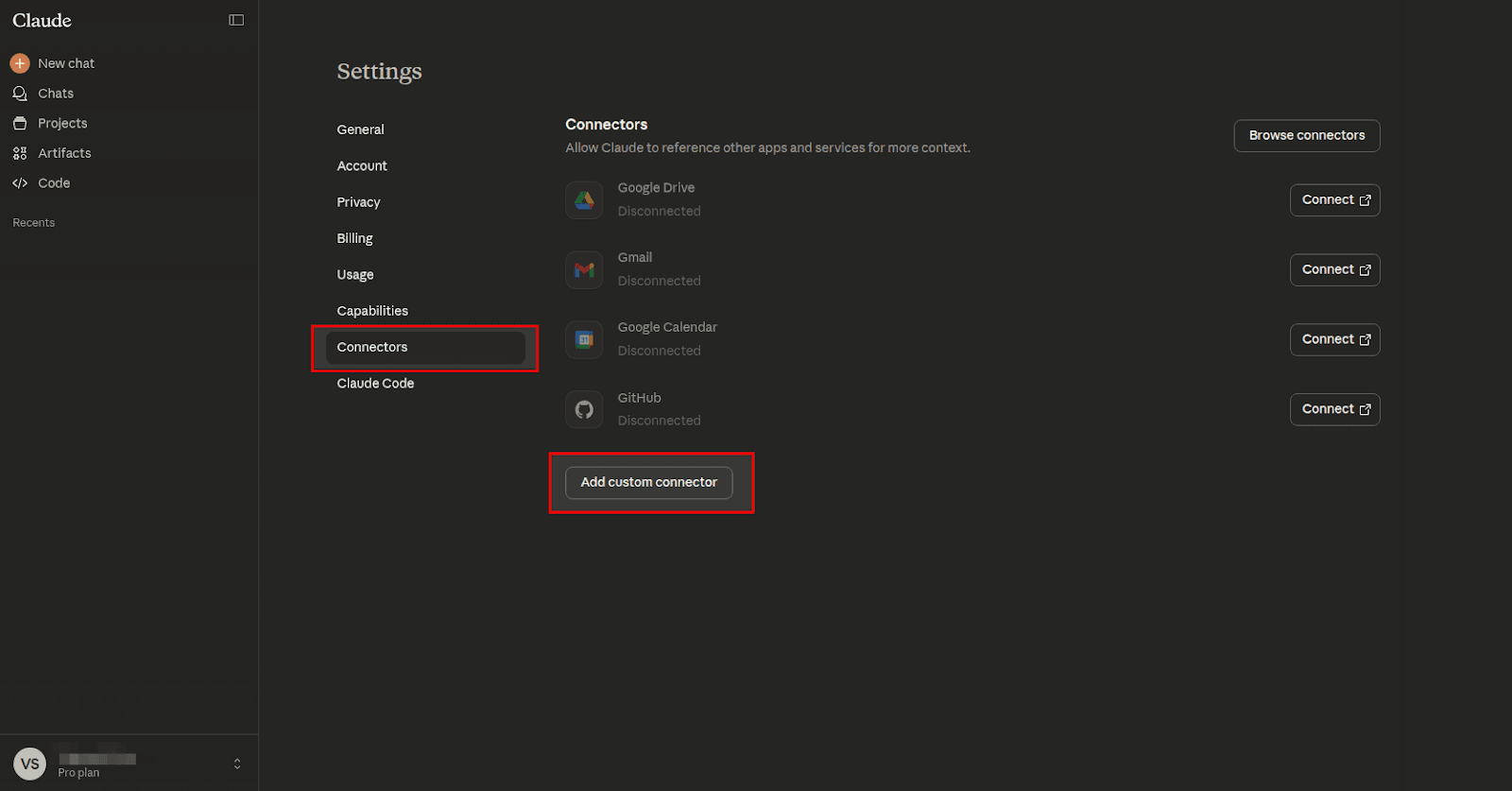
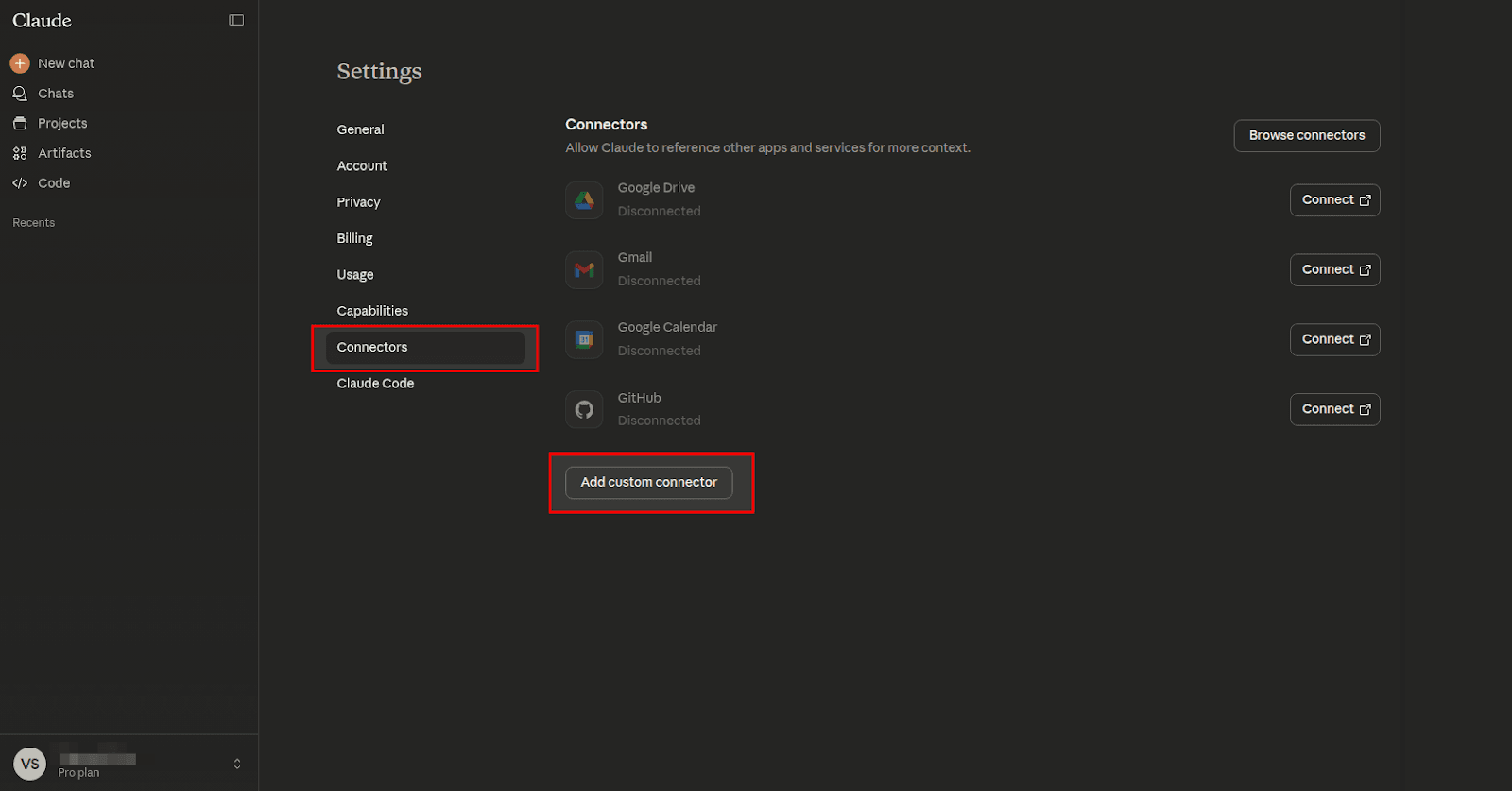
3. Go to Connectors and click Add custom connector at the bottom.
4. Enter a name for the connector.
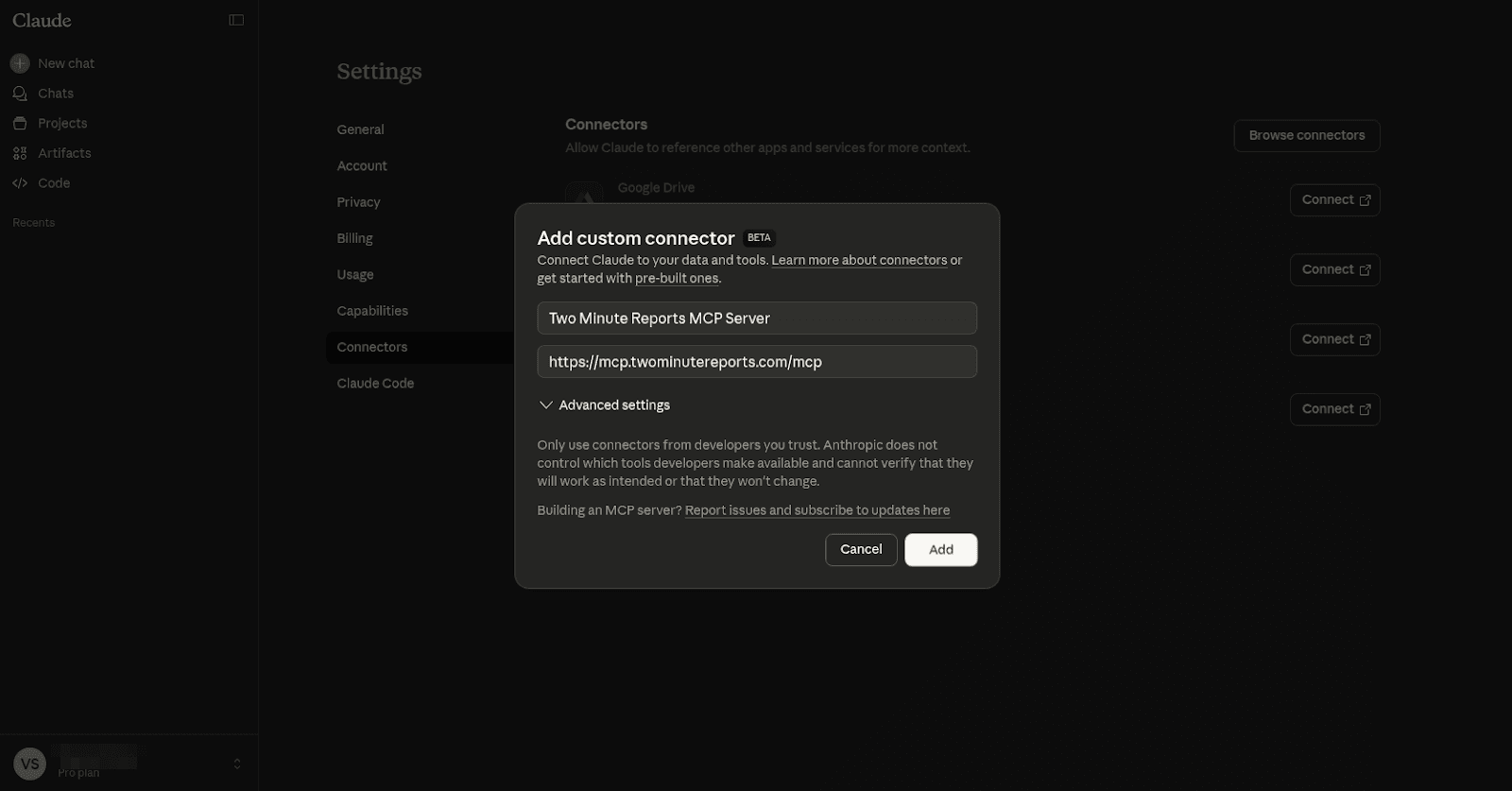
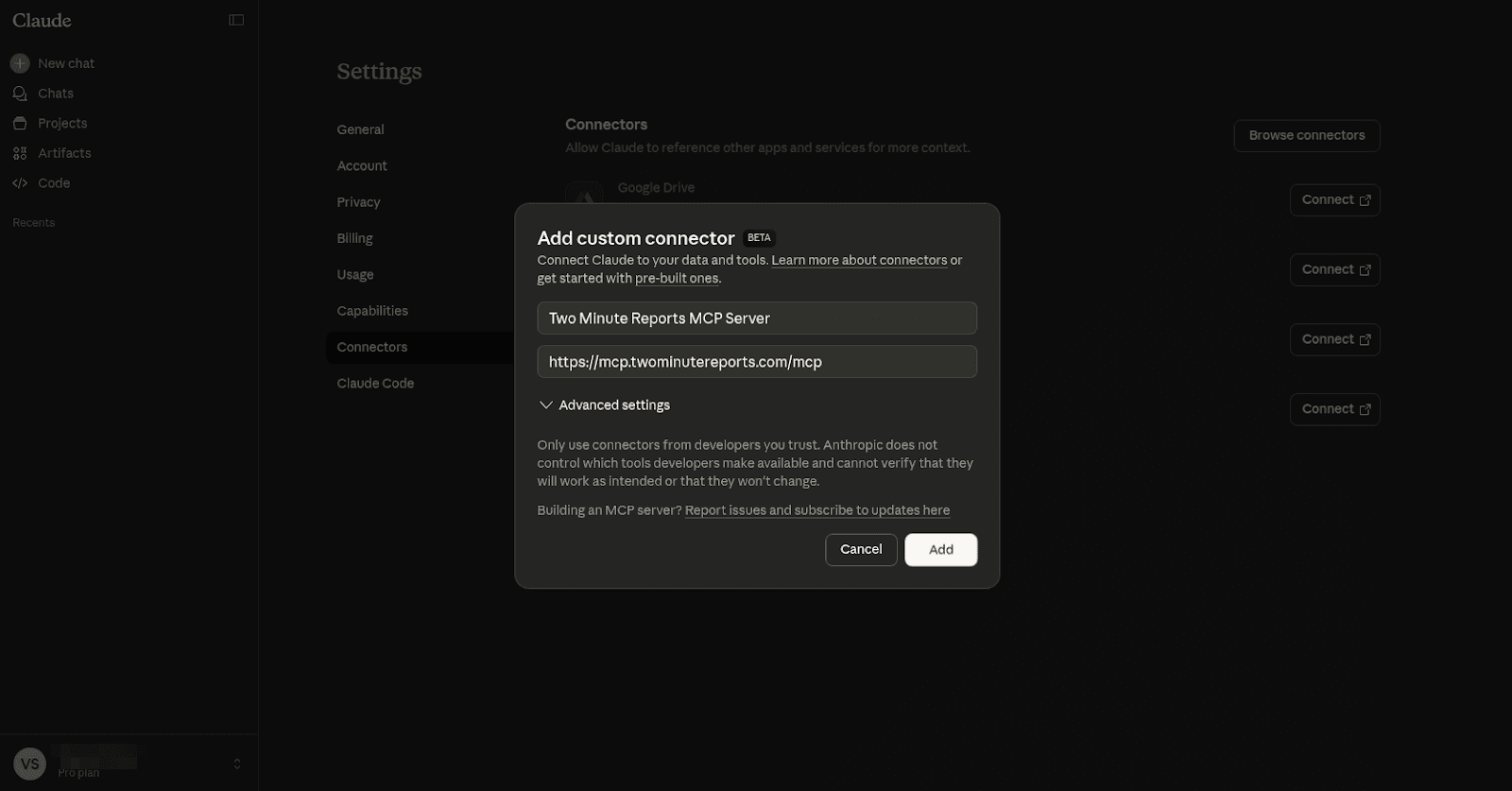
5. In the Remote MCP server URL field, paste the following URL and click Add: https://mcp.twominutereports.com/mcp
Authentication
This MCP Server uses OAuth authentication.
- After adding the connector, click Connect and sign in with the Google account linked to your Two Minute Reports account.
- Once authenticated, Claude will be able to access your data securely.
Usage Examples
Below are a few example prompts to help you get started.
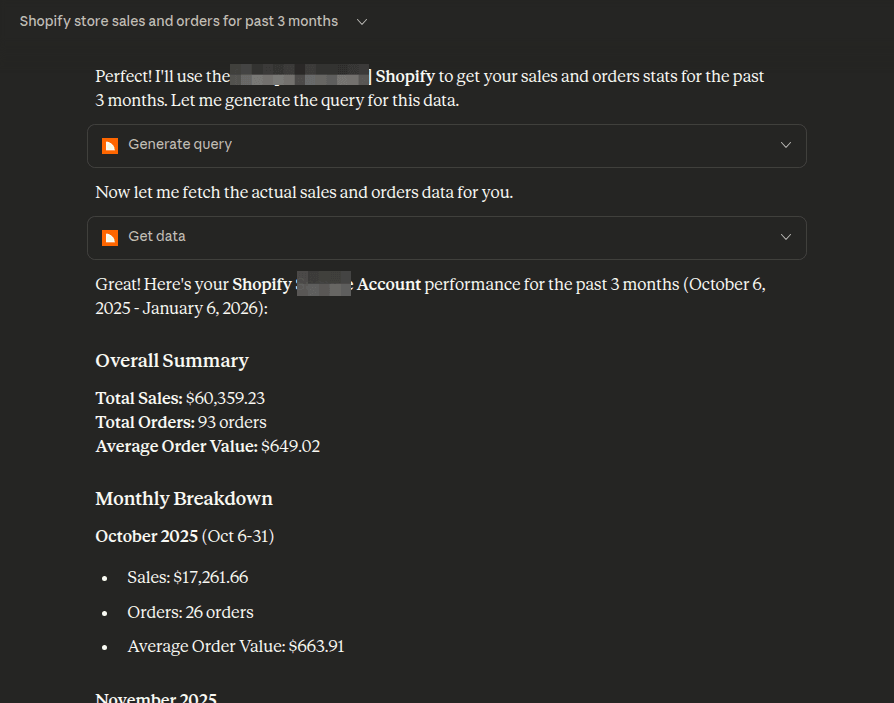
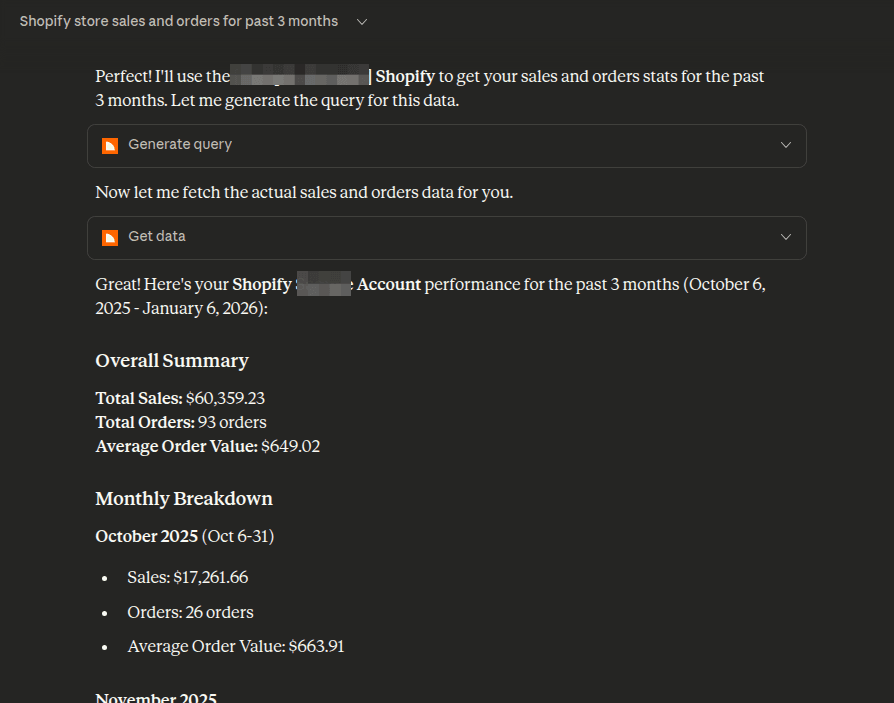
Example 1: Shopify sales and orders performance
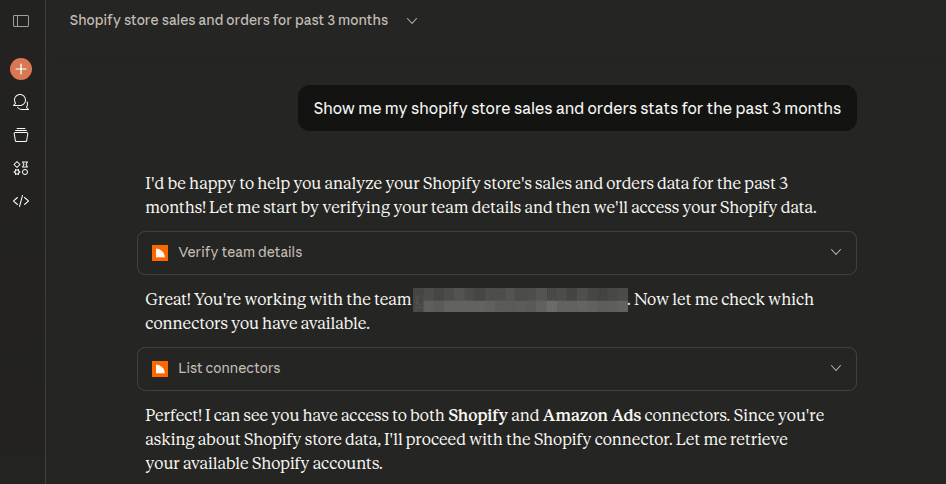
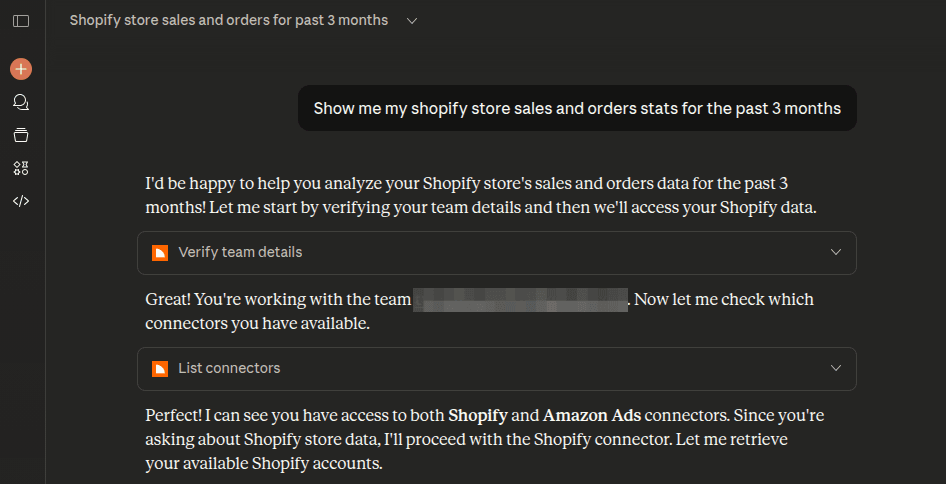
Prompt: “Show me my Shopify store sales and orders for the past 3 months.”
What happens:
- The server verifies your Two Minute Reports subscription.
- Claude lists available connectors and Shopify stores.
- A query is generated to fetch sales and order data for the selected store.
- The data is retrieved and summarized with monthly breakdowns.
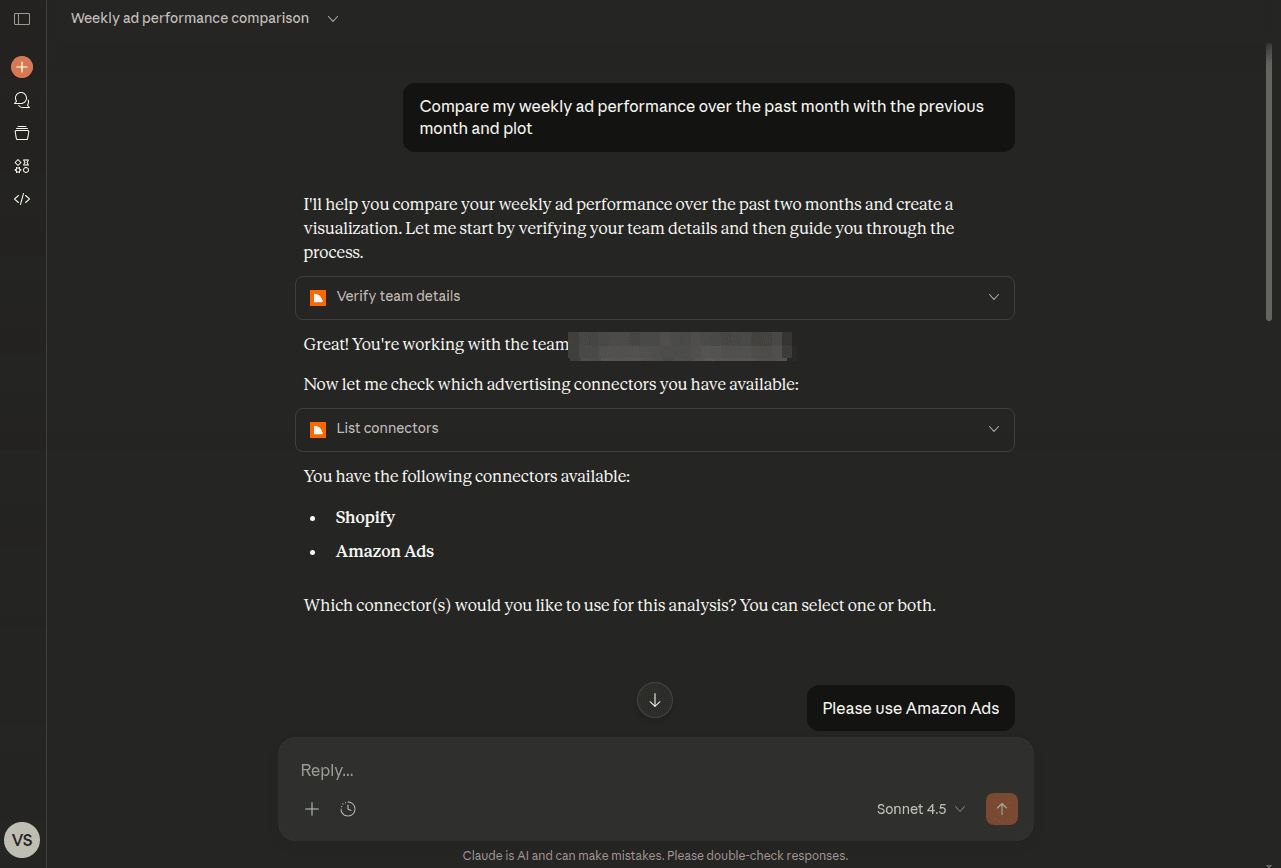
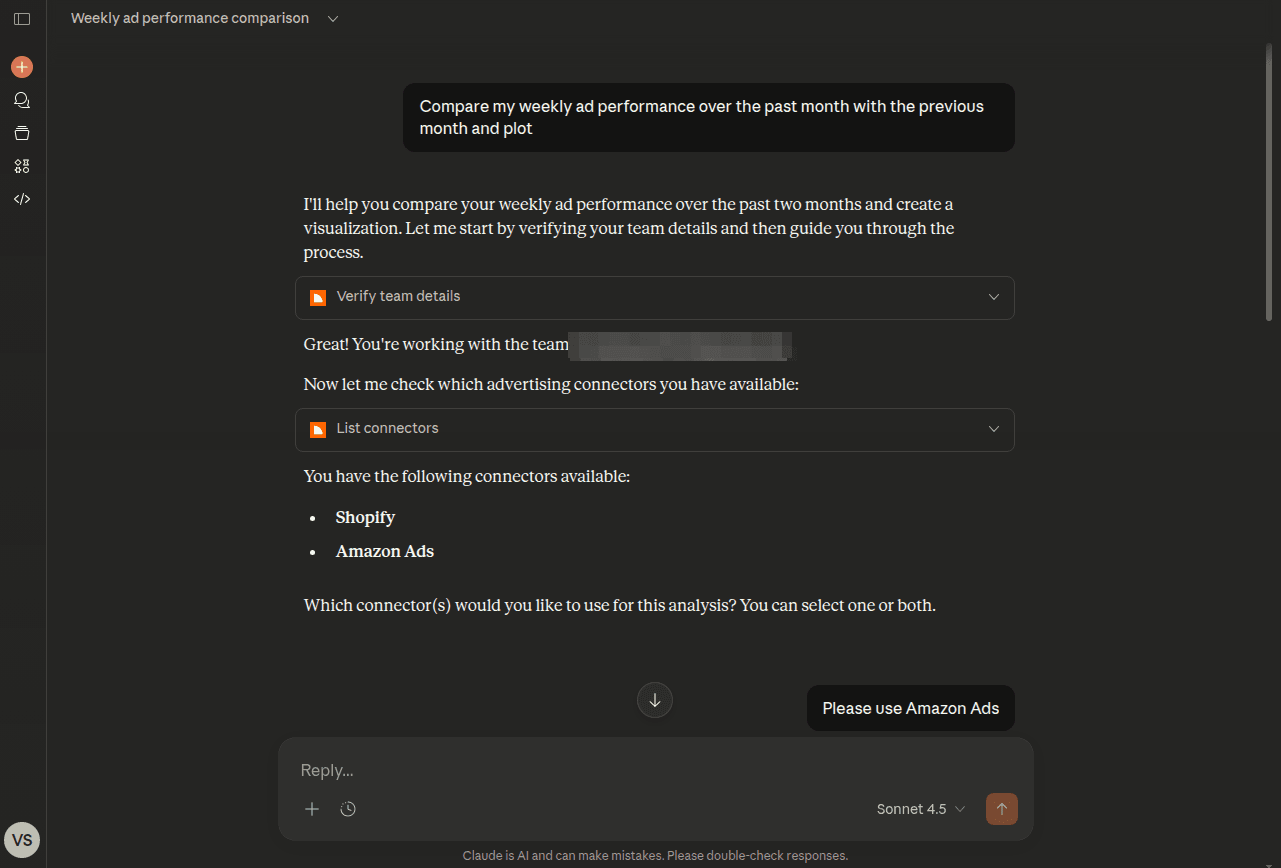
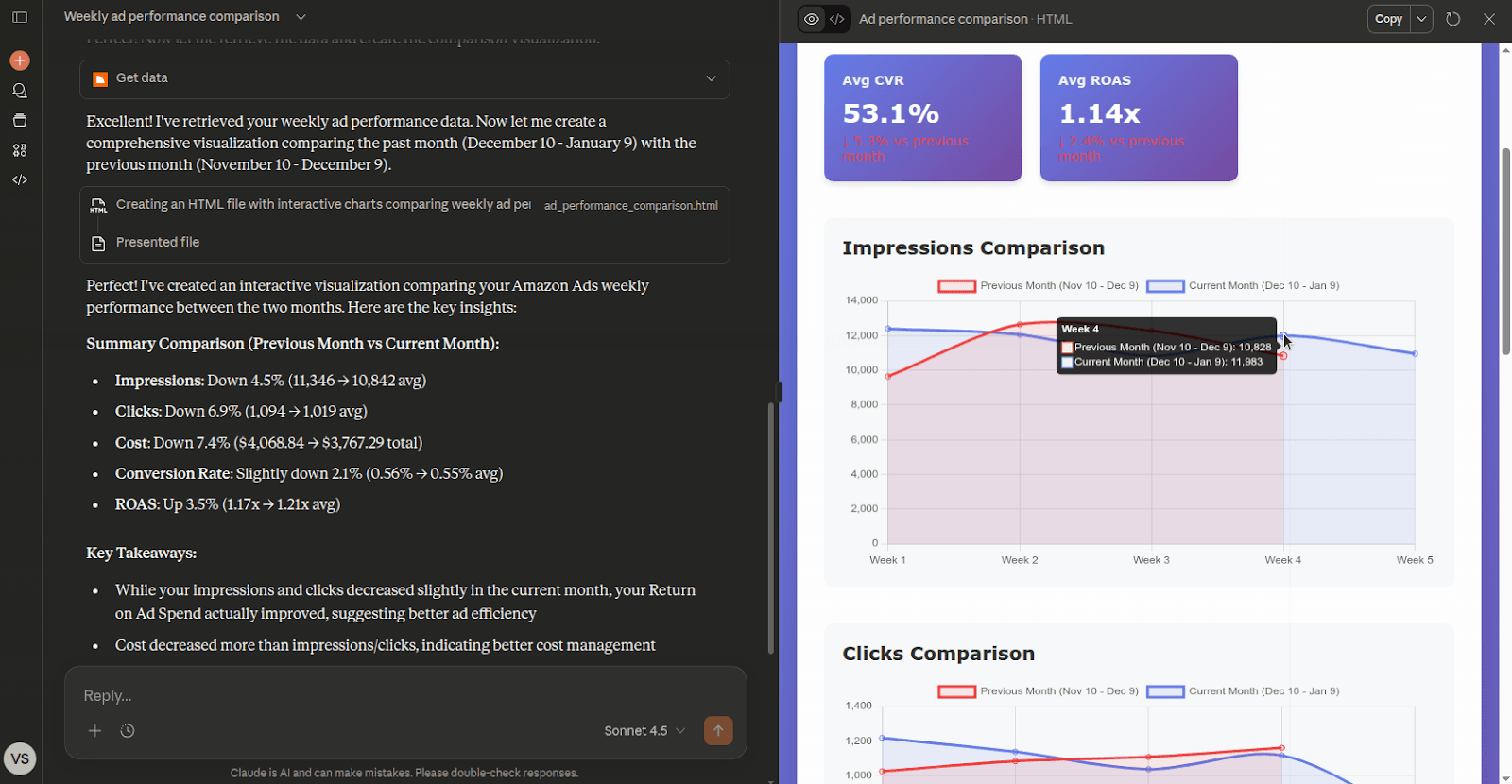
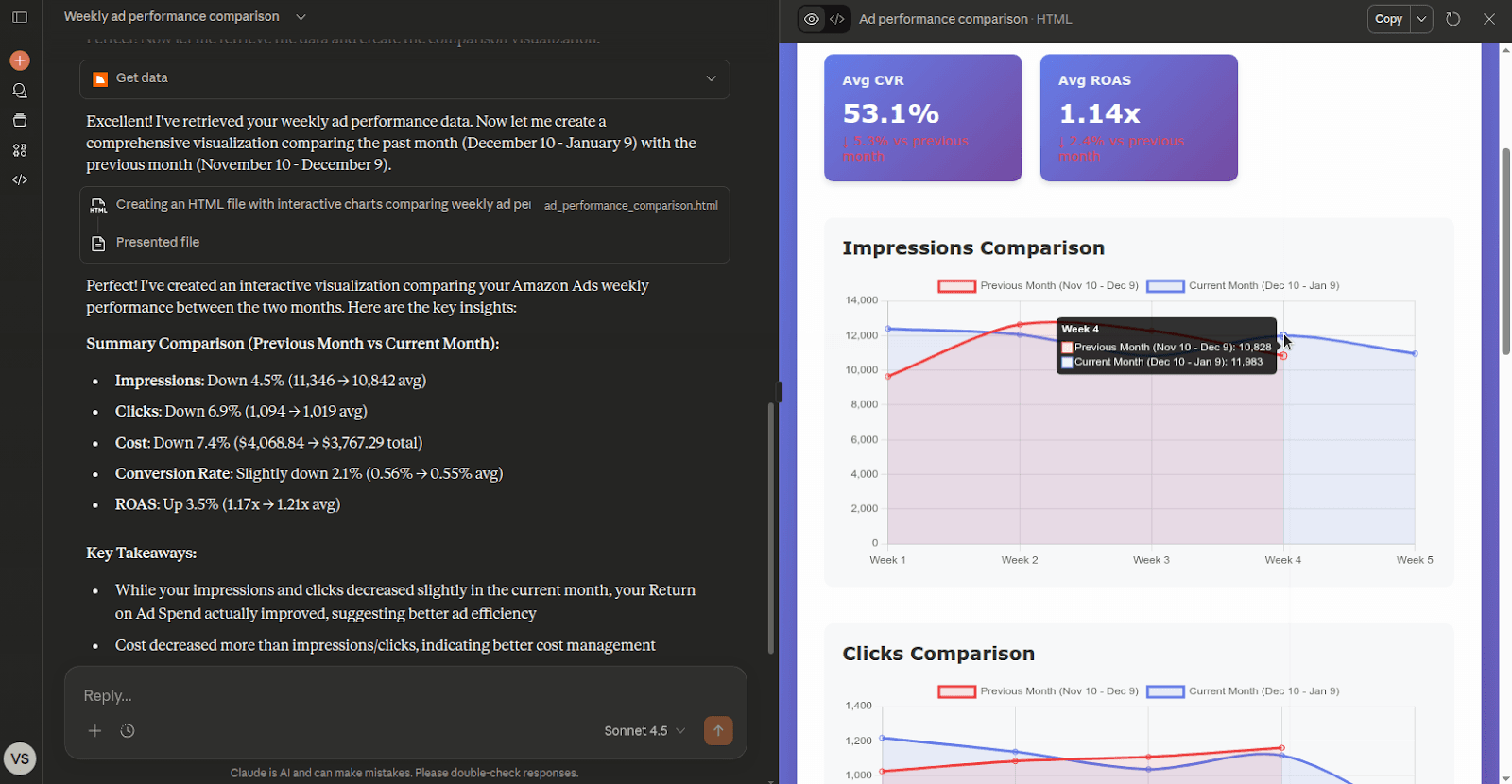
Example 2: Comparing ad performance with visualization
Prompt: “Compare my weekly ad performance for the past month with the previous month and plot the results.”
What happens:
- Your subscription and connected ad accounts are verified.
- Claude prepares queries for both time periods.
- Performance data is retrieved and compared.
- A chart is generated to visually highlight changes and trends.
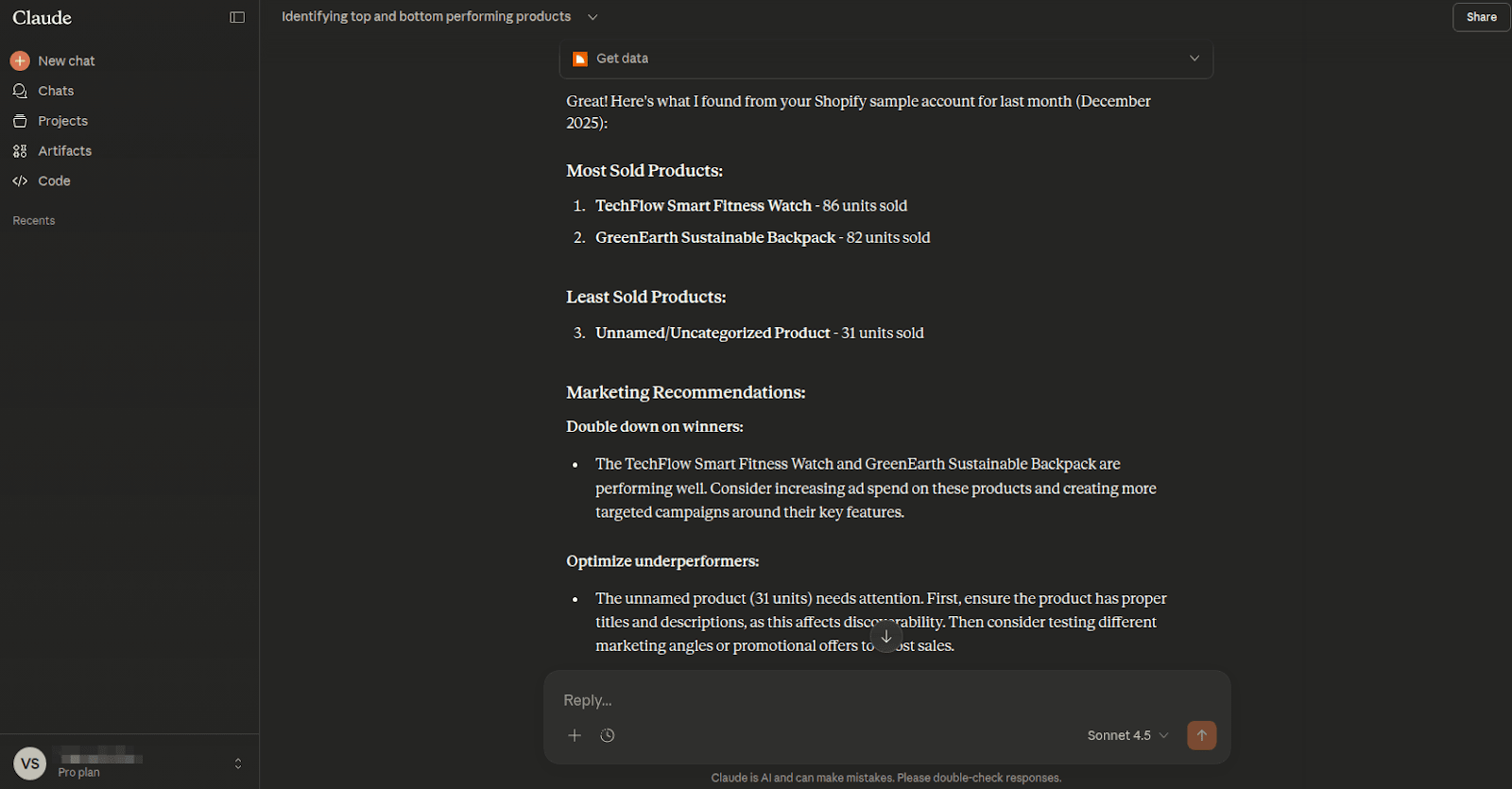
Example 3: Identifying top and underperforming products
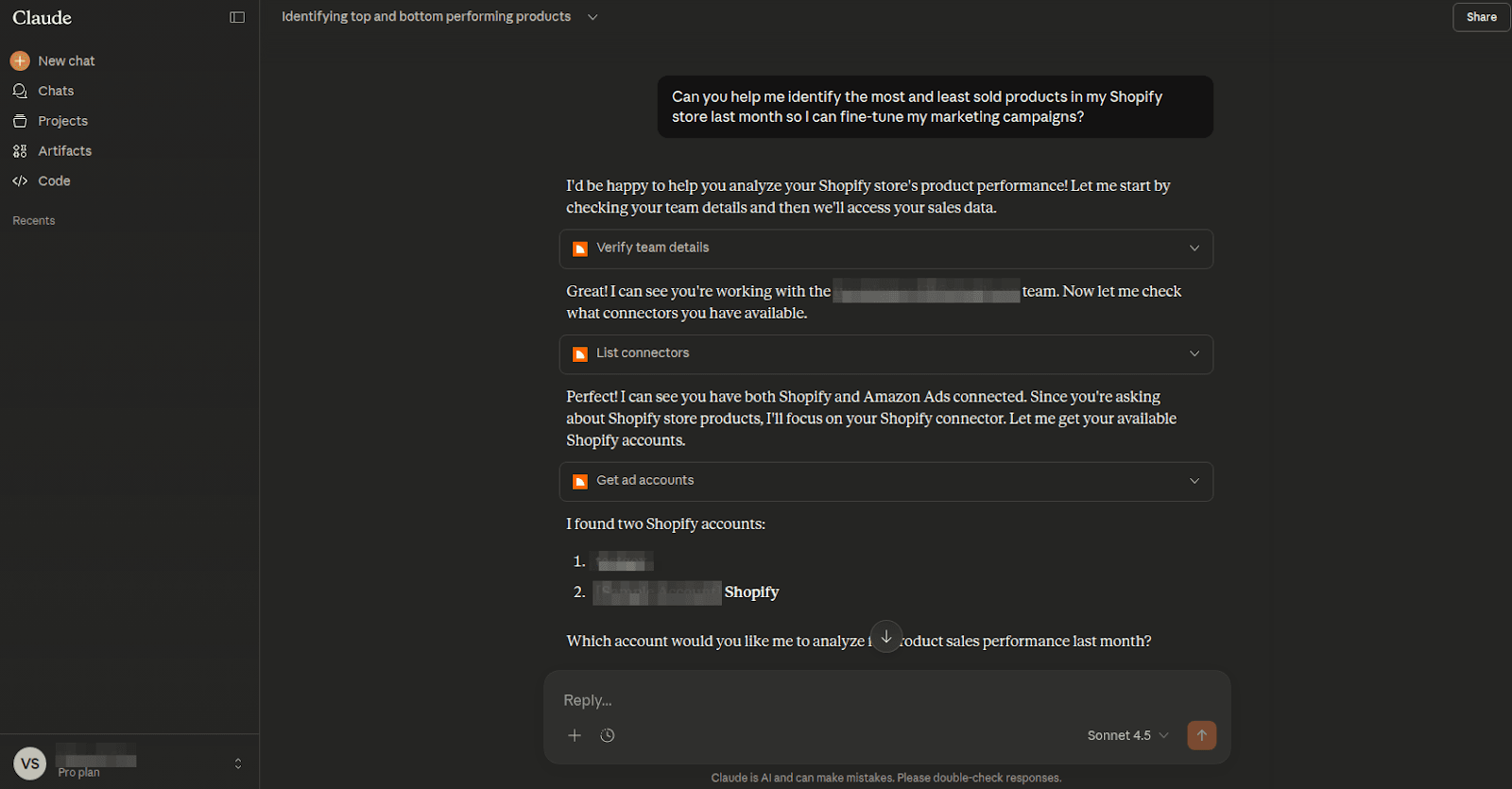
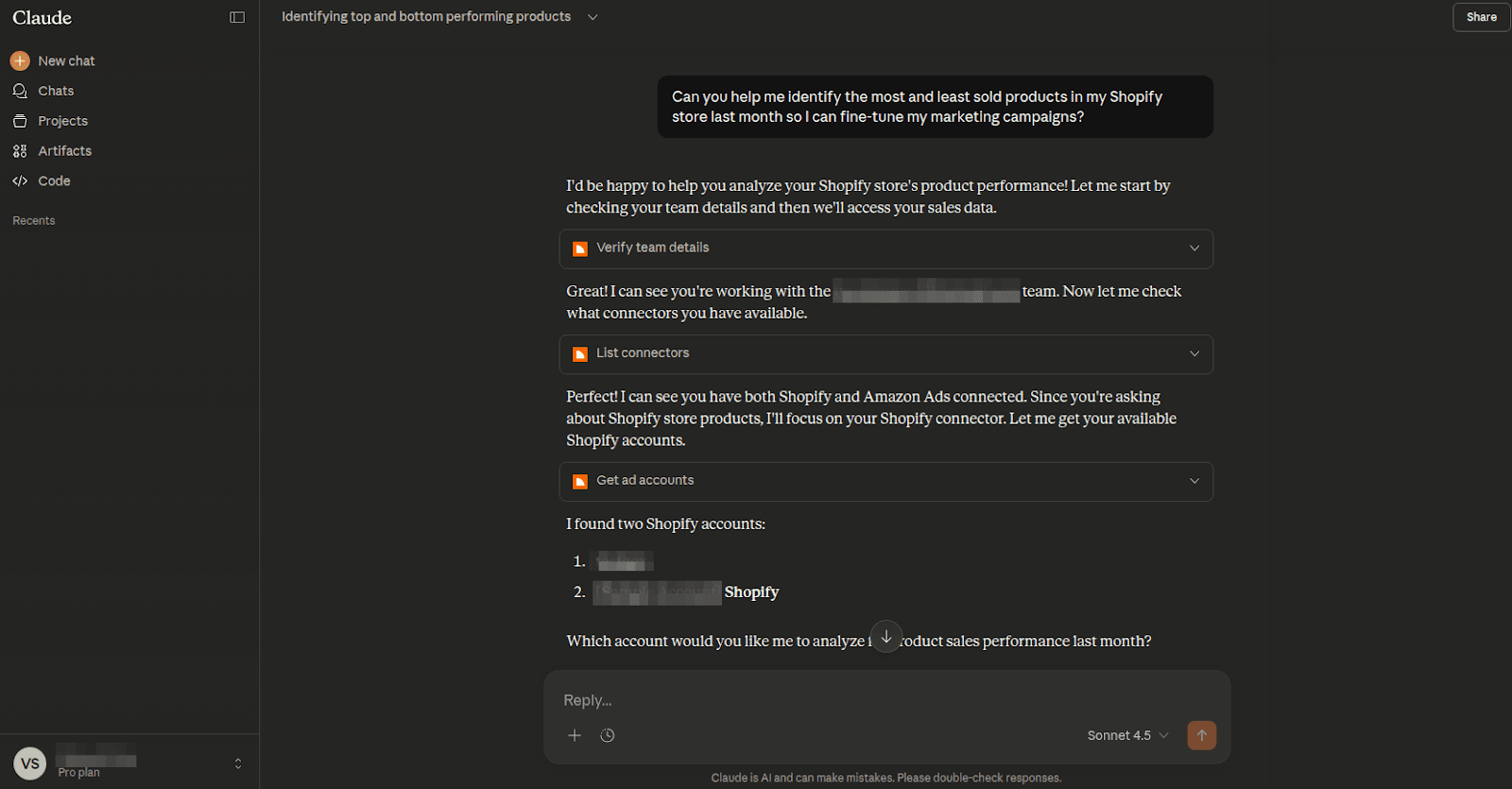
Prompt: “Can you help me identify the most and least sold products in my Shopify store last month?”
What happens:
- The server fetches product and sales data from Shopify.
- Claude analyzes units sold across products.
- You receive a clear list of top and bottom performers, along with suggestions to improve underperforming campaigns.
With the Two Minute Reports MCP Server, you can interact directly with your data, ask meaningful questions, run analysis, and visualize results without switching tools.
Privacy Policy
You can find our legal and data handling policies here:
- Privacy Policy: https://twominutereports.com/privacy-policy
- Data Security: https://twominutereports.com/data-security
- Terms of Service: https://twominutereports.com/terms-of-service
Support
If you need help or want to report an issue, we are here to help:
Email: [email protected]
Support tickets: https://twominutereports.com/support-ticket
We are happy to assist with setup, usage questions, or troubleshooting.