Connect Google Search Console to ChatGPT
Turn your Search Console data into actionable SEO decisions with ChatGPT. Ask which pages are dropping, which queries to target and what to optimize next.







Your Search Console Data, Directly in ChatGPT
Once connected, ChatGPT reads directly from your Search Console property – queries, pages, countries, devices. Every answer is grounded in your real SEO activity.
Search Queries
- Clicks, impressions, CTR and average position by query
- Top queries driving traffic to your site
- Queries with high impressions but low CTR
- Branded vs non-branded query split
- Query trend over selected date range
Pages & URLs
- Clicks, impressions, CTR, and position by page
- Top-performing and underperforming URLs
- Pages losing ranking position over time
- New pages gaining organic traction
- Page-level search appearance data
Countries & Devices
- Clicks and impressions by country
- CTR and position by geographic market
- Desktop vs. mobile vs. tablet performance
- Device-level CTR and ranking comparison
- Country-specific query trends
Search Trends Over Time
- Daily, weekly, and monthly click trends
- Impression trend across the date range
- CTR movement week over week
- Average position change over time
- Month-over-month and year-level rollups
Search Type Breakdown
- Web vs. image vs. video search split
- Clicks and impressions by search type
- News and Discover surface performance
- CTR and position per search type
- Search type trend over the date range
Segmented Performance
- Query performance filtered by country
- Page performance by device type
- Top queries per page (query + page)
- Country and device filters combined
- Multi-property view across site URLs
Analyze Your Google Search Console Data with ChatGPT
Ask ChatGPT about declining pages, winning queries, CTR opportunities, and search trends to make confident, data-driven SEO decisions.
Which of my pages are getting lots of impressions on mobile but far fewer clicks than on desktop?
Three pages show a wide mobile-vs-desktop CTR gap this month. /pricing pulls 22,100 mobile impressions at 1.6% CTR versus 3.9% on desktop. /integrations/google-ads-connector and /templates show the same pattern — strong mobile visibility, roughly half the click rate of desktop. The most common causes are titles that truncate on smaller screens and a first result that's less thumb-friendly than the desktop layout. Rewriting those titles front-loaded with the benefit, and checking how the mobile SERP snippet renders, is where the quick wins are.
Connect Your Google Search Console Data to ChatGPT in 3 Simple Steps
Install the Two Minute Reports plugin once and start asking ChatGPT questions using your marketing data.
Create Your Free Account
Connect Two Minute Reports to ChatGPT
Start Chatting with ChatGPT
Your Data Is Safe
Security you can explain to your clients, too.
We don't store your advertising data on our servers. Two Minute Reports connects to your data sources using OAuth - your credentials never touch our system. ChatGPT only reads what you've explicitly connected.
OAuth Authentication
Connects securely to your data sources. No passwords stored. Revoke access anytime from your platform settings.
Read-Only Access
ChatGPT can only read your data. It cannot create, edit, pause, or delete anything. Your account stays fully in your control.
No Data Training
Your advertising data is never used to train AI models. What's yours stays yours - full stop.
Built for Agencies and Teams Who Manage SEO Reporting at Scale
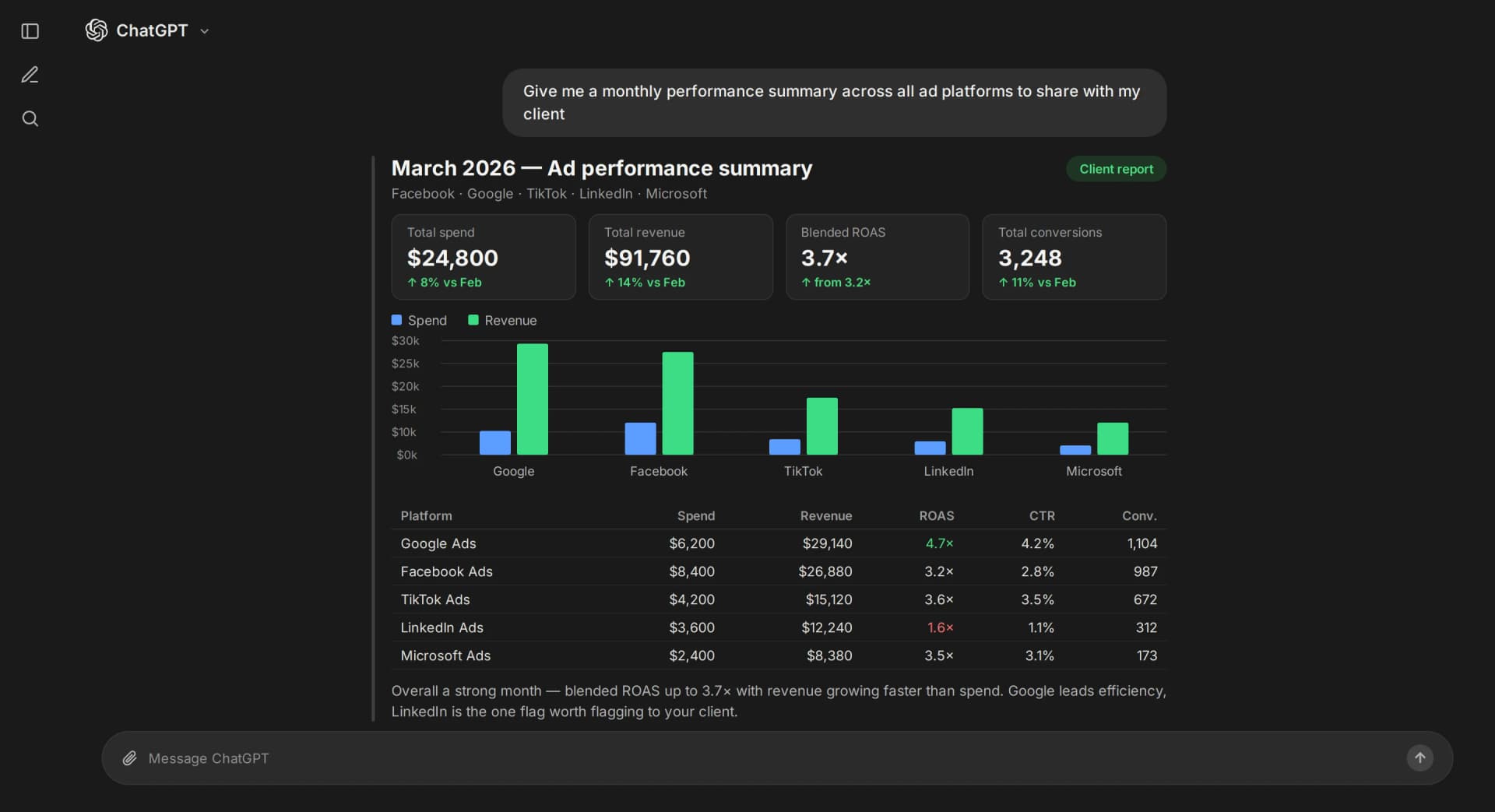
Use ChatGPT to turn your marketing data into clear, structured reports for clients, teams, or stakeholders — in seconds. No manual formatting or copy-pasting required.
Send reports clients actually understand
Send up-to-date dashboards your clients can follow without a call
ChatGPT writes the performance summary so you can edit, approve and hit send
Reports go out automatically on a set schedule – daily, weekly, or monthly
Fully white-labelled, so every report looks like yours
Share via link or send directly to their inbox
No credit card required
Other ChatGPT Integrations You Can Connect
Connect more marketing platforms to ChatGPT and get instant insights across all your data.



















Other Destinations


- "Overall, this is a highly potent software that takes your reporting and analytics to the next level. It is easy to integrate and use this software so that you can start using it quickly."JonathanCEO
- "The software is great, very easy to use and does the same as other softwares which charge you x20 its cost."DiegoDigital Marketing and Web Design
- "They have a good choice of connectors. For ecommerces, they do most social media, GA (better than Google's), Shopify, Amazon, Klaviyo. In short, everything we need."Fanny MarcouxWeb Analytics Consultant
- "Two Minute Reports does exactly what it says - it makes it extremely quick and easy to create reports."MarcCTO
Frequently Asked Questions
Recommended Articles
Connect Google Search Console to Google Data Studio: Tutorial & Templates (2026)

Take back your time. Wow clients.
Get Two Minute Reports.
Start your free trial todayBuilt by marketers. Built for marketers.