 Google Analytics 4
 Google Search Console
Find the Pages Losing Traffic Before They Disappear
Some of your best pages may be quietly losing clicks and sessions. Connect your GSC and GA4 data to Claude through Two Minute Reports. Identify your decaying pages, see how severe each issue is, understand the root cause, and know exactly what to fix next.
Don’t Let Declining Pages Go Unnoticed
Two Minute Reports brings your GSC and GA4 data together and pipes it into Claude for a deeper content health analysis. Compare your performance over 30, 60 or 90 days and see changes in clicks, sessions, search position, CTR, key events and more in one report.
Sure. Let me load the skill instructions to get started.
AI Skills That Turn Data Into Decisions
The skill teaches Claude how to fetch your data, analyze it, and write up the findings — so every report comes out structured, consistent, and grounded in real numbers.
What happens behind the scenes
You
ask in Claude
The skill
guides the report
TMR connector
fetches your data
Search Console + GA4
the source of truth
How to Run a Content Decay Audit In Claude?
Connect your GSC and GA4 with Two Minute Reports, sign in to Claude, and your first audit is one prompt away.
Connect your GA4 & GSC accounts
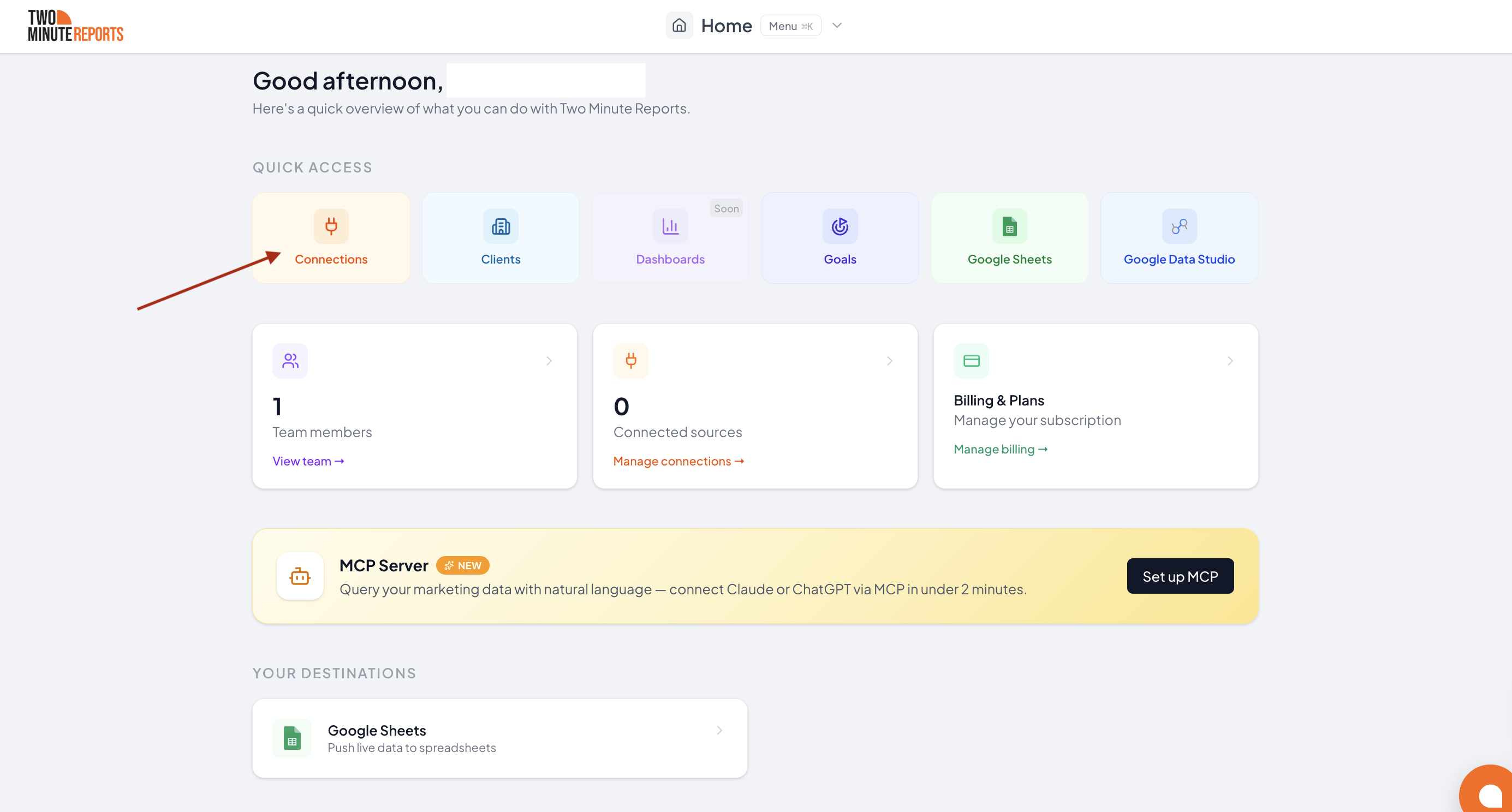
Click ‘Try for Free’ on the TMR website to start your 14-day free trial. You’ll be directed to hub.twominutereports.com. Click Connection, then authorize and enable your GA4 and GSC accounts.
Add the Two Minute Reports Connector to Claude
Configure permissions
Upload the skill
Run your audit
If You Need to Prioritize Content Fixes, This Audit is For You.
SEO Specialists
You can see traffic is down, but not which pages or what caused it.
- Identify declining pages scored by severity, sorted from Critical to Medium, so you know what to fix first.
- See when a page lost impressions and clicks together (a ranking decline) versus held impressions but lost CTR (a SERP problem).
- Spot pages where clicks are steady in GSC but sessions dropped in GA4, flagged as a possible tracking issue to check before you refine the content.
In-House Marketers
A top-ranking page is slipping. Find it before it’s gone.
- See your top 3 decaying pages up front, each with its severity, decay score, and the single most important signal behind the drop.
- Get a pattern read across all candidates; whether one root cause dominates, or the decay clusters around a content type.
- Walk away with one concrete priority action tied to your most severe finding.
Content Teams
Don’t update every piece of content. Focus on what’s actually decaying.
- Separate a genuine content problem from a click-through or tracking one, so you don't rewrite a page that ranks fine.
- Spot engagement decay; pages holding their sessions but losing engaged sessions or key events, a sign that the content stopped matching intent.
- Prioritize refreshes by decay score instead of guesswork.
Agencies & Freelancers
Turn your client’s GSC and GA4 data into a report with a clear action plan
- Run the full decay audit on the connected property over a 30, 60, or 90-day window.
- Hand over an HTML dashboard with KPI tiles, a colour-coded candidate table, a root-cause breakdown, and recommended actions for the top pages.
- Give each finding a diagnosis and a next step, not just a number.
Frequently Asked Questions
It's a Claude skill that integrates with your GA4 and GSC data via Two Minute Reports. It compares your last period against the one before it, flags pages where clicks or organic sessions dropped more than 20%, scores each by severity, and diagnoses the root cause. You also get a recommended actions list to help you act on key issues faster.
Four, matched in order: Visibility Loss (impressions and clicks both down), SERP Issue (impressions steady but CTR down), Tracking Mismatch (clicks steady in GSC but sessions down in GA4), and Engagement Decay (sessions steady but engaged sessions or key events down). Anything that doesn't fit cleanly is marked for manual investigation.
Yes. Two Minute Reports MCP is the connector between Claude and your Analytics and Search Console data. You can try it free for 14 days, no credit card needed.
A page becomes a candidate if its Search Console clicks dropped more than 20%, or its GA4 organic sessions dropped more than 20%, period over period. Pages with fewer than 50 combined clicks are excluded as too low-traffic to score reliably. Each candidate then gets a decay score weighted across click, session, impression, and position declines.
Yes. You can run it as the last 30 days vs. the previous 30, 60 vs 60, or 90 vs 90. It defaults to 30 if you don't pick one.
You can browse all available SEO skills in the Two Minute Reports' Claude SEO Skills library. Skills are grouped by category, and each page explains what the skill analyzes, the data it needs, and includes a direct download link.
Find the Pages Worth Fixing First
Connect your Google Analytics and Search Console accounts with Two Minute Reports and get a severity-scored decay report with root causes and next steps in minutes.