
Summarize this blog post with:
In 2026, local visibility has reached a tipping point.
For years, the Local Map Pack was considered the finish line. If your business showed up there, you were doing well in local search. But today that’s no longer the case. With Google’s AI overviews appearing 13% for local queries, winning a spot in the AI-generated summary is no longer a nice-to-have. It is vital as the Map Pack itself.
For agencies and marketers, this shift creates an uncomfortable reality. Tracking AI discovery, review sentiment, and NAP accuracy across dozens of clients’ Google Business Profiles becomes exhausting, leaving gaps in your data-driven narrative.
In this article, we break that bottleneck. You will learn the exact framework for building local SEO reports, tools, free templates and dashboards that let you win clients’ trust, prove ROI and deliver insights that scale.
Let’s get started.
What is a local SEO report?
A local SEO report shows how a business is discovered, chosen, and trusted in local search. Rather than focusing only on keyword rankings, it measures visibility, actions, and reputation signals across map results, local organic listings, and AI-assisted search experiences.
As local search continues to shift towards zero-click results and AI-generated summaries, modern reporting must analyze where and how a business is surfaced, not just whether it ranks.
This includes observing when a brand is mentioned or recommended within AI-driven local results, indicating directional visibility, not standalone performance metrics.
At its core, a local SEO report answers three practical questions:
- Can potential customers find the business when they search locally?
- Do they take meaningful actions directly from the search results?
- Is the business trusted enough to be surfaced consistently across traditional and AI-assisted search experiences?
To answer these questions clearly, local SEO reporting is built around three core pillars.
With this foundation in place, you can move beyond surface-level reporting and focus on metrics that truly explain results.
Why is local SEO reporting important?
As search shifts towards zero-click results and AI-generated summaries, rankings alone cannot explain performance or prove ROI. Here are the key reasons:
- Explains visibility beyond rankings: Your reports often show that a business is discovered across Maps, local results, and AI-assisted search, not just where it ranks.
- Measure real customer actions: Calls, direction requests, messages, and bookings now represent primary conversion signals for local businesses.
- Capture zero-click performance: Many local searches end without a website visit. Local SEO reporting ensures these interactions are still measured and valued.
- Trust and reputation impact: Review volume, freshness, and sentiment increasingly influence visibility and recommendations.
- ROI-focused decision making: Connect local SEO efforts directly to leads and revenue, not vanity metrics.
To make local SEO reporting meaningful, each of these outcomes must be measured with the right data points. The following section breaks down the key metrics every local SEO report should include to track visibility, actions, and trust.
Top 8 metrics to include in your Local SEO report
Here are the most important local SEO metrics you need to track and report to enhance your local SEO performance.
1. Geographic visibility
What it is: How widely your business appears across different cities, neighbourhoods, or service areas in local search results.
Why it matters: Local visibility varies by location. Tracking geographic visibility reveals coverage gaps and helps explain why leads may come from some areas but not others.
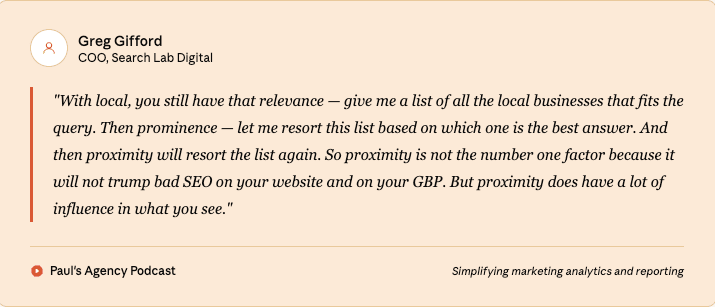
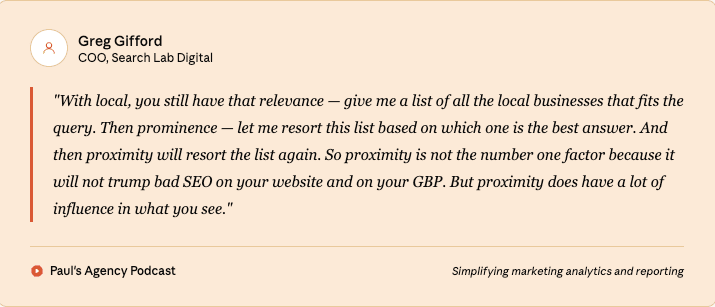
Check out the full episode: The Local SEO playbook 2026: What changed + how to do it right
2. Local keyword rankings
What it is: Your business’s position for keywords with local intent, across targeted cities or service areas.
Why it matters: Local keyword rankings indicate competitive positioning and help validate whether visibility changes are driven by ranking shifts or other factors.
3. Organic traffic by location
What it is: Website visits segmented by city, area, or region.
Why it matters: This metric shows which locations are driving demand and helps align SEO efforts with high-value geographic markets.
4. NAP consistency
What it is: Accuracy of your business name, address, and phone number across directories and listings.
Why it matters: Inconsistent NAP data hurts trust signals and reduces your local visibility across both search and map results.
5. Direct, discovery and branded searches
What it is: How users find your business profile – by searching your brand name, a category, or a related service.
Why it matters: You can measure brand awareness levels, identify popular search terms, and pinpoint new growth opportunities.
6. Online reviews
What it is: The volume and frequency of customer reviews across platforms. You can track volume, average rating, recency and responses.
Why it matters: Consistent review activity signals business credibility and directly influences local visibility and user trust.
Pro tip: Think a bad review hurts your business? Watch this.


7. Google Business Profile actions
What it is: Measures the overall profile engagement, such as website visits, phone calls, bookings, messages, direction requests, etc.
Why it matters: Signals what actions visitors perform after viewing your listing. If you get only more views and no reported action, it is a strong indication to optimize your business listing.
8. Business ratings
What it is: Your average star rating based on customer feedback. It is the most important trust factor to translate visitors into potential customers.
Why it matters: Ratings affect click-through rates, conversions, and search engine trust, especially in competitive local markets. If you have low ratings, visitors will feel less confident and move to your competitors.
How to create a local SEO report using Claude via Two Minute Reports MCP?
Before you proceed, ensure you have the following:
- Any Claude user (Free or Pro) can connect to Two Minute Reports MCP and start querying directly in Claude.
- If you don’t have a Two Minute Reports account yet, you can explore it with a 14-day free trial – no setup complexity, and you can follow along as you go.
Here's how you can connect Google Business Profile to Claude via Two Minute Reports MCP in three simple steps – no code, no custom scripts needed.
1. Go to Claude → Settings → Connectors → Add Custom Connector
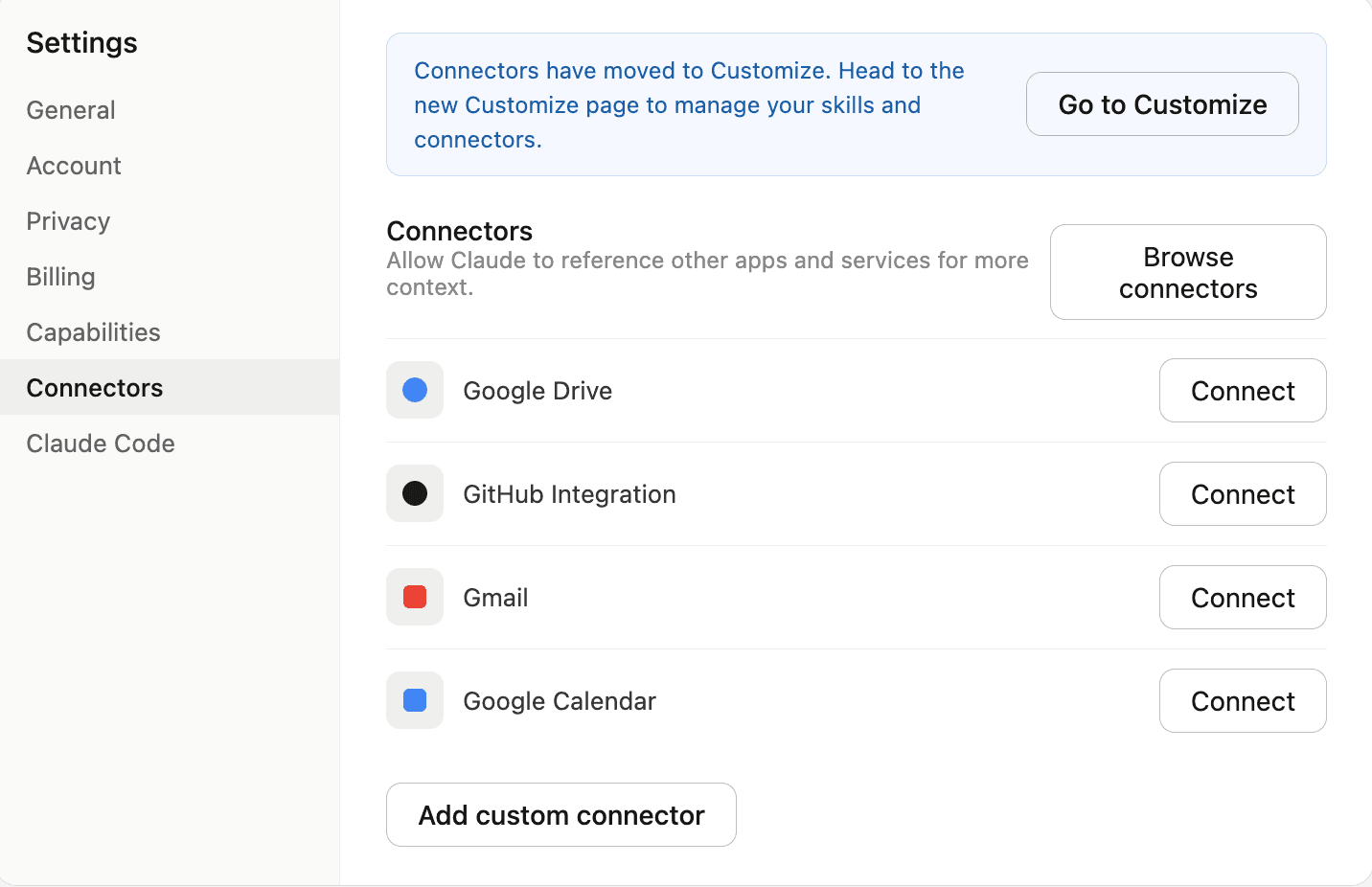
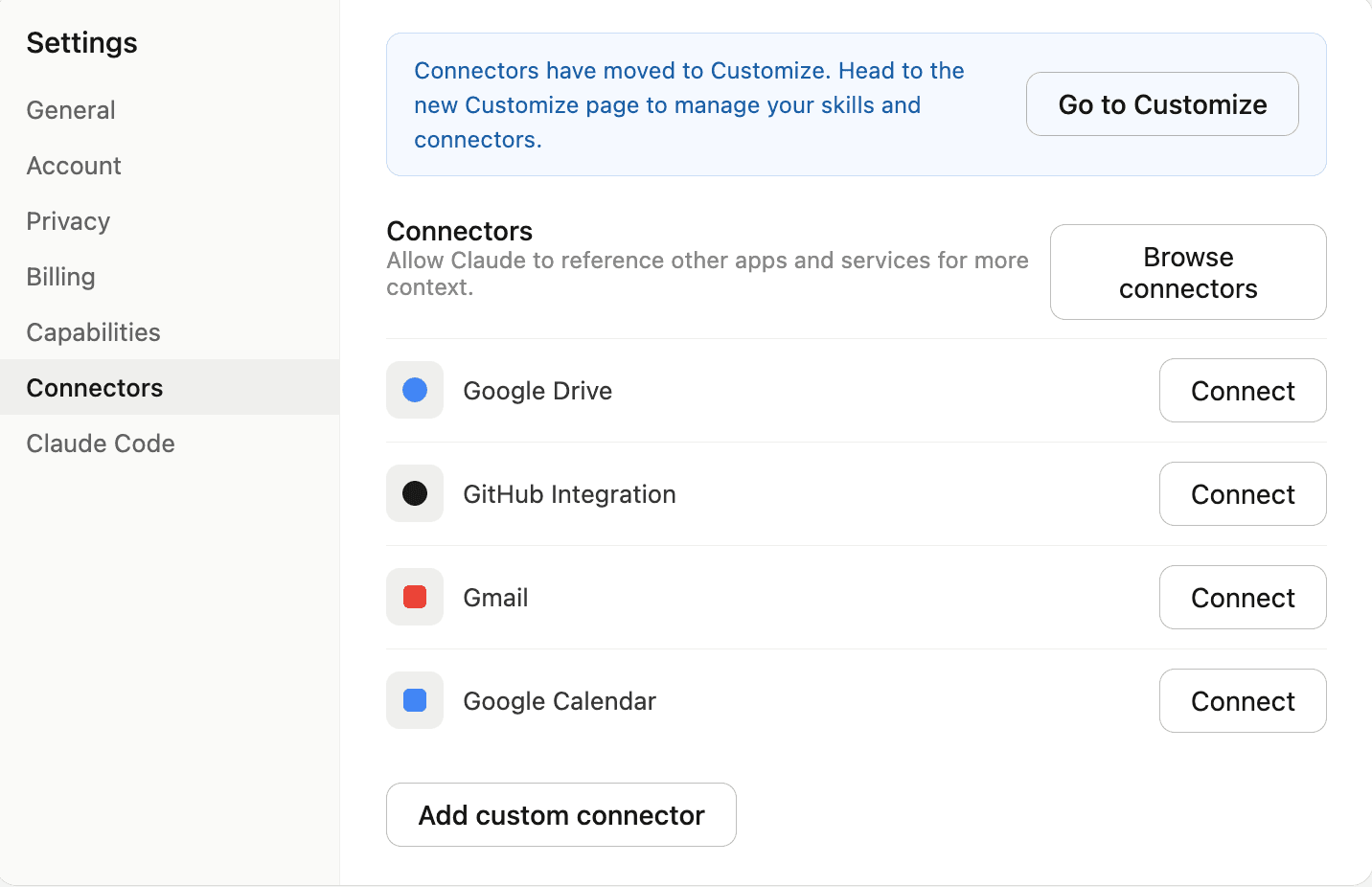
2. Enter a name for the connector. Next, in the Remote MCP server URL field, paste the following URL and click Add: https://mcp.twominutereports.com/mcp
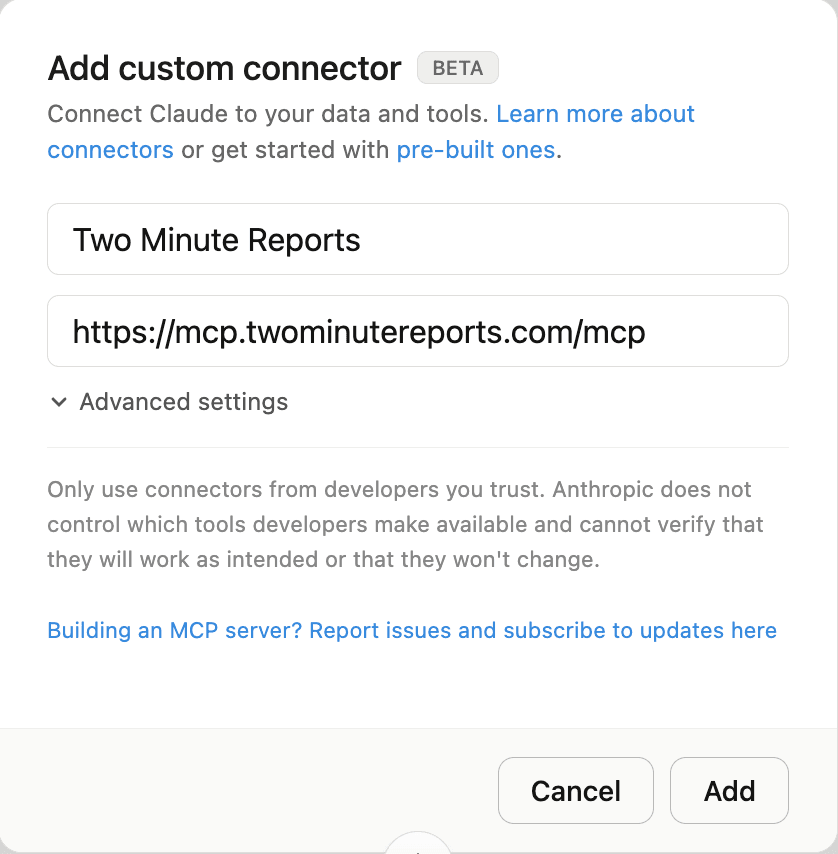
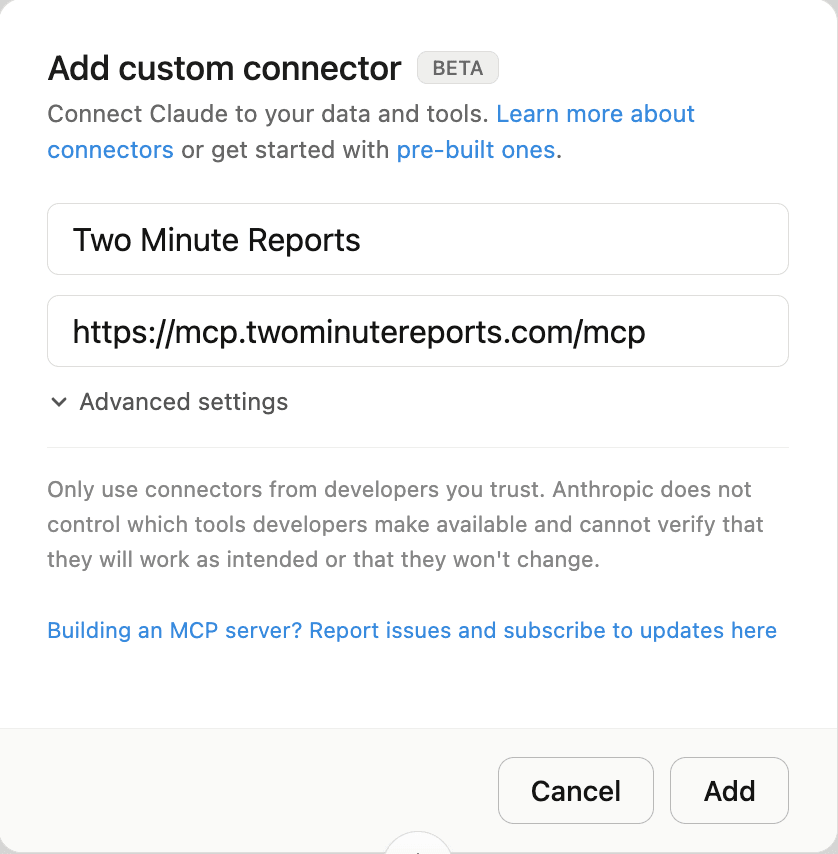
3. After adding the connector, click Connect and sign in with your Google account linked to your Two Minute Reports account. Once authenticated, Claude will be able to access your Google Business Profile data securely.
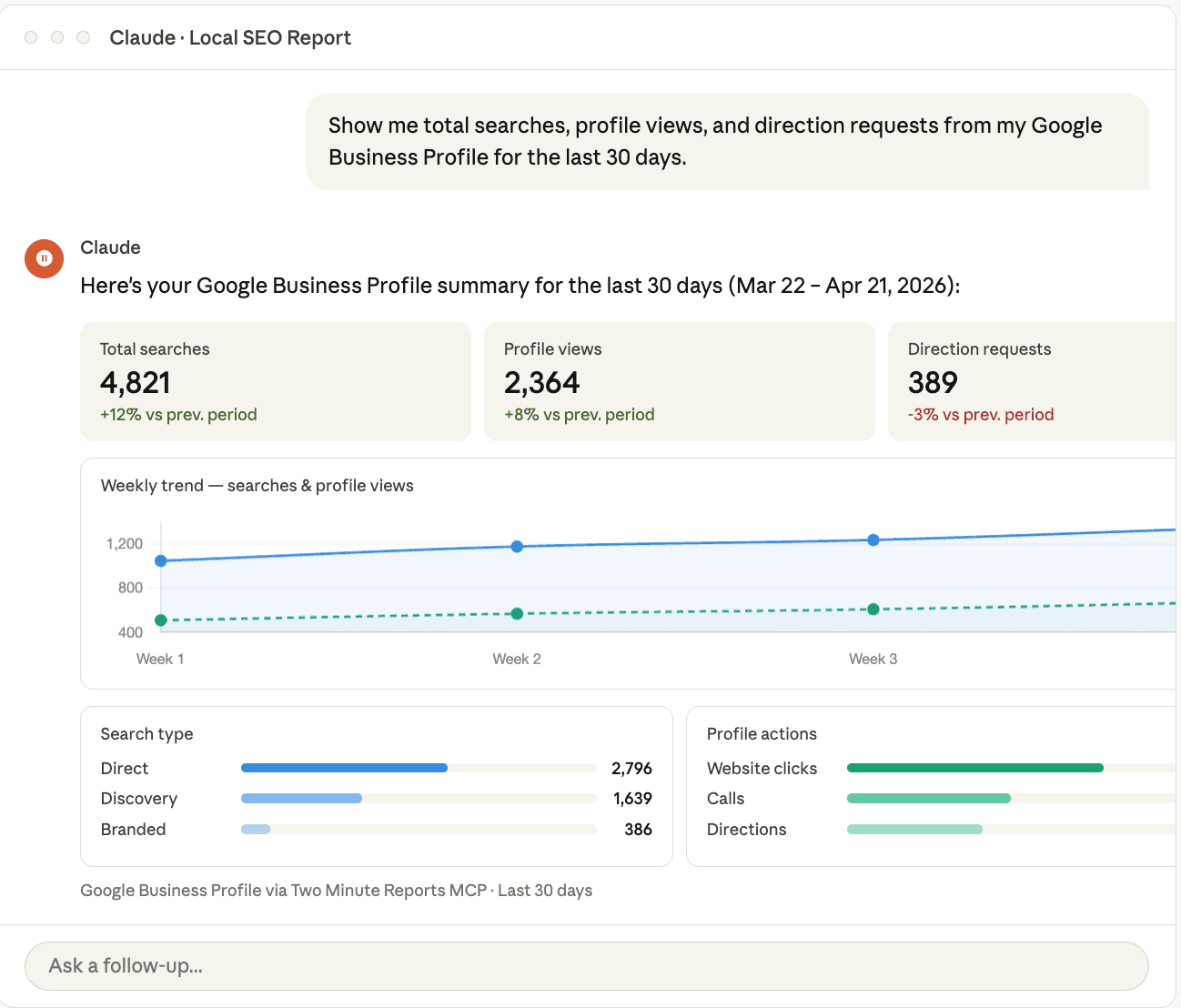
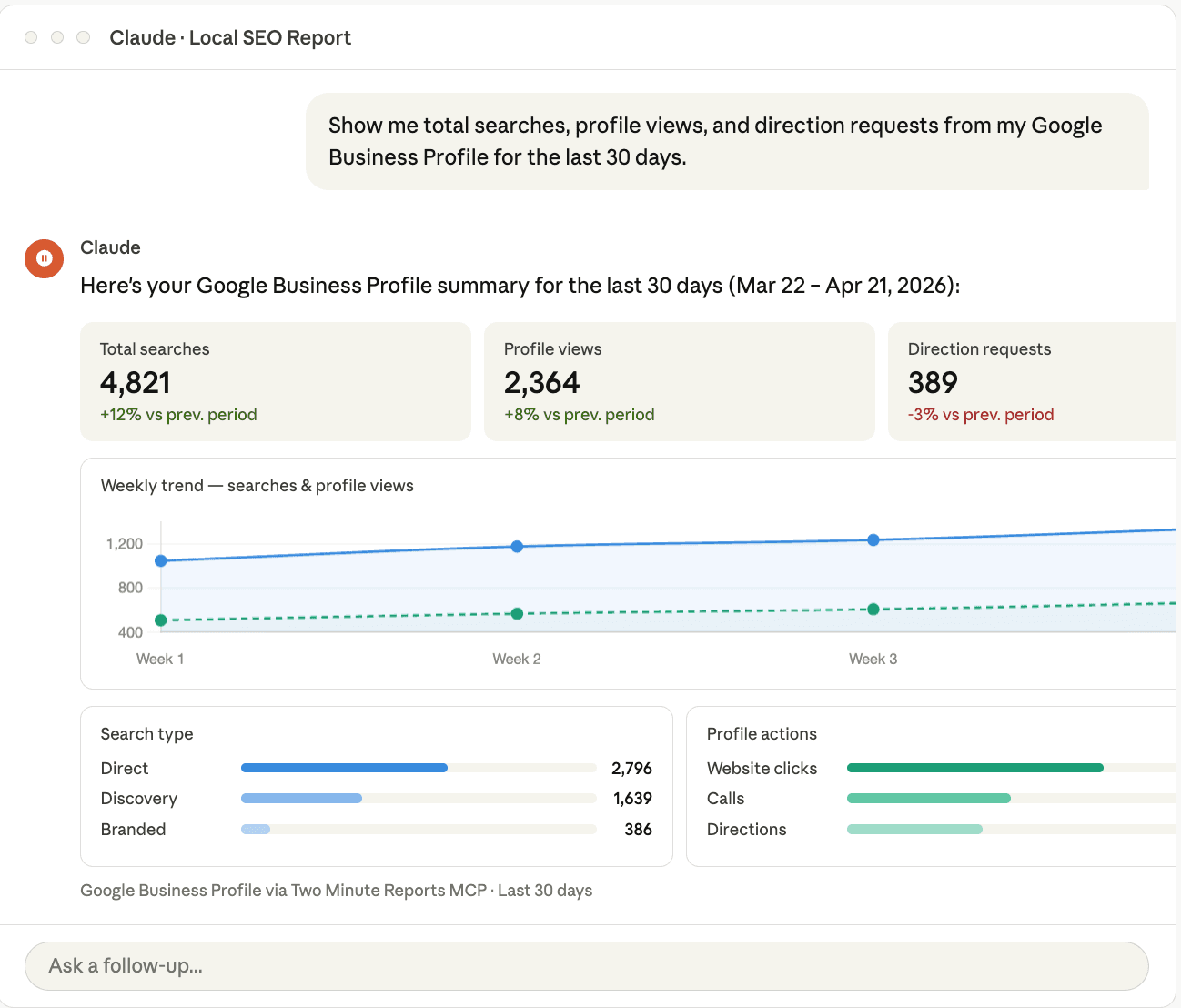
Perform a quick check to ensure that your Google Business Profile data is connected to Claude:
Your entire local SEO reporting workflow, from pulling data to visualizing insights, happens in one place, right inside Claude.
Why Two Minute Reports is the best local SEO reporting tool?
With over 4000 brands and agencies trusting Two Minute Reports, here’s why it acts as a game-changer in transforming your local SEO performance:
- Fully branded reporting: Create branded GMB dashboards in seconds – doesn’t require any premium upgrade.
- Fast, automated reporting: Build your local SEO report once. Let it auto-update and reach your clients at the right time. No more manual efforts.
- Track performance and prove ROI: Track local SEO metrics in real-time and optimize listing performance based on live data.
- Smarter client management: Add, update, or remove multiple GMB client accounts within a few clicks – no complex onboarding.
- Custom GMB dashboards: Build data-driven GMB dashboards that include keyword rankings, conversion actions, visibility trends, and more, aligning with your client’s marketing goals.
- Unlimited reporting: Extract GMB data exactly the way you want and create unlimited real-time dashboards to stay fresh.
Whether you’re a marketer boosting local SEO visibility, an agency managing multiple clients’ GMB listings or a data specialist tracking local performance at scale, Two Minute Reports adapts to your ever-growing reporting workflow.
Bonus: Free Checklist and Local SEO reporting templates
Now that you know the essentials of local SEO reporting, it’s time to take action. You need to apply these insights to your strategy and visualize tangible results. That’s why I’ve put together free resources to help you get started.
Local SEO reporting checklist: A clear step-by-step list to create actionable reports
Track geographic visibility:
- Measure visibility across different neighbourhoods, cities, and service areas.
- Identify high-performing locations and areas where visibility needs improvement.
Monitor local keyword rankings:
- Track rankings for key local search terms.
- Focus on long-tail keywords that are likely to convert.
Measure customer actions:
- Monitor key on-SERP actions like calls, direction requests, and bookings.
- Track these actions to determine which metrics are driving real leads, not just website traffic.
Ensure NAP consistency
- Check that your business name, address, and phone number (NAP) are consistent across all local directories and listings.
- Correct any discrepancies to avoid damaging trust and local rankings.
Track reviews and ratings:
- Monitor the volume and frequency of new reviews across platforms (Google, Yelp, etc.).
- Keep an eye on your average rating and respond to customer feedback to improve your reputation.
Now that you have the checklist, you can start creating actionable reports with our free Google My Business reporting templates. Just plug in your account, customize KPIs and automate real-time local SEO insights seamlessly.
Frequently Asked Questions
You can automate your local SEO report using Two Minute Reports. Specify the schedule (daily, hourly, weekly, or monthly), and your reports will be automatically updated with real-time GBP insights, eliminating the need for manual effort.
When it comes to local SEO reporting tools, the choice depends on the specific needs of your agency. However, if you need an all-in-one reporting tool to track local SEO performance across multiple clients and locations, Two Minute Reports is the best fit. With over 20 metrics and 100 dimensions, you can measure performance in real-time and optimize GBP listings for maximum visibility and impact.
Yes. You can access Two Minute Reports’ free Google My Business report templates and create tailored dashboards in Google Sheets and Looker Studio. The best part is you can reuse existing reports across multiple clients, so you don’t have to start from scratch.
The local search ranking factors in 2026 focus on location-specific relevance, user behavior, and business engagement in the local community. Optimizing for Google Business Profile, ensuring your site is mobile-friendly, collecting positive reviews, and maintaining consistency in local citations are important to rank in the AI-driven search era.
Related Blogs





Meet the Author
Shalini MuruganShalini is driven by ideas that create a tangible impact. At Two Minute Reports, she specializes in content that helps marketers optimize their reporting workflows. When she's not transforming complex data into meaningful insights, you might find her lost in a book, jotting down ideas in her notebook, or connecting the dots others overlook.

