
Summarize this blog post with:
At some point, every marketing report review hits a wall with the following type of questions:
“If we reduce the budget on X channel, how much will Y channel suffer?”
“How is our revenue increasing despite a traffic decline in our organic channels?”
If your reports cannot answer these questions, you’re not tracking the impact – you’re just listing the data. Most marketing reports are built around individual channels, while real decisions depend on how channels work together.
A cross-channel marketing report bridges this gap. With the right structure, you can connect channels, accurately explain performance shifts, and translate scattered metrics into clear next steps.
In this guide, you’ll learn how to build a cross-channel marketing report that drives decisions, along with ready-to-use templates to speed up client reporting.
Let’s get started.
What is a Cross-Channel Marketing Report?
A cross-channel marketing report evaluates how multiple marketing channels collectively influence business outcomes across the customer journey. It analyzes interactions, contributions, and impact across channels. It helps you capture and measure the following factors:
- Conversions across touchpoints: Measures how channels initiate, assist, or reinforce conversions, regardless of where the final conversion is attributed.
- Performance in context, not isolation: Reveals how changes in one channel correlate with performance shifts in other channels, enabling precise ROI interpretation.
- Actionable prioritization signals: Connects performance data to clear actions, such as budget reallocation, content strategy refinement, or funnel optimization.
Overall, a cross-channel marketing report helps measure connected marketing experiences across different channels. When done correctly, it helps you unify messaging and maximize the bottom line.
How to Turn Cross-Channel Marketing Data into Actionable Decisions?
Turning cross-channel marketing data into actionable decisions requires you to answer the following three questions:
What changed?
Identify statistically meaningful shifts across channels, such as:
- Changes in conversion volume, assisted conversions or revenue.
- Channel-level traffic or engagement variance beyond normal fluctuation.
- Shifts in channel mix contributing to outcomes.
The focus is on identifying the key signals that caused the change.
Why did it change?
Here, analyze the cross-channel influence. This includes:
- Identifying assist patterns (eg, social → branded search → conversion)
- Measuring correlations between the channel activity and downstream outcomes.
- Evaluate time-lag and path frequency across touchpoints.
What should we do next?
Translate analysis into explicit actions, such as:
- Reallocating budget towards high-assist or high-leverage channels.
- Prioritizing content or campaigns that influence conversion paths.
- Adjusting channel strategy based on marginal contribution, not volume.
Remember that each recommendation should map directly to a measurable outcome.
If your cross-channel marketing report can answer these three questions, it transforms into a powerful decision-making tool. However, this is true when the report is cross-channel and not simply a multi-channel summary.
Cross-Channel vs Multi-Channel Reporting: What’s the Difference?
Multi-channel reporting presents performance metrics for each marketing channel separately. It means your brand appears on multiple platforms, but each channel will be measured in isolation.
What does it capture?
- Channel-level outputs – sessions, clicks, conversions, or spend per channel.
- Platform-centric performance – success measured within each channel’s native metrics.
- Last-touch attribution – conversions credited to the final interaction.
On the other hand, cross-channel reporting measures how multiple marketing channels work cohesively to influence your conversion goal.
What does it capture?
- Channel contribution patterns – which channel brings users in, which one supports them, and which leads to the final conversion.
- Impact of shared channels – how activity in one channel (like social or email) leads users to return and convert through another channel.
- Journey-based metrics – how often other channels help before a conversion, the common paths users take, and how long a conversion usually takes.
Here’s a brief overview:
What to Include In Your Cross-Channel Marketing Report?
The following components form the core structure of an effective cross-channel report.
The final step is clarifying which channels to scale, optimize, or deprioritize, based on the data analyzed from the above factors. Altogether, you can deliver an easy-to-read, action-driven cross-channel report to your clients and win their trust.
How to Build Your Cross-Channel Marketing Report: Step-by-Step
Creating an effective cross-channel report requires a planned, step-by-step execution of displaying the required performance data. This section helps you simplify that process. Here’s how:
1. Map key metrics with your client’s goals
Before tracking data, clearly define your client’s business goals and map the right metrics to those outcomes. Since cross-channel reporting spans the full funnel, a structured and measurable approach is essential to select the right channels, interpret performance correctly, and avoid misleading conclusions.
Brainstorm the following questions with your clients to set clear cross-channel marketing goals:
- What is the primary outcome we’re optimizing right now?
- Which funnel stage needs the most improvement?
- What role should each channel play – initiate, support or convert?
- How should the channels be evaluated?
- How long does the typical conversion journey take?
- What decisions must this report enable?
Once goals, channel roles, and attribution are clear, you can confidently decide which channels belong in your cross-channel report.
2. Choose the right channels to include
Once you’ve identified your clients’ goals, the next step is to select the high-converting channels that are directly tied to your clients’ goals and objectives.
Here’s how you can select the right channel for cross-channel measurement:
- List all platforms currently in use and identify where budget, effort, and campaigns are actively running.
- Focus on platforms that drive meaningful traffic, conversions, or revenue.
- Identify which marketing channels support awareness (top funnel), consideration (mid funnel), and conversions (bottom funnel).
- Include channels that commonly appear together in user journeys, such as social influencing, search or email supporting conversions.
A channel belongs in a cross-channel report only if it measurably impacts conversions and interacts with at least one other channel in the customer journey.
3. Integrate your marketing channels in one place
Here’s the hard truth: Manually copy pasting data from multiple marketing channels is a tedious job. Imagine your client emails you asking for the update, and you scramble through every native ad analytics, only to get unclear, raw insights. That feels like a nightmare.
To navigate this struggle, you need an automated reporting tool that blends data in one place – consolidating metrics from multiple channels into a single, unified reporting view. This is where Two Minute Reports fits in, helping you translate raw numbers to actionable cross-channel insights.
Here’s how you can integrate your preferred platforms:
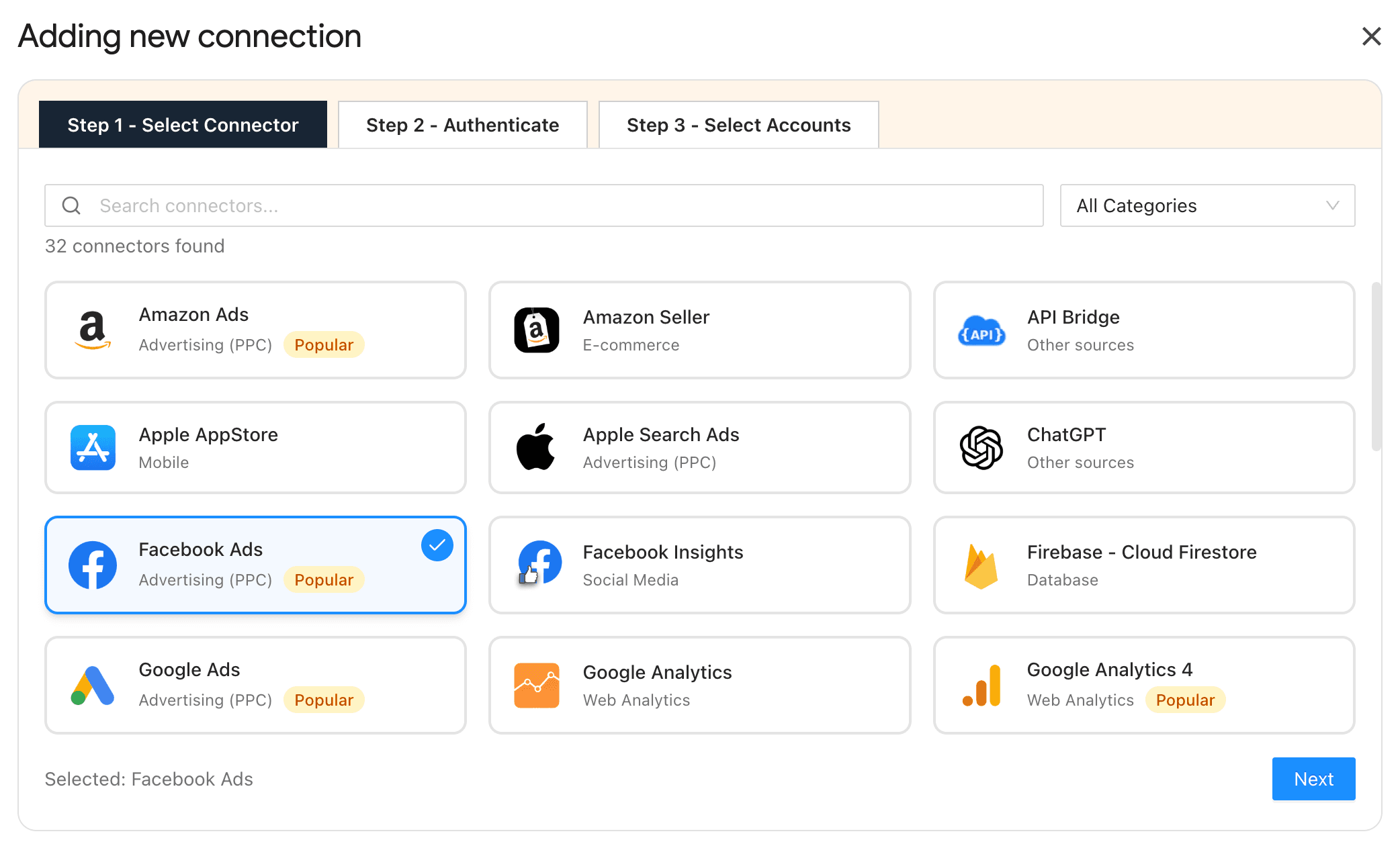
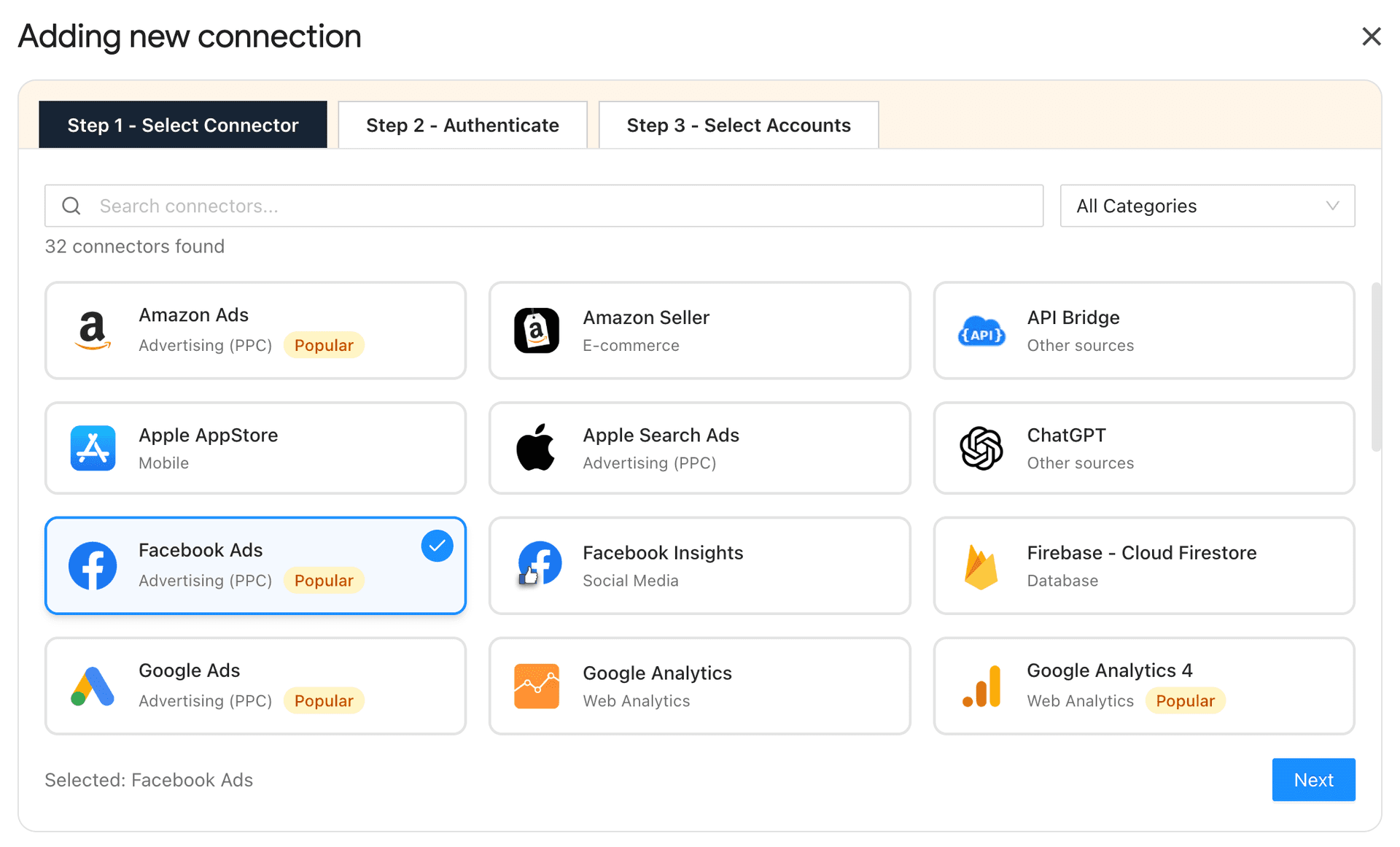
- Install the Two Minute Reports add-on from the Google Workspace Marketplace. Next, launch it in your spreadsheet.
- Navigate to the Menu dropdown and click Connections. Follow the on-screen instructions to provide the necessary credentials and connect your preferred marketing platforms.
- Once connected, you can select key metrics, visualize cross-channel performance, and automate it on your preferred schedule (daily, weekly or monthly).
This way, you’ll get:
- A centralized view of your cross-channel performance data.
- Accurate, real-time insights to optimize your cross-channel ROI.
4. Customize Your Cross-Channel Report
With Two Minute Reports’ ready-to-share templates, you can customize your cross-channel reports to match your clients’ expectations without rebuilding from scratch.
Here’s how it helps in practice:
- Deliver client-ready reports faster by customizing logos, colors, and layouts across Google Sheets and Google Data Studio – no premium upgrade required.
- Maintain branding consistency at scale, so every report looks polished and aligned across teams and clients.
- Reuse existing reports across multiple clients, freeing up time to focus on cross-channel optimization instead of formatting.
- Ensure accurate data ownership by mapping the right data sources to the right client, reducing errors back-and-forth.
The result is a reporting workflow that scales clearly – while keeping your cross-channel reports actionable, consistent and easy to understand.
5. Automate Reports On Your Preferred Schedule
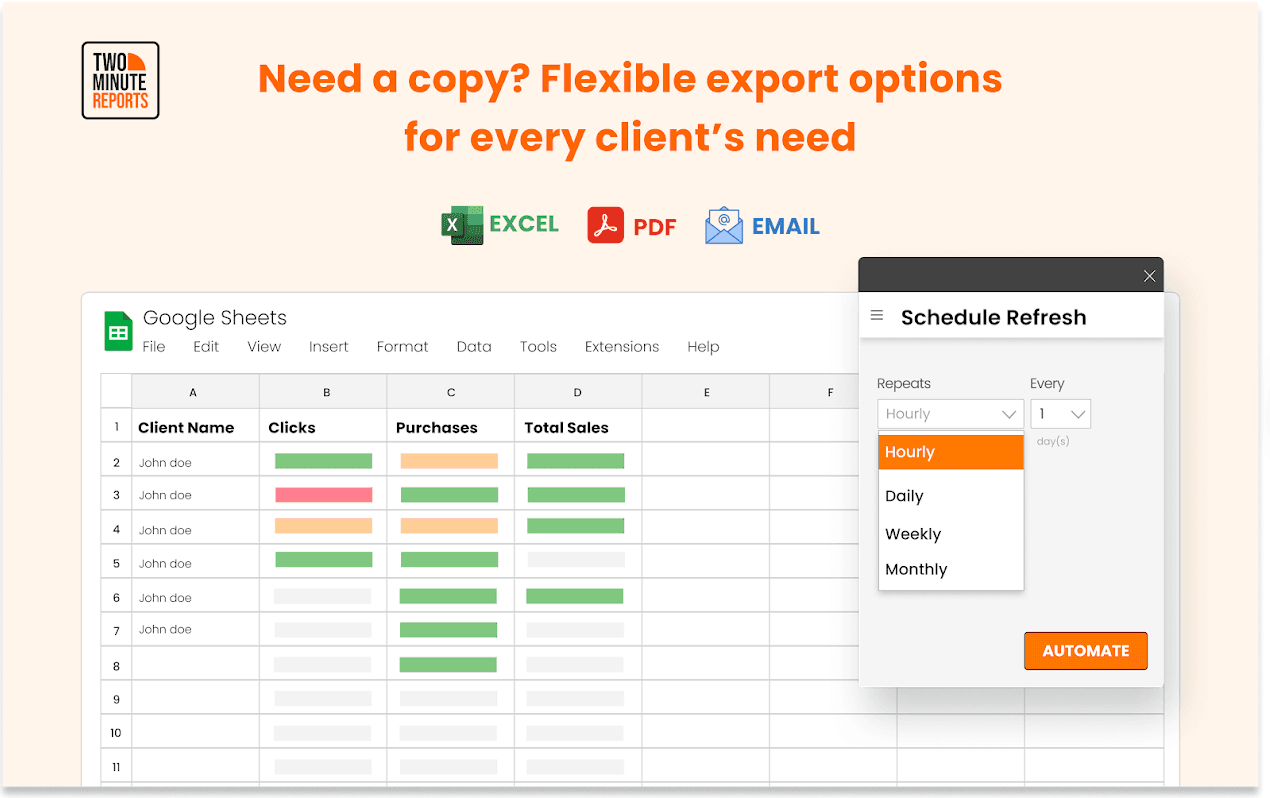
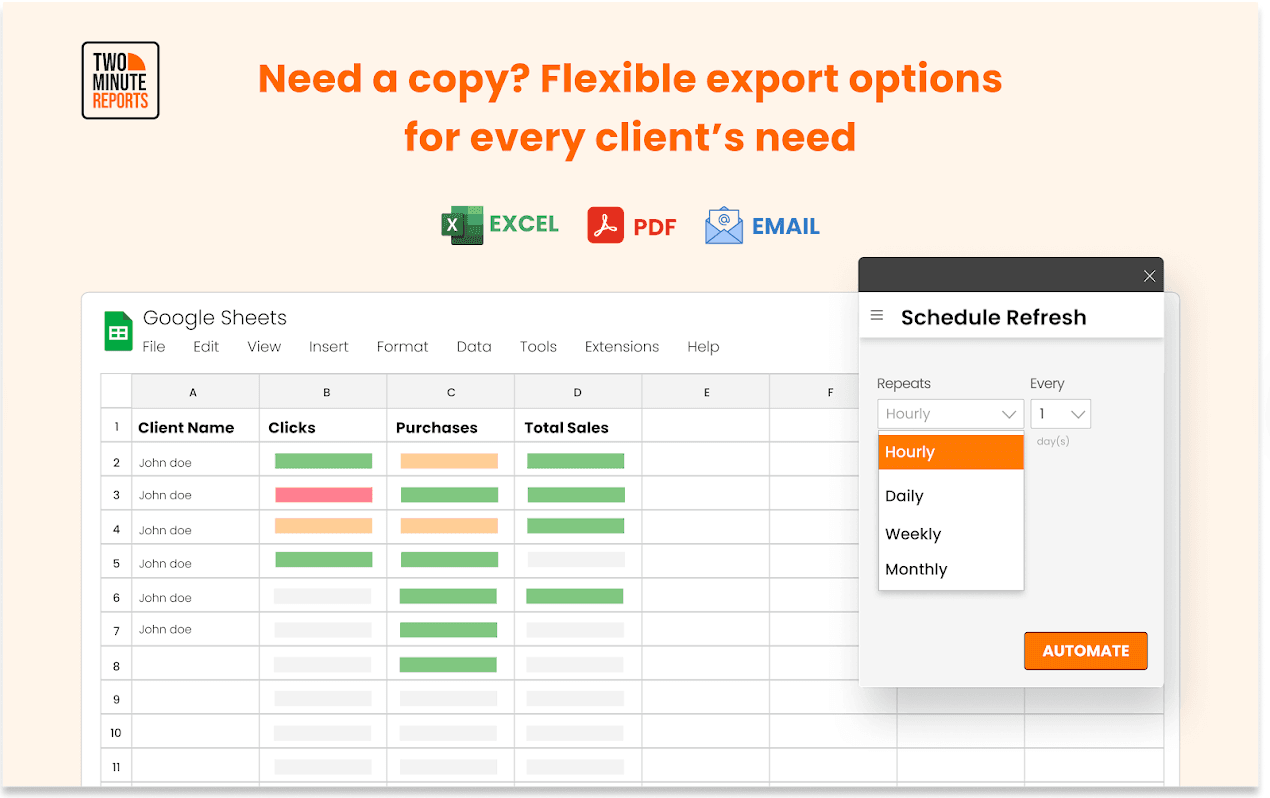
The final step is to share the cross-channel report with your client on a defined schedule.
You can do this in the following ways:
- Export reports in your preferred format, such as PDF or Excel.
- Send reports based on your reporting frequency – hourly, daily, weekly or monthly.
- No matter the number of clients, specify their email address(es) and share cross-channel reports in one click.
Cross-Channel Marketing Reporting Templates
You can use the templates below to build and automate cross-channel reports across clients within minutes.
1. Facebook Ads vs Google Ads vs LinkedIn Ads Dashboard
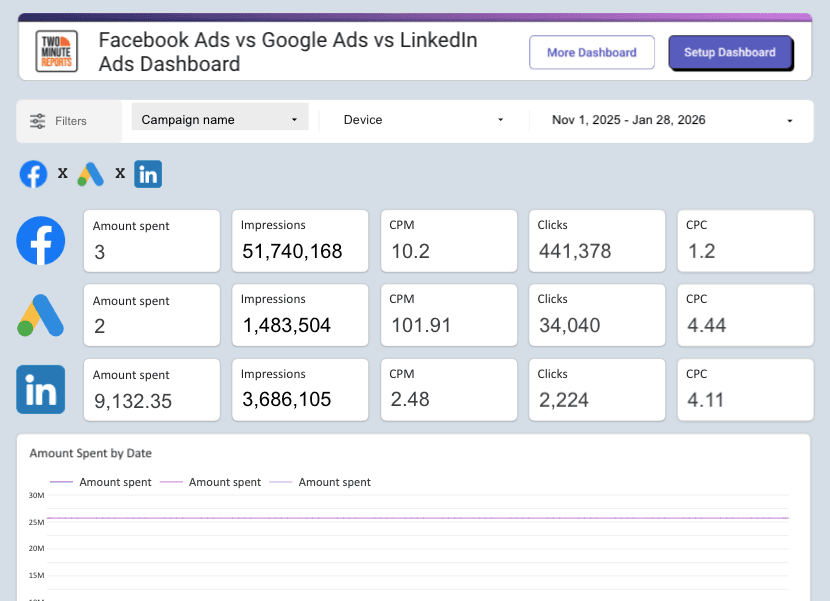
Visualize a consolidated view of your Facebook Ads, Google Ads, and LinkedIn Ads data in a single dashboard.
What do you get with this template?
- Unified view: View core metrics from Facebook Ads, Google Ads, and LinkedIn Ads, including spend, impressions, CPM, clicks and CPC in a single report.
- Side-by-side comparison: Compare cost, impressions, and clicks across all three ad platforms using dedicated tables and visual comparisons.
- Geographic insights into ad engagement: Analyze where clicks are coming from globally with a geo-based visualization.
2. Google Ads vs Facebook Ads Dashboard
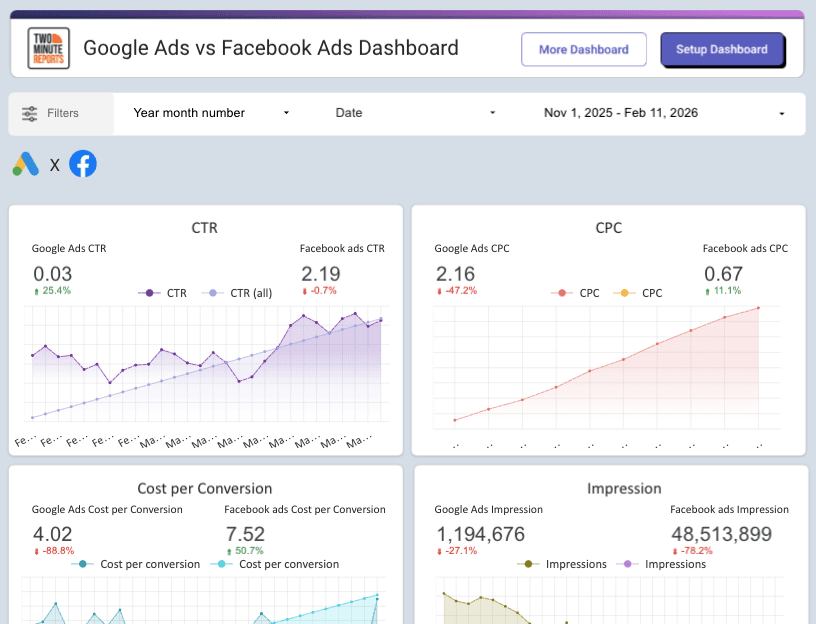
Evaluate Google Ads and Facebook Ads performance side by side using core efficiency and conversion metrics.
What do you get with this template?
- Performance comparison: Compare CTR, CPC, cost per conversion, spend, impressions, clicks and conversions across Google Ads and Facebook Ads using scorecards and graphs.
- Campaign and ad-level insights: Identify top-performing campaigns and ads to know what worked and what didn’t.
- Audience and device-level visibility: Understand where clicks are coming from globally with geo charts and analyze click distribution by device type.
3. GA4 Purchases and Conversions Exploration Report
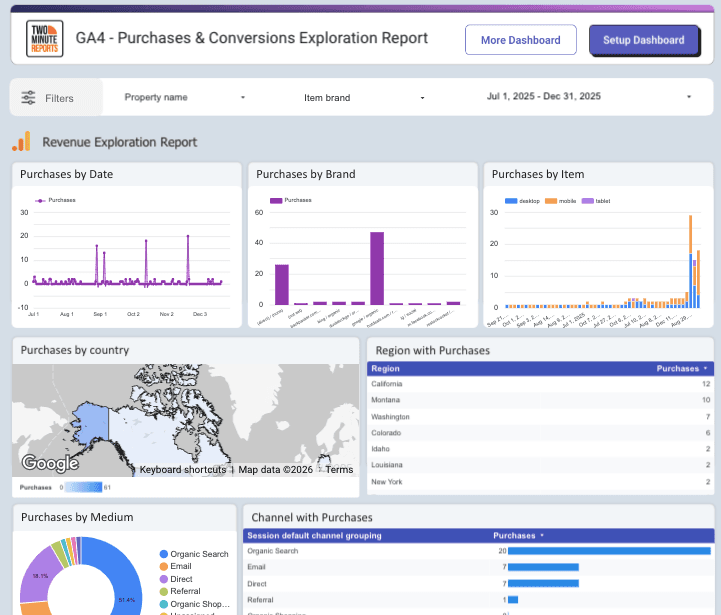
Track purchases and conversions across different parameters in one place. Create actionable GA4 reports that showcase your actual revenue and plan the next steps to optimize ROI.
What do you get with this template?
- Analyze key metrics: Track purchases and conversions based on date, items, brand, devices and country in a single dashboard.
- Channel performance breakdown: Track the top-performing channels (referral, paid social, paid search, organic social, organic search, email, etc.) based on the purchase and allocate the resources accordingly.
- Optimize for device-based targeting: Identify which devices (desktop, mobile, tablet) contribute to the highest purchases and strengthen the conversion funnel accordingly.
Wrapping Up
As the customer journey becomes more complex, the real challenge is no longer running campaigns across channels – it is tracking, analyzing, and optimizing them together. Cross-channel reporting gives you the clarity to see what’s working, which channels drive the highest ROI, and how to align performance with your client’s strategic goals. Here’s how:
- Include only relevant marketing channels that directly map to your client’s goals and objectives.
- Keep cross-channel reports consistent by highlighting key insights, outcomes, and measurable impact across connected touchpoints.
- Use an automated reporting tool such as Two Minute Reports to centralize integrations, monitor key metrics, and measure cross-channel ROI in real time without manual effort.
Are you ready to build cross-channel reports that drive clear next steps? Try Two Minute Reports free for 14 days and see how easy it is to build and automate insights faster.
Frequently Asked Questions
A cross-channel marketing report evaluates how multiple marketing channels collectively influence business outcomes across the customer journey. It analyzes interactions and contributions across channels to measure conversions, performance context, and actionable signals.
To turn your cross-channel marketing data into actionable decisions, focus on three key questions: What changed? Why did it change? What should we do next? This approach helps you pinpoint significant shifts, understand the interactions between channels, and develop clear steps to optimize your strategy.
Multi-channel reporting measures performance metrics for each marketing channel separately, while cross-channel reporting assesses how multiple channels work together to influence conversion goals. Cross-channel reporting focuses on the interconnected customer journey and credits every assist in the conversion path.
Two Minute Reports supports cross-channel marketing reporting by centralizing data from multiple platforms into a single dashboard. It enables teams to track unified KPIs, automate reporting workflows, and measure cross-channel ROI without manual data consolidation.
Related Blogs





Meet the Author
Shalini MuruganShalini is driven by ideas that create a tangible impact. At Two Minute Reports, she specializes in content that helps marketers optimize their reporting workflows. When she's not transforming complex data into meaningful insights, you might find her lost in a book, jotting down ideas in her notebook, or connecting the dots others overlook.

