
Summarize this blog post with:
You’re your agency’s PPC captain. You run ads on multiple platforms, juggle client expectations, and keep a dozen moving parts in motion, all at once. Your client wants ad spend data from Meta. Your sales team needs lead numbers to optimize the pipeline. Each answer lives on a separate dashboard, and none tells the full story.
Been there? That’s the nightmare of disconnected data.
That’s exactly where marketing data integration comes in. When you unify PPC, social, CRM, and analytics into a single dashboard, you start seeing the complete picture – acting as a single source of truth to make confident decisions.
In this guide, we’ll walk you through the methods, best practices, examples, and tools you need to centralize your marketing data and transform the way you report and scale.
What is Marketing Data Integration?
Marketing data integration is the process of pulling data from multiple platforms into a unified structure for consistent analysis and action. But it’s less about moving data and more about making it mean something.
In practice, integration goes beyond connecting PPC platforms like Google Ads, LinkedIn, or email marketing platforms. It involves three core layers:
- Consolidation – pulling data from your sources into one place.
- Normalization – aligning metrics so clicks mean the same thing everywhere.
- Unification – building a shared model where performance can be compared across channels.
Only when these three layers come together, your marketing data becomes comparable, reliable, and actionable.
Why is Marketing Data Integration Important?
Marketing data integration is often framed as a technical improvement. But its real impact isn’t on your stack; it’s on how your team understands, measures, and acts on performance. When data is unified across platforms, you stop reporting on disconnected metrics and start making decisions from a consistent, complete picture. Here’s what it looks like:
Creates a reliable view of performance
According to the TransUnion report, 49.5% of marketers state that siloed and incomplete data are crucial factors questioning their measurement accuracy. Integration makes cross-channel marketing reporting possible by giving teams a shared structure for comparing and evaluating results in a single dashboard.
Improves attribution and budget decisions
When campaign, conversion, CRM, and revenue data live separately, it’s hard to know what is actually driving outcomes. Integration helps connect activity to impact, making budget allocation more informed.
Reduces reporting friction
Manual exports, spreadsheet fixes and repetitive data preparation slow teams down. Integration removes operational drag so marketers can spend more time analyzing and optimizing.
Aligns teams around the same metrics
Marketing, sales, and leadership often work from different systems and definitions. Integration creates a common reporting layer so decisions are aligned based on your team’s goals, KPIs, and objectives.
At its core, integration ensures that data moves continuously across platforms; not just collected, but connected, consistent, and built for decisions that actually drive growth.
Signs That Your Marketing Data Is Not Properly Integrated
If any of the situations below feel familiar, your problem may not be reporting; it is the lack of a unified data foundation.
Until these gaps are addressed, every dashboard will only show you part of the story. The next step is knowing exactly what to integrate and how to make it work for your stack.
What Marketing Data Sources Should You Integrate?
To build a unified view of marketing performance, you need to bring together data from multiple platforms spanning acquisition, behavior, retention, etc. A marketing reporting software like Two Minute Reports makes this process scalable by connecting these sources in a single Google Sheets or Google Data Studio dashboard.
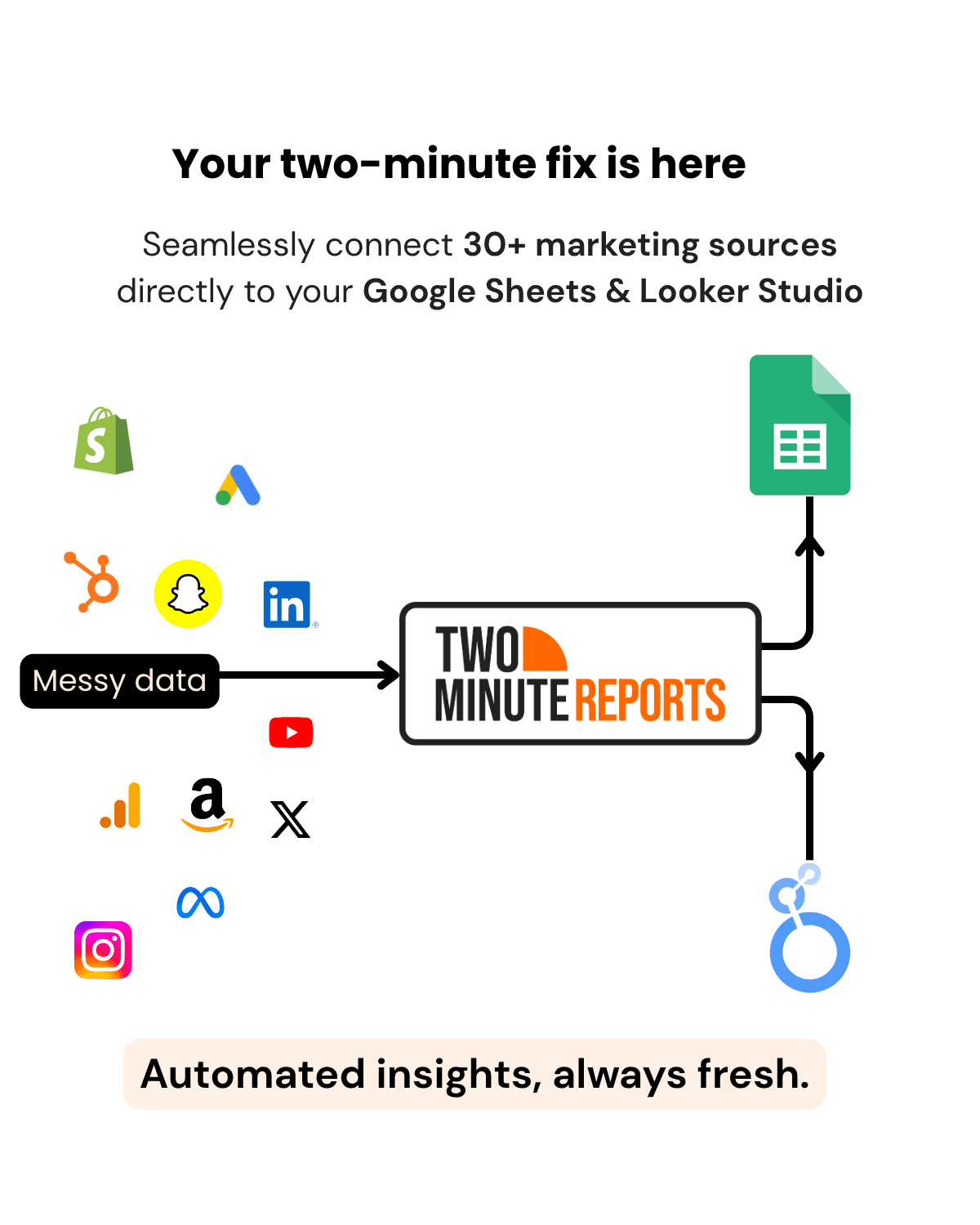
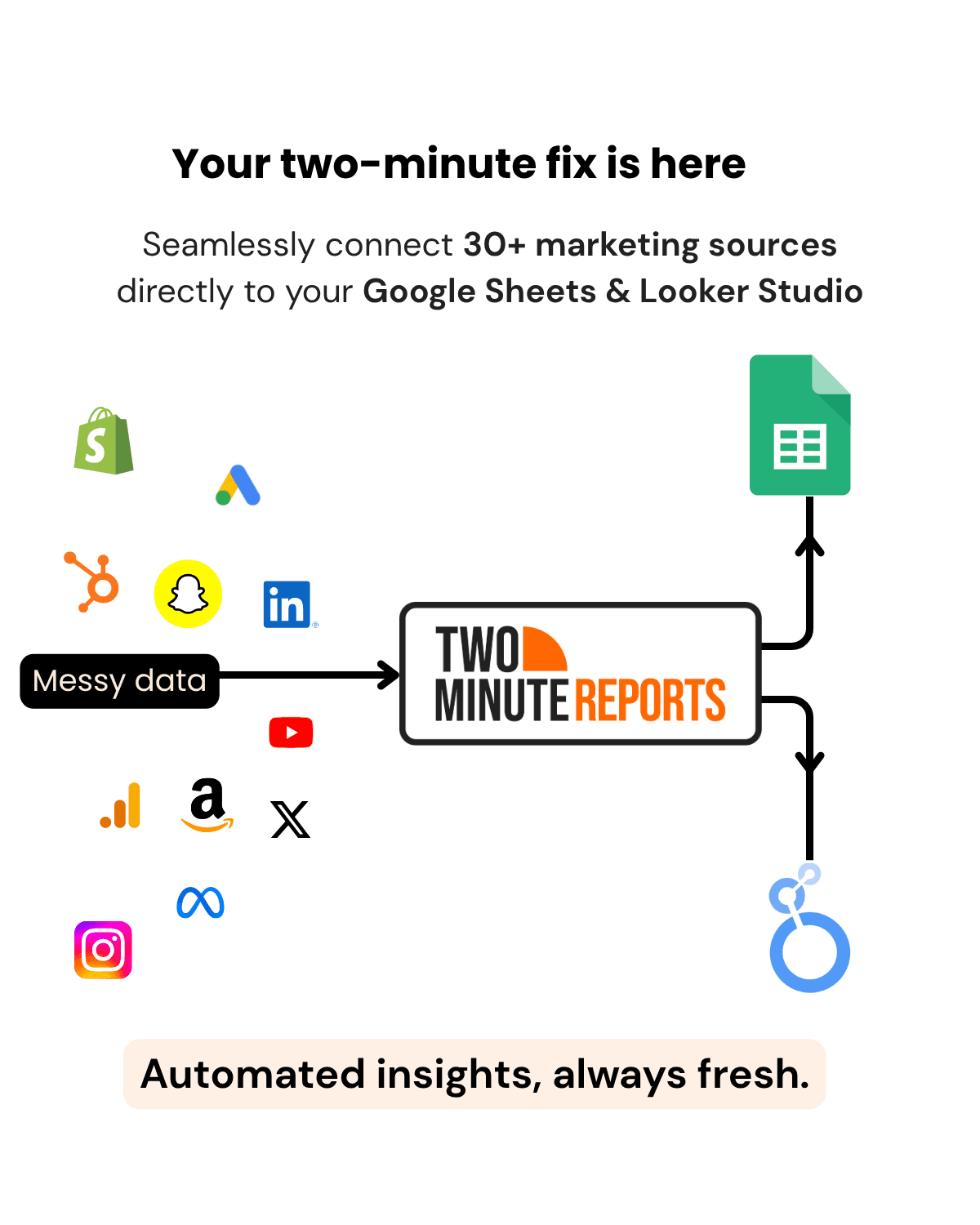
Here’s a brief overview of what you can connect:
- Advertising: Facebook Ads, LinkedIn Ads, Google Ads, TikTok Ads, Snapchat Ads, Amazon Ads, Pinterest Ads, etc.
- Mobile: Apple App Store
- SEO and Web Analytics: GSC, Google Trends, Google My Business, GA4, PageSpeed Insights.
- Ecommerce: Shopify, Amazon Seller, WooCommerce.
- Social Media: Facebook Insights, Instagram Insights, LinkedIn Pages, YouTube Analytics.
- Email and CRM: Klaviyo and HubSpot.
- Database connectors: MySQL, PostgreSQL, MariaDB, Firebase
- Custom integrations: If you have a custom connector in mind, you can integrate with Two Minute Reports’ API bridge reporting tool to enable token-based authentication. No need to export CSVs manually.
The following table reframes these sources based on the role they play in measuring performance:
The challenge lies in integrating the data sources in a way that keeps data consistent and decision-ready. Let’s look at how marketing data integration works in practice.
How to Integrate Your Marketing Data: Step-by-Step Guide
Setting up your marketing data integration with Two Minute Reports doesn’t require a week of onboarding. Here’s how to go from scattered platforms to a unified reporting workflow in four simple steps.
1. Choose Your Data Sources
Start by mapping out the data sources that matter most to your reporting. Think about the clients you manage, the channels you run, and the metrics your team is accountable for. Identifying your sources upfront ensures your integration is built around your actual client reporting needs, not just what’s available to connect.
2. Connect Your Data Sources with Google Sheets or Google Data Studio
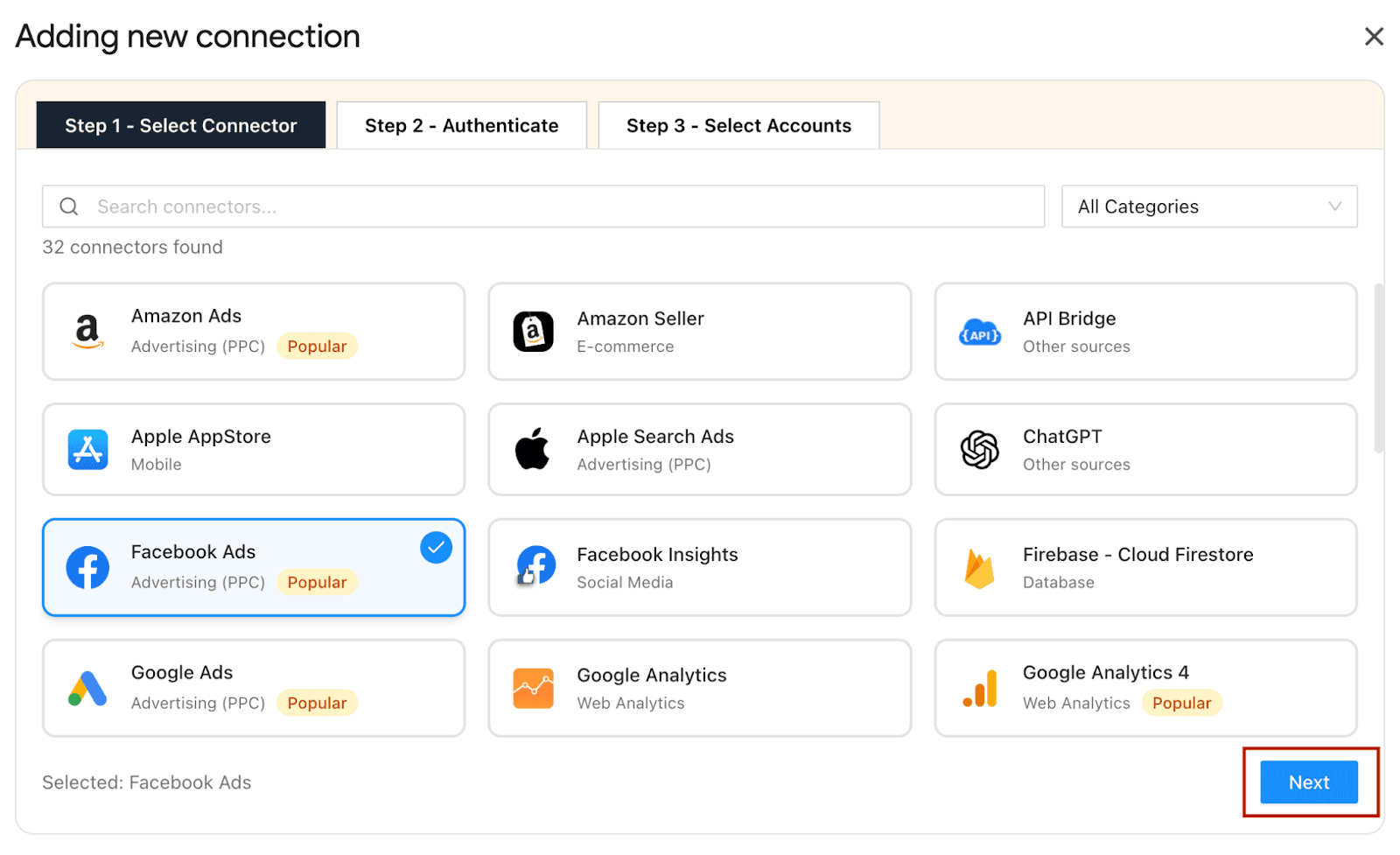
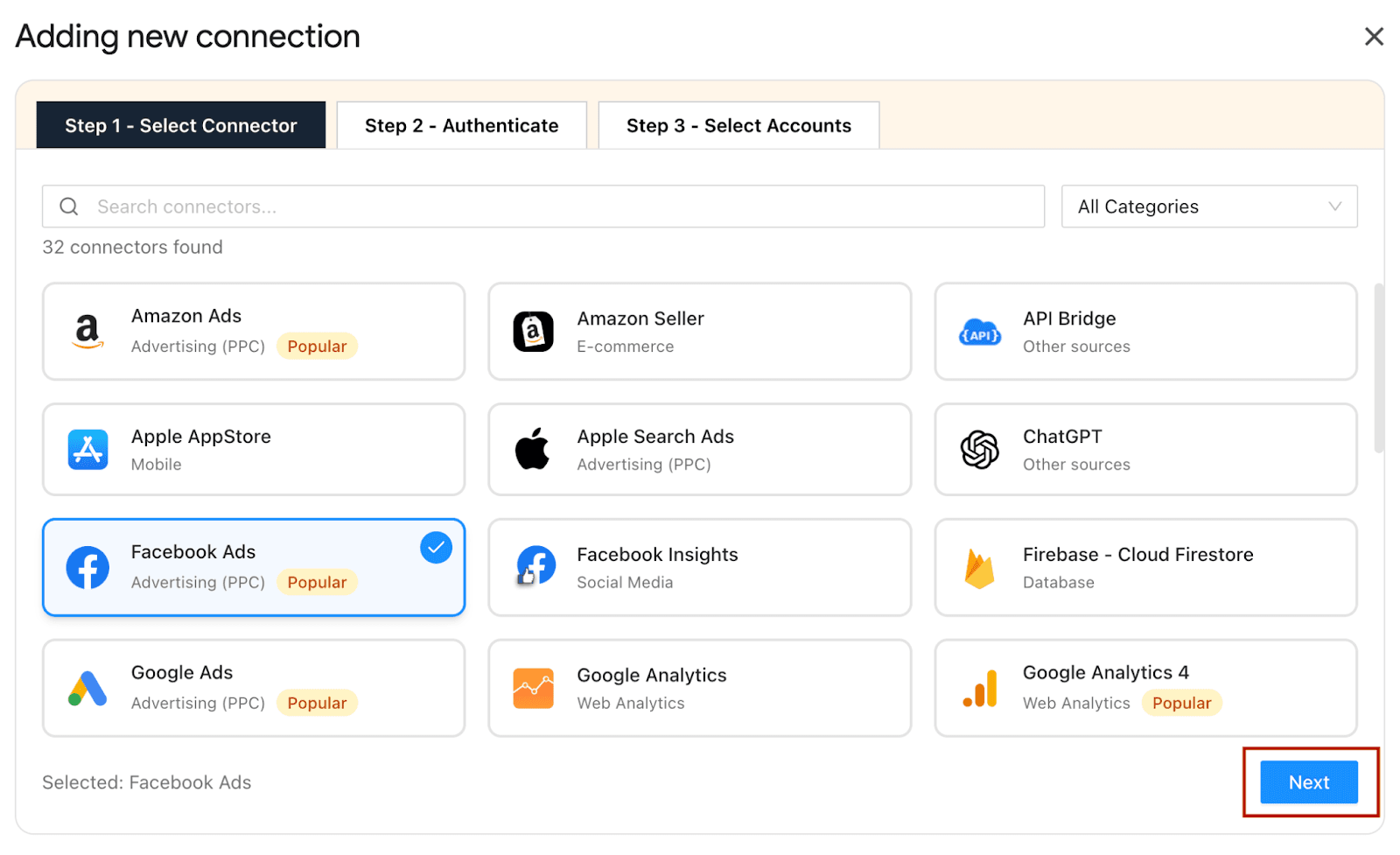
Once you’ve shortlisted your data sources, install the Two Minute Reports add-on from the Google Workspace Marketplace. Launch it in your spreadsheet, click Connection, select your preferred platform and click Next.
Note: Do you prefer Google Data Studio? Two Minute Reports lets you connect there, too.
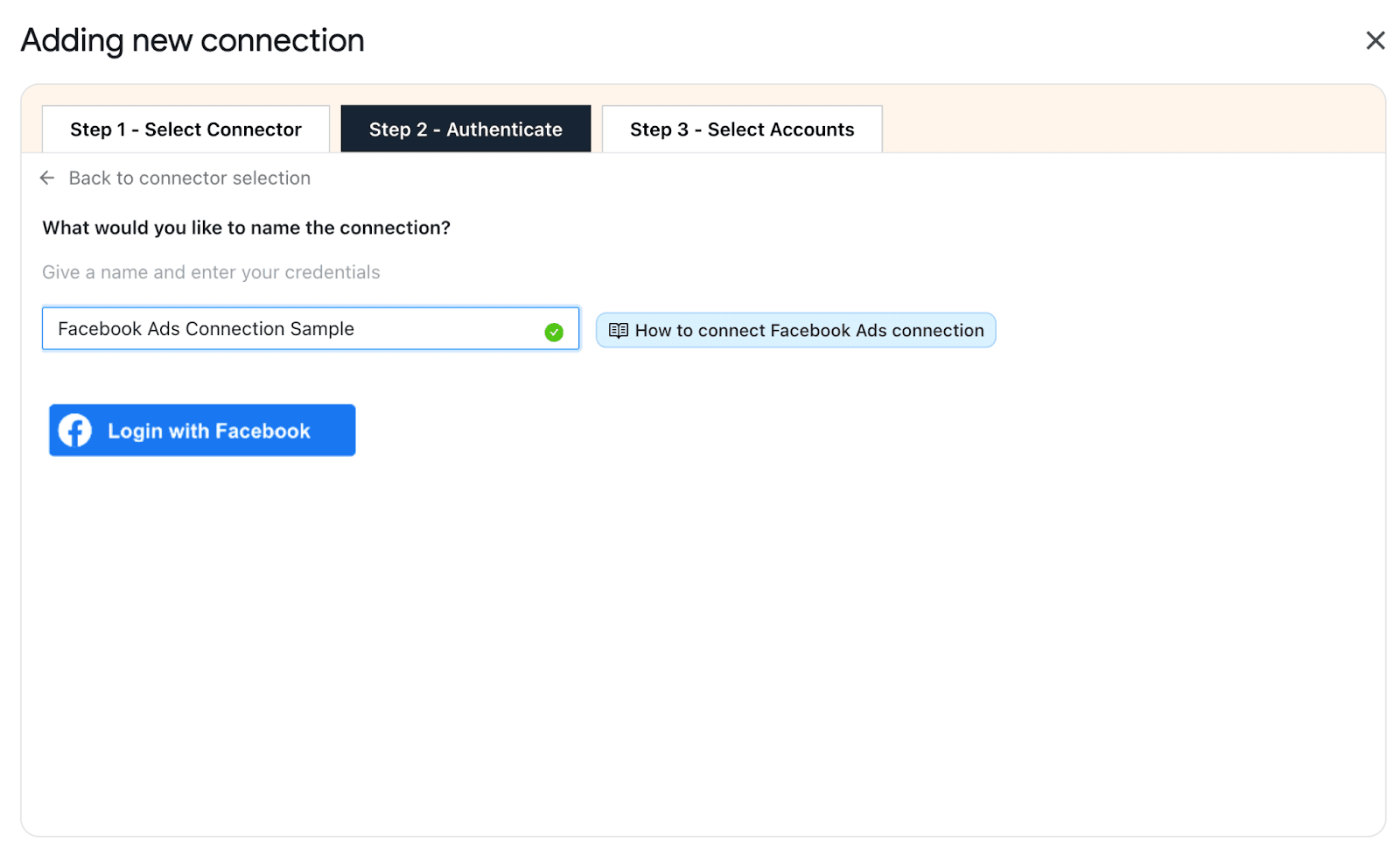
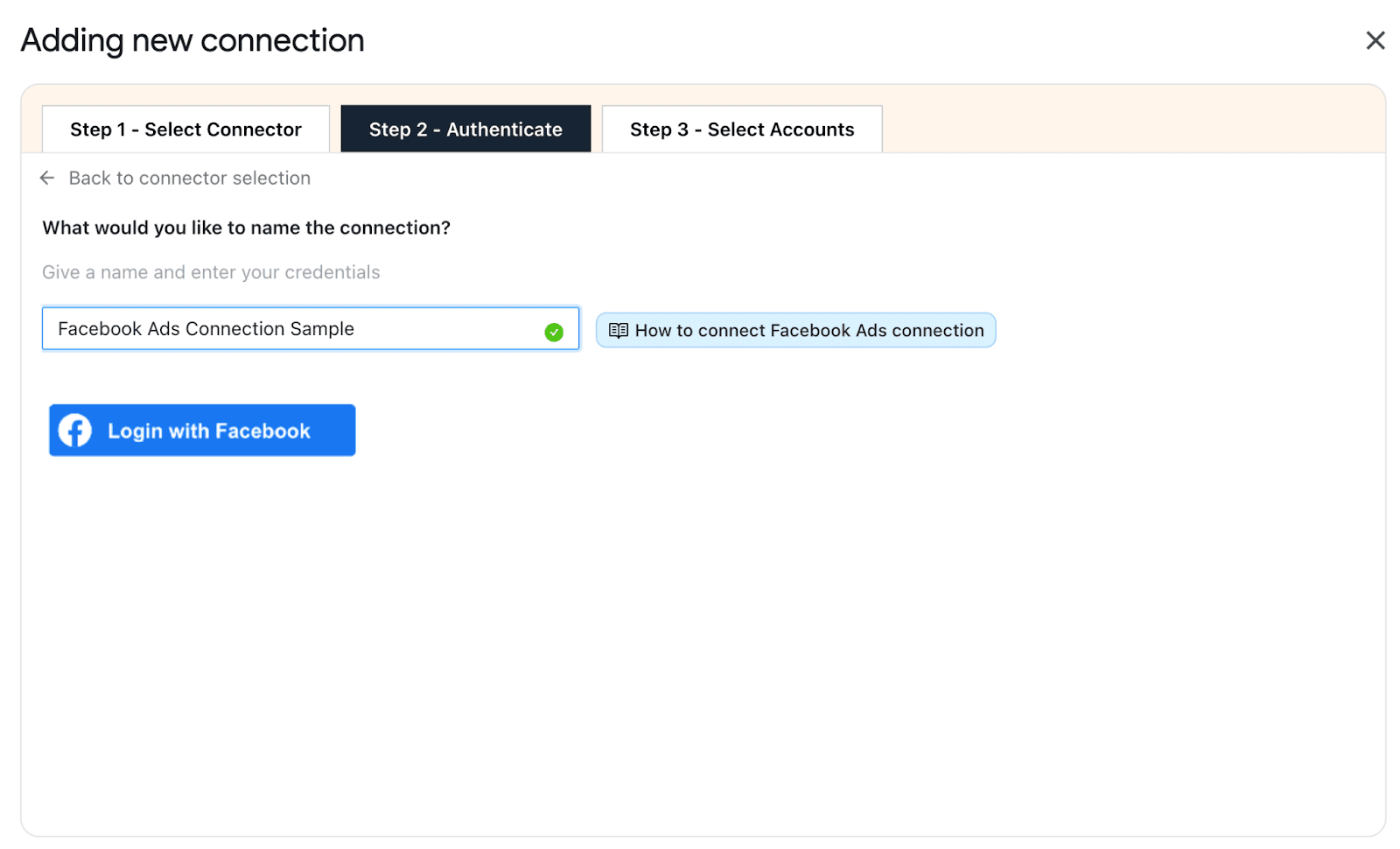
3. Authenticate Your Connection
Two Minute Reports uses one-click authentication; simply enter your platform credentials, and the connection is established instantly. No coding, no complex steps; just a secured, verified link to integrate your platforms and reporting environment.
4. Select The Accounts You Want To Track
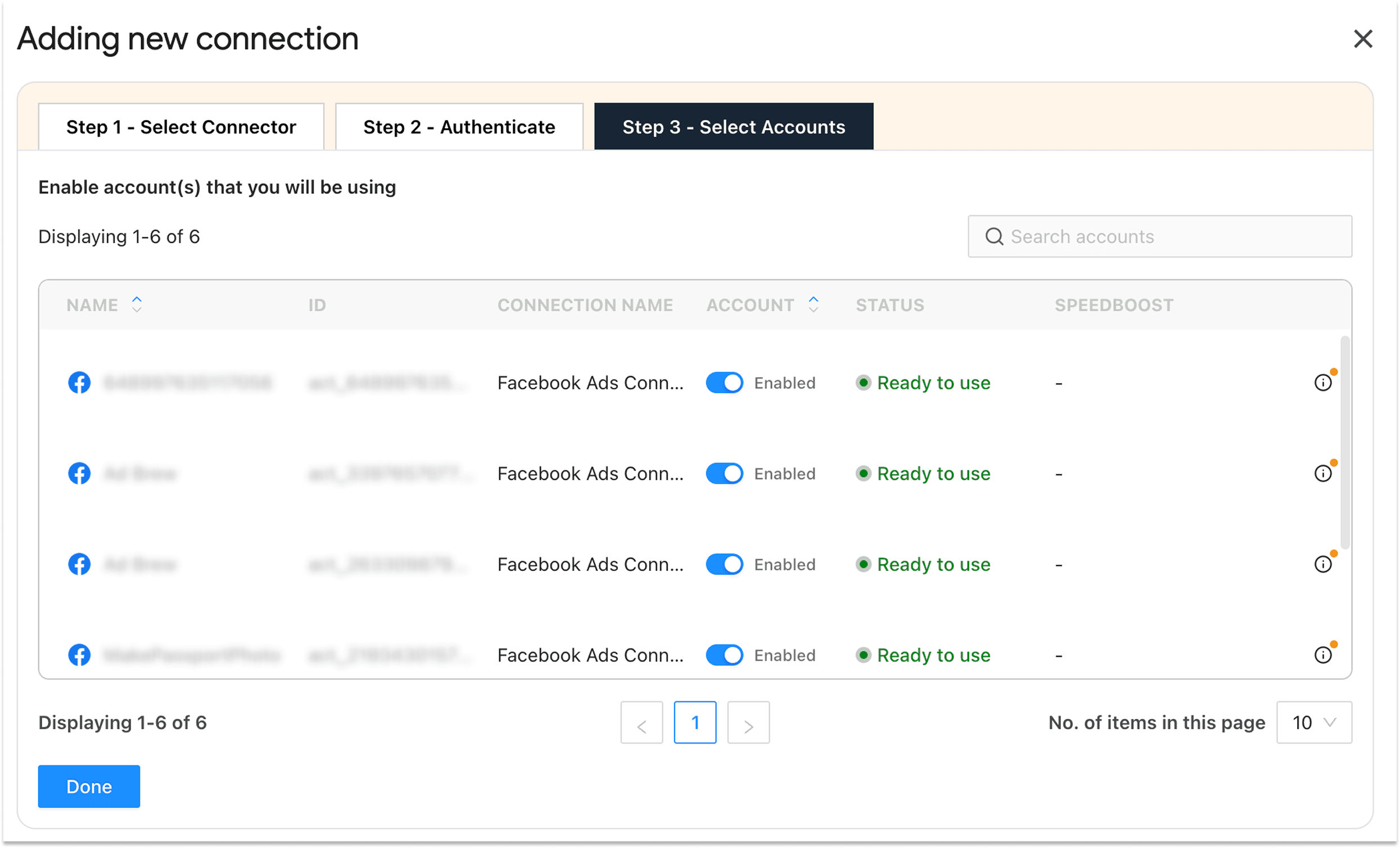
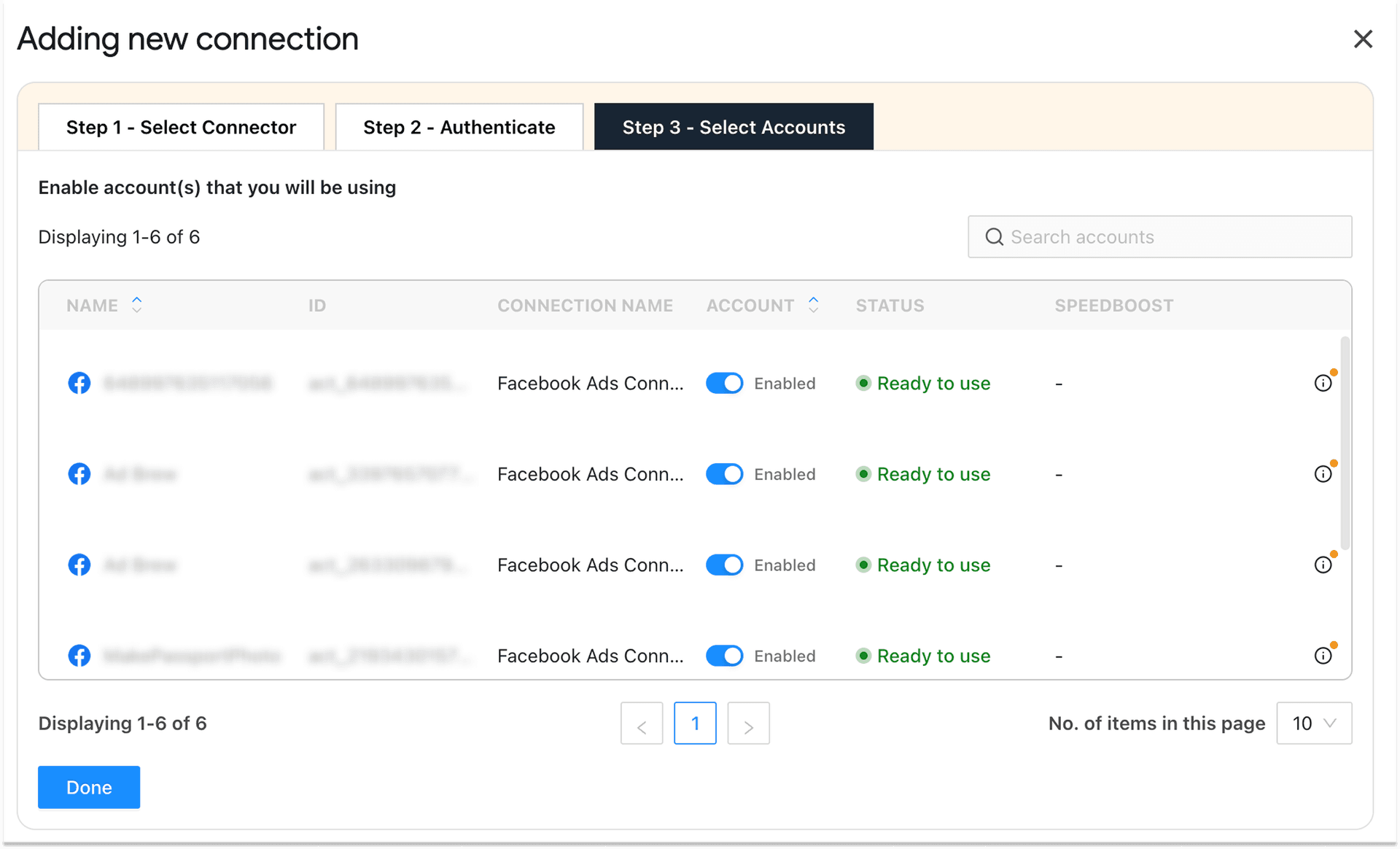
Here’s where the setup gets smart. Rather than pulling in every account across every client, you choose exactly which accounts to enable – keeping your reporting interface clean, focused, and easy to navigate.
Map each client account to its respective data source via a single dropdown. From here, your data flows automatically, you can create client-ready marketing reports, and your team spends zero time on manual exports.
That’s it. Your integration is live. One setup, 30+ platforms, and a scalable reporting workflow that runs without you chasing data every week.
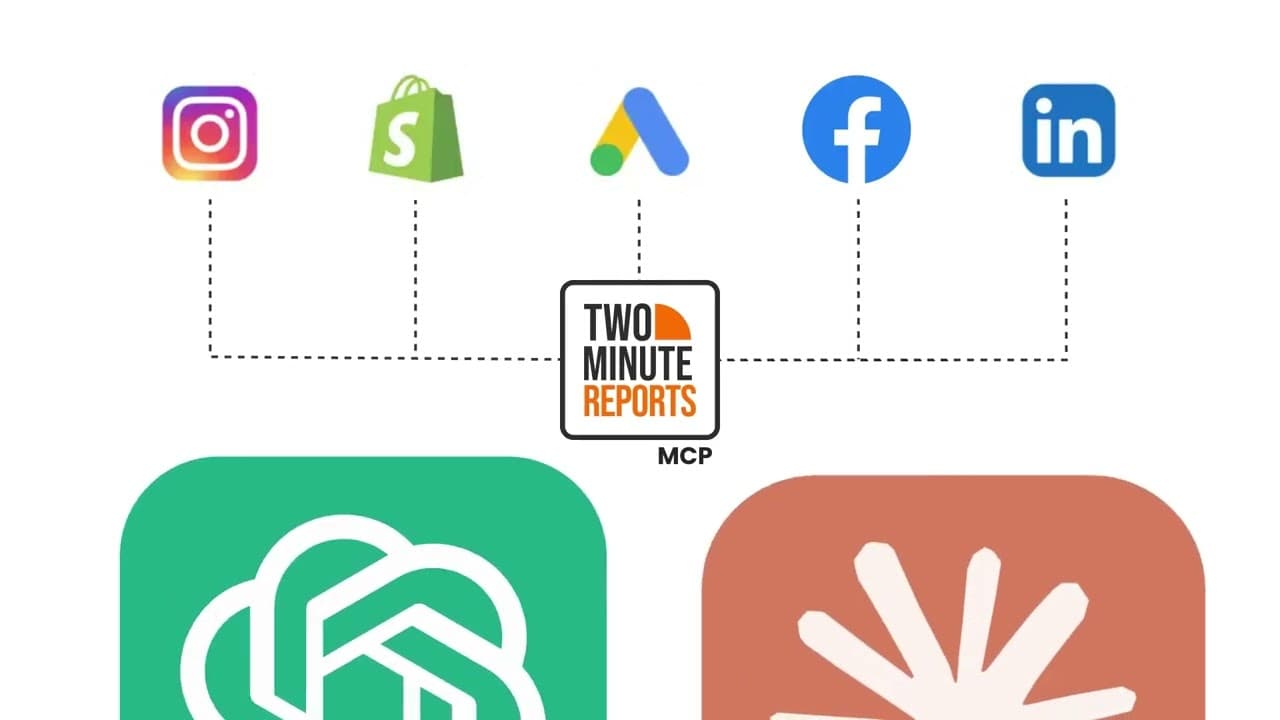
Once your data is connected and flowing, Two Minute Reports takes it one step further. By integrating your data with Two Minute Reports Claude MCP, you can now ask questions in plain language and analyze what’s driving your performance within seconds.
How to Integrate Your Marketing Data with TMR Claude MCP?
In 3 simple steps, you can connect your marketing data with Two Minute Reports Claude MCP and get actionable insights on what’s working and what’s not. Here’s how:
Step 1: You can sign up for a 14-day free trial to connect your marketing data sources with Two Minute Reports MCP.
Step 2: Add Two Minute Reports as a custom connector inside Claude and authenticate your account.
Step 3: Ask questions in plain language and get answers on demand, every time.
For a detailed flow, check out our step-by-step guide to integrate your marketing data with Two Minute Reports Claude MCP.

Benefits of Using a Marketing Data Integration Software For Reporting and Analysis
A marketing data integration software lets you connect, organise, and scale reporting workflows without juggling dashboards. Here’s how:
1. Creates a shared version of performance
When data is fragmented, teams work from conflicting reports. Someone pulls from the ad platform, analytics, and suddenly you’re in a meeting, debating whose numbers are right instead of deciding what to do next.
A unified reporting layer helps you standardize metrics, reduce inconsistencies, and give everyone a shared view of performance across channels.
2. Eliminates the reporting busywork
Manual exports, spreadsheet stitching, and copy-pasting between tabs – these tasks are still common in most marketing teams. And the problem isn't just the time they take. It's that they keep analysts focused on preparing data instead of interpreting it. And they introduce errors that quietly undermine trust in your numbers.
Automating data collection and report delivery changes that dynamic. Reporting becomes repeatable and consistent across multiple clients you manage.
3. Makes cross-channel analysis useful
When data from Google Ads, Meta, LinkedIn Ads, TikTok Ads, etc, lives in one reporting environment, you can view metrics side by side, evaluate cross-channel marketing reporting consistently, and make budget decisions based on a full picture.
4. Shortens the gap between insights and action
When reporting depends on disconnected systems and manual efforts, insights arrive late. By the time data is collected, cleaned, and assembled, the window to act has often already closed. Live or regularly refreshed dashboards connected directly to a marketing data integration software change that. You see what’s happening while it still matters, helping you drive decisions faster and smarter.
5. Makes Your Analysis Trustworthy
A good marketing data integration software gives you a consistent reporting model – standardized naming, cleaner inputs, and blended data make sense together. That makes your analysis easier to repeat and trust over time, especially when you are working across paid, analytics, ecommerce and CRM platforms.
Wrapping Up
If you’ve made it this far, you already know the pain.
Your client asks for the Meta ad spent report. You are stuck between three dashboards and a review deadline, none of them telling the full story.
That’s not just frustrating. It’s expensive. Every decision made on incomplete data costs time, budget and trust.
Marketing data integration is the foundational system that makes everything perform better – your reporting, your attribution, your team alignment, and your growth decisions.
Two Minute Reports was built to scale your reporting stack. Connect your platforms, centralize KPIs, and automate dashboards across clients without rebuilding reports every single time. Get a clear view of what’s working and what needs attention instantly.
Frequently Asked Questions
Marketing data integration is the process of pulling data from multiple platforms into a unified structure for consistent analysis and action. It involves consolidating, normalizing, and unifying data to make it comparable and actionable.
Marketing data integration helps create a reliable view of performance, improves attribution and budget decisions, reduces reporting friction, and aligns teams around the same metrics, enabling better decision-making to optimize revenue.
To integrate your marketing data, choose your data sources, connect your platforms to Two Minute Reports, authenticate your connection, and select the accounts you want to track. This process creates a unified reporting workflow in a single workspace.
If you're manually exporting CSVs, seeing different numbers across tools, or finding it hard to connect ad spend to revenue, those are key signs. Also, if your teams are working in silos or you struggle to compare performance across channels, your data integration system likely needs some attention.
Related Blogs





Meet the Author
Shalini MuruganShalini is driven by ideas that create a tangible impact. At Two Minute Reports, she specializes in content that helps marketers optimize their reporting workflows. When she's not transforming complex data into meaningful insights, you might find her lost in a book, jotting down ideas in her notebook, or connecting the dots others overlook.

