
Summarize this blog post with:
Agencies have more analytics tools than ever. But more tools don’t always mean better analytics. Rising costs, credit limits, fragmented data, and attribution gaps can make it tough to see the full picture.
When your client asks, “Did our marketing actually work?”, more data isn’t enough. You need to connect performance across channels to the outcomes that matter to the business.
That’s where agency analytics tools come in. They help agencies connect marketing performance to business outcomes and turn client reporting into a tool for better ROI decisions.
In this guide, we’ll explore what agency analytics looks like in the age of AI, the types of analytics agencies use, what to look for in an analytics tool, and the best tools for tracking performance and proving ROI.
How is AI Transforming Marketing Analytics for Agencies?
Most marketing analytics tools focus on helping agencies collect data, visualise it in an understandable format, and turn it into client-ready reports. Ever since the introduction of AI, the way marketers measure data has changed. Instead of navigating multiple dashboards to find an answer, you can connect your marketing data to AI tools such as Claude or ChatGPT through MCP and ask questions in plain English.
AI agents take this a step further by doing everything for you via conversational language. They help you automate repetitive tasks, so you get more time to focus on strategic decisions.
This creates a useful way to think about how agency analytics is evolving:
- Traditional analytics: What happened?
- AI-assisted analytics: What happened and why?
- Agentic analytics: What should we investigate or do next?
- Agency expertise: Does that recommendation actually make sense for the client?
AI can tell you what changed. It can help explain why. But the agency still has to decide what it means for the client and what should happen next.
This shift is important because agency analytics is moving beyond simply producing a report at the month-end. It can become a decision-support layer that helps teams connect marketing activity to business outcomes.
Types of Analytics That Agencies Use in the Business
As an agency owner, you deal with a range of client questions, from “What happened?” to “What should we do next?”
Grouping these questions into four types of analytics helps you choose the right approach to implement useful decisions.
1. Descriptive Analytics
Descriptive analytics tells you what happened by summarizing historical data and identifying key patterns.
Example: An ecommerce agency reviews a client’s Google Ads report for the last quarter. The report shows that paid search generated 42% of the website purchases. Desktop generated significantly fewer clicks, while mobile accounted for higher conversion rates.
Questions it helps answer:
- How did your campaigns perform?
- How many leads or sales did we generate?
- Which channels, campaigns, or ads performed best?
- What changed compared with the previous period?
2. Diagnostic Analytics
Diagnostic analytics goes beyond what happened to investigate why a particular result occurred.
Example: A B2B client sees a 25% drop in leads from LinkedIn Ads. The agency breaks the data down by campaign, audience, creative and week. It finds that lead volume fell sharply after one high-performing audience was paused.
Questions it helps answer:
- Why did leads decrease?
- What caused the change in conversion rate?
- Which campaign or audience contributed to the decline?
- What changed when the performance moved?
3. Predictive Analytics
Predictive analytics uses historical patterns and other available data to estimate what is likely to happen next.
Example: An agency managing paid media for a travel company notices that bookings consistently increase several weeks before major holidays. Using previous booking patterns, campaign spend, and current search demand, the agency estimates that demand will rise again in the coming weeks. The team can use that forecast to prepare budgets and campaigns before the surge happens.
Questions it helps answer:
- What is likely to happen next?
- How many leads or sales might we generate?
- Which campaigns are likely to perform well?
- How might performance change if current trends continue?
4. Prescriptive Analytics
Prescriptive analytics recommends what you should do based on the available data, predictable outcomes, and business objectives.
Example: A SaaS client wants to increase qualified demo bookings without increasing its monthly ad budget. The agency finds that one campaign generates fewer leads but produces substantially more qualified opportunities. It recommends shifting part of the budget away from high-volume, low-quality campaigns towards that higher-quality segment. The recommendation connects the analysis to a specific business action.
Questions it helps answer:
- What should we do next?
- Where should we allocate the budget?
- Which campaigns should we scale, reduce or pause?
- What action could improve the desired outcome?
Now that you know the different ways to analyze the data, let’s look at the key features you need to consider when choosing the agency analytics tool.
What to Look for in an Agency Analytics Tool?
The right agency analytics tool helps you bring data together, simplify reporting and show clients the results that matter. Here are the features worth looking for:
1. Customizable Dashboards
Not every client cares about the same metrics. One wants to track Google Ads conversions, while another wants to know how Facebook Ads contributes to sales. A one-size-fits-all approach report won’t answer both questions.
Custom marketing dashboards give each client a clear view of their goals and performance, with easy-to-understand visuals and simple explanations.
What to look for: Ready-made templates, drag-and-drop builders, customizable widgets, and filters to create dashboards around each client’s needs.
2. White-label Reporting
Your clients hired your agency. So why should your reports carry someone else’s branding?
White-label reporting lets you add your logo, brand colors, and fonts to your clients dashboards. You can even use a custom domain such as reports.youragency.com to gives clients a consistent, branded experience.
What to look for: Custom branding across dashboards and reports, your own domain and branded report delivery.
3. Data Blending
Your client runs campaigns across multiple PPC platforms and wants to know which channel delivers the best ROI. Switching between platforms to compare results only adds to your workload.
This is where blended analysis plays an important role. You need holistic cross-channel reporting on which campaigns drove credits without logging into platforms individually. Your dashboard should serve as the single source of truth.
What to look for: Marketing agency reporting tools with full access to data blending and cross-channel visualisation.
4. AI insights
Your report might contain only metrics but doesn’t explain the reasoning behind them. AI can help you go deeper without having to check everything one by one.
With MCP integrations, you can connect your marketing data to AI tools. Then, ask questions in plain language, summarize performance, and identify optimization opportunities.
What to look for: Analytics tools for agencies that help with AI-powered summaries, MCP workflows and controls over what AI tools can access or change.
5. Automated Reporting
Let’s say you have 15 clients. You take 2 hours to prepare one report for each client. That’s 30 hours per month.
With automated reporting, you can build reports once, schedule them, and let the analytics platform send updated reports to clients automatically. No more repeating the same reporting tasks every week or month.
What to look for: Flexible scheduling, automatic data refreshes, multiple email recipients, and scheduling options that don’t require an expensive plan upgrade.
6. Data Security and Control
Your analytics platform for agencies should make it easy to share the right information with the right people. This matters more when you have multiple team members or connect AI tools to your client accounts. Clear permissions help protect your client’s data and prevent unauthorized access or changes.
What to look for: Role-based access, client-level permissions, secure authentication, data encryption and control over which data connected tools can access.
Best Analytics Tools for Agencies
Now let’s have a look at the list of the best agency analytics tools to help you get the most oout of marketing reporting.
1. Two Minute Reports
Two Minute Reports helps 4000+ agencies and brands simplify client reporting, analyze campaign performance and automate client updates. With 30+ integrations across marketing, SEO, social media, CRM, email, ecommerce, etc., you can bring your data together in AI-powered dashboards, Google Sheets and Google Data Studio.
Build Reports That Fit Each Client
Every client tracks different KPIs. With Two Minute Reports. You can build client reports faster with 100+ ready-to-share templates customized to your client’s campaign goals. Add your agency’s branding with a custom domain and schedule reports for automatic delivery.
Move from Reporting to Optimization
With AI dashboards, you can describe what you want in a prompt, generate a dashboard, and customize its colours and themes to match your reporting preferences. You can build dashboards faster and focus on insights that matter.
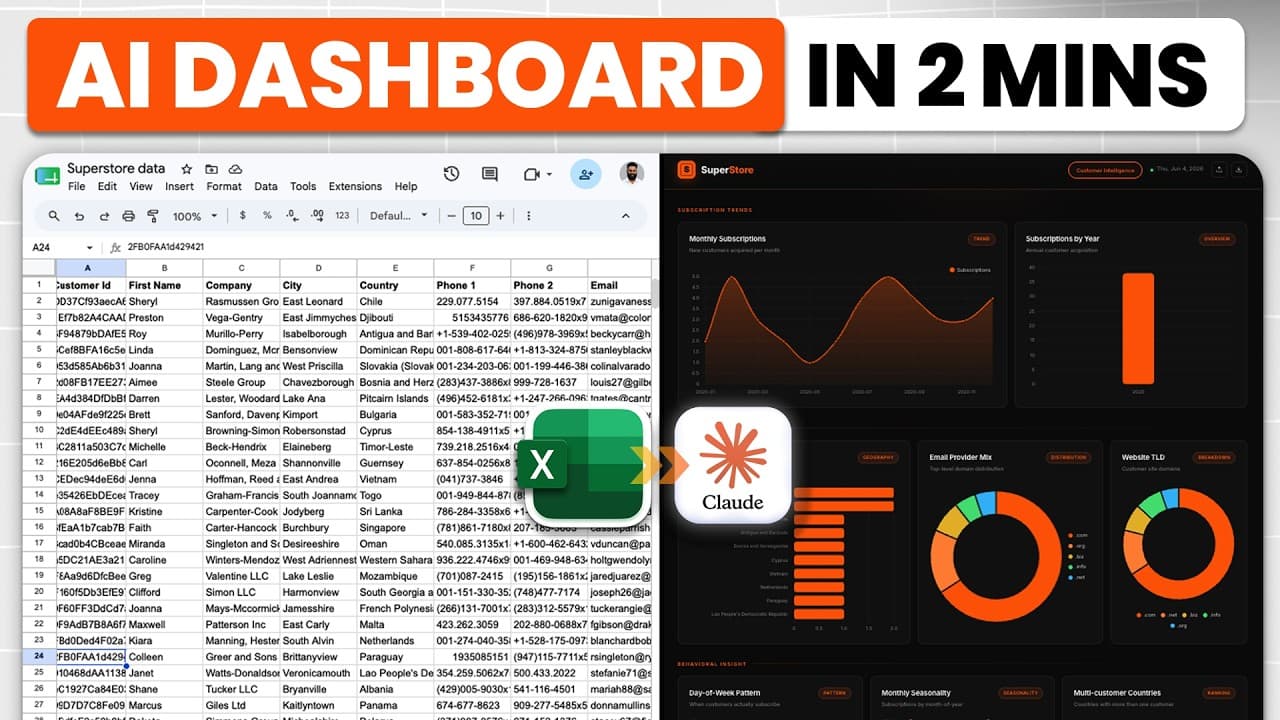

You can also set goals and track their progress. For example, if a client wants 1000 leads in a month, you can track how many leads the campaign has generated so far and check the projected month-end results. If the campaign is falling short, you can investigate performance and refine your strategy before the month ends.
Automate Client Updates with Dash AI
With our Dash AI agent for marketing reporting, you can turn your dashboard data into client-ready email updates. Ask it to summarize key highlights, review the draft, add your context and send it to clients.
You can also schedule recurring updates, include selected dashboard pages or PDF attachments and add an approval step before the emails go out.
Create custom metrics and dimensions
Not every client measures performance the same way. With custom metrics and dimensions, you can define your own formulas to calculate metrics or dimensions tailored to your client’s campaign objectives. This lets you go beyond default platform metrics and create custom reports to specific requirements.
Pricing
The pricing plan starts at $81/month (billed annually). Pricing is capped based on the number of accounts per connector. Every plan gives you access to AI dashboards, unlimited seats, goals, MCP access, and unlimited scheduled refreshes. You also get access to exclusive Speedboost technology for faster reporting. And you can send your data to built-in AI dashboards (no cap on AI credits), Google Sheets or Google Data Studio.
Pros:
- Access to Dash AI agent for automating marketing reporting workflows
- Deliver branded reports with your own logo, colors, and custom domain
- Hourly, daily, weekly and monthly scheduling with unlimited scheduled refreshes across all plans
- Take control of multi-client reporting with one click
- Full API access
- Load reports with large datasets within seconds using Speedboost
Cons:
- No freemium plan
2. Agency Analytics
Agency Analytics is built for client-agency management. It brings SEO, PPC, social media and web analytics into one place. You can create branded client dashboards, track keyword rankings, monitor campaign performance and automate reports to make informed decisions.
Key features:
- Access to 80+ marketing integrations
- Build client-specific reports with a drag-and-drop editor, customizable widgets, filters and ready-made templates
- Track keyword rankings, backlinks, technical SEO issues and organic search performance
- Schedule reports, use report approvals, add commentary and send updates to clients automatically.
- Compare performance against benchmarks, identify anomalies, generate insights and draft report commentary
Pros:
- Easy to set up, with ready-made templates
- Access to branded dashboards and automated reports
Cons:
- Dashboard customization feels limiting, especially when selecting dates, and includes glitches
- Lack of deeper AI reporting insights capabilities
- Some users report occasional data-sync issues and disconnected integrations
Pricing:
Starts at $20 per client/month, billed annually. 14-day free trial available.
3. Whatagraph
Whatagraph is a robust client reporting platform that is best suited for agencies with larger budgets. It includes AI-assisted analytics and other capabilities for managing and automating reporting across multiple clients.
Key features:
- Access to native integrations such as social media, SEO, analytics, email marketing, CRM, etc and custom connections via API, Sheets and BigQuery
- Bring marketing data together, store it, and prepare it for consistent reporting
- Use Whatagraph IQ to create marketing reports with AI
- Combine data from multiple platforms into unified views for comparing campaign performance
- Organize clients, reports, and teams while maintaining separate workspaces and access controls
Pros:
- User-friendly and intuitive interface
- Responsive customer support
Cons
- Requires a larger budget to access the platform
- Transferring data to BigQuery and Data Studio is available as an add-on on Prime (custom plan)
- Some users report slow loading, particularly when working with multiple reports or certain connectors.
Pricing
Starts at $1118/month billed annually. Prime has custom pricing and adds premium integrations and enterprise capabilities.
4. Supermetrics
Supermetrics is a marketing data integration platform that collects data from different channels and sends it to AI applications, spreadsheets, and data warehouses. It is particularly useful for teams that want control over how marketing data is collected, transformed, analyzed and distributed.
Key features:
- Send data to Google Sheets, Excel, Power BI and other destinations
- Clean and standardize data, create custom metrics and dimensions, perform currency conversions and apply calculated fields
- Create AI-assisted dashboards using simple prompts, which is subject to credit usage
- Schedule updates for your reports and keep them current
- Store marketing data to support reporting workflows through Supermetrics Storage
Pros:
- Automates data transfer to spreadsheets, dashboards, and other reporting destinations
- Users appreciate its straightforward integrations and time-saving workflows
Cons:
- Pricing and limited flexibility between subscription tiers
- Some connectors and reporting capabilities require higher-tier plans
Pricing
The Starter plan starts at $39/month, billed annually. Growth starts at $159/monthbilled annually. Enterprise pricing is available on request.
Agency Analytics Tools: Comparison
Exploring other reporting solutions? Check out our guide to the best Supermetrics alternatives to compare pricing, features, and capabilities.
Use Two Minute Reports to Make Agency Reporting Efficient
Managing client reports across multiple platforms can take time away from campaign analysis and client strategy. Two Minute Reports helps agencies automate workflows, manage more clients without increasing headcount and improve ROI with data-backed analysis.
How ConnectAd Simplified Agency Reporting with Two Minute Reports
The Challenge: Manual reporting was frustrating the team
For ConnectAd, manual reporting was a recurring problem. The agency works on a project basis, which means each client has a fixed amount of time allocated to their work. Spending that time on manual reporting leaves less time for working on campaign analysis and recommendations.
As Annie, a team lead at ConnectAd, explained:
“I know we always get a lot of complaints from our team about manual reporting.”
The Solution: Making Reporting Easier to Manage
Two Minute Reports helped ConnectAd reduce the manual work involved in reporting. As the agency grew and added new marketing platforms and accounts, setting up connections remained relatively straightforward. When the team ran into issues, the Two Minute Reports team helped them get the connections working.
Annie described her experience:
“For the most part, it’s been pretty straightforward, like adding new platforms and accounts with Two Minute Reports, but in the cases that I have gotten stuck, you guys have been really helpful in setting up those connections.”
The Results: More Time to Focus on Client Recommendations
With less manual reporting to handle, their team could focus more on analyzing campaigns and sharing useful recommendations with the clients. Annie also reported a significant improvement in team satisfaction now that the team no longer has to do as much manual reporting.
She explained the benefits for clients:
“If we are able to cut down in any way we can on reporting or other tasks, then it just means that the clients gets more out of us actually giving them real insights and real results.”
Annie summed up her experience with Two Minute Reports in one sentence:
“Two Minute Reports really just makes our agency life easier by making reporting efficient.”
Getting Started with Two Minute Reports
You don’t need to rebuild your entire reporting workflow. Start with one client, get your reports in one place, and expand from there.
Step 1: Connect your data source: Connect the platforms you use for your client’s marketing campaigns.
Step 2: Build your first dashboard: Start with a template or use AI dashboards to create a branded dashboard based on your reporting requirements. Customize it around your client’s KPIs.
Step 3: Automate reporting: Schedule your reports so your clients receive the latest performance reports regularly.
Step 4: Scale across clients: Replicate the reporting workflow for other clients and spend more time on strategy and client relationship management.
Once your workflow is running, you can gradually add more data sources, customize dashboard and use AI-powered insights to improve how you analyze and share campaign performance.
Try Two Minute Reports free for 14 days. Automate reporting. Start optimizing your campaigns.
Frequently Asked Questions
An analytics tool for agencies helps marketers collect, analyze, and report campaign data across multiple clients. It helps you consolidate data from platforms like Google Ads, Meta Ads, GA4, GSC, etc into dashboards, making it easier to track performance and share insights with clients
The best analytics tool depends on your agency’s reporting needs, data sources, and budget. Two Minute Reports, AgencyAnalytics, Whatagraph, and Supermetrics are options to consider for connecting marketing data, building reports, and managing client reporting workflows.
Agencies can use analytics to track key KPIs such as cost per acquisition (CPA), return on ad spend (ROAS), conversion rate, and lead volume. Comparing these metrics against campaign goals helps teams identify underperforming campaigns, allocate budgets, and recommend actionable next steps.
Agencies can automate client reporting by connecting their marketing platforms to a reporting tool, building reusable dashboards, and scheduling reports for regular delivery. Tools like Two Minute Reports lets you set hourly, daily, weekly and monthly scheduling across multiple clients in one place.
Agencies should evaluate data source integrations, cross-channel reporting, customizable dashboards, automated report scheduling, white-label branding, custom metrics, and pricing as client accounts grow. The right tool should reduce reporting work without limiting the insights agencies can deliver.
Yes. Two Minute Reports connects marketing data sources to Google Sheets and Google Data Studio, helping agencies automate data collection and build client reports. Agencies can also use its AI Dashboards to create and manage performance dashboards.
Related Blogs





Meet the Author
Shalini MuruganShalini is driven by ideas that create a tangible impact. At Two Minute Reports, she specializes in content that helps marketers optimize their reporting workflows. When she's not transforming complex data into meaningful insights, you might find her lost in a book, jotting down ideas in her notebook, or connecting the dots others overlook.