
Summarize this blog post with:
93% of marketers say PPC is effective or highly effective, making it the second most impactful channel after content marketing. That means almost every business that runs ads is seeing results. But here’s the real twist – running ads alone doesn't mean you’ll earn your client’s trust.
Because when clients spend thousands of dollars on campaigns, they don’t just want to hear “your ads are performing well”. They want to see the numbers, understand the ROI, and know how exactly their investment is driving actionable results.
That’s where a PPC report comes in. It’s your chance to showcase wins, build trust, guide strategy and recommend next steps. With a reliable PPC reporting software, you can streamline, consolidate and automate campaign reporting and deliver data-driven insights that your clients expect.
With that said, let me walk you through the step-by-step process of creating a PPC report for your clients that not only proves performance but also positions your agency as a strategic growth partner.
Let’s dive in.
What is a PPC report?
A PPC report provides a comprehensive overview of campaign performance, focusing on key metrics and insights. Whether you’re running Google Ads, Facebook Ads, or retargeting campaigns, it aggregates data in one place, helping clients understand what’s working, identify opportunities, and inform future strategies.
To streamline reporting, you can use a PPC report template to standardize performance tracking and present results in a clear format – making it easier to drive conversations, build transparency, and demonstrate accountability.
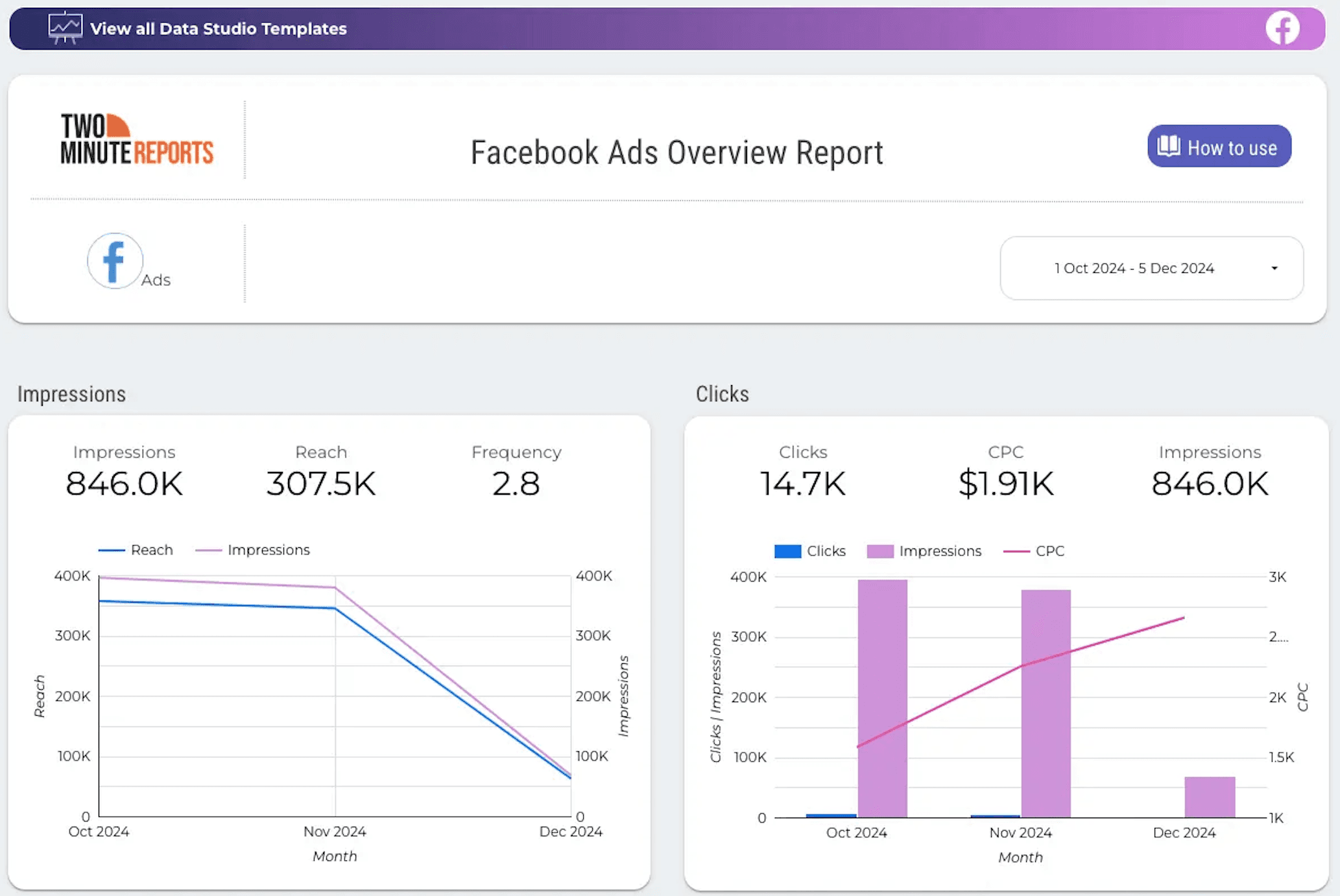
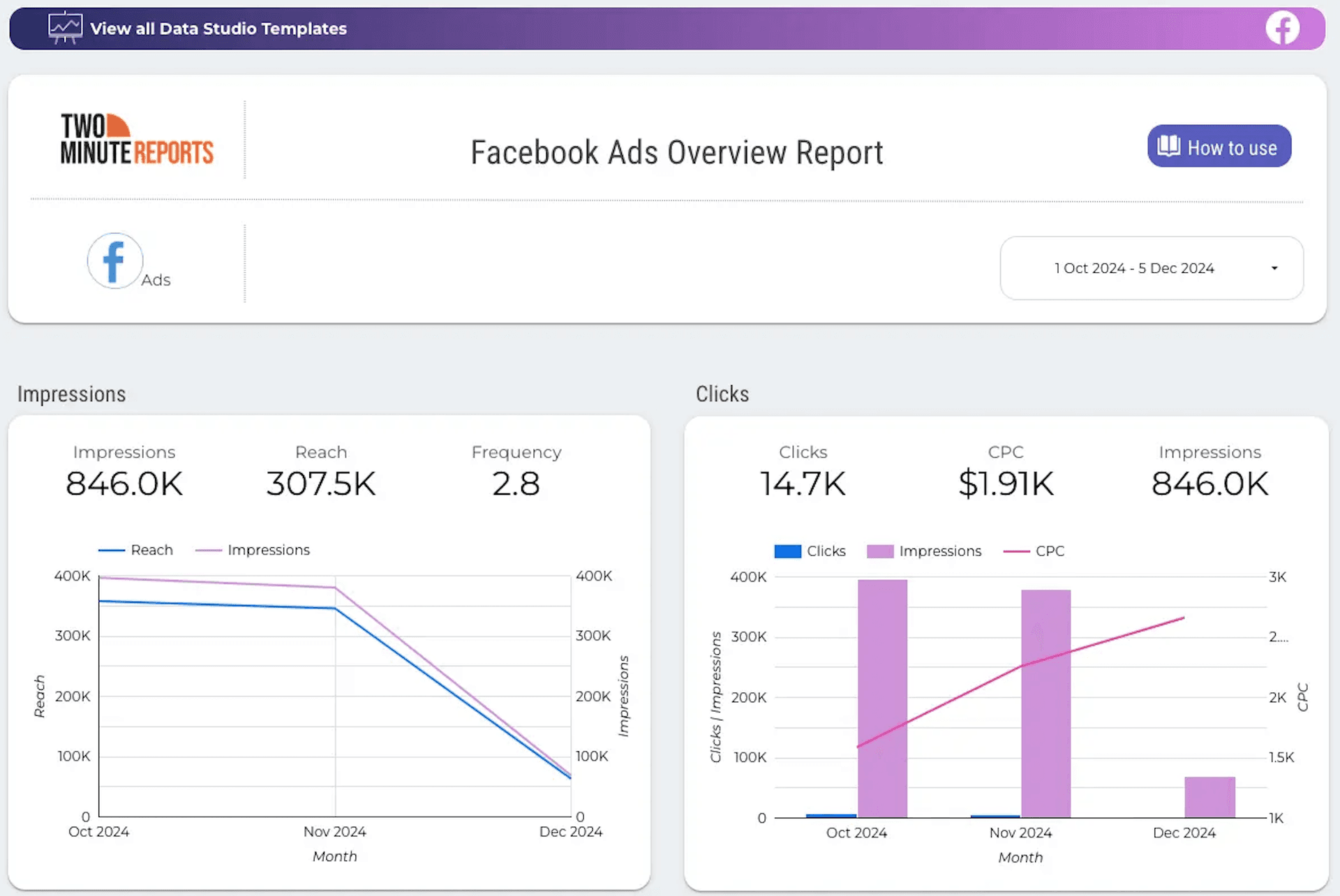
When done right, a PPC report shows clients that every dollar is working toward measurable goals, positioning your agency as a strategic driver of results, not just a service provider.
Essentially, your PPC client report should contain the following:
- Performance Overview: a snapshot that shows whether campaigns are on track
- Key metrics tied to goals: conversions, ROI, and custom PPC metrics
- Budget vs spend: highlight if the budget needs adjustment
- Conversion attribution: identifying which channels or ads drive the most valuable results
- Top insights and challenges: what worked, what didn’t and why
- Next steps: action items or optimization strategies to keep campaigns moving forward
Tracking PPC campaign metrics over different time periods, such as month-over-month, helps analyze performance trends and optimize campaigns effectively. Custom reports add value by tailoring PPC performance data to specific client needs, automating delivery, and showcasing ROI and key insights across multiple channels and campaigns.
Now that we have a clear idea of what a PPC report is, next, let's understand its significance in driving real impact.
Why is PPC reporting essential?
Creating a PPC campaign is only half the job – the other half is proving its impact. For clients, the value of your work isn’t in the number of ads launched or the hours spent optimizing; it’s in seeing measurable results tied directly to their business goals. That’s why a PPC client report is essential.
Here’s why it matters:
- Builds transparency and trust: A clear report shows how the budget was used and what outcomes were achieved. This transparency builds confidence and positions you as a reliable partner.
- Keeps the focus on business goals: Instead of drowning in vanity metrics, the report connects ad performance to what clients truly care about – sales, leads, or brand growth.
- Guides smarter decisions: By highlighting both wins and weak points, the PPC report provides a roadmap for where to double down and where to pivot.
- Saves time and creates consistency: Using a structured PPC report template ensures every report follows the same format, making it easier for clients to track weekly or monthly progress.
- Delivers an accurate picture: A well-structured reporting process ensures clients get a clear picture of their campaign performance by aggregating data from multiple sources and clarifying key metrics.
In short, a PPC client report isn’t just a document; it’s a tool for communication, alignment, and growth. It bridges the gap between data and strategy, helping you prove value today while laying the foundation for future success.
Key Metrics to Include in a PPC Report
Let’s have a look at the essential PPC metrics to include in your client’s PPC report. Remember that clients don’t need every single data point – they need the right PPC campaign metrics that connect ad performance to their business outcomes. It gives them a real sense of what’s working and why it matters.
1. Return On Ad Spend
What it is: The revenue generated for every dollar spent on ads.
Why it matters: ROAS proves whether your budget is truly profitable and worth scaling.
Example: If your ecommerce client invests $8,000 into ads and those campaigns generate $32,000 in sales, the ROAS is 4.0. That’s not just a number. It tells the client their ad spend is multiplying four times over, proving the campaign is fueling profitable growth rather than just driving clicks.
2. Quality Score (Google Ads)
What it is: Quality Score is Google’s rating (on a scale of 1-10) of your keywords, ad relevance, and landing page experience. This Google ad metric shows how useful and relevant your ads are to users.
Why it matters: A higher Quality Score lowers costs and optimizes ad placements without increasing the budget.
Example: If your campaign with a Quality Score of 8 consistently outperforms, use your report to spotlight how copy tweaks, targeting, and landing page optimization are driving results.
3. Cost Per Lead (LinkedIn Ads)
What it is: The amount spent to acquire one qualified lead from your campaign.
Why it matters: CPL is one of the most important LinkedIn ad metrics because it shows how efficient your budget is in generating high-quality leads. It helps you assess whether the investment is justified by lead quality and keeps campaigns aligned with client acquisition goals.
Example: Suppose you run a LinkedIn campaign promoting a free webinar to decision-makers. If you spend $1,500 and generate 30 sign-ups, your CPL is $50. This cost can be evaluated against your CLV or CAC to determine if the campaign is worth scaling.
4. Click-Through Rate
What it is: The percentage of people who clicked on your ad after seeing it.
Why it matters: A high CTR signals strong ad relevance and targeting, showing that your copy and creatives are compelling, which can lower CPC.
Example: If a Google Ads campaign for a new product launch records a CTR of 6.4%, your report can emphasize how targeted keywords and sharper ad copy contributed to stronger audience engagement.
5. Top Campaigns, Ad Groups and Keywords
What it is: This section identifies your top-performing PPC advertising campaigns, ad groups, and keywords, helping clients quickly visualize which strategies are driving results.
Why it matters: By tracking campaign attributes, you can make data-driven decisions on whether to scale ads, minimize ad spend or optimize underperforming areas for better results.
Example: If a campaign for “winter jackets” brings 200 conversions at $15 each, while another for “summer shirts” brings only 50 conversions at $40 each, it’s clear where the budget should be reallocated for high ROI.
Five Actionable Strategies to Create Effective PPC Client Reports
Reporting doesn’t have to be manually tiring. With the right PPC reporting tool, you can build reports more efficiently, saving time and improving accuracy. Let’s explore the five strategies that let you streamline your agency’s PPC reporting, so you can focus more on optimization and not on spreadsheets.
1. Manage your client’s PPC accounts in one place
Whether you're managing 10 or 100 clients, tracking their PPC performance separately can be overwhelming. A reliable PPC management tool, like Two Minute Reports, helps streamline this process by mapping clients to their respective PPC accounts.
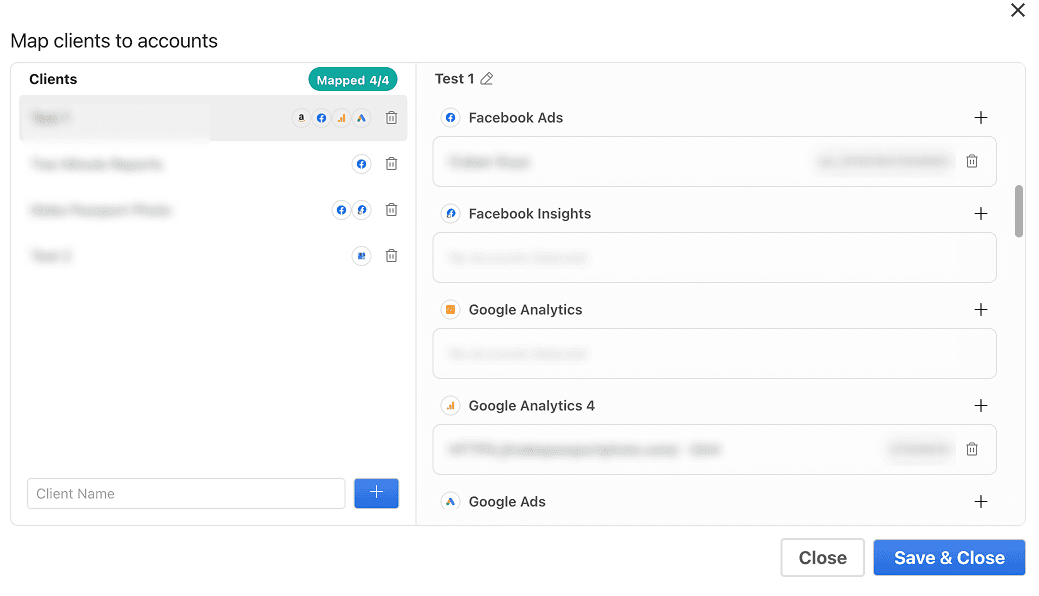
With smarter client management, you can give each client a clear view of their ad spend, clicks, and conversions in one place. This means faster reporting, more accurate insights, and the ability to proactively suggest budget shifts to maximize ROI.
| Pro Tip: Install the Two Minute Reports add-on from the Google Workspace Marketplace, map ad accounts to respective clients, and start generating actionable PPC reports instantly. |
2. Prove Performance with Goal and Budget Tracking
PPC managers need more than just data; they need to show clients they're on track. With Two Minute Reports' Goals & Budget Tracking, you can set targets for the metrics that matter most to each client, such as conversions, leads, ROAS, or even create custom goals and report on progress in real time.
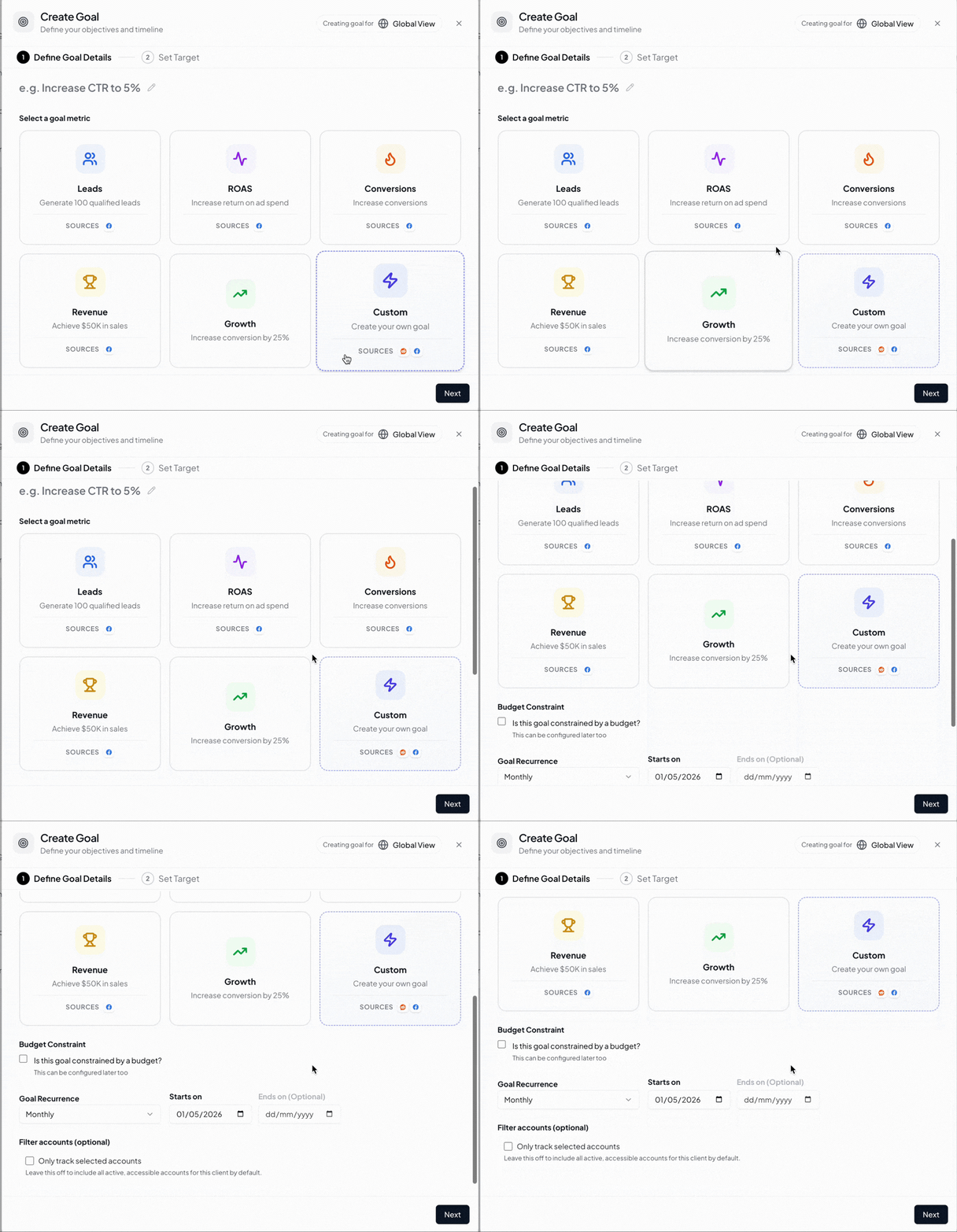
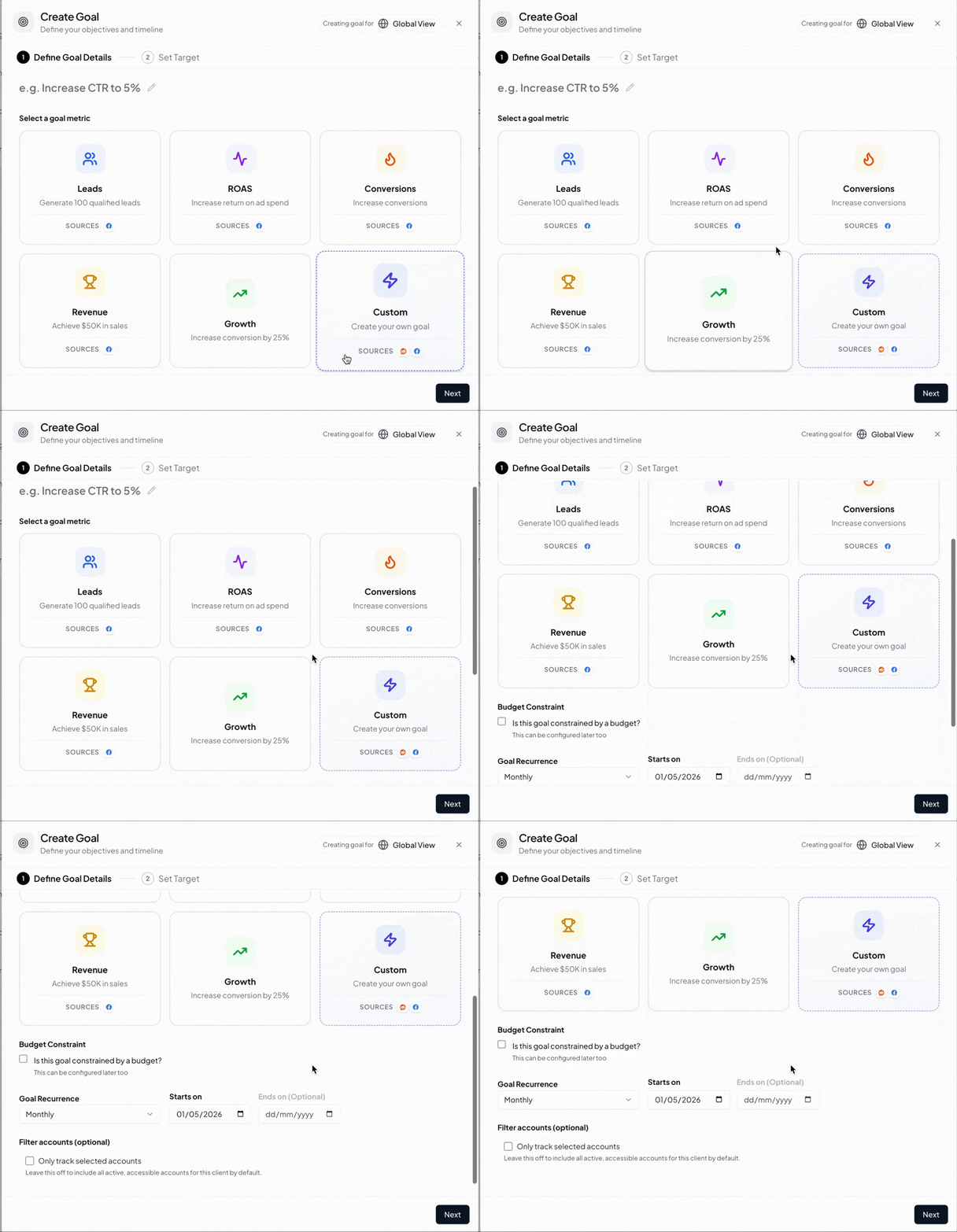
On the budget side, you can select the ‘amount spent’ metric for your preferred platform, set the duration, and budget limit to stay on track. You can easily spot overspend and underspend issues early, so your clients don’t have to bring it up first.
You can also set goals and budgets as recurring (for ongoing campaigns) or one-time (fixed campaigns) and choose to report them monthly, quarterly or yearly.
Pro Tip: Combine a performance goal and a budget target in the same report; show clients what was achieved and what was spent, all from a single view.
3. Unify PPC Insights across platforms in a single dashboard
One of the crucial aspects of PPC reporting is connecting the dots between different platforms. A campaign’s success is only valuable when it clearly contributes to overall ROI across all channels. That’s where Data Blending comes in. It allows you to combine metrics from LinkedIn Ads, Snapchat Ads, Google Ads, etc, in a unified dashboard, giving a clear consolidated view of overall performance.
With a unified view, you can:
- Identify which channels are driving the most value (e.g., Google Ads contributing to 60% of conversions while Facebook Ads drives 30%)
- Spot overlaps and optimize campaign targeting
- Reallocate budget to high-performing campaigns
- Scale winning ads and improve underperforming ones
- Provide clients with a clear, transparent story of ROI
It's time to stop switching tabs and start blending your PPC metrics in a centralized dashboard.
4. Deliver professional PPC reports
Clients expect clarity, consistency and actionable insights from every report you deliver. White-labeled PPC reporting allows agencies to present branded reports without having to design from scratch. Instead of juggling raw data, you can automatically generate client-ready dashboards that highlight CTR, CPC, conversion rates, ad visibility, and key insights to help clients understand campaign performance.
With white-labeling, you can:
- Reduce manual work and repetitive formatting
- Enhance your agency’s credibility and expertise
- Deliver consistent, high-quality reports across multiple clients without extra effort
- Drive the client’s trust via transparent, visually clear PPC reports
Eventually, agencies can focus less on assembling data and more on analyzing performance and recommending strategies that maximize clients’ ROI.
5. Automate PPC reporting to deliver consistent insights
Never miss a reporting deadline. With PPC automation, you can set up custom schedules (daily, weekly or monthly) and automatically deliver reports to clients. This means no more last-minute spreadsheets or chasing metrics across platforms.
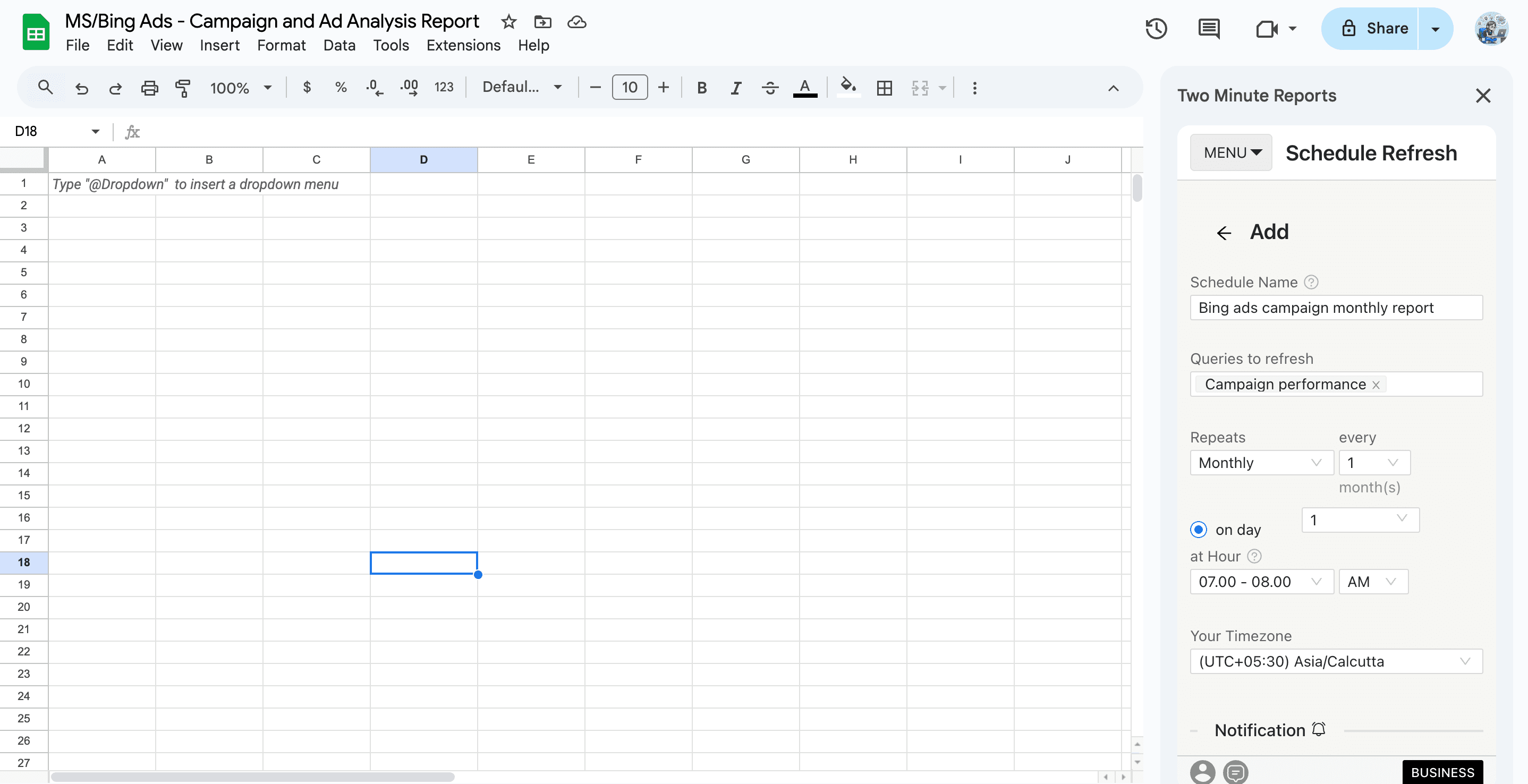
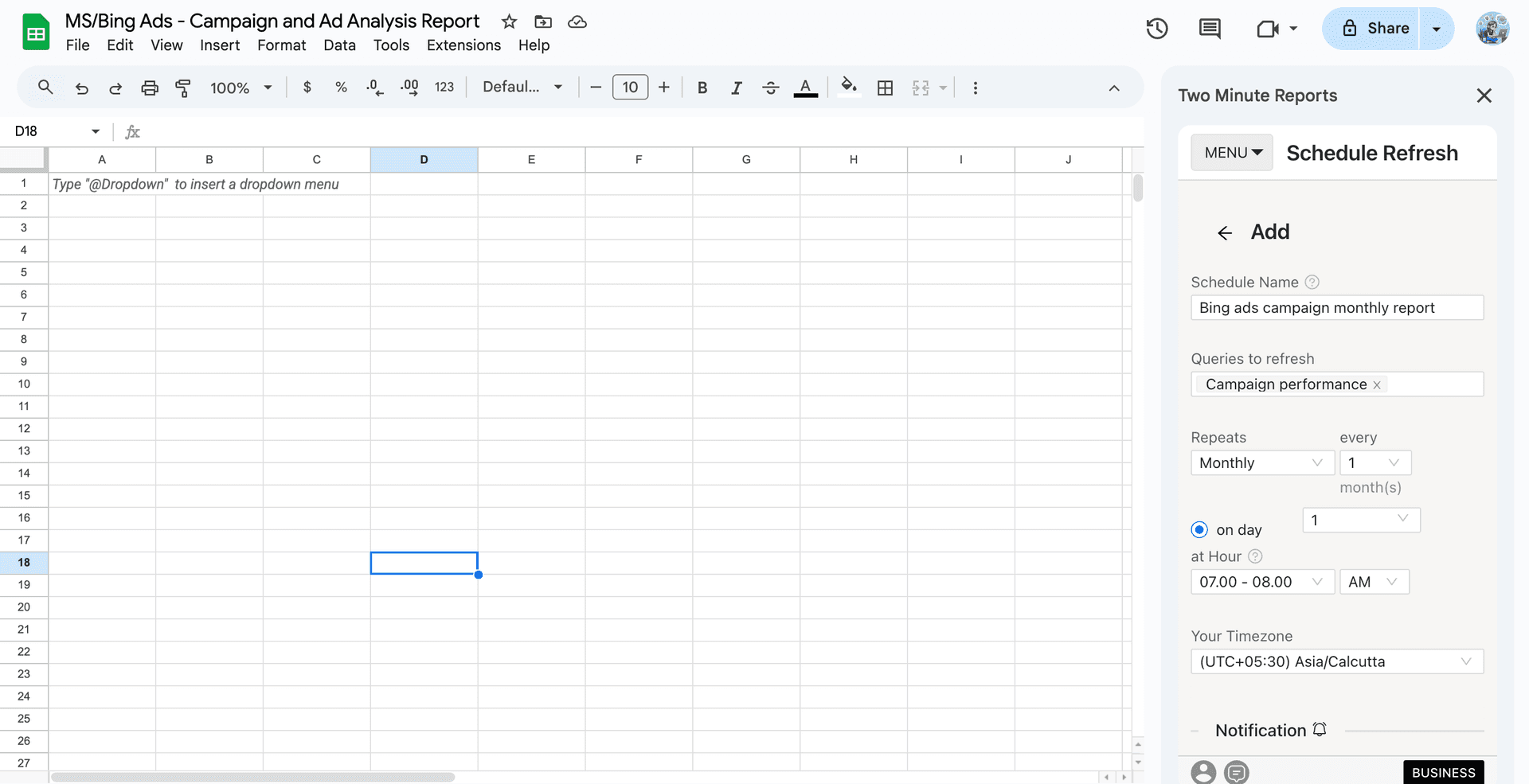
For agencies managing multiple clients, automated PPC reporting makes scaling simple: delivering tailored, professional reports for dozens of accounts without extra effort. The result? More time to focus on strategy, better client satisfaction, and a clear demonstration of your agency’s value.
How to create a PPC report for clients?
Now it’s time to take action. Let me walk you through the step-by-step process of creating a PPC client report using Two Minute Reports.
Method 1: Create a report using the PPC Google Sheets templates
Method 2: Creating a report using the PPC Google Data Studio templates
Method 3: Creating a PPC report using the Two Minute Reports MCP
Create a PPC report using Google Sheets
Build auto-refreshing PPC campaign reports in Google Sheets without manual exports or switching dashboards. Here's how:
Step 1: Select your preferred PPC Google Sheets templates (eg, Bing Ads Campaign Performance template) and click Get Template for Free. Next, click Use Template and launch the Two Minute Reports add-on in your Sheet.
Step 2: Click the Microsoft Ads dropdown and select “Create a new Connection” to connect your PPC (Bing Ads) account in Google Sheets.
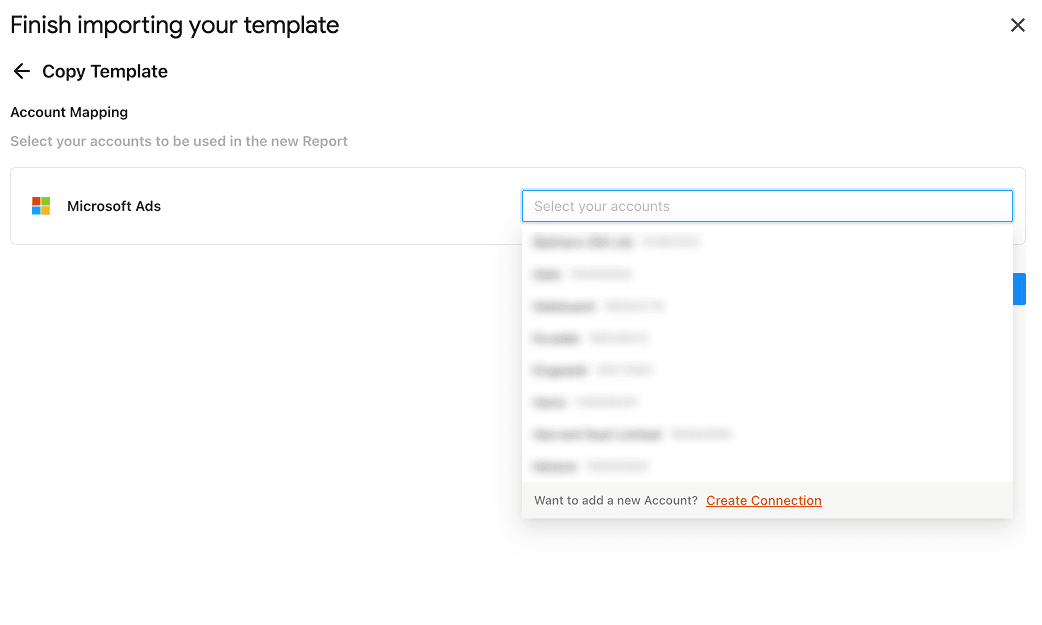
Step 3: Once you’ve connected your ad accounts, you can start running queries and visualize actionable PPC reporting insights within minutes.
Finally, you can automate the PPC reports on your client’s custom refresh schedule – daily, weekly or monthly. This ensures your clients receive timely updates, building transparency while keeping campaigns optimized with the latest data.
Create a PPC report using Google Data Studio
Step 1: Select your desired PPC Google Data Studio template that matches your client’s campaign goals and click Get Template for Free.
Step 2: Click “Use My Own Data” and link your PPC (Google Ads, Bing Ads, Meta, etc) ads account.
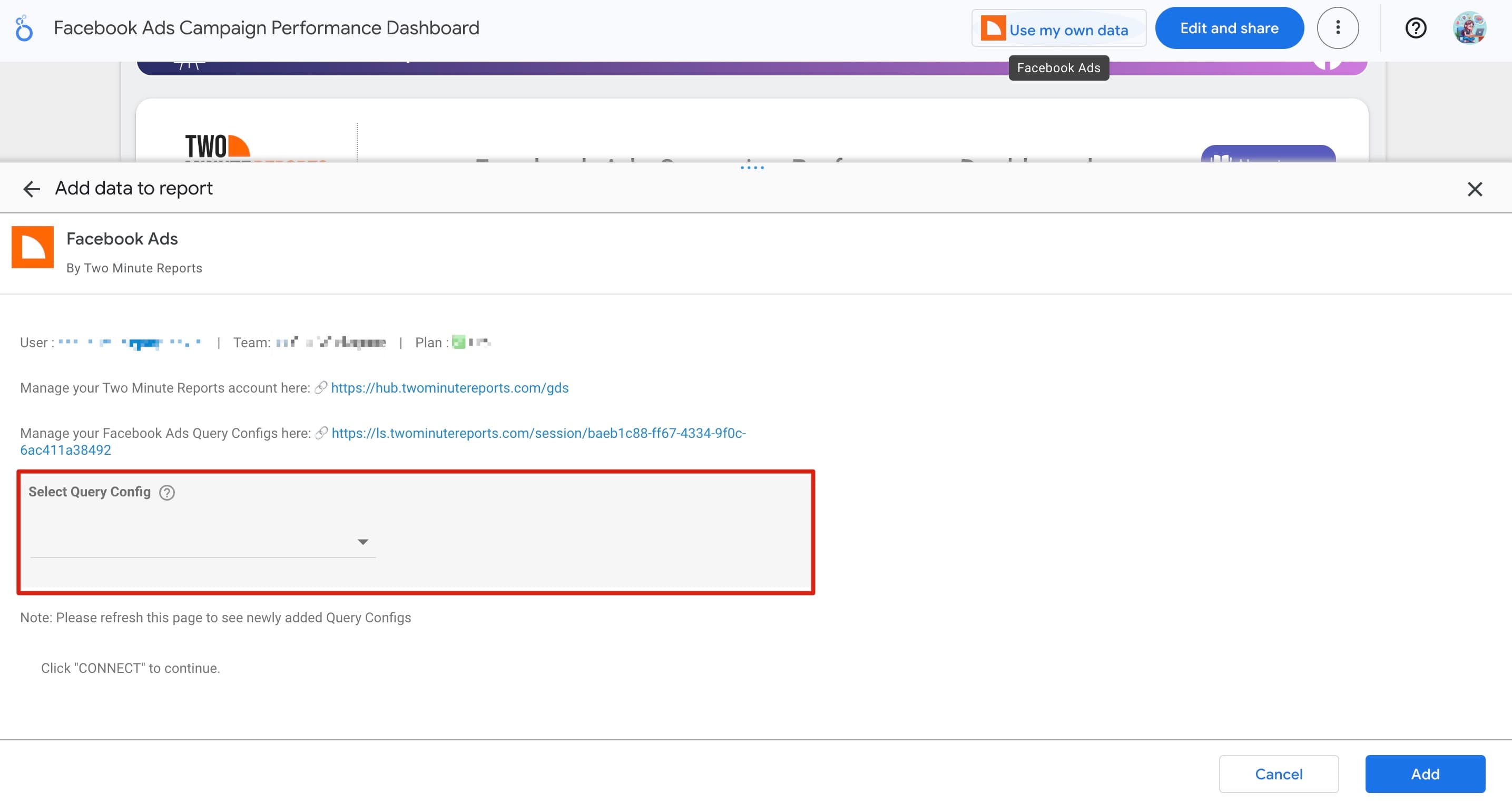
Step 3: If this is your first time (only for new users) creating a query configuration, you’ll need to authorize your connection:
- After clicking Use Template, authorize Google Data Studio and your data source connection (e.g., Facebook Ads).
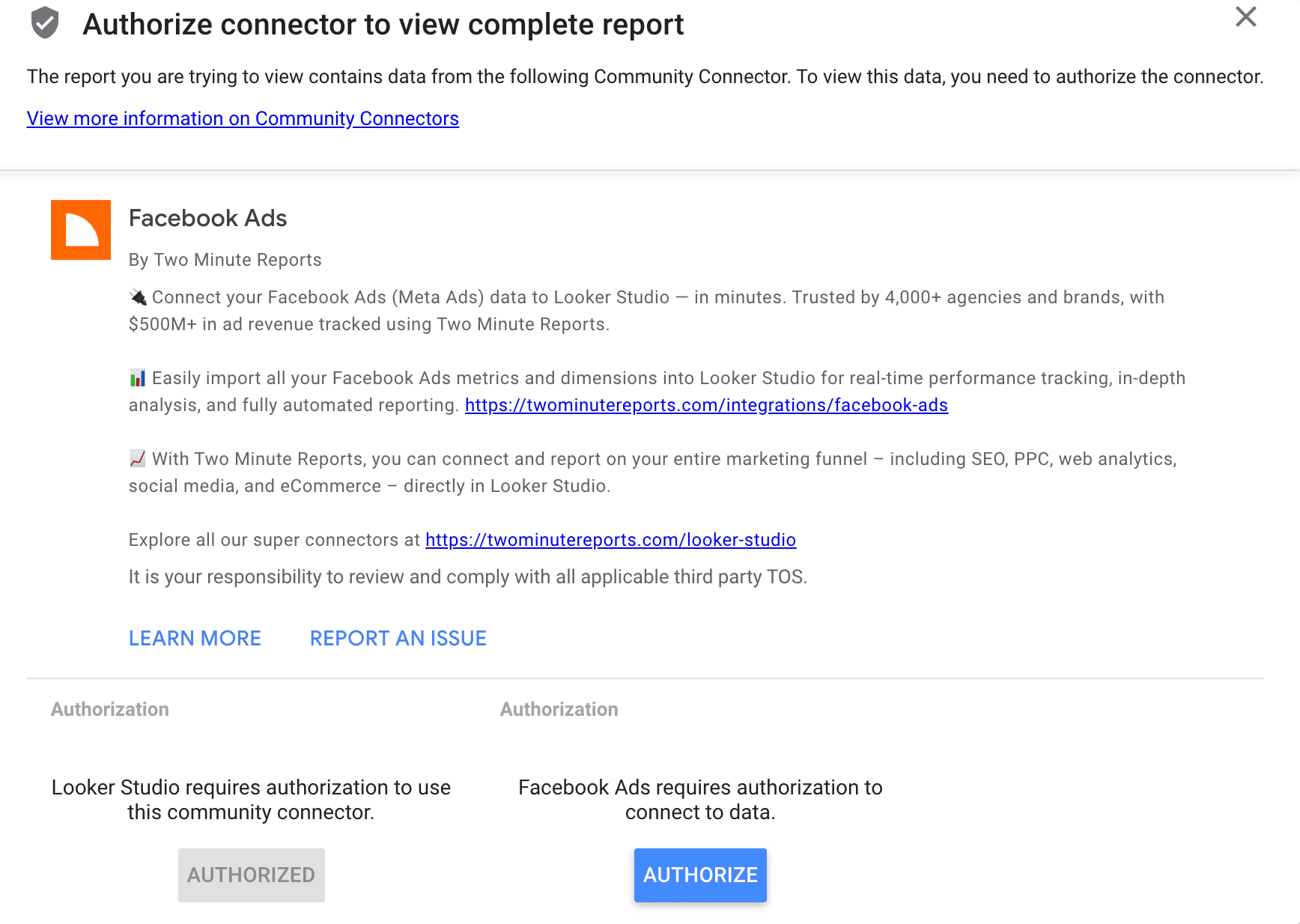
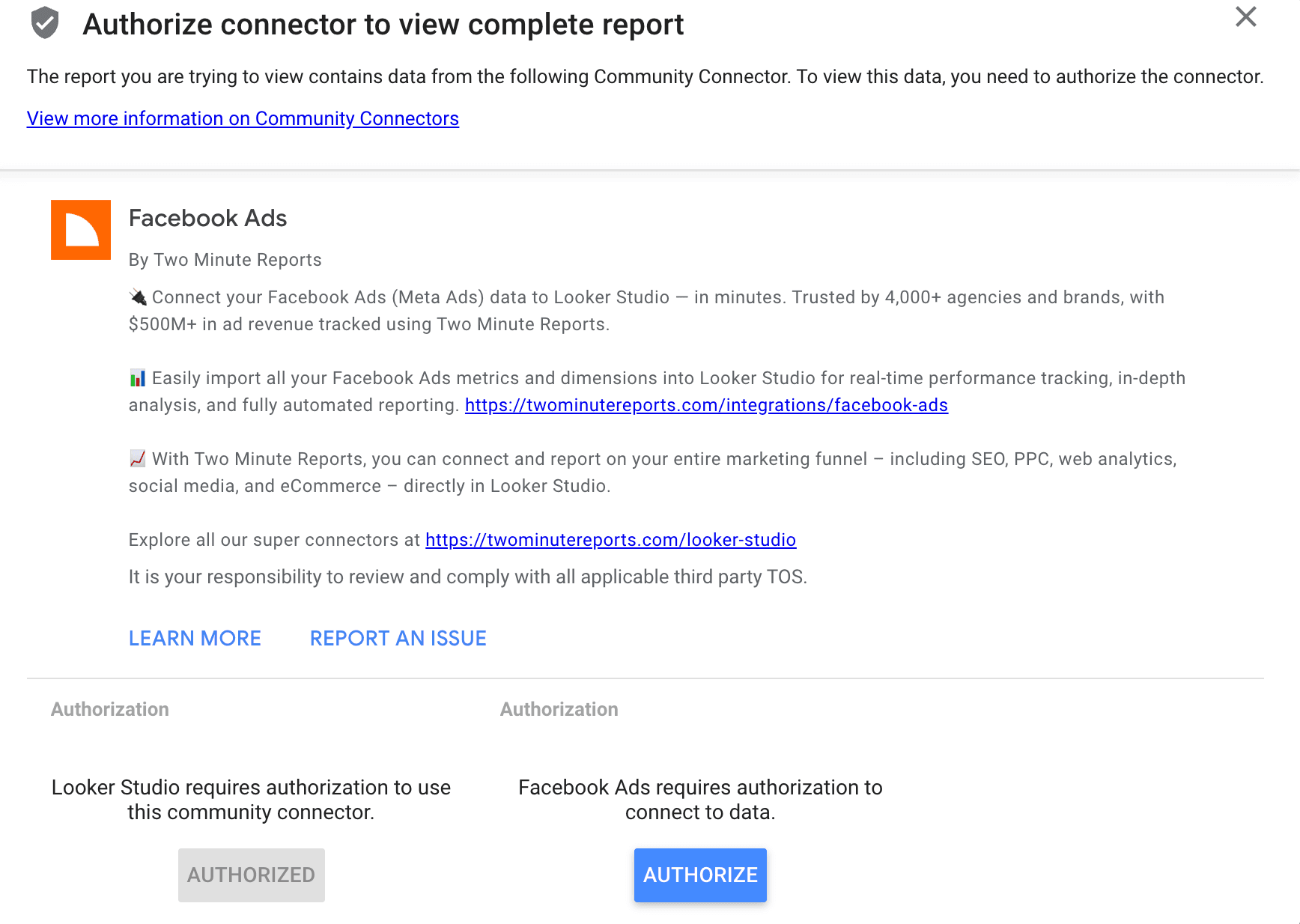
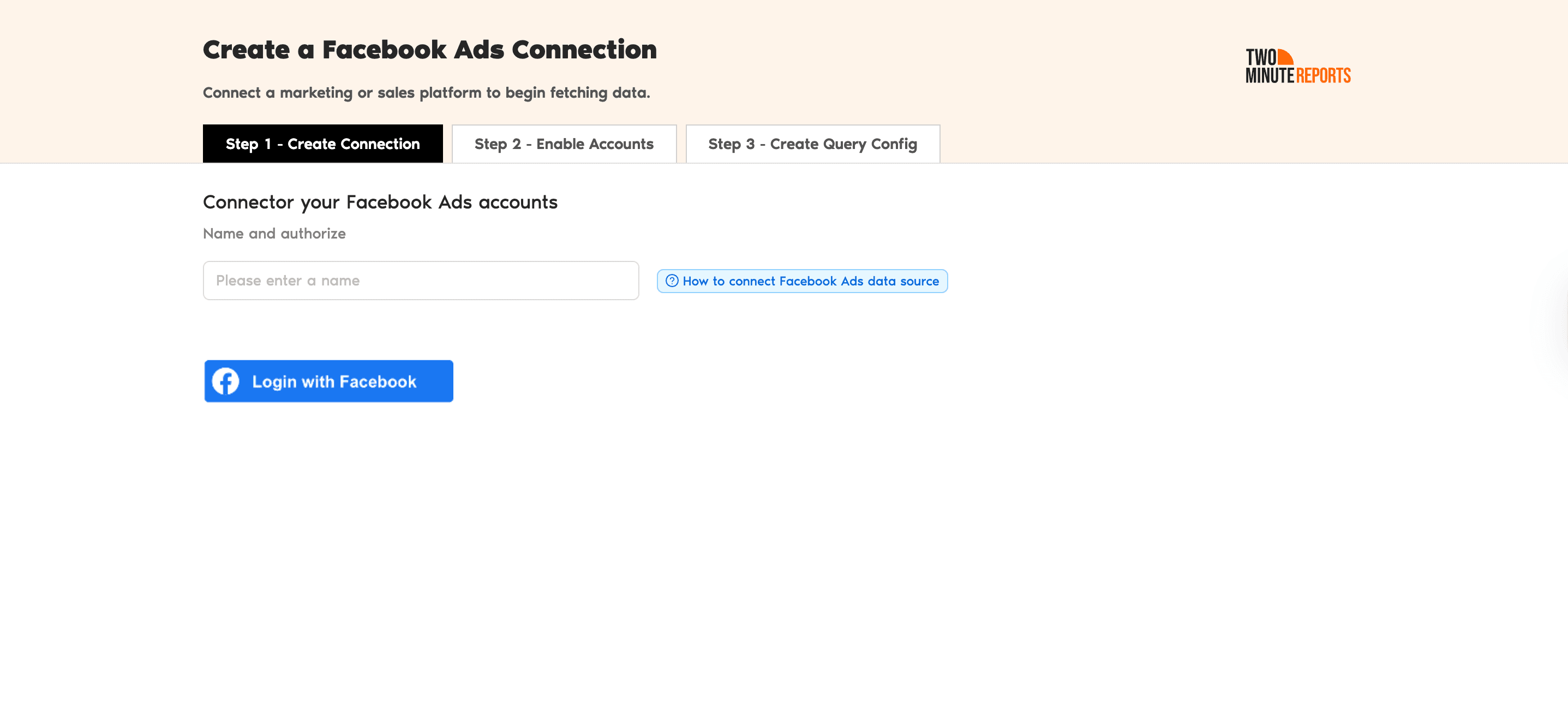
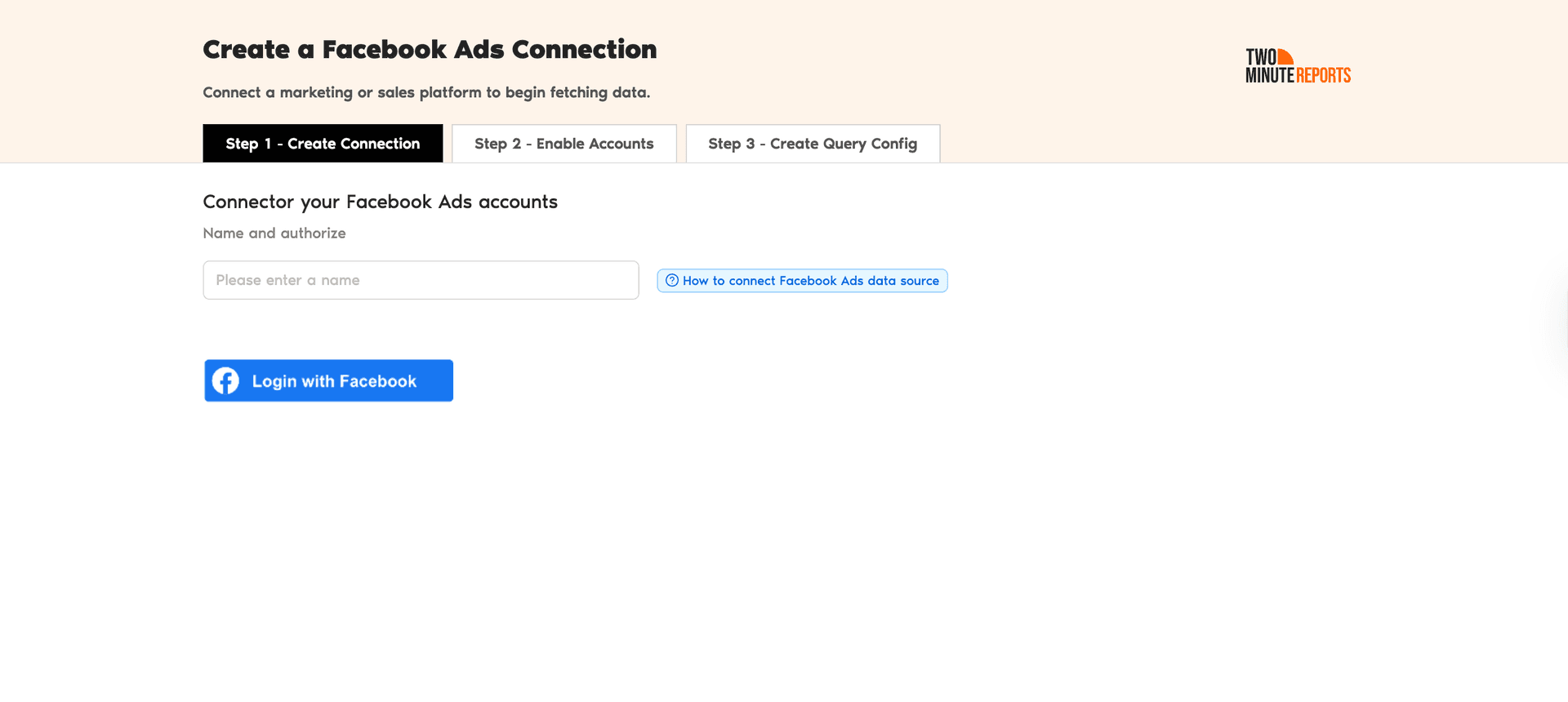
- Once authorized, connect your Facebook Ads account and create a query configuration. This will allow your dashboard to auto-populate campaign data.
Step 4: Edit your PPC dashboard in Google Data Studio, modify visuals, include interactive filters and share it with your clients and stakeholders.
With a streamlined, hassle-free workflow, you can create tailored PPC client reports in Google Sheets or Google Data Studio without the manual overhead. These reports not only keep clients informed but also give them clear visibility into campaign performance and ROI.
Create a PPC report using Two Minute Reports MCP
You’ve created the dashboard. Next, it’s time to analyze what’s working and ship the recommendations to your client. This is where you can connect your ad accounts to Claude, ChatGPT or Manus via Two Minute Reports MCP.
Once done, you can query your campaign-related questions in plain language and get accurate insights within seconds in one place. Here’s the step-by-step workflow:
- Start your 14-day free trial: Visit twominutereports.com and click ‘Try for Free’ to start your 14-day free trial.
- Connect PPC platforms: Once you’ve signed up, you’ll be directed to hub.twominutereports.com – the central workspace to create, manage and scale your reporting workflow. Click 'Connections', choose your ad platforms, authorize them with your login credentials, and enable the accounts you want to track.
- Add TMR connector to Claude: In Claude, go to Customize → Connectors, click the + icon, and choose ‘Add custom connector’. Paste the TMR MCP URL – https://mcp.twominutereports.com/mcp
- Authorize the Connection: Click Connect and sign in with the email linked to your Two Minute Reports account.
- Grant tool permission: When Claude prompts you, click 'Always Allow'. That's it – TMR is now live inside Claude.
- Start asking questions: Type any campaign question directly in the chat – 'How is my ROAS compared to the last 30 days?' or 'Which ad platform is exceeding my budget?' and Claude pulls the latest data from your connected accounts instantly.


You’ve set up the reporting. But what if Claude could also audit your entire ad account and flag issues before they impact your campaign?
There’s a free Claude skill - it reviews your ad account by testing several parameters (from wasted spend to creative fatigue) and delivers a prioritized action plan in minutes, so you know what to fix first.
The setup takes seconds. Bring your ad accounts into Claude via TMR MCP, upload the skill from GitHub, and run the audit within seconds.
Build PPC Reports That Win Client Trust
By automating PPC reporting, you eliminate the back-and-forth of manual updates and ensure clients always have access to the latest performance data. Reports will be consistent, accurate, and aligned with each client’s objectives, without draining your team’s time.
The outcome? Stronger trust, smoother collaboration, and more space to focus on campaign strategy and conversions rather than spreadsheets.
Ready to save hours? Try Two Minute Reports free for 14 days and automate your first client report within minutes.
Frequently Asked Questions
A good PPC report highlights key metrics like impressions, clicks, CTR, conversions, cost-per-click (CPC), cost-per-acquisition (CPA), and ROAS. It should also include insights, campaign performance summaries, and recommendations for next steps. Running a complete PPC audit before reporting helps surface issues and keeps your recommendations sharp.
Most agencies send PPC reports weekly or monthly, depending on the client’s needs. Weekly reports help track short-term trends, while monthly reports give a more strategic overview. Use Two Minute Reports’ automated scheduling to deliver consistent PPC reports without manual effort.
Two Minute Reports is purposely built for agencies and marketers to automate PPC reporting. It integrates with top advertising platforms like Google Ads, Meta, Snapchat Ads, LinkedIn Ads, etc, blend cross-channel KPIs and streamlines reporting without manual effort.
Choose the relevant PPC metrics based on your client’s goals. For example, an ecommerce brand may care about ROAS and revenue, while a SaaS client may prioritize leads, trials, or cost per lead.
Yes. With Two Minute Reports’ white-label PPC reporting templates, you can add logos, edit layouts, include interactive visuals and filters to reflect your agency’s branding. This builds trust and shows clients you’re fully invested in their success.
Not at all. Two Minute Reports makes cross-channel reporting seamless with data blending. You can extract campaign performance data from Google Ads, LinkedIn Ads, Meta, Snapchat Ads, etc, in a single dashboard and help clients visualize which channels contribute to the highest ROI.
Related Blogs





Meet the Author
Shalini MuruganShalini is driven by ideas that create a tangible impact. At Two Minute Reports, she specializes in content that helps marketers optimize their reporting workflows. When she's not transforming complex data into meaningful insights, you might find her lost in a book, jotting down ideas in her notebook, or connecting the dots others overlook.

