
Summarize this blog post with:
You're running ads on Google. And Meta. Maybe LinkedIn, too. Each platform has its own dashboard, its own metrics, its own way of slicing data, and none of them talk to each other.
This is not a small problem. Global spending on search advertising is currently valued at $740.3 billion. With that much budget flowing across platforms, the margin for reporting errors, missed insights, and wasted Ad spend has never been higher.
So every week, someone on the team opens three browser tabs, exports a few CSVs, pastes numbers into a spreadsheet, wrestles with formulas, and builds a report that'll be outdated by Monday. Sound familiar?
This is the quiet tax on every PPC marketing team. Not the ad spend. Not the creative. The reporting. It eats hours, introduces errors, and pulls your best people away from the work that actually moves the needle: optimization, strategy, and scaling what works.
A good PPC reporting tool doesn't just make reports look prettier. It eliminates the manual grunt work, pulls data from all your ad platforms automatically, and gives you and your clients a clear, real-time view of what's working and what isn't. The best ones turn a two-hour weekly ritual into something that runs itself.
This guide is for PPC agencies managing multiple client accounts, in-house marketing teams juggling campaigns across platforms, and performance marketers who are done wasting time on spreadsheets. We've rounded up six tools that actually solve the reporting problem, not just dress it up.
What Is a PPC Reporting Tool?
At its core, a PPC reporting tool is software that collects data from your paid ad campaigns across platforms and presents it in a way that's easy to read, share, and act on. Instead of logging into Google Ads, then Meta Ads Manager, then LinkedIn Campaign Manager separately, a reporting tool pulls it all into one place.
But here's a distinction worth making: PPC reporting tools and PPC management tools are not the same thing.
Management tools are built for execution. They help you build campaigns, adjust bids, run A/B tests, and automate optimizations. Reporting tools are built for visibility. Their job is to show you what happened, why it happened, and how to communicate that clearly to whoever needs to know.
Some tools try to do both. But the best reporting tools do one thing exceptionally well: they make data clear, fast, and shareable.
So why not just use the native reports inside Google Ads or Meta? The short answer is that native platform reports only show you their piece of the puzzle. Google won't show you your Meta numbers. Meta won't show you your LinkedIn data. And neither will give you a unified view of your total ad spend, blended ROAS, or cross-platform performance trends.
For anyone running campaigns on more than one platform, native reports aren't a reporting strategy. They're just a starting point.
What to Look for in a PPC Reporting Tool
Not every reporting tool is built the same. Some are designed for solo marketers, others for agencies handling dozens of clients. Before you commit to one, here are the features that actually matter.
Supported Ad Platforms
This one is non-negotiable. Your reporting tool needs to connect to every platform where your ad budget lives. Google Ads and Meta are the obvious ones, but depending on your mix, you may also need LinkedIn, Microsoft Ads, TikTok, Pinterest, or Amazon. A tool that covers only half your stack just creates a different kind of scattered data problem.
Automated Data Refresh
Manual data pulls defeat the purpose of a reporting tool. Look for tools that automatically sync data from your connected platforms on a set schedule, whether that's every hour, every day, or in real time. The less you have to touch it, the more reliable your reports become.
Customizable Dashboards
Your CFO wants revenue impact. Your client wants leads and cost per conversion. Your internal team wants impression share and Quality Score. A good reporting tool lets you build views for different audiences without rebuilding everything from scratch each time.
Client-Ready Reporting
For agencies, this is where a lot of tools fall short. Client-ready reporting means white-labeled dashboards, scheduled automated report delivery, and a presentation that doesn't require a 10-minute explanation to make sense of. If your client opens the report and immediately has questions about what they're looking at, the tool isn't doing its job.
Ease of Use
Some tools are powerful but require a developer to set up. Others are plug-and-play. Neither is inherently better, but you need to be honest about your team's technical capacity. A no-code tool that your whole team can use on day one will almost always outperform a highly flexible tool that only one person knows how to operate.
Pricing and Scalability
Most PPC reporting tools are priced by the number of data sources, users, or client accounts. What looks affordable at two clients can get expensive fast at twenty. Before signing up, map out what the tool costs at your current scale and at the scale you're working toward. The best tools grow with you without punishing you for it.
6 Best PPC Reporting Tools
There is no shortage of reporting tools on the market. But most of them fall into one of two traps: they're either too simple to handle real agency complexity, or too technical for anyone without a data engineering background to actually use. The six tools below strike a balance across the spectrum, from plug-and-play to highly configurable. Here's how they stack up.
1. Two Minute Reports
Two Minute Reports (TMR) is a no-code marketing analytics and reporting tool that connects your marketing/campaign data directly to Native AI dashboards, Google Sheets and Google Data Studio. Rather than building a new standalone dashboard interface, TMR plugs directly into tools your team already knows, turning them into powerful, automated reporting hubs. It's built for marketers and agencies who want real data, fast, without needing a developer to set anything up.
Trusted by 4,000+ brands and agencies across 78+ countries, Two Minute Reports has become a go-to reporting platform for teams that want simpler, and more reliable marketing reporting.
Supported PPC Platforms
Two Minute Reports connects to 30+ data sources, with strong PPC coverage across Google Ads, Meta Ads (Facebook and Instagram), LinkedIn Ads, TikTok Ads, Pinterest Ads, Amazon Ads, Reddit Ads, and Microsoft Ads, among others. All of these can be blended into a single unified dashboard, giving you cross-platform visibility without switching tabs.
Key Reporting Features
What sets Two Minute Reports apart is its combination of speed, simplicity, and depth. Key features include
- Automated data refresh (including hourly),
- White-label reporting with custom branding,
- Scheduled report delivery via email,
- Data blending feature that lets you combine metrics from multiple sources into one clean view, and
- Speedboost technology that ensures large reports load in under five seconds
- 50+ Pre-built PPC and marketing report templates.
- AI dashboards that let you build custom PPC dashboards using natural language prompts
- Ask Claude, ChatGPT, or Manus questions about your campaign performance and get actionable answers.
- Dash AI, a conversational analytics agent that helps you set goals, swap metrics, automate performance summaries, connect data sources, and more
Five of the best templates, handpicked and approved by marketers
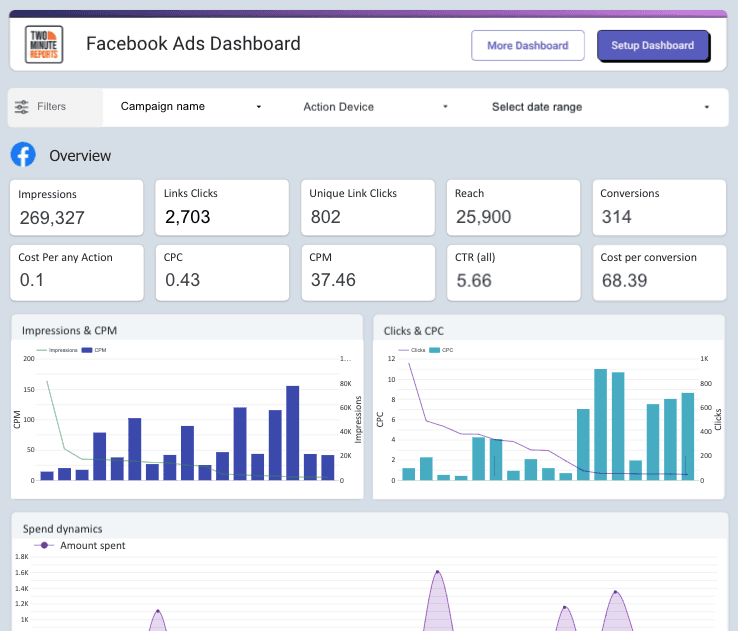
1. Facebook Ads Dashboard
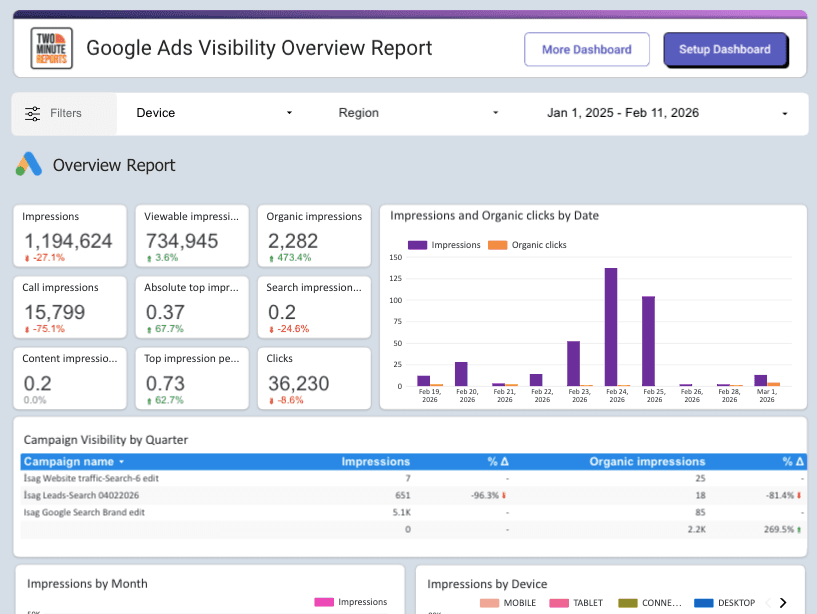
2. Google Ads Visibility Overview Report
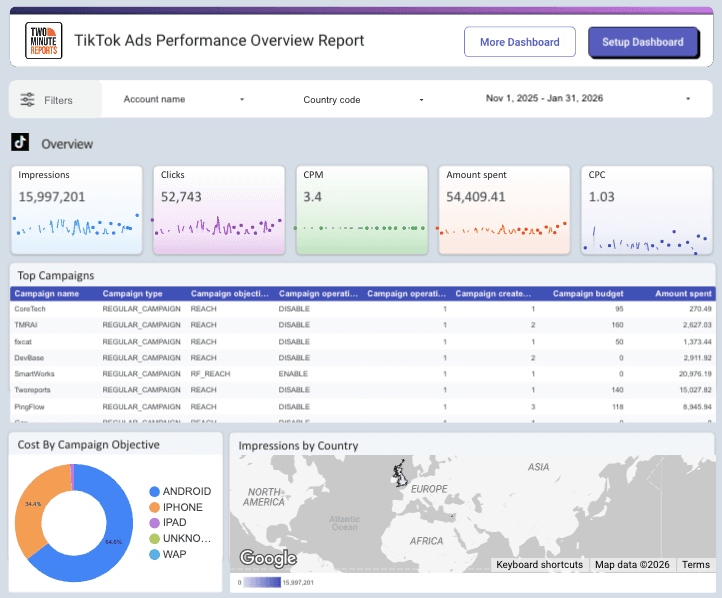
3. TikTok Ads Performance Overview Report
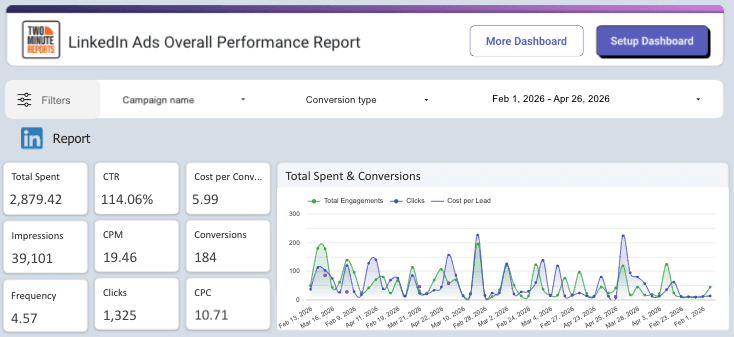
4. LinkedIn Ads Performance Overview Report
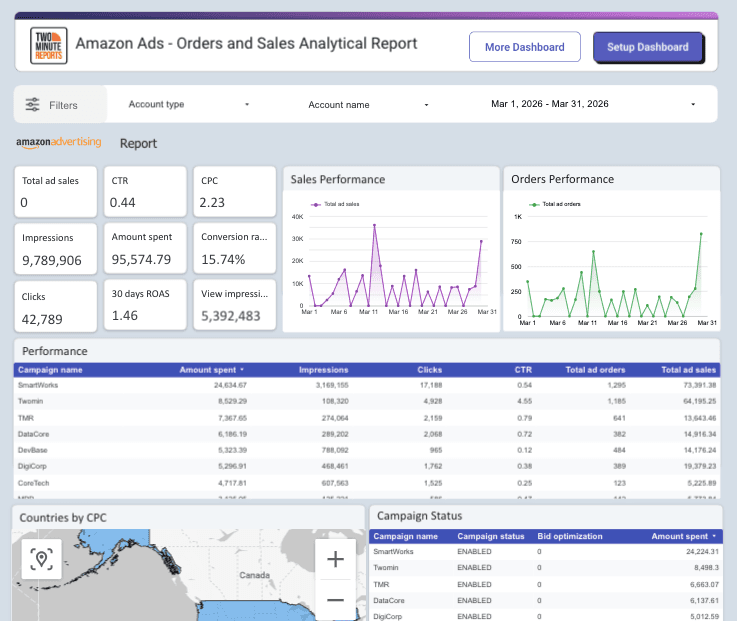
5. Amazon Ads - Orders and Sales Analytical Report
Two Minute Reports is a real differentiator for agencies managing high-volume dashboards.
Best For
Two Minute Reports is the go-to for small to mid-sized agencies that need professional, client-ready PPC reports without a complex setup. It's also well-suited for in-house teams that live in Google Sheets and want to automate reporting without migrating to a new platform.
Pros
- The no-code setup means your whole team can use it from day one
- The customer support is frequently called out as a standout.
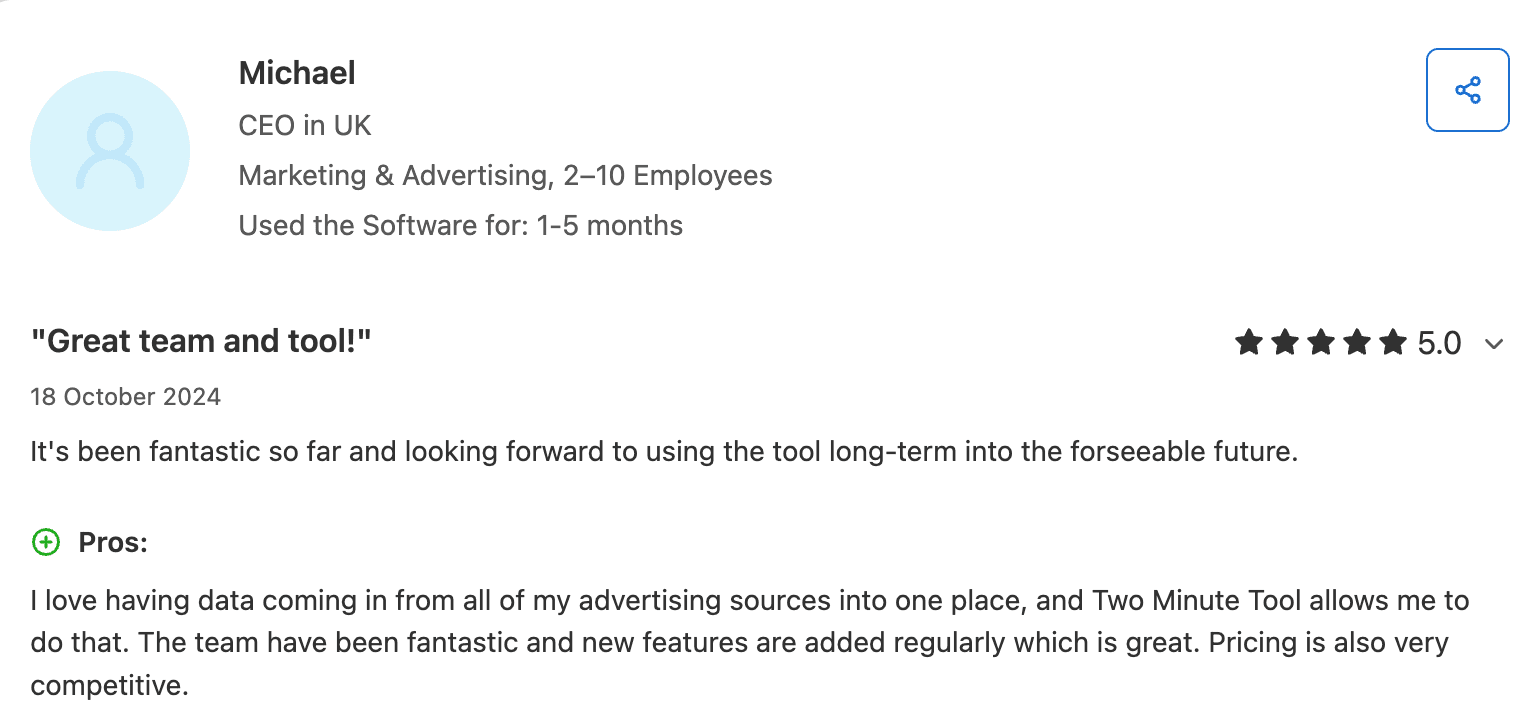
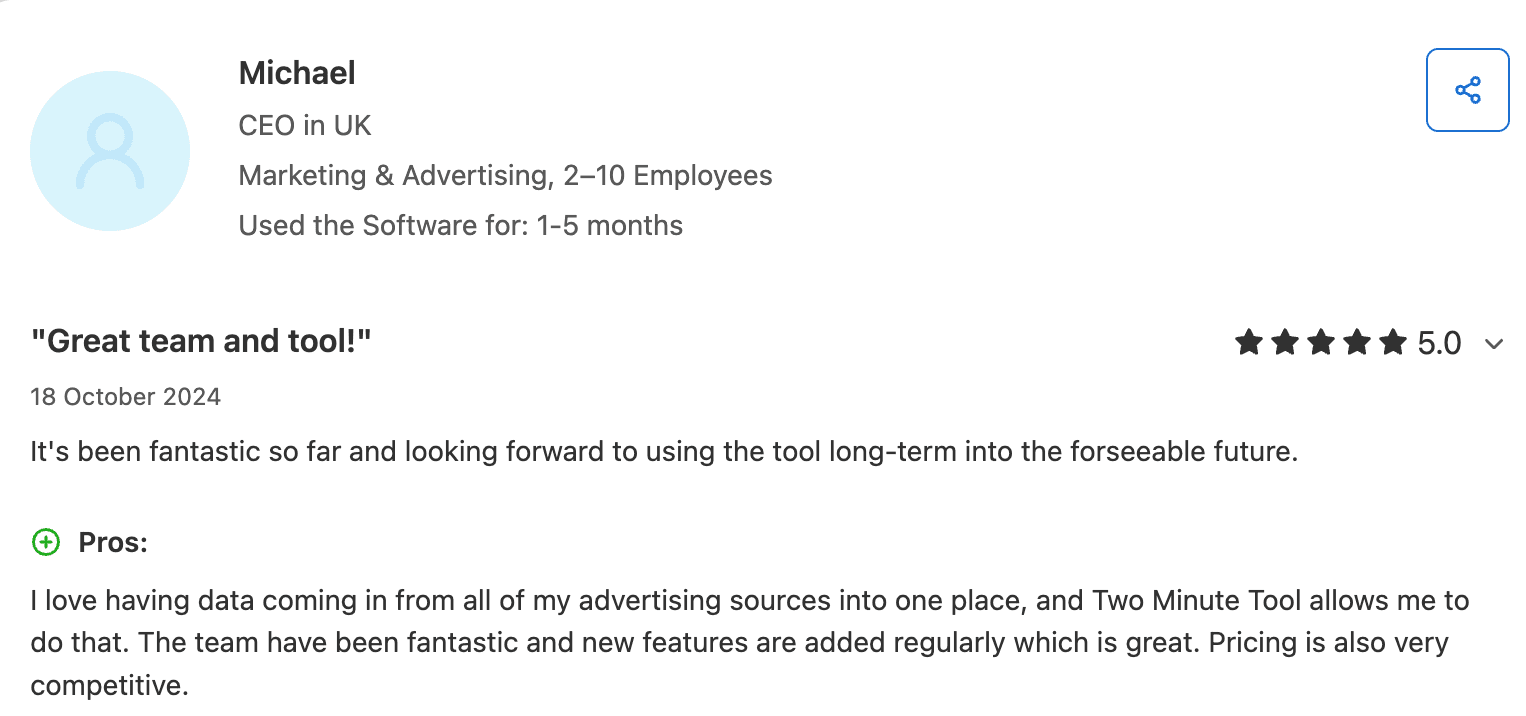 Capterra Review
Limitations
- No freemium plan
2. AgencyAnalytics
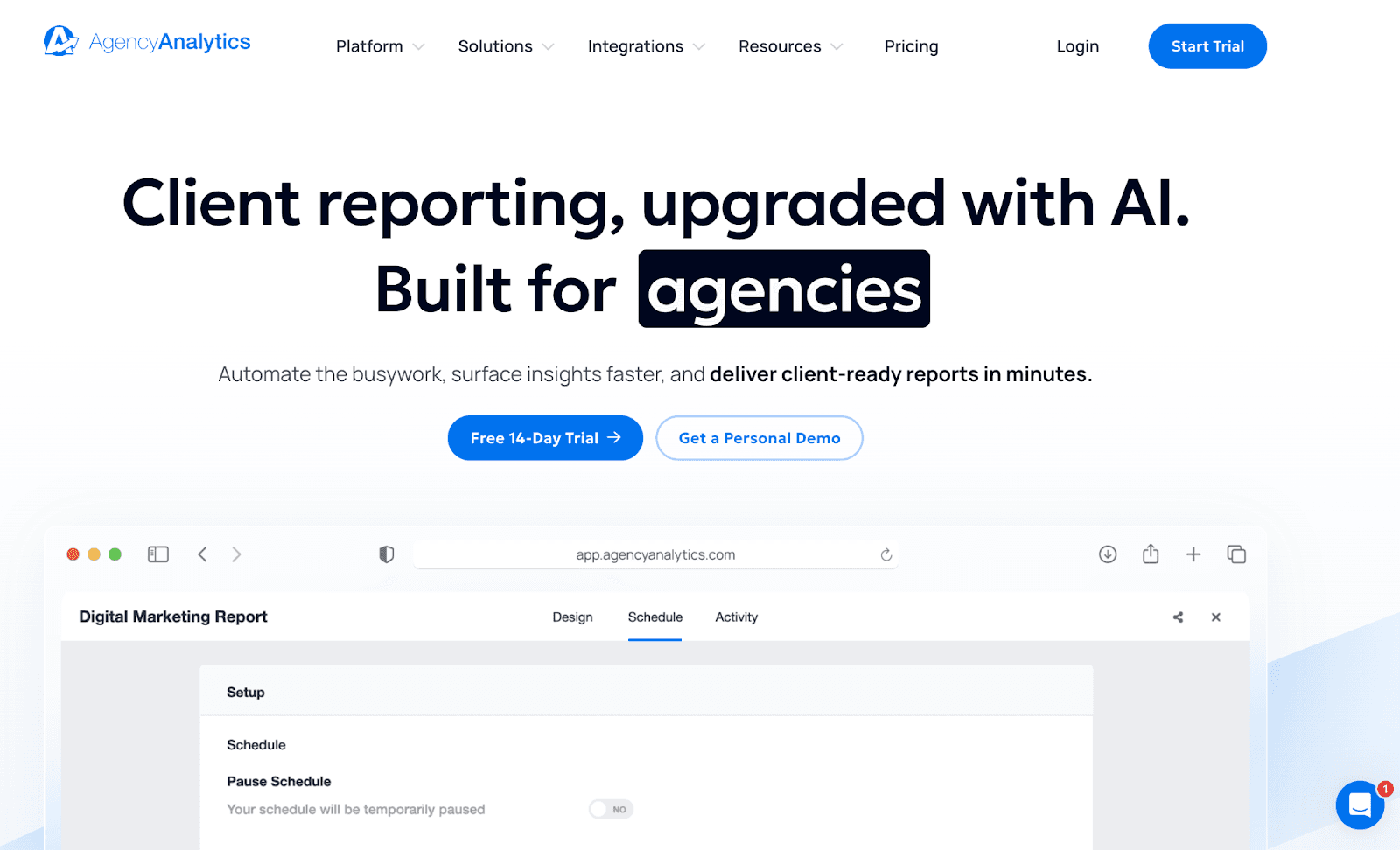
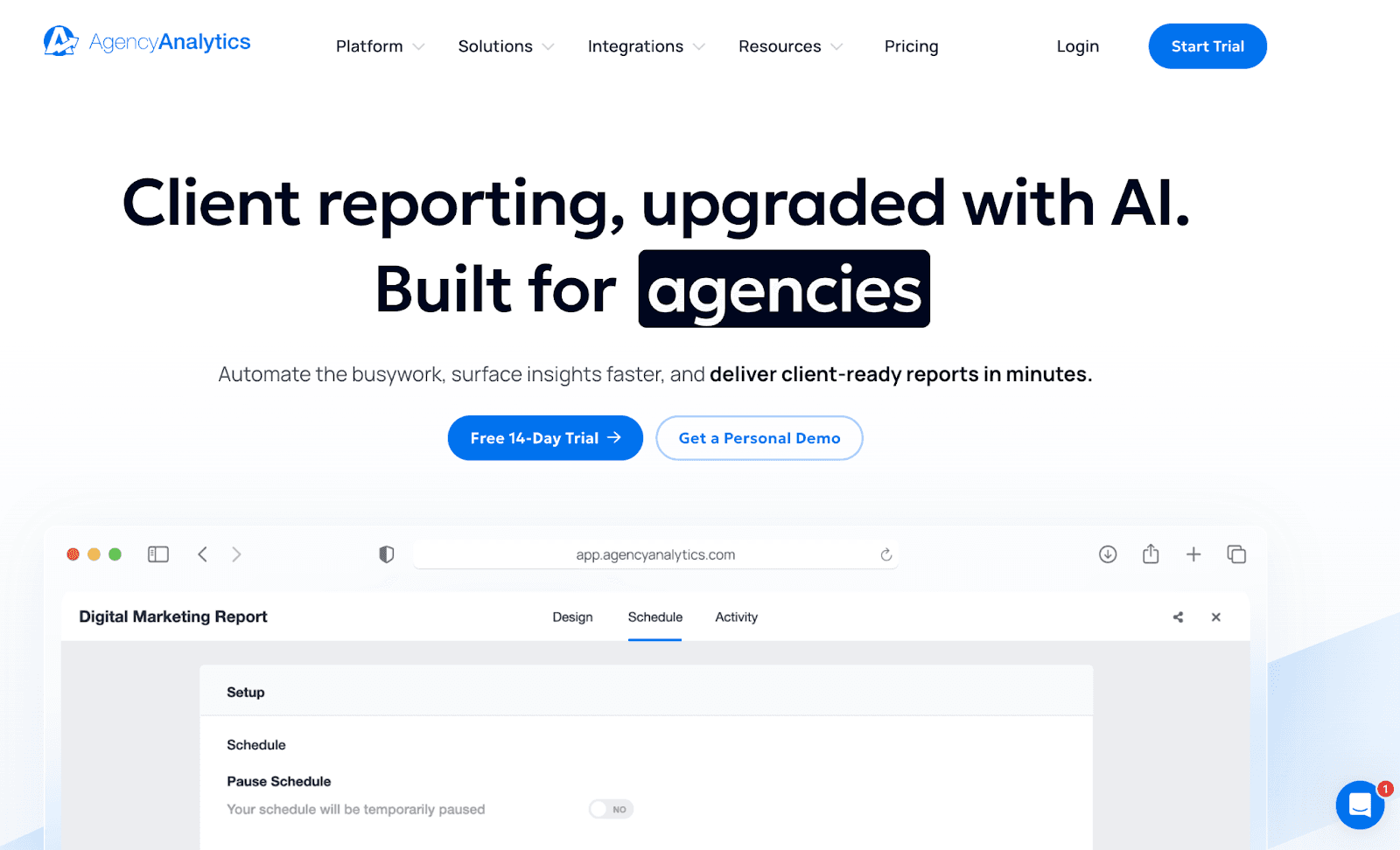
AgencyAnalytics is a reporting platform built specifically for marketing agencies. It goes beyond PPC reporting, offering an all-in-one dashboard that covers SEO, social media, email, and web analytics alongside paid channels. If your agency needs one tool to report across every service you offer, AgencyAnalytics is designed with that in mind.
PPC Integrations
AgencyAnalytics covers 80+ integrations, including Google Ads, Meta Ads, Microsoft Ads, AdRoll, and more, with drag-and-drop widgets that make building dashboards straightforward. It also has a built-in PPC markup feature that lets agencies add their margin directly into client-facing reports, a subtle but genuinely useful agency-first touch.
Reporting and Client-Facing Features
AgencyAnalytics shines on the client experience side. It offers white-labeled dashboards, custom-branded reports, scheduled automated delivery, and client portals where clients can log in and view their performance in real time. Reports can be set to auto-approve and send, or held for review before delivery.
Best For
Mid-to-large agencies that need an all-in-one reporting suite across SEO and PPC, and want polished, client-facing dashboards with minimal setup.
Pros
Easy to use, strong client portal experience, and a solid breadth of integrations that go well beyond PPC. The white-labeling is clean, the interface is intuitive, and the automated report delivery works reliably. For agencies that want to consolidate all their client reporting into one place, it covers a lot of ground.
Limitations
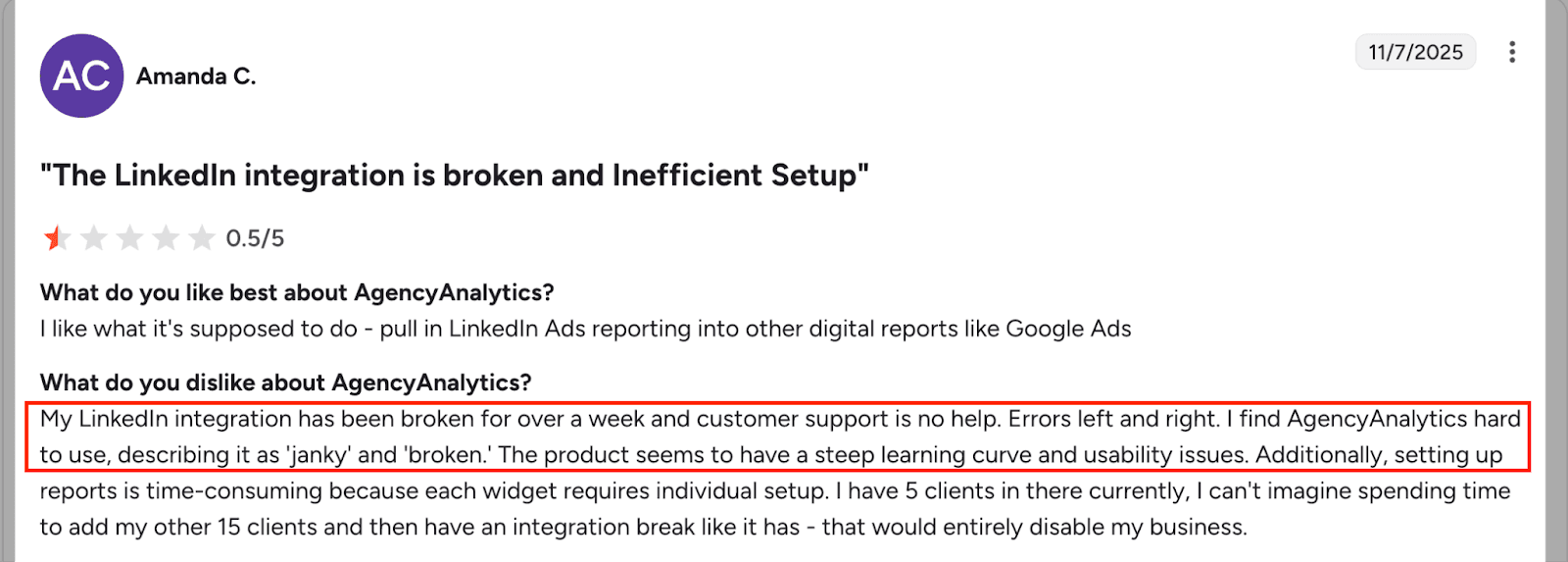
- Pricing can escalate quickly at scale. As of May 2025, the per-client surcharge increased to $20 per month. On the Agency plan, managing 20 clients would bring the total to approximately $379 per month when billed annually, excluding the base subscription fee.
- Advanced customization and API access are locked behind higher tiers
- Less suited for teams focused purely on PPC, given the platform is designed as a broader multi-channel suite
- Overkill for freelancers or small teams that only need paid media reporting
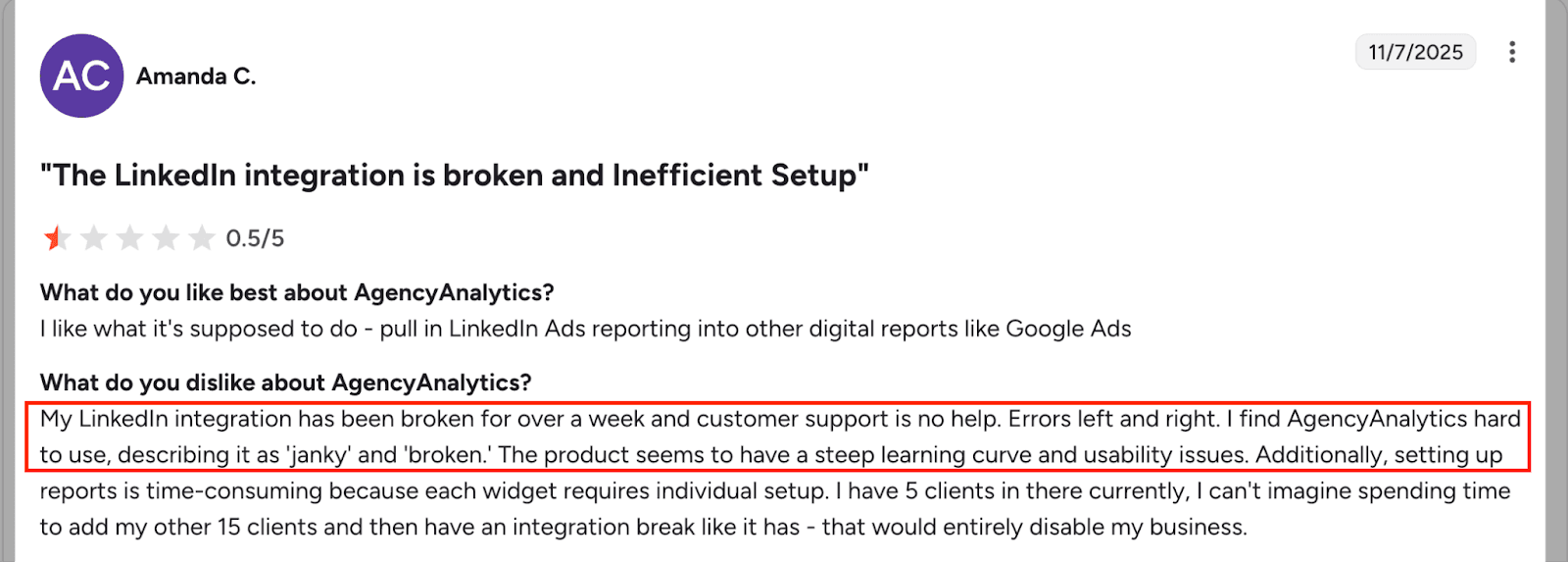
 G2 Review
3. Supermetrics
Supermetrics is one of the most widely known names in marketing data. Rather than being a reporting tool itself, it acts as a data pipeline, pulling information from your ad platforms and pushing it wherever you want to analyze it: Google Sheets, Google Data Studio, Power BI, BigQuery, Snowflake, and more.
Data Destinations
This destination flexibility is Supermetrics' biggest selling point. It supports data warehouses, including BigQuery, Snowflake, Azure, and Redshift, making it a fit for teams that want to feed their PPC data into a broader business intelligence stack. It covers 150+ data sources, including niche platforms that smaller tools often miss.
Flexibility vs Complexity
Supermetrics gives teams flexibility in how they manage and present reports, but it does not offer native white-label reporting dashboards. Instead, white labeling depends on the reporting tools you connect it to, such as Google Data Studio or Power BI, where branding and client presentation are configured separately. This allows agencies to customize reports based on their preferred reporting environment. However, because white labeling is not handled within a single platform, maintaining consistent branding across multiple clients can require additional setup and ongoing management.
Best For
Data and analytics teams that need maximum flexibility in where their marketing data goes, and have the technical capacity to build their own reporting layer on top.
Pros
Extremely powerful connector library, reliable data pipelines, and strong support for enterprise BI tools. For teams that already work in Google Data Studio or a data warehouse, Supermetrics fits naturally into the existing workflow without forcing a new interface.
Limitations
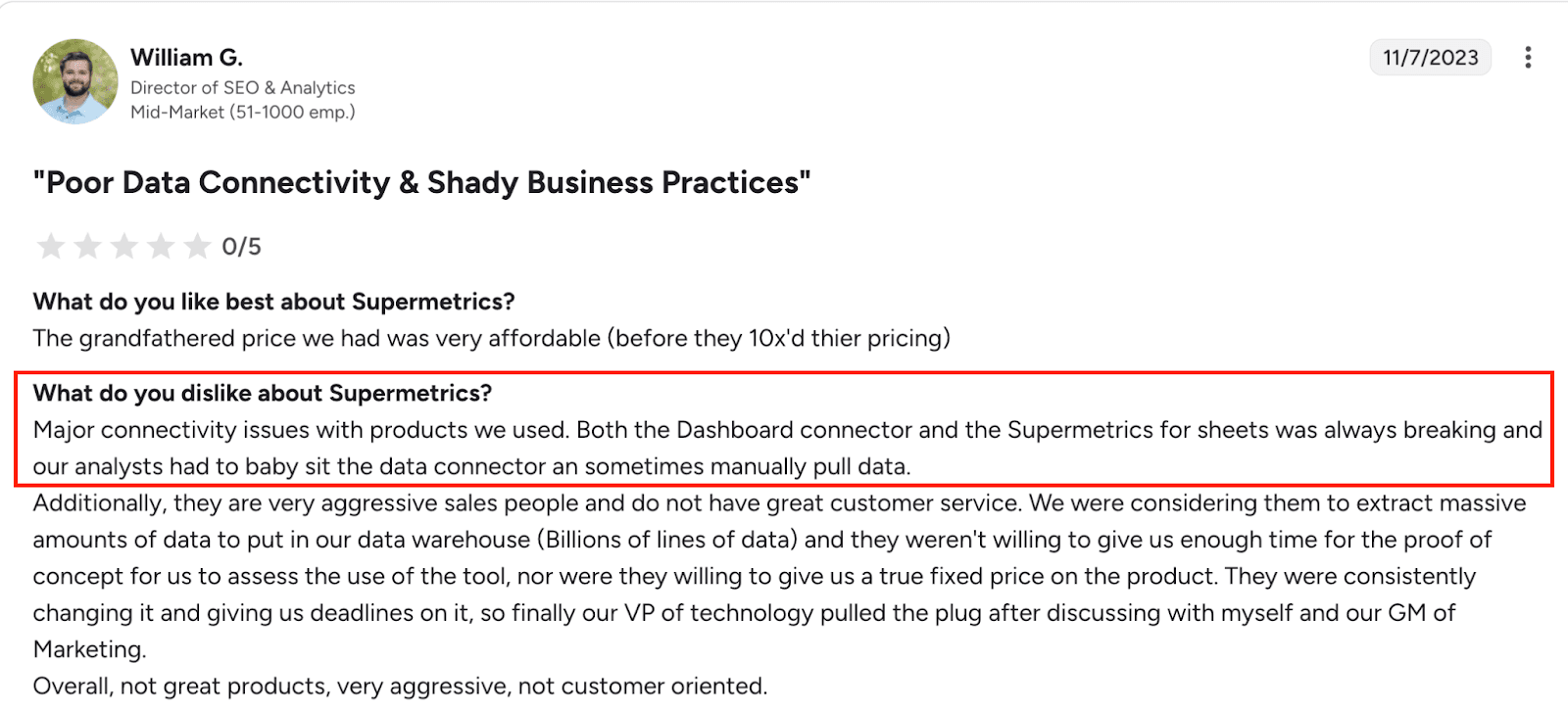
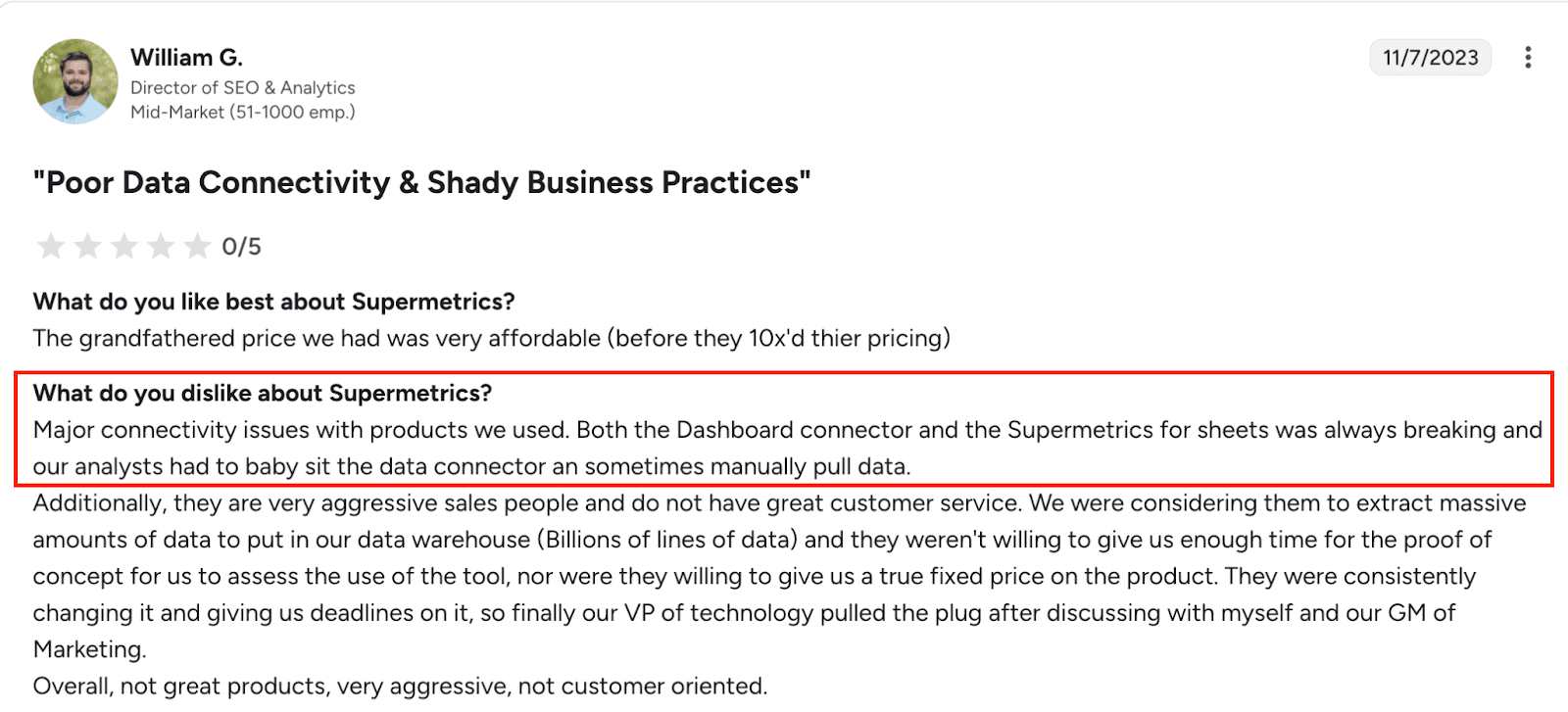
- Does not include its own reporting or visualization layer, requiring additional tool investment to actually build reports
- Pricing starts around $29 per month but escalates rapidly as you add users, data sources, and destinations
- 73% of users cite cost as their primary complaint, particularly as teams grow
- Steeper learning curve for non-technical marketers
- Not the right fit for teams that want reporting out of the box without significant setup
 G2 Review
4. DashThis
DashThis is a dedicated marketing reporting tool designed for speed and simplicity. It connects to 30+ marketing platforms and lets you build dashboards from pre-built templates in minutes, without any technical setup.
Pre-Built PPC Dashboards
DashThis offers a solid library of ready-to-use PPC dashboard templates covering Google Ads, Meta, and other major platforms. You pick a template, connect your accounts, and your report is largely done. It is one of the fastest tools to get from zero to a shareable client report.
Ease of Setup
Setup is genuinely beginner-friendly. There is no coding involved, no data warehouse to configure, and no learning curve to speak of. For smaller agencies or freelancers who need clean reports quickly, DashThis removes almost every barrier.
Best For
Freelancers and small agencies that prioritize ease of use and speed over deep customization.
Pros
One of the fastest tools to get up and running. The pre-built templates are clean, the interface requires no training, and the drag-and-drop builder makes customization accessible for anyone. If getting a professional-looking PPC report in front of a client quickly is the goal, DashThis delivers.
Limitations
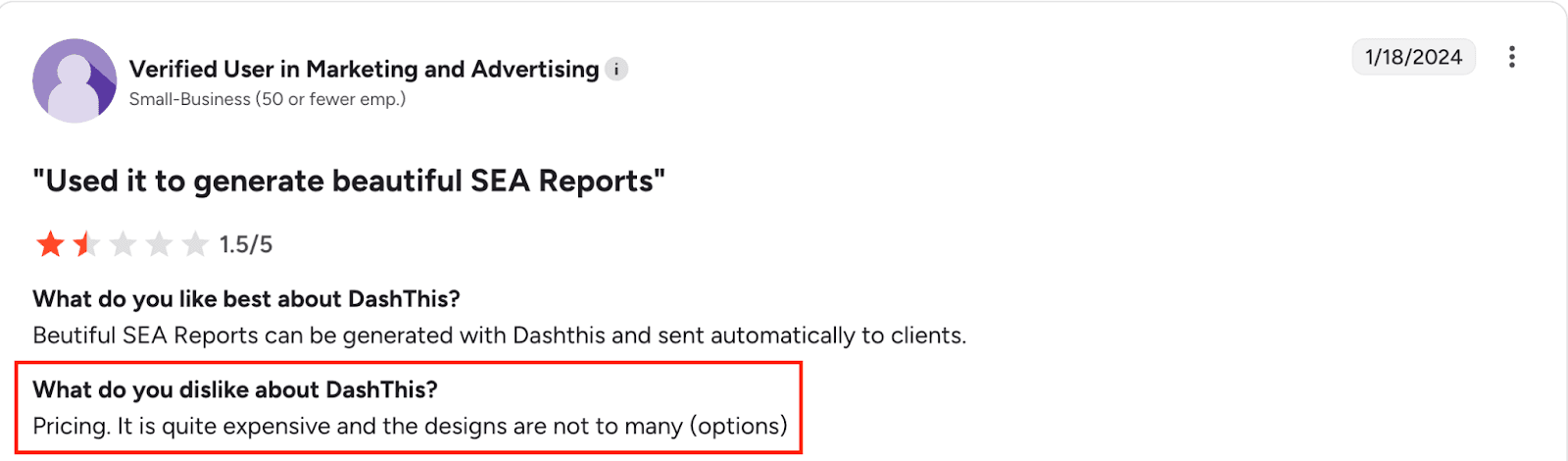
- Data blending across sources is limited, making cross-platform unified reporting difficult
- Currency conversion is not supported natively
- Advanced metric customization is minimal compared to more flexible tools
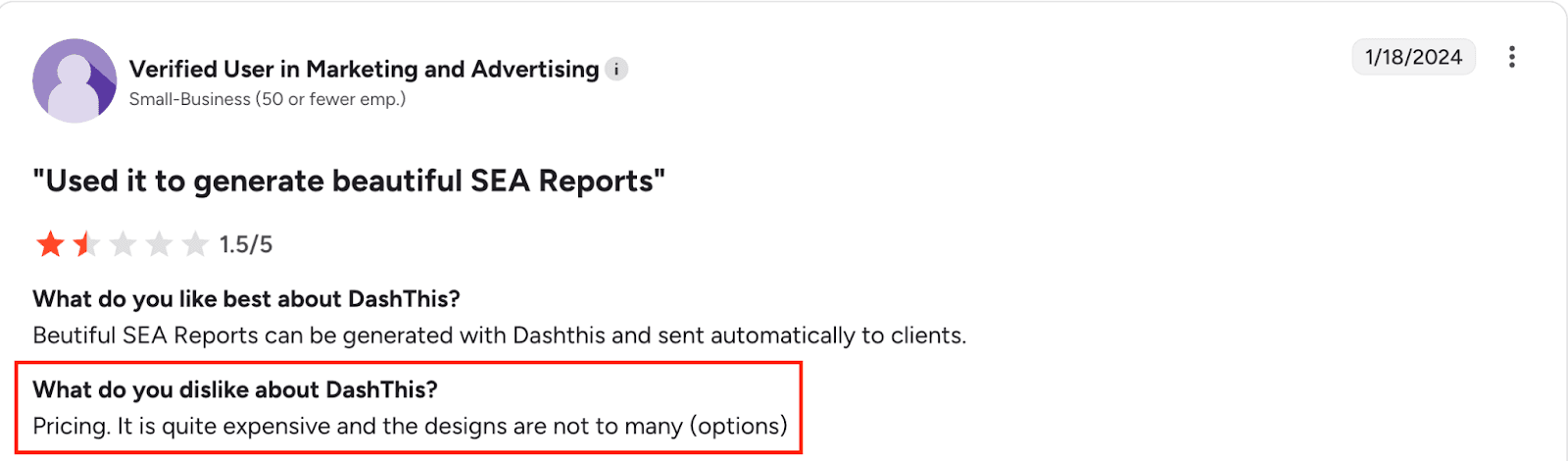
- Pricing starts at $42 per month for just three dashboards, scaling up to $409 per month for larger plans, which can feel steep given the feature ceiling
- Not well-suited for teams that need deep data transformation or complex reporting logic
 G2 Review
5. Google Data Studio (with Connectors)
Google Data Studio, formerly Google Looker Studio, is a free data visualization platform from Google. On its own, it connects natively to Google Ads, GA4, Search Console, and other Google products at no cost. For everything else, you need third-party connectors.
Customization Capabilities
Google Data Studio is one of the most flexible reporting canvases available. You can build virtually any layout, blend data sources, apply custom calculated fields, and create reports that look exactly how you want them to. For designers and data-savvy marketers, it is genuinely powerful.
When It Works Well (and When It Doesn't)
It works brilliantly when your stack is mostly Google, your team has some technical comfort, and you have time to build and maintain templates. It starts to struggle when you need non-Google data fast, when your team lacks the bandwidth to build from scratch, or when clients need something polished and self-service.
Best For
Teams with a Google-heavy ad stack, technical marketers who want full customization control, and anyone looking for a free reporting foundation they can build on.
Pros
Free at its core, backed by Google's infrastructure, and genuinely powerful in the right hands. The customization ceiling is as high as your team's ability to build, which makes it a favorite among data-savvy marketers who want full control over how their reports look and behave.
Limitations
- No native white-labeling, making client-ready branded reports harder to produce
- Building reports from scratch requires significant time investment upfront
- Ongoing maintenance falls on your team as connector configurations or data schemas change
- Not a good fit for teams that need a fast, out-of-the-box solution
6. Funnel
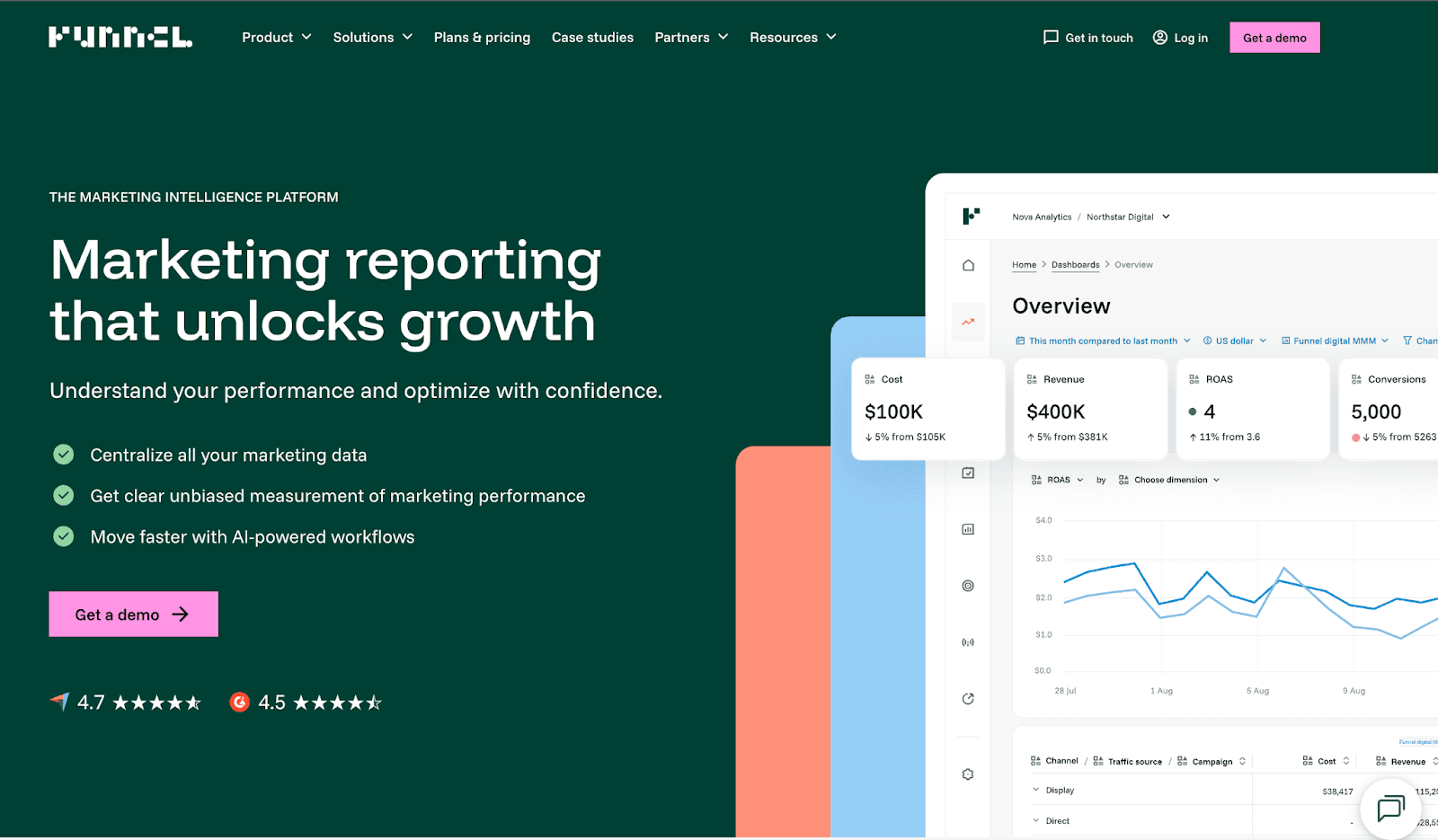
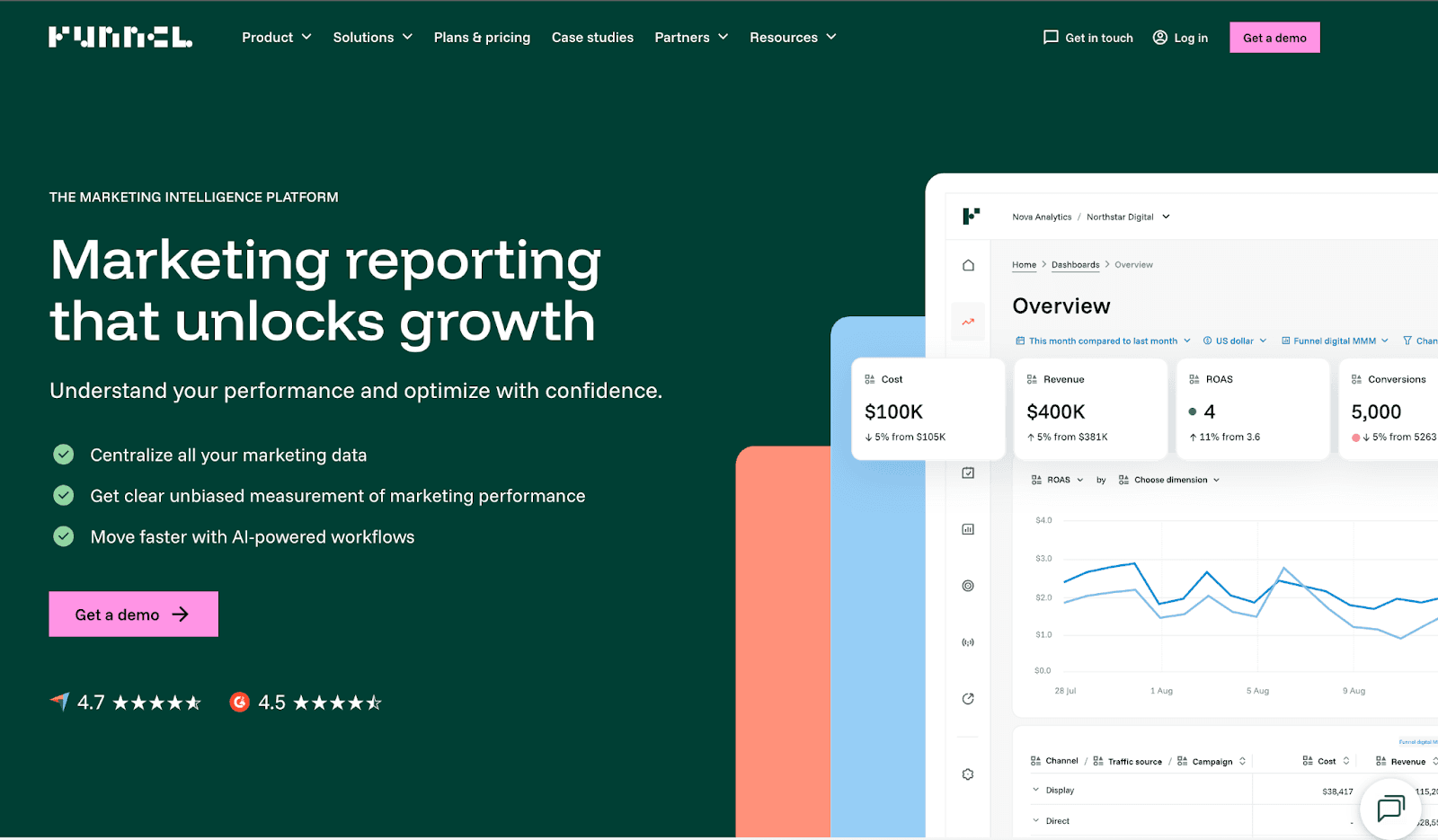
Funnel.io is a marketing data platform built for teams that need to collect, normalize, and route large volumes of data from a wide range of sources. With 500+ connectors, it sits at the enterprise end of the market, designed for businesses that need serious data infrastructure, not just a dashboard.
Data Normalization and Aggregation
Where Funnel truly earns its place is in data normalization. When you're pulling from dozens of ad platforms simultaneously, inconsistencies in naming, metrics, and attribution creep in fast. Funnel centralizes everything in its Data Hub, cleans and standardizes it, and then routes it to your chosen destination, whether that's Google Data Studio, Google Sheets, Power BI, BigQuery, or Snowflake.
Advanced Reporting Workflows
Funnel is not a reporting tool in the traditional sense. Like Supermetrics, it sits upstream of your visualization layer. The difference is the scale and depth of its transformation capabilities, which is why it attracts large media teams and enterprises managing significant ad budgets across many markets.
Best For
Enterprise marketing teams and large agencies with complex, high-volume data needs and dedicated analytics resources to manage the setup.
Pros
Exceptional connector depth, strong data normalization, and reliable performance at scale. For enterprise teams drowning in inconsistent data from dozens of sources, Funnel brings genuine order to the chaos. The Data Hub approach means your data is clean before it ever reaches your reporting layer.
Limitations
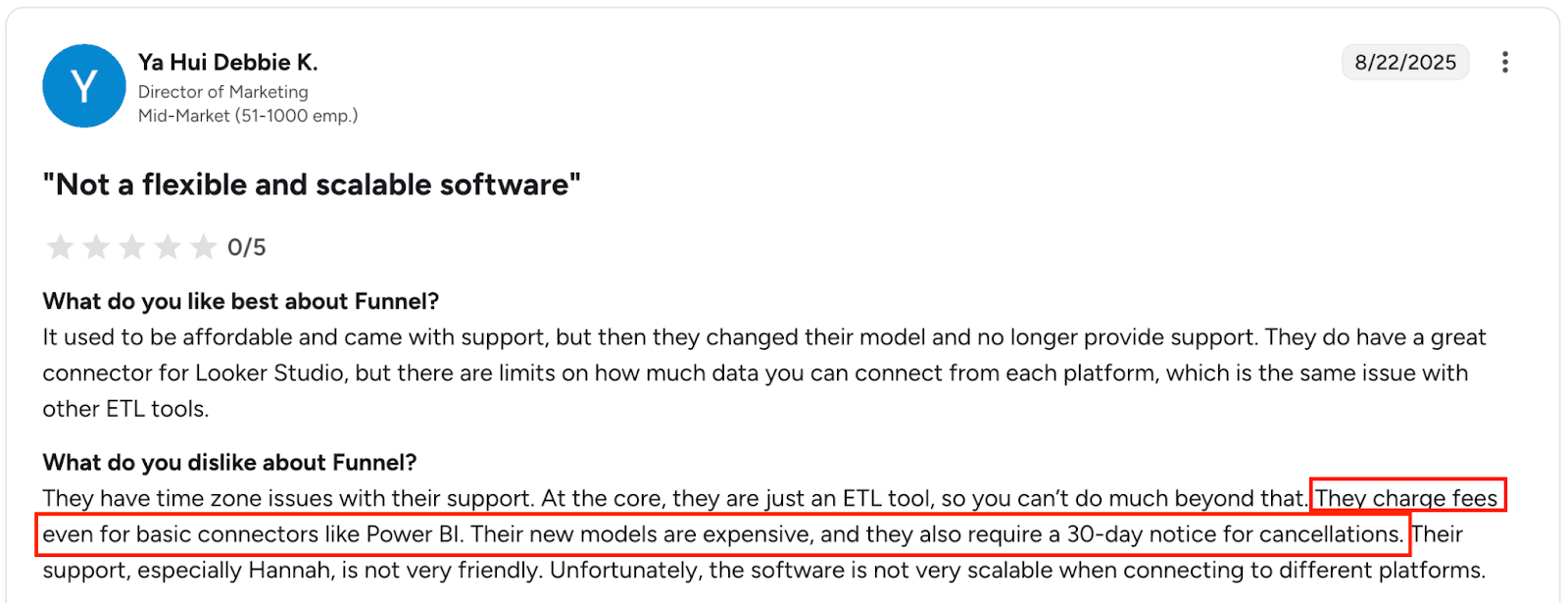
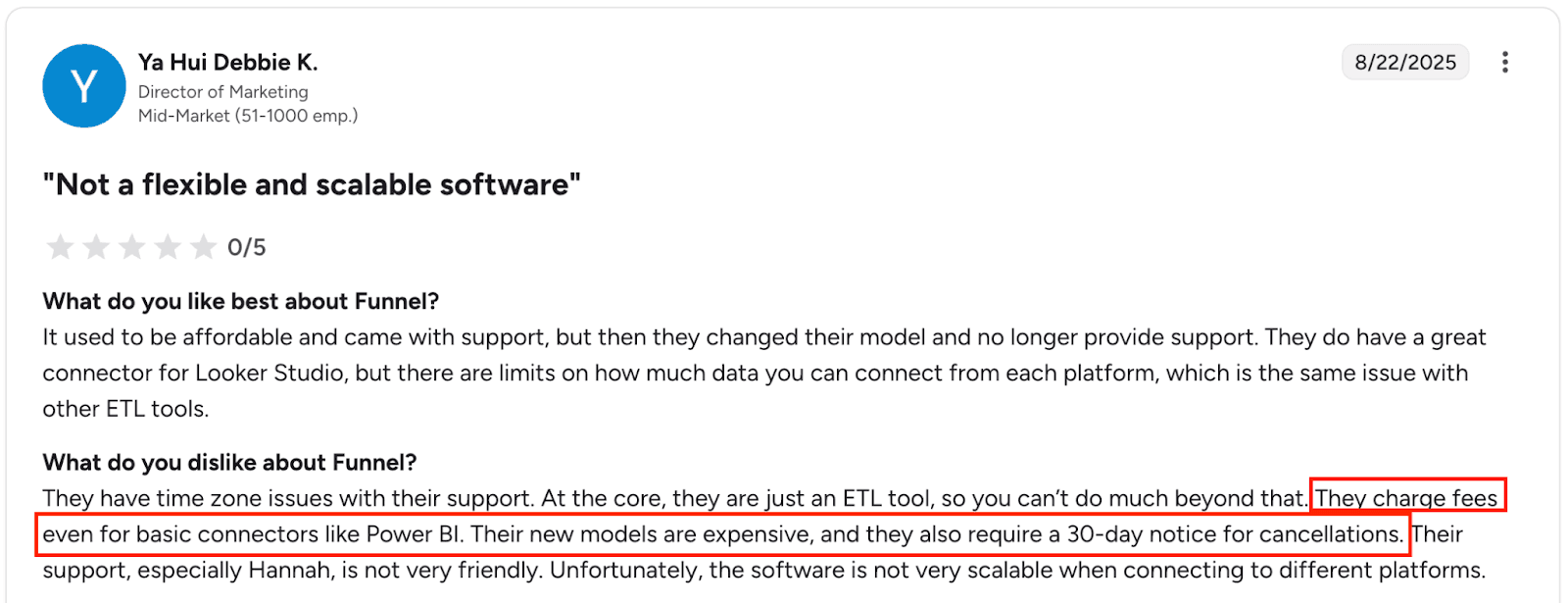
- Funnel runs on a usage-based flexpoint model that can become unpredictable as reporting needs grow, with costs scaling faster than many teams expect
- Requires a 30-day cancellation notice, even on smaller plans
- Significant setup complexity, not suitable for teams without dedicated analytics resources
- No built-in reporting interface, so investment in a separate visualization tool is required
- Pricing is not transparent upfront and typically requires a sales conversation for larger plans
 G2 Review
Comparison Table: 6 PPC Reporting Tools at a Glance
Need a deeper breakdown? Explore detailed head-to-head comparisons of:
Which PPC Reporting Tool Should You Choose?
With six solid options on the table, the right choice comes down to who you are, how your team works, and what you actually need reporting to do for you.
For Agencies Managing Multiple Clients
You need speed, white-labeling, and the ability to scale without your reporting costs spiraling. Two Minute Reports is the strongest fit here. It handles multi-client reporting cleanly, delivers branded reports automatically, and does it all at a price point that makes sense whether you're managing five clients or fifty. If your agency also sells SEO and social media services alongside PPC and needs everything under one roof, AgencyAnalytics is worth a look, though keep an eye on how the per-client pricing adds up as you grow.
For In-House Marketing Teams
You're probably not worried about white-labeling or client portals. What you need is a clear, unified view of your paid performance across platforms, without spending half your week building it. Two Minute Reports works well here too, particularly if your team already lives in Google Sheets. DashThis is another strong option if you want something visual and ready to present to internal stakeholders quickly, without any setup friction.
For Advanced Data Teams
If your team includes analysts who are comfortable with SQL, BigQuery, or Power BI, and you need PPC data to feed into a broader business intelligence stack, the calculus changes. Supermetrics or Funnel.io will serve you better than any dashboard-first tool. Supermetrics is the more accessible entry point. Funnel.io makes sense when data volume is large, sources are many, and normalization is a real operational challenge.
Budget vs Feature Trade-Offs
The truth is that the most feature-rich tools are not always the most useful ones. Funnel.io and Supermetrics offer impressive depth, but that depth comes with cost and complexity that most teams never fully utilize. Google Data Studio is free, but costs you time. DashThis is simple but hits a ceiling fast.
Two Minute Reports sits in the sweet spot for most teams: broad platform coverage, genuine automation, client-ready reporting, and pricing that stays reasonable as you scale. You're not paying for features you'll never use, and you're not outgrowing it after your third client.
The best reporting tool is not the one with the longest feature list. It's the one your team will actually use, every week, without dreading it.
Common PPC Reporting Challenges (and How These Tools Solve Them)
Every PPC team hits the same walls, regardless of size or budget. This is the one that quietly drains the most time. According to research, more than 2 in 5 businesses spend between $100 and $10,000 per month on Google Ads alone. With that kind of budget on the line, spending hours on manual reporting instead of optimization is a cost most teams cannot afford to ignore.
The problems are predictable. What changes is how well your tooling handles them.
Manual Reporting
This is the one that quietly drains the most time. Downloading CSVs, copying numbers into spreadsheets, formatting tables, double-checking formulas, and then doing it all again next week. For agencies, this process can eat anywhere from three to eight hours per client per month, time that should be going into campaign optimization, not data wrangling.
Tools like Two Minute Reports were built specifically to eliminate this. Automated data refresh means your reports update themselves. Scheduled delivery means they land in your client's inbox without anyone pressing send. The manual reporting problem is entirely solvable, and solving it is usually the single biggest time win a PPC team can get.
Data Inconsistencies
Pull ROAS from Google Ads, then pull it from your spreadsheet, and you'll often get two different numbers. Attribution windows, conversion counting methods, and platform-specific definitions all vary, and when you're combining data from multiple sources manually, errors compound quickly.
This is where Funnel.io earns its reputation. Its data normalization layer standardizes metrics across platforms before they ever reach your reporting view. For teams managing large multi-platform budgets, this is not a nice-to-have. It's the difference between reporting you can trust and reporting you have to caveat every time you share it.
Cross-Platform Visibility
Your Google Ads account does not know what your Meta campaigns are doing. Your LinkedIn dashboard has no idea how your TikTok spend is performing. Native platform reports give you silos, not strategy.
A unified reporting tool breaks those silos down. Two Minute Reports' data blending feature, for example, lets you combine spend, impressions, clicks, and conversions from every platform into a single dashboard row. Instead of switching between five tabs to understand your total paid performance, you see it all in one place, in real time.
Client Reporting Pressure
Clients want to know their money is working. They want reports that are clear, on time, and don't require a 15-minute explanation to make sense of. This pressure falls hardest on agencies, where reporting quality directly affects client retention.
White-labeling, automated scheduling, and clean visual dashboards are not just nice design touches. They are trust signals. When a client receives a branded, well-structured report every Monday morning without having to chase for it, it reinforces confidence in your agency, even during weeks when performance dips. Tools like Two Minute Reports handle this end of the problem particularly well, turning what used to be a stressful Friday afternoon task into something that runs on autopilot.
Conclusion
PPC reporting is not just an administrative task. It's how you prove value, spot opportunities, and make the case for where the budget should go next. The right tool does not just save you time; it makes your entire paid media operation sharper.
The six tools in this list cover the full spectrum, from lightweight and beginner-friendly to enterprise-grade and deeply technical. There is no universally best option. What matters is finding the one that fits how your team actually works, not the one with the most impressive feature page.
If you are an agency juggling multiple clients and need reporting that is fast, branded, and automated, start with Two Minute Reports. If you are a data team building a BI stack, look at Supermetrics or Funnel.io. If you just need something clean and up and running today, DashThis will get you there.
But whatever you choose, choose it based on your workflow. The best reporting tool is the one that removes friction, not the one that adds a new layer of complexity to manage.
When your reporting runs itself, your team stops firefighting and starts focusing on what actually moves the needle: better targeting, smarter bidding, and campaigns that scale. That is the real return on investing in the right PPC reporting tool.
Frequently Asked Questions
Two Minute Reports is one of the best PPC reporting tools for agencies because it offers automated data syncing, white-labeled dashboards, and multi-platform integrations in one place. Agencies can create branded reports, reuse templates, and schedule automated delivery, making PPC reporting faster and more scalable.
Yes. Tools like Two Minute Reports help you automatically refresh data, build reports, and deliver them to clients on a schedule, no manual work required once set up.
They can be a decent starting point, but free tools like Google Data Studio only cover Google platforms natively. Reporting across Meta, LinkedIn, or TikTok will require paid connectors regardless.
For most teams, weekly reporting is the standard. High-spend campaigns or active testing periods may warrant daily updates to catch performance shifts before they cost you budget.
Related Blogs




Meet the Author
Shabika VenkidachalamShabika, at her core, is a storyteller who believes even data-heavy topics can be infused with heart. At Two Minute Reports, she blends creative writing with user intent to create clear, purposeful content that is deeply human. Away from her desk, she finds inspiration in nature, where creativity flourishes without distractions.

