Summarize this blog post with:
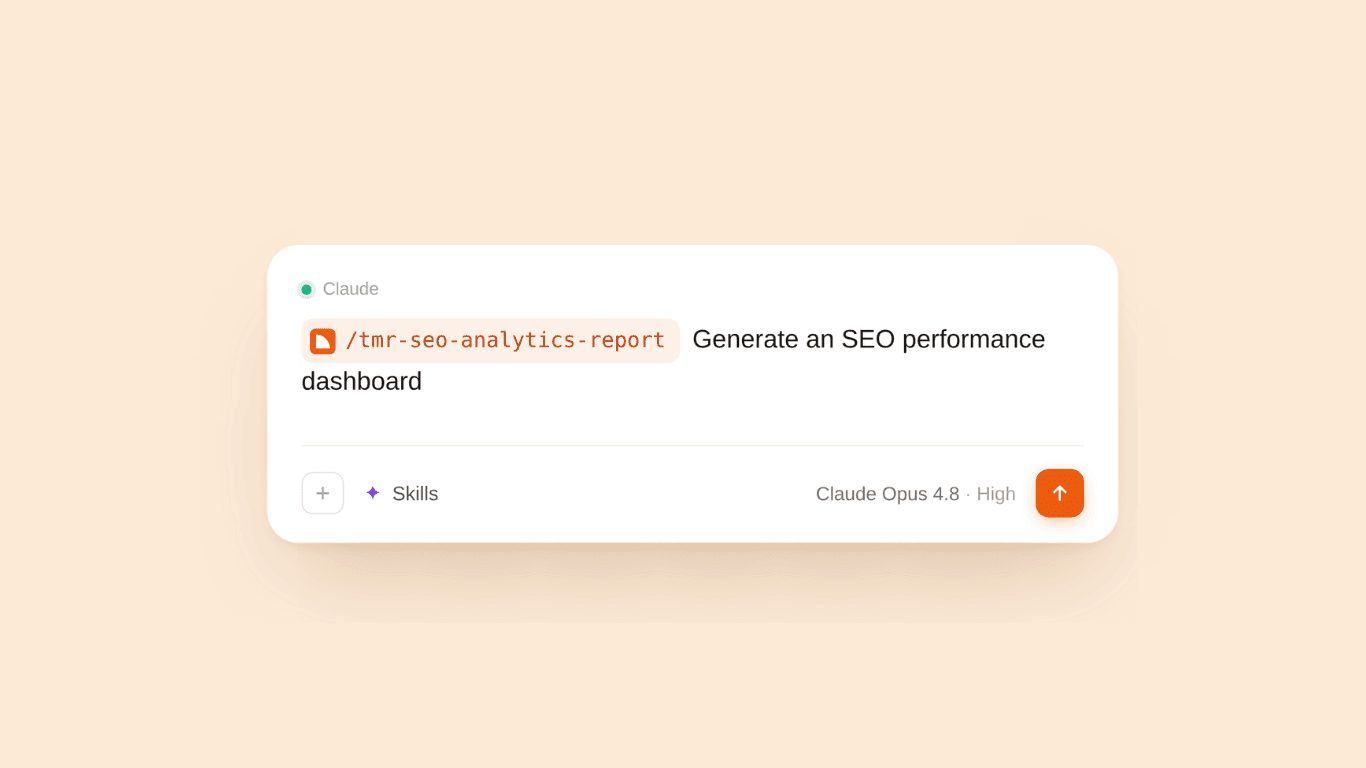
When it is time for a monthly traffic report, I don’t open Search Console and start switching tabs. I drop the request into Claude and run the /tmr-seo-report-generator skill.
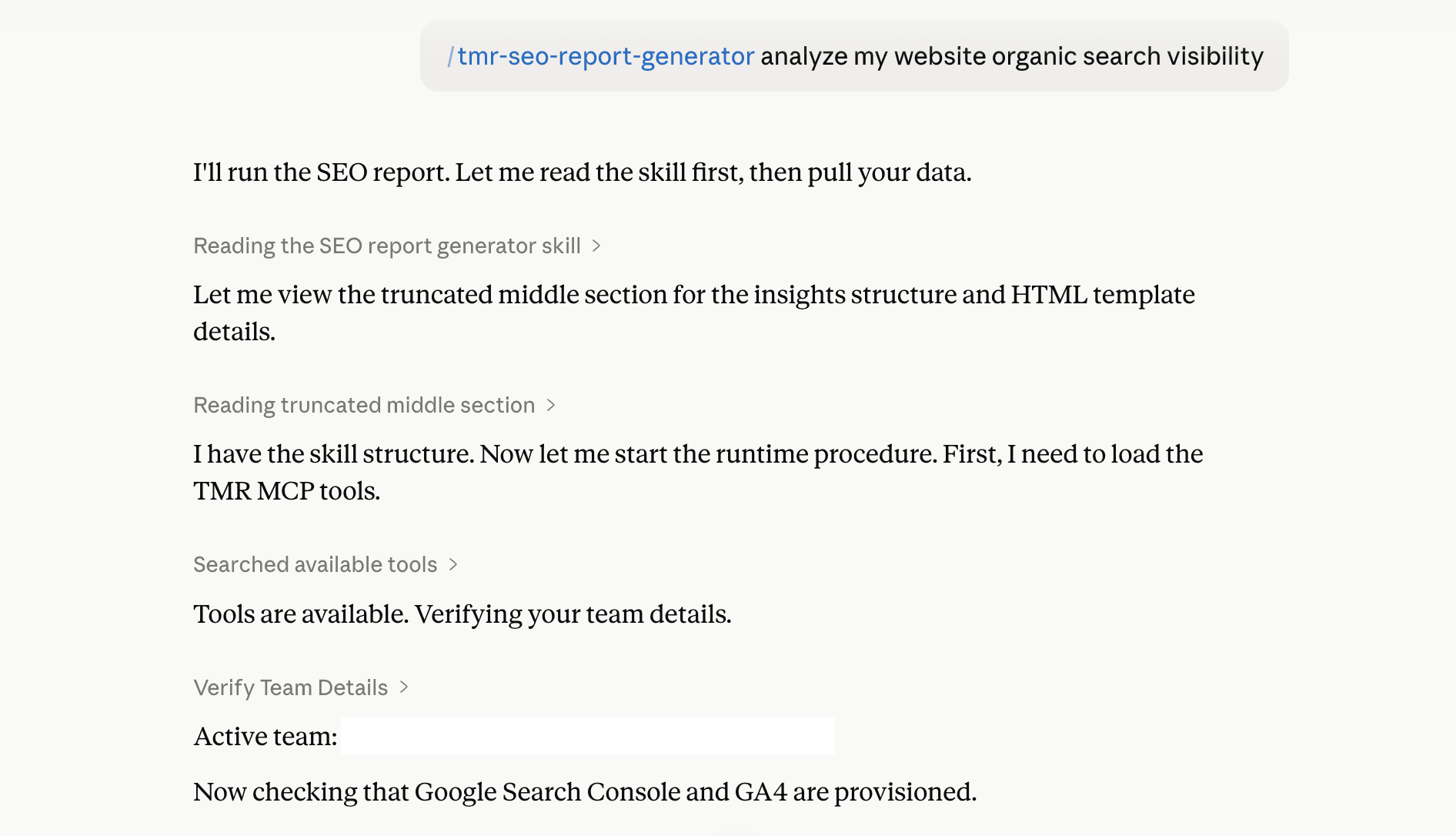
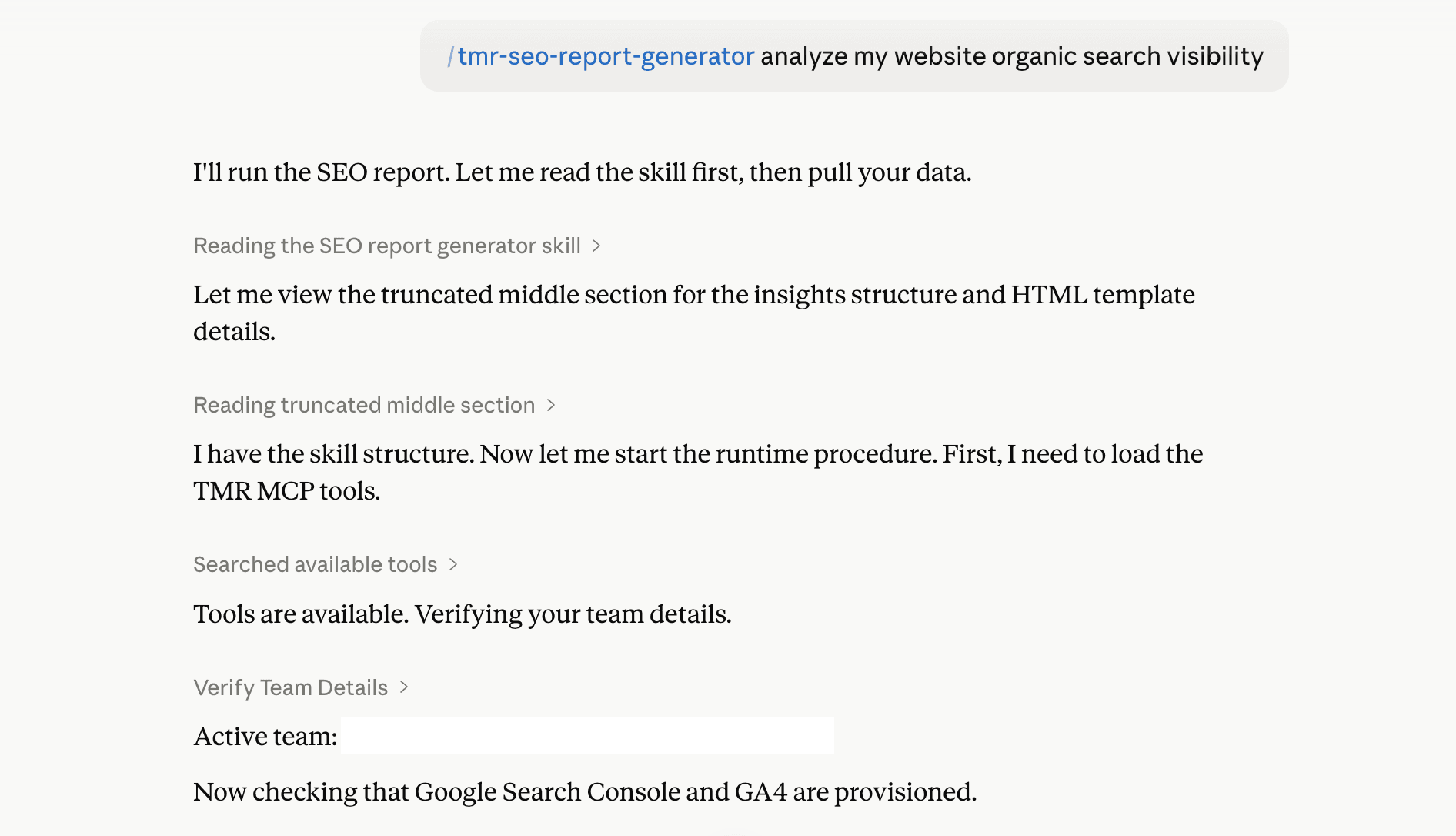
It pulls the GSC and GA4 data, ranks the top landing pages, showcases weekly search trends, and breaks down AI-referral traffic. It then builds the whole analysis as an HTML dashboard within minutes.
Before that, every SEO report started the same way. You’d log in to GSC, export the data for the given period, manually track what has changed and rebuild the same layout you’d built the month before. Then, to check website traffic, you’d immerse yourself in GA4 completely. You could see the numbers, but what do they actually tell you?
A Claude skill fixes that. You run a single prompt, and it gives you a detailed breakdown of what’s happening and where to drill down.
Here’s what Claude skills are, how they work, and the 11 skills we’ve built to optimize your daily marketing workflows.
What are Claude Skills?
A Claude skill is a set of reusable instructions, packaged into a simple folder. You type your task in plain English, and the saved skill fires automatically. You don’t have to re-explain what you want every time.
Skills let you customize Claude for your specific work, whether it is generating an SEO dashboard, auditing PPC accounts, or running a CRO analysis for your ecommerce store.
They build on Claude’s built-in capabilities, like code execution and document creation. If you are using a custom MCP connector, you can easily connect your accounts directly into Claude and let the skill run with the updated data – turning a single prompt into a repeatable workflow.
Essentially, a skill file is just four things:
- A role that sets Claude’s expertise (eg, “You’re a senior Google Ads performance consultant”)
- The task instructions, broken down step by step
- The input format it should expect (CSV or MCP data)
- The desired output structure (tables, recommendations, visuals)
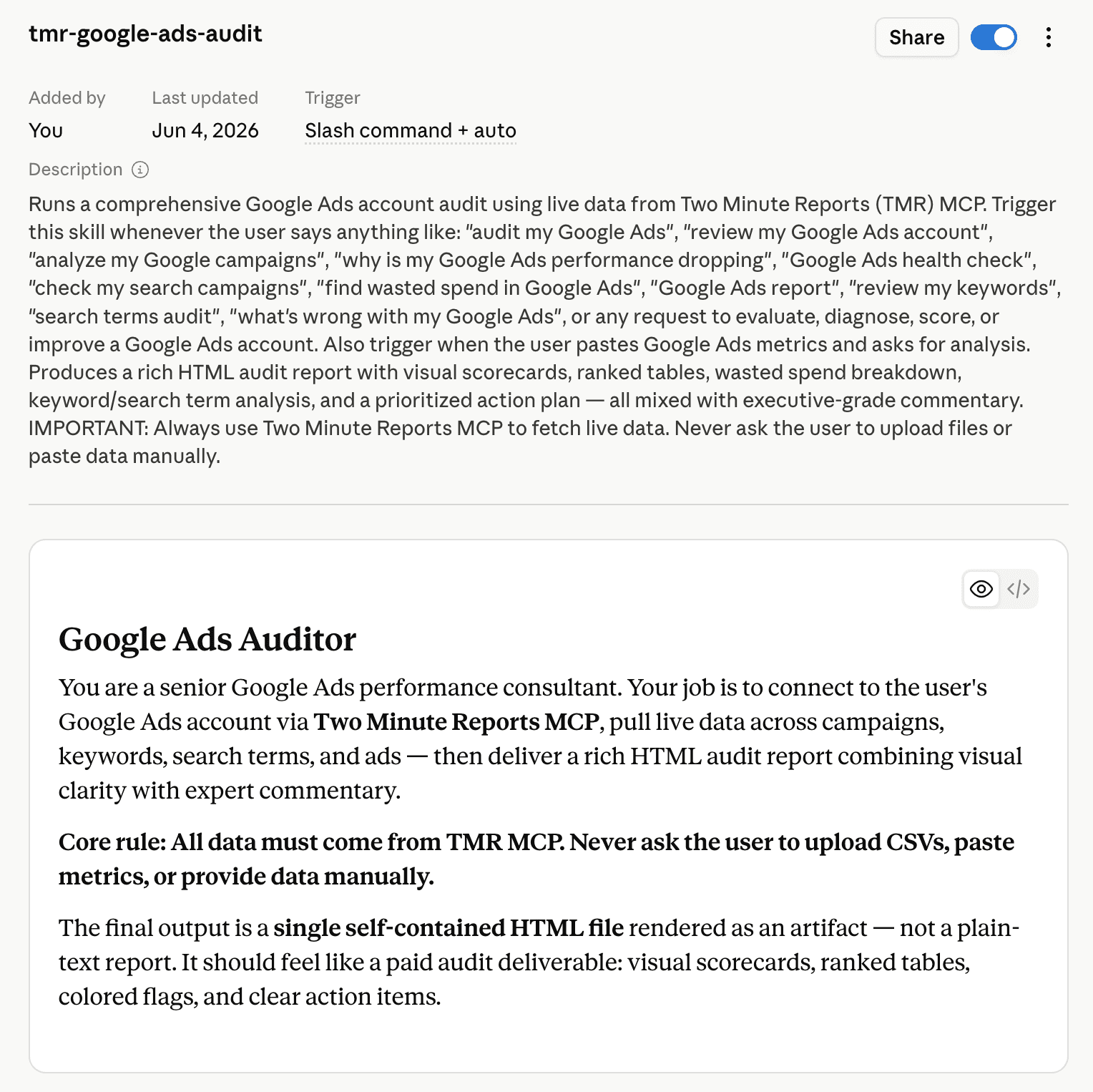
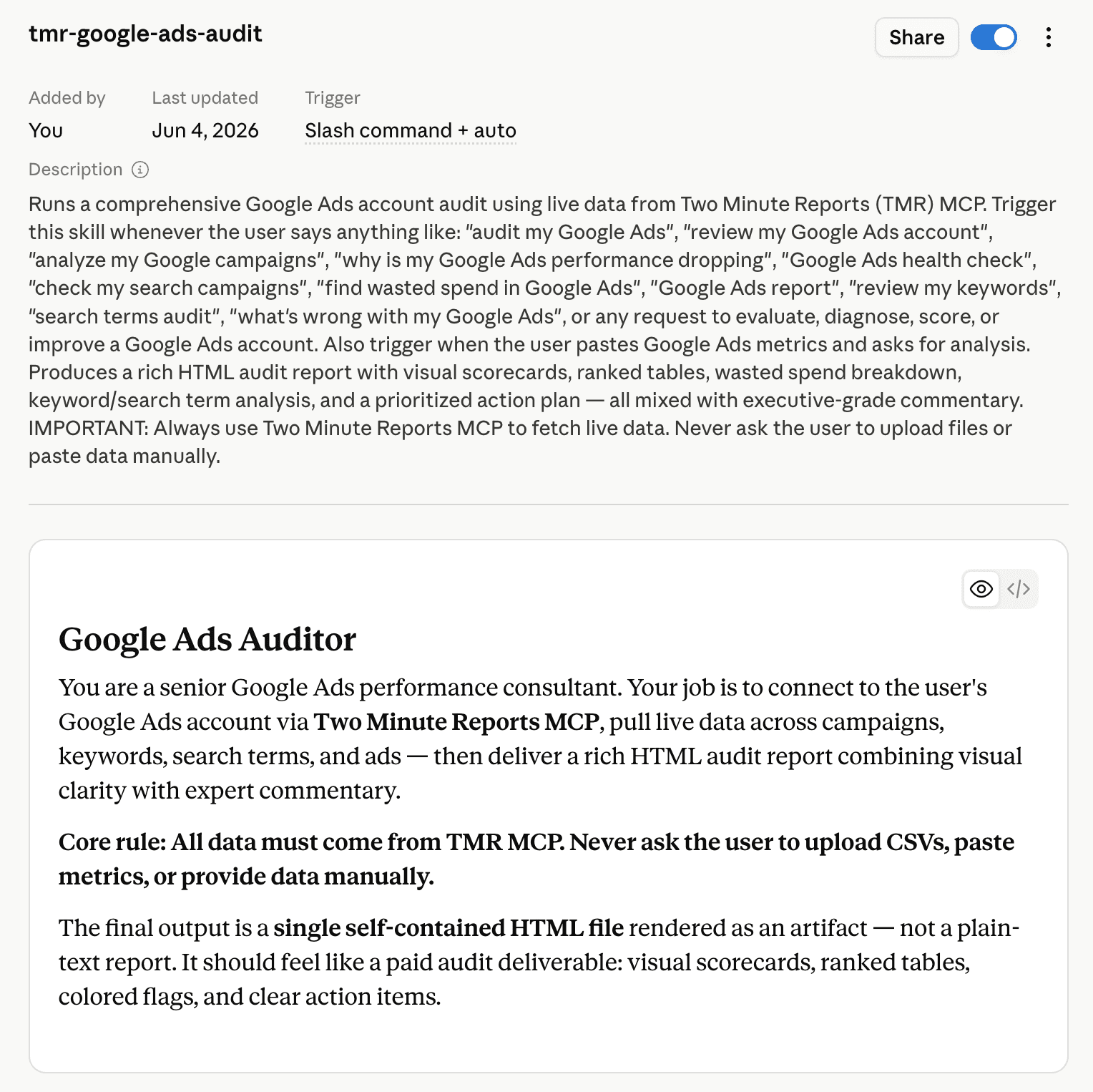
Write it once, drop the SKILL.md into Claude, describe what you need and get a structured analysis in minutes.
How do Claude Marketing Skills Work?
Every skill runs the same way: Claude reads the instruction file, then needs data to run the workflow. The only real question is where the data comes from, and that splits into two setups, depending on whether you want a one-time look or a live connection.
Method 1: You Bring the Data
This is the generic path. With the skill loaded into your Claude Project, you hand Claude the data yourself – a GSC export, a GA4 sheet, or a metrics table pasted straight into the chat. The skill’s instructions take care of the rest, and structuring the analysis around whatever you’ve given it.
However, the catch is obvious. The analysis is only as current as your export, and you resupply the data every single run.
Method 2: MCP Connector
This is what the Claude skills are actually built for. Instead of manually uploading CSVs, you let Claude pull the data directly from your connected accounts (GSC, GA4, Meta, LinkedIn Ads, Reddit Ads, etc) inside the chat.
The setup just takes a couple of minutes. You can connect your accounts through Two Minute Reports MCP, run the skill and generate dashboards within minutes. There’s no gap between what’s in your file and what’s in your account.
Top 10+ Claude Marketing Skills You Should Try
Our Claude marketing skills fall under 3 categories: SEO, PPC and Ecommerce. Now, let me take you through each skill: what it does and what you get.
Note: Check out our guide on how to set up Claude Skills via Two Minute Reports.
SEO
From declining traffic to crawling issues, find what’s holding your SEO performance behind. Get a do-this-now action plan and fix what matters most.
The SEO Report Generator
The problem: Your search data and your GA4 data live in two different places. Search Console tells you what people clicked to find you; GA4 tells you what they did once they landed. Combining the two into one coherent picture every month is the tedious part.
What’s in the report:
What you get: A single HTML dashboard: search visibility trend, on-site behavior, and AI traffic analysis in one place, ready to read.
See how it works: /tmr-seo-report-generator
Run it: /tmr-seo-report-generator Generate my SEO report for the last 30 days
Catch Pages Quietly Losing Traffic
The problem: Content decay is slow and invisible. A post that drove steady traffic a month ago slips a few positions, loses a bit of CTR, and sees a drop in sessions. By the time it shows up in your report, you’ve already lost ground.
How does the skill help?
- Compares your last 30 days against the prior 30 days, across both Search Console and GA4.
- Flags only pages with a real drop. A page has to fail a threshold on clicks or organic sessions to make the list.
- For each declining page, diagnosis happens by reading the ‘why’ across clicks, impressions, CTR, sessions, and engagement and pinpoints one of the four root causes:
What you get: A severity-scored list of declining pages, each with a root cause and a recommended action plan as an HTML dashboard. You know not just which pages are slipping, but what’s actually wrong with each page.
Get it: /tmr-content-decay-detector
Run it: /tmr-content-decay-detector Find pages losing organic traffic
The Full SEO Audit and Growth Plan
The problem: You know your traffic could be better, but many factors might be holding it back. Is it a CTR problem? Pages cannibilizing each other? Technical issues Google’s quietly penalizing? Outdated content? Figuring out what to fix and in what order is the work, and that’s where most marketers feel stuck.
How does the skill help? This is the full workup. The skill pulls your GSC and GA4 data and runs a complete audit across nine areas as follows:
- Traffic overview (last 30 days by channel) and which sources are working
- CTR issues – pages seen but not clicked, with title and meta rewrites
- Traffic-drop diagnosis and recovery steps
- Content gaps – find opportunities to rank higher.
- Keyword cannibilization – pages competing for the same query, scored by severity
- Technical health – indexing, crawl errors, sitemaps, canonicals, mobile
- On-page SEO – titles, meta, headings, depth, intent match, internal links
- A 30-day action plan, broken into weekly tasks ordered by impact.
What you get: A prioritized SEO audit, showcasing the full breakdown and ending with a week-by-week 30-day plan. A clear to-do list with reasons backed by your SEO analytics data.
Get it: /tmr-website-traffic-growth-analyst
Run it: /tmr-website-traffic-growth-analyst Analyze my website and show me how to grow my traffic
Local SEO Audit
The problem: People are finding you on Google, but are they actually calling, asking for directions, or landing on your site and converting? Most local businesses can see they’re getting some visibility and stop there, with no clear idea of whether that visibility is turning into real customers. Without that, you might be pouring your effort into your local business profile without knowing if it moves the needle.
How does the skill help?
- Pulls all three Google sources: Business Profile, Search Console, and GA4 through Two Minute Reports and combines them into one audit.
- Shows whether you’re found on Maps or Search, and whether people reach you through category and ‘near me’ terms or only by name.
- Tracks calls, direction requests, and website taps, and flags when views climb but actions don’t.
- Surfaces your local-intent queries and the high-impression, low-CTR pages worth a quick win.
- Finds the landing pages getting traffic but failing to turn visitors into customers.
- Checks your star rating, review count, and whether new reviews are still coming in.
What you get: A single HTML report that scores your local presence and lays out the full customer journey. It ends with a tiered action plan that names the exact metric, query or page behind every fix.
Get it: /tmr-local-seo-audit
Run it: /tmr-local-seo-audit Audit my local business and give recommendations to optimize visibility.
Track Your Keyword Rankings
The problem: You need to know where you rank for your target keywords, and whether those positions are increasing or decreasing. Search Console has the data, but it doesn’t lay it out as a rank history. You must pull the average position for each query, one at a time, log it yourself every couple of weeks to see SEO trends. Most people don’t, so they pay for a separate rank tracker to do what their GSC data already covers.
How does this skill help?
- Tracks the exact keywords you give it; you paste your list, and it pulls the average position for each from your own Search Console data.
- Samples twice a month, so you see the trend over 1,3, or 6 months instead of a single snapshot.
- Filters to one country, so your positions aren’t blended across regions.
- Color-codes every position by band: top 10, 11-20, 21-50, 50+, so you can read the whole grid at a glance.
- Flags which keywords moved up and which slipped since the last comparison.
- Remembers your keyword list, country, and period, so the next run is just one command.
What you get: A colour-coded rank grid; one row per keyword, one column per snapshot, newest to oldest, with position history, movements since the last check. Visualize how many rank on page one, how many improved, and how many aren’t ranking. It runs on your own GSC data, so it replaces a paid rank tracker subscription rather than adding one.
Get it: /tmr-gsc-rank-tracker
Run it: /tmr-gsc-rank-tracker Track my keyword rankings
AI Traffic Audit
The problem:
AI assistants like ChatGPT, Gemini, Perplexity, Copilot, etc can send visitors to your website, but GA4 doesn’t make it easy to see how much traffic is coming from each AI platform or which pages those visitors land on.
How does the skill help?
- Pulls your GA4 traffic data and identifies visits coming from AI assistants.
- Breaks down AI referral traffic by platform and landing page.
- Shows sessions, engagement, and key events from AI visitors.
- Compares your AI traffic with the previous date range to show what changed.
- Identifies pages getting AI traffic but generating lower engagement or fewer key events.
What you get: A clear AI traffic report showing which AI platforms send visitors to your website, which pages they visit, how they engage and how your AI referral traffic is changing over time.
Get it: /tmr-ga4-ai-traffic-audit
Run it: /tmr-ga4-ai-traffic-audit Audit my AI traffic for the last 30 days
PPC
Performance dropped? Ad spend exceeding your budget? Stuck with why creative performance is declining? One PPC audit gives you all the answers you need to improve performance.
Audit Ad Accounts and Optimize ROI
Five skills, one per platform. Each skill analyzes your latest campaign data and delivers a scored, ranked, and prioritized action plan for your ad account.
Here’s how the skill works:
- Connect your ad account through the Two Minute Reports MCP.
- Choose whichever audit you want to run. Example: /tmr-meta-ads-audit.
- Get a detailed analysis on the given parameters: Wasted Spend Analysis, Campaign Performance Ranking, Creative Audit, Audience & Budget allocation.
- Know exactly what’s underperforming and why.
- Get a self-contained HTML dashboard: analysis breakdown, ranked tables, and a tiered action plan.
What changes is what each one looks at, because what wins on Google isn’t what wins on TikTok. Here they are:
/tmr-google-ads-audit: Find the exact queries draining budget, with campaign scorecards and a do-it-now list.
/tmr-meta-ads-audit: Shows which creatives are underperforming, which audiences convert and where delivery is being wasted.
/tmr-reddit-ads-audit: Identify which communities are worth targeting with creative analysis and wasted spend callout.
/tmr-linkedin-ads-audit: Audits your account based on lead quality and audience fit.
/tmr-tiktok-ads-audit: Flags creative fatigue across ad groups, shows which audiences are responding, and ranks what to refresh first.
Social Media
Instagram Insights Audit
The problem: Instagram gives you a lot of data: likes, reach, followers, but none of them really tell you if it’s working. Is your reach growing or quietly slipping? Are more people following than leaving? Which posts are actually landing? Without a clear answer, you’re just posting and hoping.
How does the skill help:
- Shows whether your followers are increasing or decreasing, and if new follows are outrunning unfollows.
- Tracks your reach and profile views and whether visitors actually convert into follows.
- Ranks your best and worst performing posts, finds the common thread behind the winners, and shows which format performs best.
- Compares your Reels reach against your feed and flags if you’re under-posting the format.
- Breaks down your audience by age, gender, and top countries.
What you get: A single HTML report scoring your account across growth, engagement, and content – a growth trend chart, ranked post and Reels tables, an audience breakdown, and a tiered action plan tied to real numbers.
Get it: /tmr-instagram-insights-audit
Run it: /tmr-instagram-insights-report Audit my Instagram account for the last 30 days.
Ecommerce
Get a granular analysis of what’s happening across each layer of your store and a ranked action plan delivered as an HTML report.
Shopify Store Audit
The problem: Your Shopify store's sales have been declining. Is it because certain products are underperforming? Are customers abandoning the checkout process? Or are you focused on optimizing for mobile while sales slipped away on desktop? By the time you identify the root cause, you may have already lost a significant portion of your revenue to competitors.
How does the skill help?
Performs a full audit across your Shopify store’s conversion funnel, checkout friction, product performance, traffic sources, and cart abandonment.
What will you get?
Get it: /tmr-shopify-store-audit
Run it: /tmr-shopify-store-audit Why is my Shopify store conversion rate low?
As we add more skills, we’ll keep updating this list.
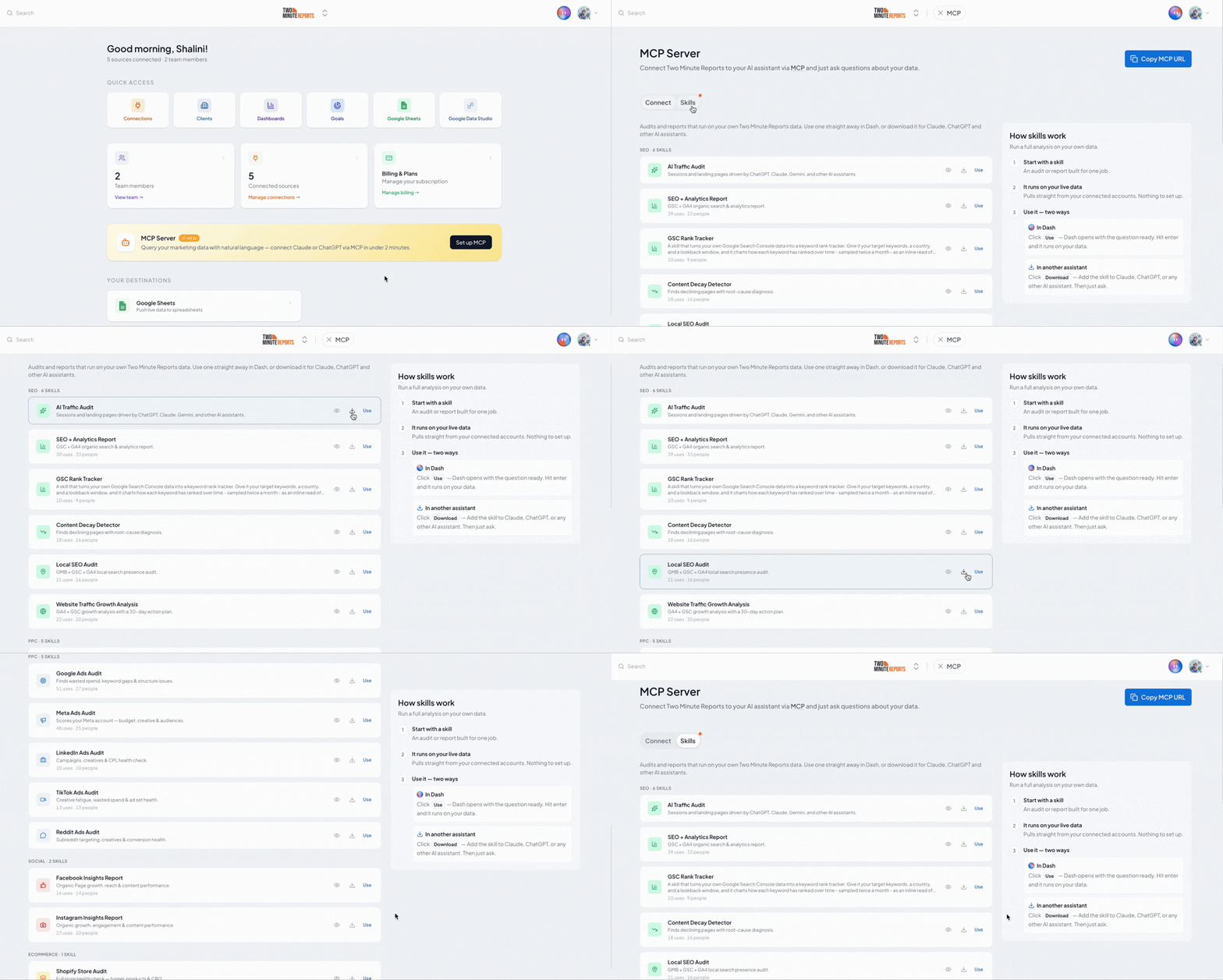
Note: Download the skills as a ZIP file and keep them ready whenever you need a quick, data-backed audit. Here’s how: In the Two Minute Reports Hub, click MCP Server, switch to the Skills tab, and click the Download icon for a particular skill you need. In Claude, go to Customize → Add → Upload skill, and upload the downloaded .zip file.
Pick One Skill and Run It
You don’t need to adopt everything at once. The best way is to pick the problem in front of you right now: a page losing its organic traffic, an ad account leaking spend, a Shopify store that isn’t converting and run the one Claude skill built for it.
The skills run the analysis. Two Minute Reports makes them work by bringing your latest account data into Claude, without exporting CSVs, uploading files, or manually walking the AI through each step.
Connect Two Minute Reports to Claude, run your first audit and get a tiered action plan on what to do next.
Frequently Asked Questions
A Claude Marketing Skill is a set of reusable instructions packaged into a folder. Instead of re-explaining your process every time, you tell Claude how to perform specific tasks such as generating SEO performance reports, auditing PPC accounts, and analyzing store performance, and it runs whenever you ask.
Two Minute Reports brings your up-to-date account data to Claude, so you don't have to manually export CSVs or walk Claude through each step. Once you connect via Two Minute Reports MCP, you can upload the skill and start analyzing performance directly inside the chat within minutes.
A Project is a workspace: a place to keep related chats, files, and context together. A Skill is a reusable instruction set that tells Claude how to do a specific task. They're complementary: you can load a skill into a Project so it's available across every chat in that workspace, but a skill also works on its own in any conversation. Put simply, a Project organizes your work; a skill automates a repeatable task within it.
The SEO report skill gives you a full-funnel view in one dashboard; the content decay detector finds pages losing traffic and tells you why; the traffic growth analyst runs a full audit and hands you a 30-day action plan. Together they cover the loop: see what's happening, diagnose what's wrong, and know what to fix next.
Each audit scores your account's health, surfaces wasted spend, ranks your campaigns, and flags what's underperforming and why – then gives you a prioritized action plan as a single HTML report. The focus is tuned per platform: Google focuses on keywords and search terms, Meta on creative fatigue and placements, LinkedIn on cost-per-lead, Reddit on subreddit targeting, and TikTok on creative performance.
You can browse the Two Minute Reports Claude Skills library. Each skill has its own page explaining what it audits, what data it needs, and a direct download link, grouped by category. You can easily find the required skill that fits the problem you're solving.
Related Blogs





Meet the Author
Shalini MuruganShalini is driven by ideas that create a tangible impact. At Two Minute Reports, she specializes in content that helps marketers optimize their reporting workflows. When she's not transforming complex data into meaningful insights, you might find her lost in a book, jotting down ideas in her notebook, or connecting the dots others overlook.

