LinkedIn Ads MCP Server
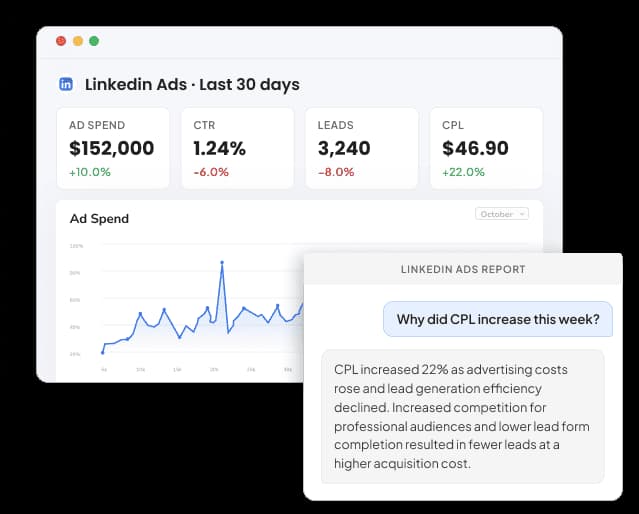
Connect LinkedIn Ads and ask your AI tool which job titles, seniority levels and company sizes fill your lead gen forms, and which of those leads turn into closed won deals. It reads campaigns, creatives and member demographics, so you can answer sales without exporting from Campaign Manager.
- No credit card required
- Set up in 2 minutes
- Read-only access





Set Up the Two Minute Reports Linkedin Ads MCP in 3 Simple Steps
Add Two Minute Reports to your AI tool once, then ask about your Linkedin Ads whenever you need an answer.
Create Your Free Account
Add Two Minute Reports to Your AI Tool
Start Asking Questions
From Lead Form to Closed Won: A LinkedIn Ads MCP Question About Job Titles and Pipeline
One prompt that weighs seniority, lead form drop-off, company size, document ad reading and ABM list fatigue across a full quarter.
 Linkedin Ads
Check last quarter's LinkedIn Ads. Which seniority levels bring leads that become opportunities, why did lead form completion drop, which company sizes have the cheapest leads, do people finish our document ads, and is our ABM list seeing too many ads?
| Area | What I found | Action |
|---|---|---|
| Seniority | Director and above: 31% of leads but 68% of closed won revenue | Shift budget |
| Lead gen forms | Form opens up 22%, completion rate down from 14% to 9% after 3 new questions | Cut form fields |
| Company size | 51 to 200 employees: $142 cost per lead, against $236 at 10,001+ | Split campaign |
| Document ads | 41% of readers reach the halfway page, only 9% reach the last one | Shorten the PDF |
| ABM list | Audience penetration 78%, frequency 9.4 over 30 days, CTR halved | Refresh creative |
Quarterly note for sales: Cost per lead held at $168, and director-level leads brought most closed won revenue. Next quarter moves a fifth of budget to mid-size companies and cuts the lead form to four fields.
Illustrative example
Two Minute Reports Reads LinkedIn Ads by Seniority, Company Size and Ad Format, Down to Each Lead Form
The Two Minute Reports connector reads 164 LinkedIn Ads fields, from campaign group budgets and creative text to Sponsored InMail opens, lead form completion and revenue attribution.
Spend and delivery
Total spent, impressions, reach, frequency, audience penetration, clicks, landing page clicks, company page clicks, CTR, CPC, eCPC, CPM and average dwell time in seconds.
Lead gen forms and conversions
Leads, lead form opens, cost per lead, lead form completion rate, conversions, post-click and post-view conversions, cost per conversion, conversion rate, conversion value and ROAS.
Revenue attribution
Revenue won, ROAS from revenue attribution, closed won opportunities, open opportunities, opportunity amount, average deal size, opportunity win rate and average days to close.
Video, document and message ads
Video starts, views, quartile views and completions; document ad displays at 25%, 50% and 75% and completions; Sponsored InMail sends, opens and clicks; conversation ad headline CTR.
Social actions and viral results
Reactions, likes, comments, shares, follows, total engagements and engagement rate, plus the viral versions LinkedIn reports separately, such as viral impressions, clicks and leads.
Who saw the ad and where it ran
Job title, job function, seniority, industry, company name, company size, country and region, plus campaign objective, cost type, creative type, serving location and impression device.
Run a Full LinkedIn Ads Audit With Claude
LinkedIn Ads runs on precise targeting and high-intent audiences, but high CPCs make every wasted click expensive. Connect LinkedIn Ads to Claude through Two Minute Reports, run the audit, and get a prioritized action plan on what to fix first.
No Official LinkedIn Ads MCP Server Yet: The Advertising API, Community Code and Two Minute Reports
As of November 2026, LinkedIn does not offer its own MCP server for ads, so every option sits on top of its Advertising API. That API needs a developer app and LinkedIn's approval, and community servers on GitHub ask you for the same before they run.
| Feature | LinkedIn Advertising API | Open-source servers | Two Minute Reports |
|---|---|---|---|
| Built for | Developers building their own ad tools and integrations | Reading campaign data, and on some projects creating or deleting campaigns | Reporting and analysis across your LinkedIn Ads accounts |
| Getting access | A developer app tied to a Company Page, an Advertising API request and LinkedIn's approval | The same API approval, plus hosting the server yourself | Hosted: sign in with OAuth and add one URL |
| Changes to campaigns | Development tier edits up to 5 ad accounts; Standard tier has no cap | Varies: some only read, others create, edit and delete campaigns | None, it stays read-only on the ad account |
| Data beyond LinkedIn | LinkedIn Ads only | LinkedIn Ads only | LinkedIn Ads plus 30+ other sources in one workspace |
| Client accounts | Reads any ad account you administer | Varies by project | All client accounts in one workspace |
| Client reporting | You build it yourself | Not included | Dashboards and scheduled white-label reports |
Your Data Is Safe
Security you can explain to your clients, too.
We don't store your advertising data on our servers. Two Minute Reports connects to your data sources using OAuth - your credentials never touch our system. Your AI only reads what you've explicitly connected.
OAuth Authentication
Connects securely to your data sources. No passwords stored. Revoke access anytime from your platform settings.
Read-Only Access
Your AI can only read your data. It cannot create, edit, pause, or delete anything. Your account stays fully in your control.
No Data Training
Your advertising data is never used to train AI models. What's yours stays yours - full stop.
More Two Minute Reports MCP Servers You Can Connect Today
The same server URL works for every data source in your Two Minute Reports account.




















Frequently Asked Questions
Yes. Job title, job function, seniority, industry, company name, company size, country and region are all dimensions you can ask about. Try asking for leads and cost per lead by seniority for one campaign, then by company size for the winners. Each of these fields, with its exact name, appears in our LinkedIn Ads metrics and dimensions list.
Yes, when revenue attribution is set up in your LinkedIn account. The connector reads revenue won, ROAS from revenue attribution, closed won and open opportunities, average deal size, win rate and average days to close. That lets you rank campaigns by pipeline they created rather than by cost per lead alone.
Yes. For Sponsored InMail you get sends, opens, text URL clicks, action clicks and ad unit clicks, plus contact info shares from lead generation mail. Conversation ads add headline impressions, headline clicks and headline CTR. Ask which messages and offers get opened and acted on most often.
Yes. Ask for audience penetration and frequency per campaign alongside CTR over time. High penetration with rising frequency and falling CTR points to a list that has seen your ads too often. The LinkedIn Ads audit Claude Skill runs this fatigue check across every creative and scores the account.
You can find out when your Google Ads account sits in the same Two Minute Reports workspace as LinkedIn. Ask for cost per lead on LinkedIn and cost per conversion on Google Ads for the same date range and offer. The Google Ads MCP page lists the search data you can bring into that comparison.
Yes. Lead gen form results sit in their own group: leads, lead form opens, cost per lead and lead form completion rate. Website conversions come separately, split into post-click and post-view. Ask for both side by side per campaign to see whether in-platform forms bring cheaper leads than your landing pages, or simply more of them.
Yes. Document ads report displays at 25%, 50% and 75% of the document and completions, with viral versions of each. Ask your AI to compare these across your PDFs and guides. A steep drop before the halfway page usually means the opening pages need work or the document is too long.
Yes. LinkedIn reports viral clicks, impressions, reactions, leads, conversions and video views as their own fields, and the connector keeps them separate. Ask for paid results only when you judge cost per lead, then add the viral numbers when you report total reach of a campaign to a client.
Not a standalone one. LinkedIn offers the Advertising API, with a Development tier and a Standard tier for approved developer apps. Recent roundups also describe a LinkedIn Ads app inside ChatGPT, in beta, that shows ad set performance only. To ask about every LinkedIn Ads field from ChatGPT today, see our ChatGPT guide.
Recommended Reads
LinkedIn Ads Reporting Connector


20 Important LinkedIn Ads Metrics To Track for Success

Take back your time. Wow clients.
Get Two Minute Reports.
Start your free trial todayBuilt by marketers. Built for marketers.