

ChatGPT

Use your Two Minute Reports data in ChatGPT. Ask about your marketing data in plain words, and run audits as skills.
What you can do
- Ask about spend, conversions, traffic and sales across your connected accounts.
- Compare channels, campaigns and time periods in one question.
- Get tables and charts as answers.
- On ChatGPT Business, Enterprise, Edu and Healthcare, run the Two Minute Reports skills.
Before you start
- A ChatGPT account. For skills, you need a Business, Enterprise, Edu or Healthcare plan.
- A Two Minute Reports account with at least one connection.
- To run data queries, a role on the team that allows them, such as Editor. See What each person can do.
Connect Two Minute Reports
From the AI tools page
- In the Hub, select AI tools.
- On the Connect tab, on the ChatGPT card, select Add to ChatGPT.
- The Two Minute Reports app opens in ChatGPT. Follow the steps in ChatGPT to add the app.
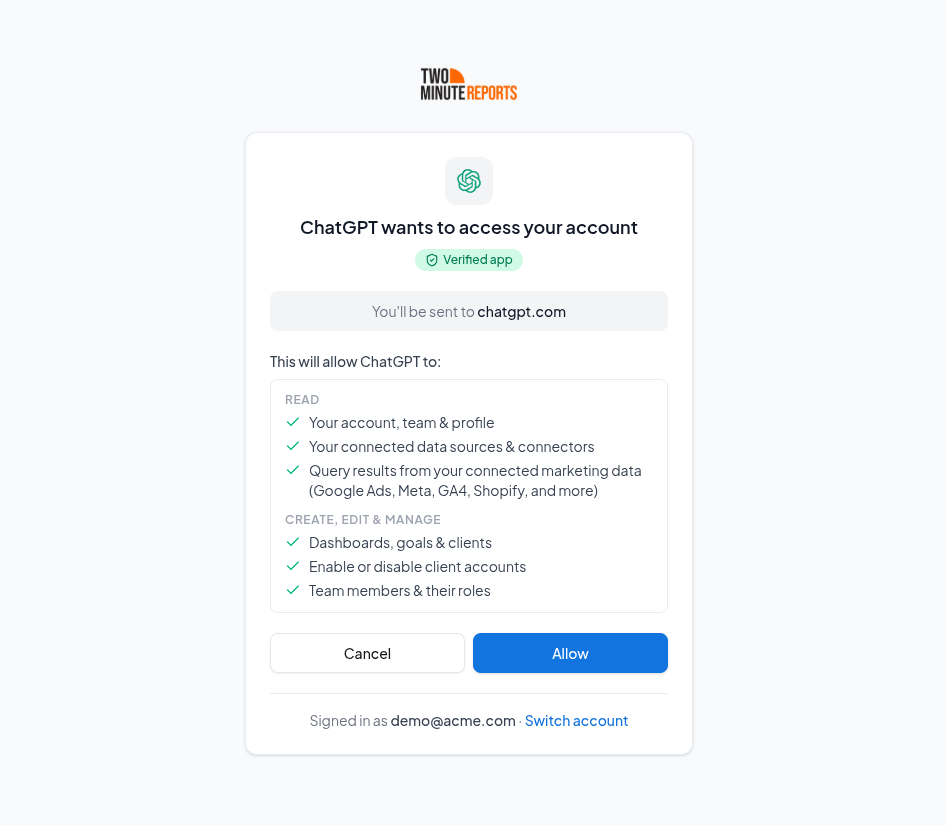
- Sign in to Two Minute Reports, then select Allow.
When ChatGPT connects, the ChatGPT card on the AI tools page shows Connected.
From ChatGPT
- Open the Two Minute Reports app in ChatGPT.
- Follow the steps in ChatGPT to add the app.
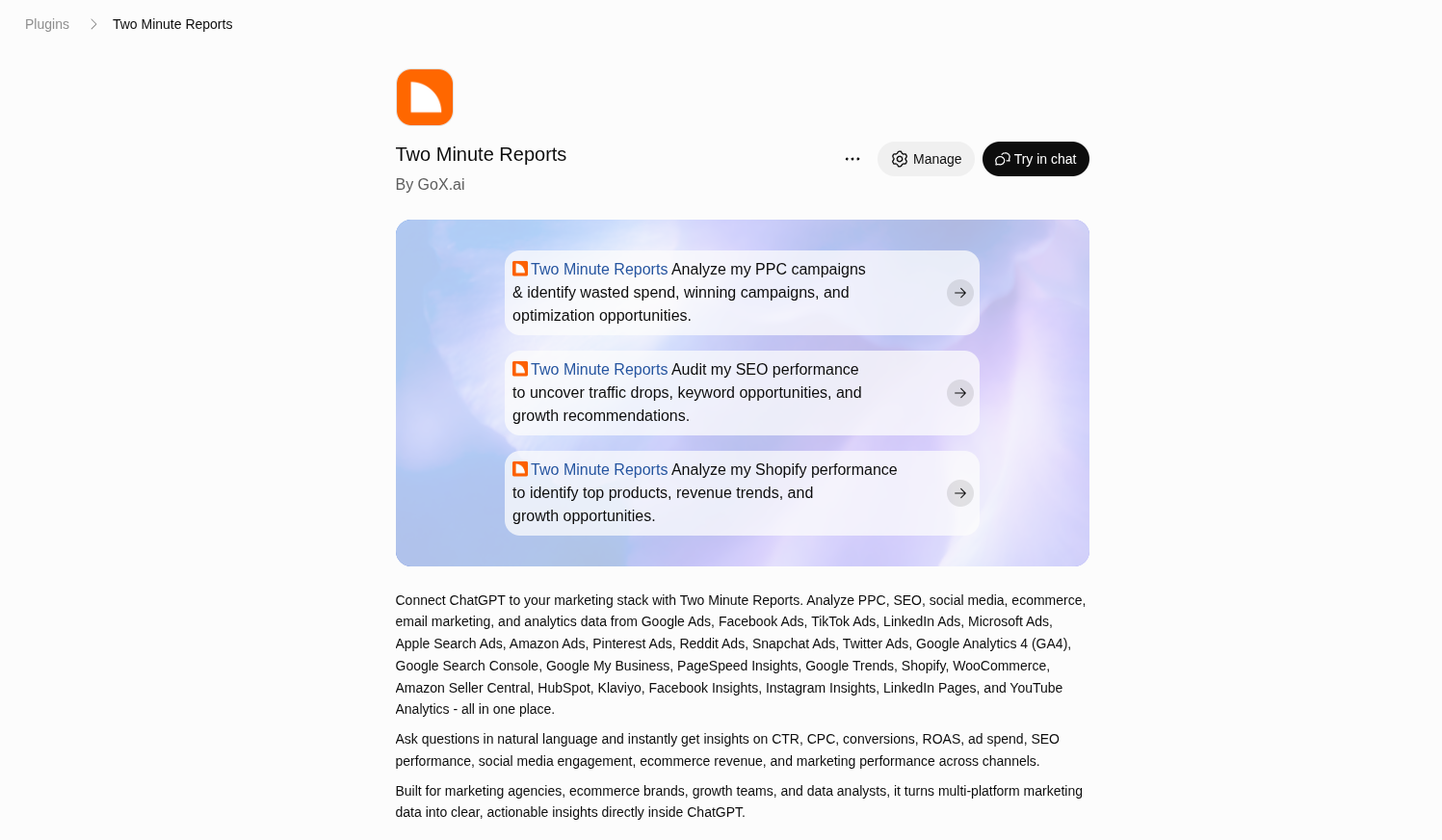
- Sign in to Two Minute Reports, then select Allow.
Check that it works
In a new ChatGPT chat, ask:
Using the Two Minute Reports connector, list the accounts I have connected.
ChatGPT lists your connected accounts. If it does not, see Troubleshooting.
Install the skills
ChatGPT adds one skill at a time, from a .zip file. Skills are on the Business, Enterprise, Edu and Healthcare plans.
- In the Hub, on the AI tools page, select the Skills tab.
- Find the skill. In its menu, select Download. To get all skills at once, select Download all skills.
- In ChatGPT, in the side menu, open Plugins, then the Skills tab.
- Select Create, then Upload from your computer.
- Select the skill's .zip file. Do this again for each skill.
Use Two Minute Reports in ChatGPT
Ask about your data
Type your question in plain words. Start it with "Using the Two Minute Reports connector" so that ChatGPT uses your data. For example:
- "Using the Two Minute Reports connector, compare ROAS for Facebook Ads and Google Ads over the last 30 days."
- "Using the Two Minute Reports connector, write a short update on last month's results for one of my clients."
If you are a member of more than one team, say the team name. Or ChatGPT asks you which team to use.
Run a skill
- Ask for the skill's job, for example "Audit my Google Ads account". ChatGPT uses the skill when your request agrees with what the skill does.
- Or, in the Hub, on the Skills tab, open the skill's menu and select Use in ChatGPT. ChatGPT opens a new chat with the skill's question.
Manage or disconnect
- To disconnect, go to the AI tools page. In Your connections, next to ChatGPT, select Sign out. ChatGPT loses access to your data immediately.
- To remove the app from ChatGPT also, remove it in ChatGPT's app settings.
Limits
Each person can make up to 120 requests a minute. See Limits.
Troubleshooting
- There is no Skills tab in Plugins. Skills are on the Business, Enterprise, Edu and Healthcare plans.
- ChatGPT answers without your data. Start your question with "Using the Two Minute Reports connector". Make sure that the Two Minute Reports app is on for the chat.
For problems in all AI tools, see Troubleshooting AI tools.
We checked these steps on 15 October 2026. If ChatGPT shows something different, see ChatGPT's help.