

Refresh your account list
Each connection has a list of the accounts that it can access. These can be ad accounts, properties, profiles or stores, as applicable to the platform. Two Minute Reports updates this list automatically. If you give access to a new account and you want to see it immediately, use Refresh accounts.
Where to find Refresh accounts
Open the Accounts tab
Go to Connections & accounts in the Hub and select the Accounts tab.
Select Refresh accounts
The Refresh accounts button (↻) is in the filter row, above the account table. On a narrow screen, the button shows only the icon.
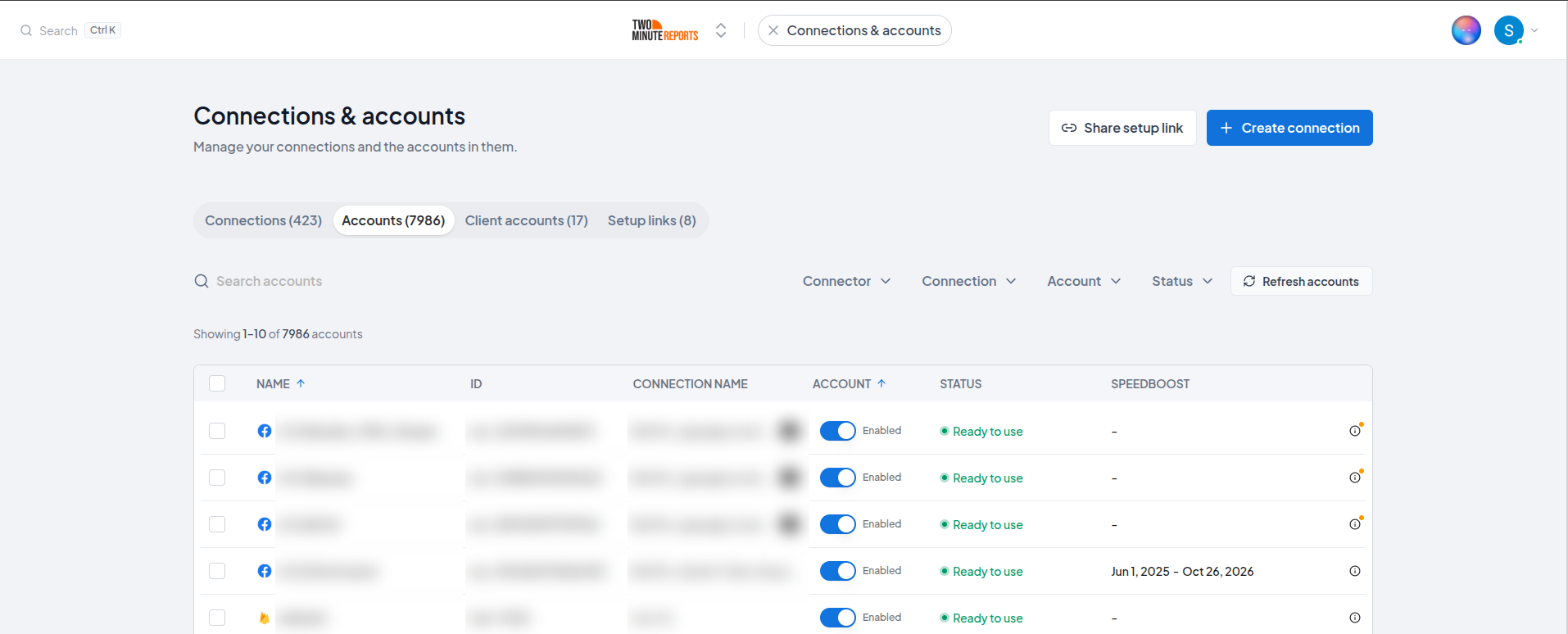
The same icon is also on the step where you enable accounts, when you add or edit a connection.
What one click refreshes
One click refreshes the connections that are in view:
- No connector filter: all the active connections in your team
- A connector filter: only the connections of that connector
- When you add or edit a connection: only the connections of that connector
Two Minute Reports does not refresh an expired connection. Authenticate it again first. See Account missing access or connection expiry.
If Two Minute Reports cannot refresh some of the connections, the Hub shows how many it refreshed, for example Refreshed 2 of 3 connections. Couldn't refresh the other 1. Try again, or reconnect them.
The 30-minute limit
Two Minute Reports gets a new account list for a connection a maximum of one time in 30 minutes. If the list of a connection was updated less than 30 minutes ago, Refresh accounts shows the list that Two Minute Reports already has.
The limit applies to each connection, not to your team. After you refresh your Google Ads connection, you can refresh your Google Analytics 4 connection immediately.
While you wait
The limit applies only to the account list. All the items that you set up continue to operate:
- Enabled accounts stay enabled and keep their settings.
- Queries, dashboards and scheduled refreshes continue to get data.
An account is still missing after a refresh
A refresh shows only the accounts that the connection can access. If a new account does not show:
- Wait 30 minutes after the last refresh, then refresh again.
- Make sure that you have the necessary access on the platform. Each connector page gives the necessary role.
- If you did not accept a permission when you authorized the connection, authenticate the connection again.
For Facebook Ads, see An ad account is missing from the list.
Still having issues?
Send an email to [email protected] with:
- The connector and the connection name
- The account that you expect to see, and your role on it in the platform
- The time of your last refresh
Connection blocked by a firewall or IP allowlist
Fix connections that fail to test, or that stop returning data, because your database, store or API only accepts requests from allowlisted IP addresses.
Overview
Tips and best practices for getting the most out of Two Minute Reports with Google Sheets and Google Data Studio.