

MySQL

The MySQL connector gets your MySQL data into Google Sheets and Google Data Studio. Use it to track your key metrics in a spreadsheet or a Google Data Studio report.
What you can report on
- Any custom data stored in your MySQL database
- Sales, orders, and transactional data from your systems
- User activity, signups, and product usage metrics
- Inventory and fulfillment data
- Custom KPIs and business metrics specific to your product
Prerequisites
- A MySQL server accessible over the network
- Database host, port, database name, username, and password
- A database user with SELECT permissions on the tables you want to query
- Your database firewall set to accept Two Minute Reports' IP addresses (see IP whitelisting below)
How to create a connection
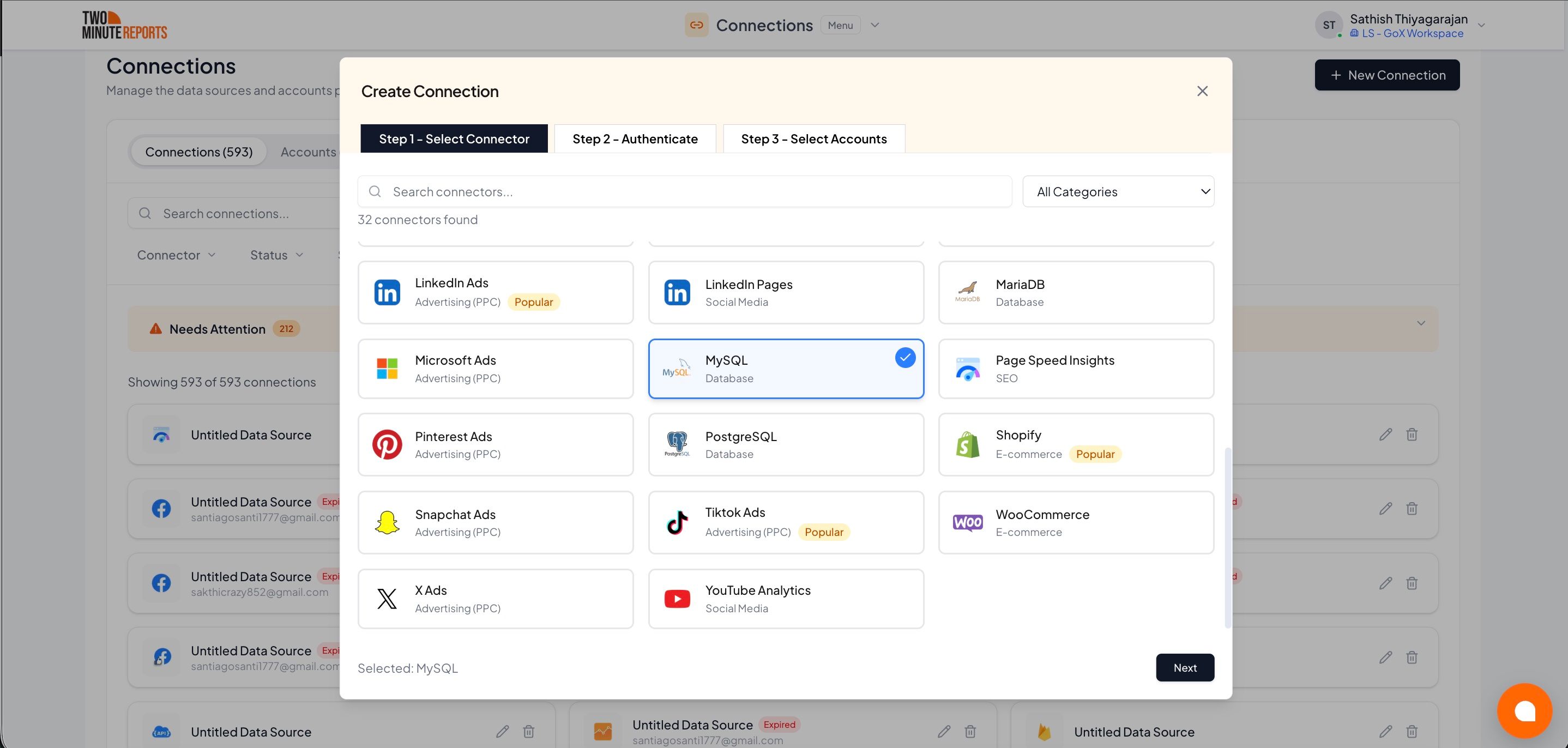
- In the Hub, open Connections & accounts.
- Select Create connection.
- Select MySQL in the connector list.
- Select Next.
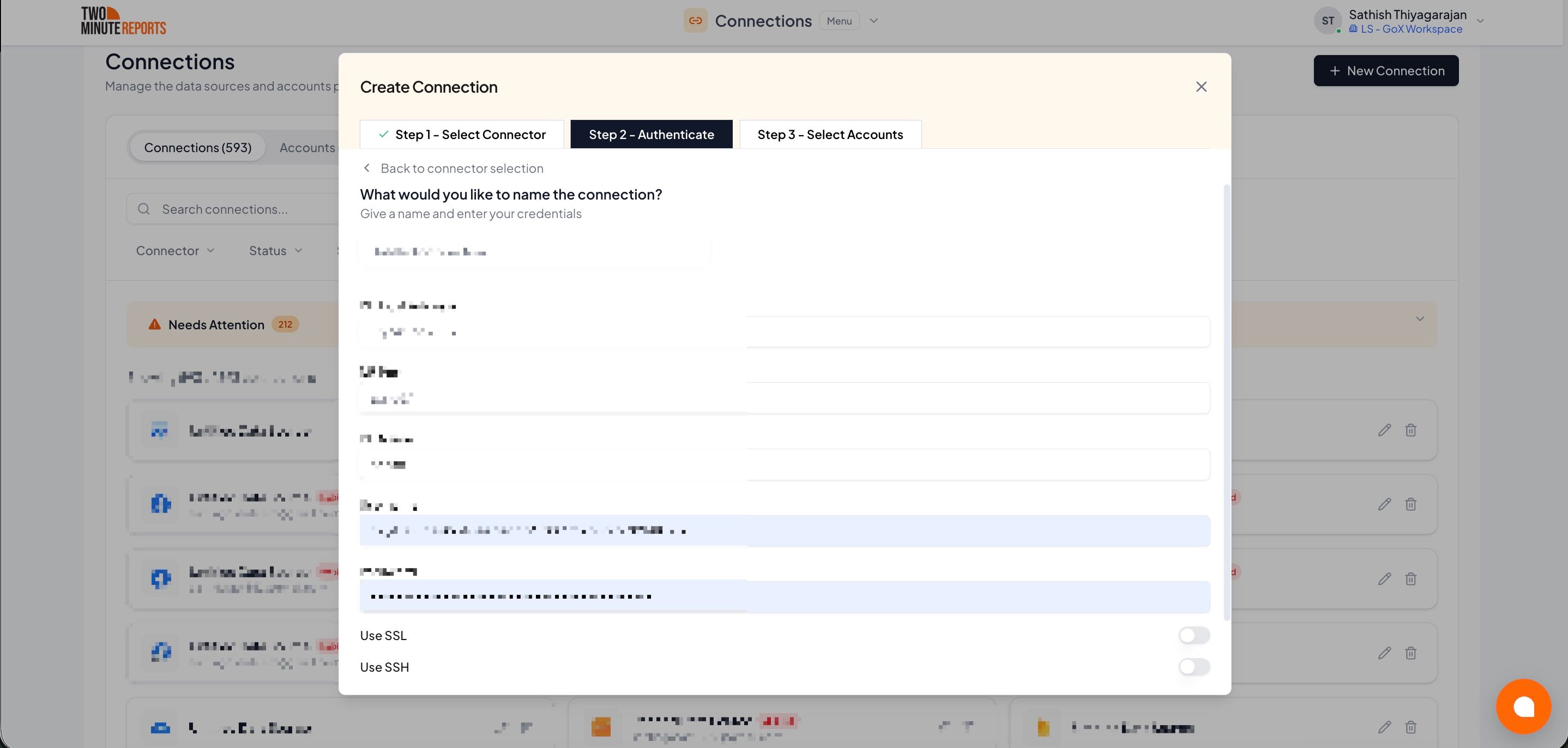
- In Name the connection, enter a name.
- Enter your database details in DB host address, DB port, DB name, Username and Password.
- If your database needs an encrypted connection or an SSH tunnel, turn on Use SSL or Use SSH, and enter the details.
- Select Test connection.
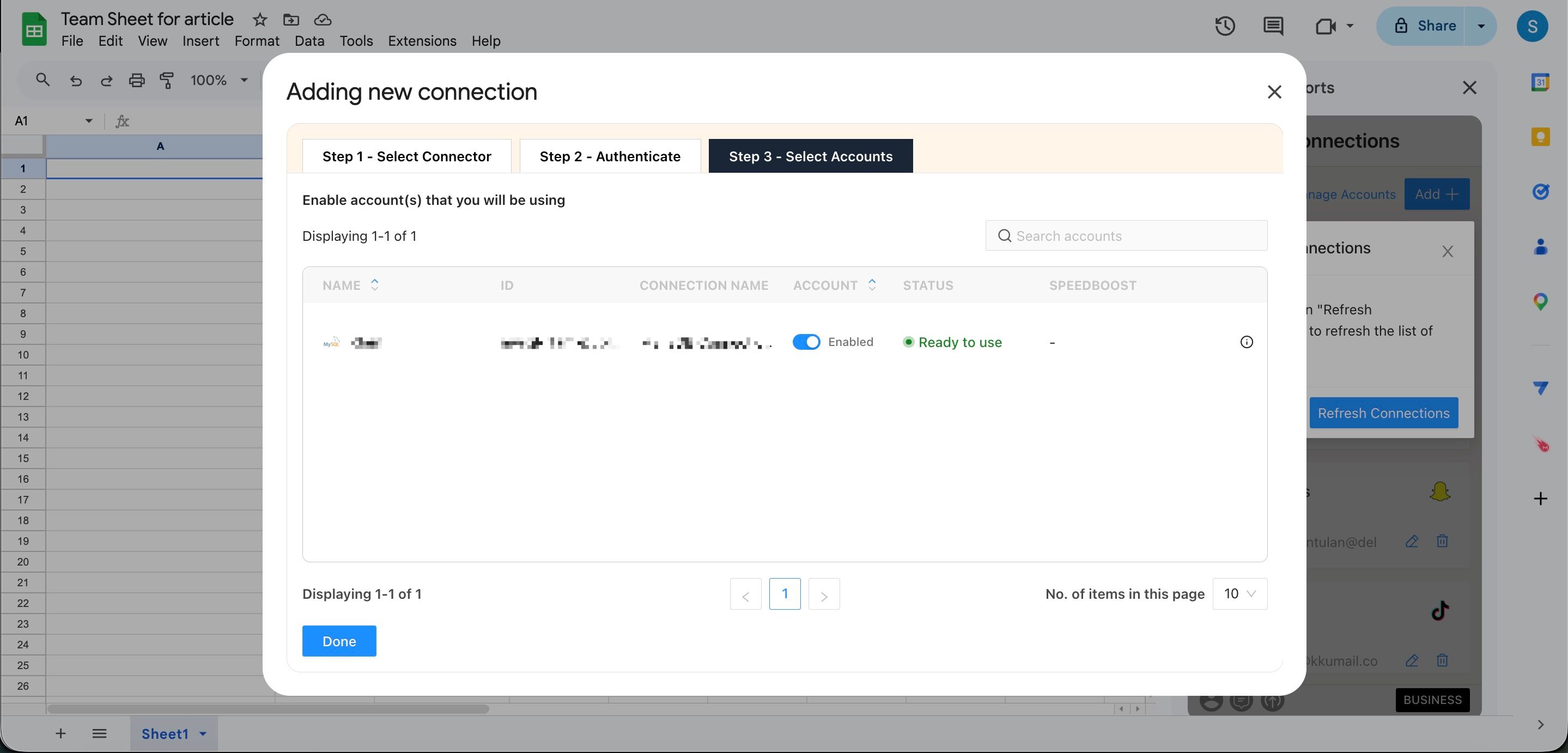
- Enable the account.
- Select Done.
How to get MySQL data into Google Sheets or Google Data Studio
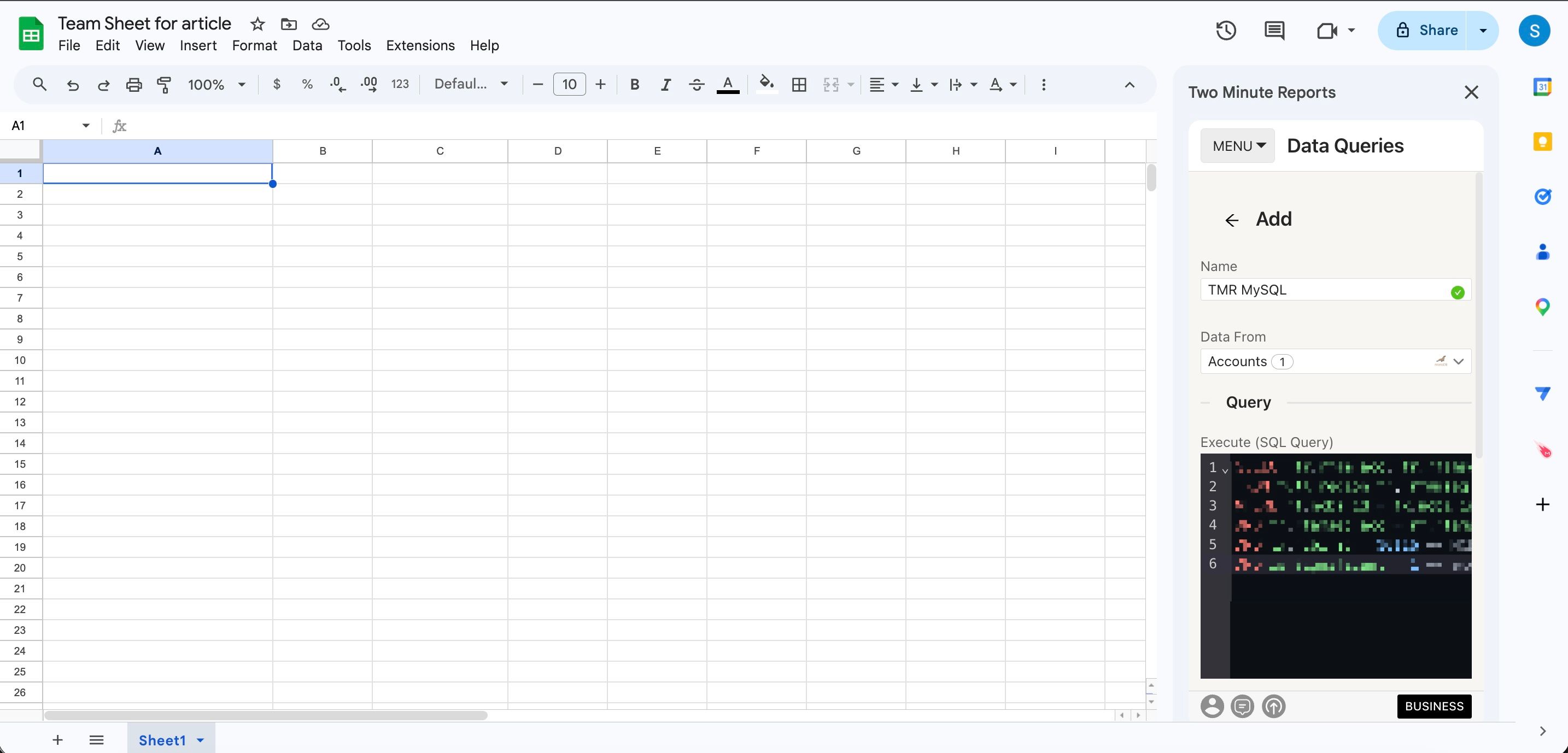
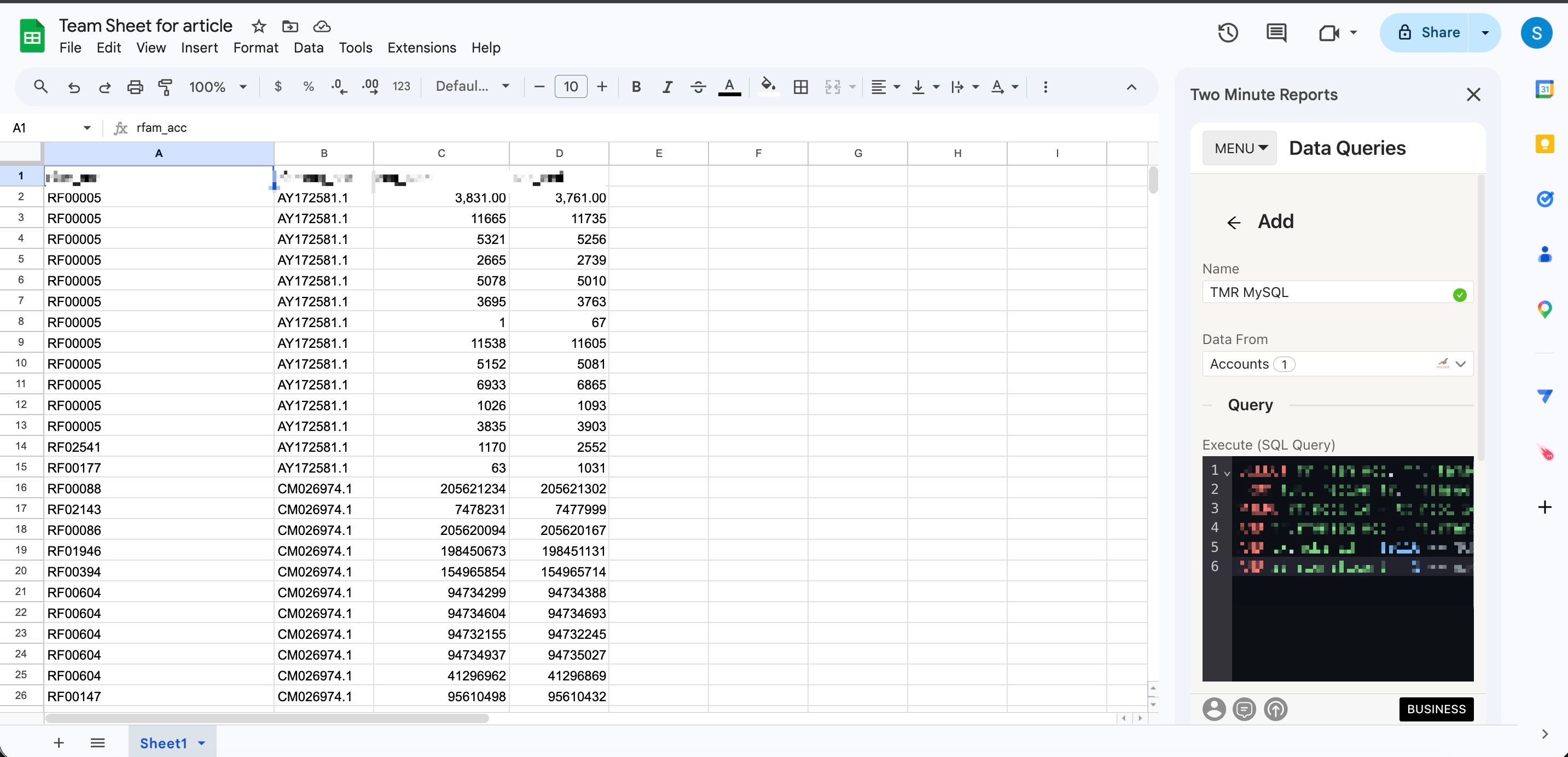
To get MySQL data into Google Sheets:
- In the Two Minute Reports sidebar, open Data Queries.
- Select Add.
- Select your MySQL account.
- In Execute (SQL Query), enter your SQL query.
- Select Run query. Two Minute Reports adds the data to your sheet.
To get MySQL data into Google Data Studio:
- In the Hub, open Google Data Studio › MySQL.
- Select Create report.
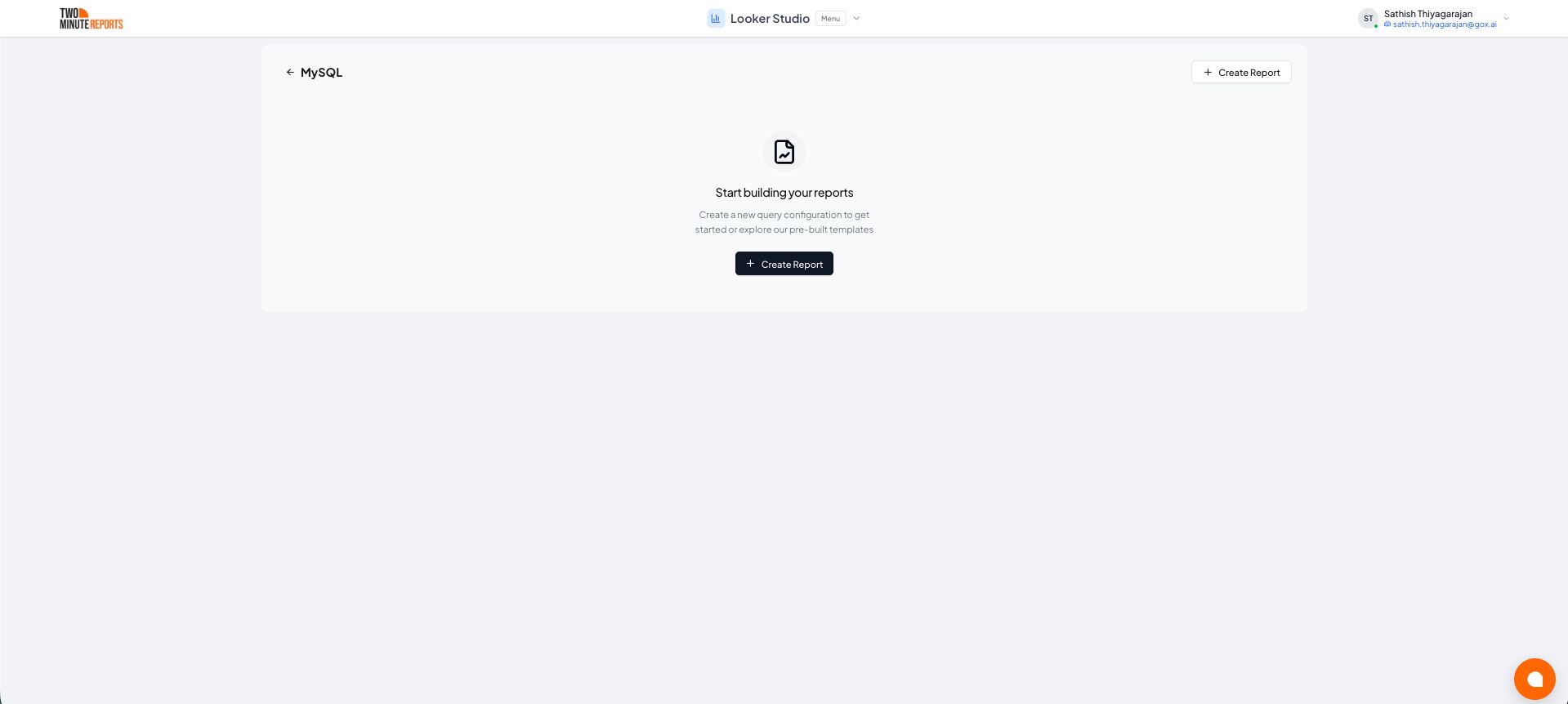
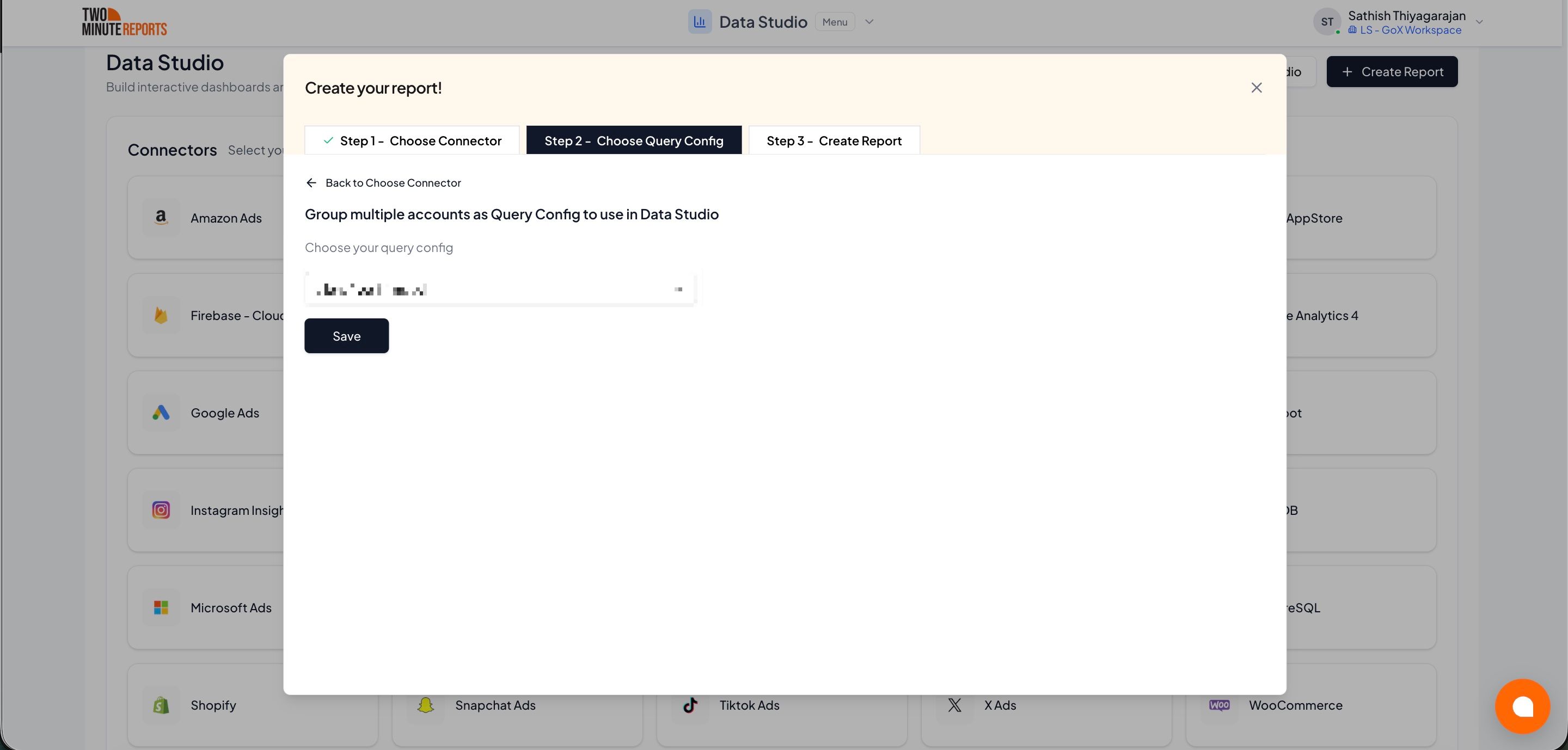
- Select or create a query config:
- To use a query config you have: select it in Choose your query config. Then select Save.
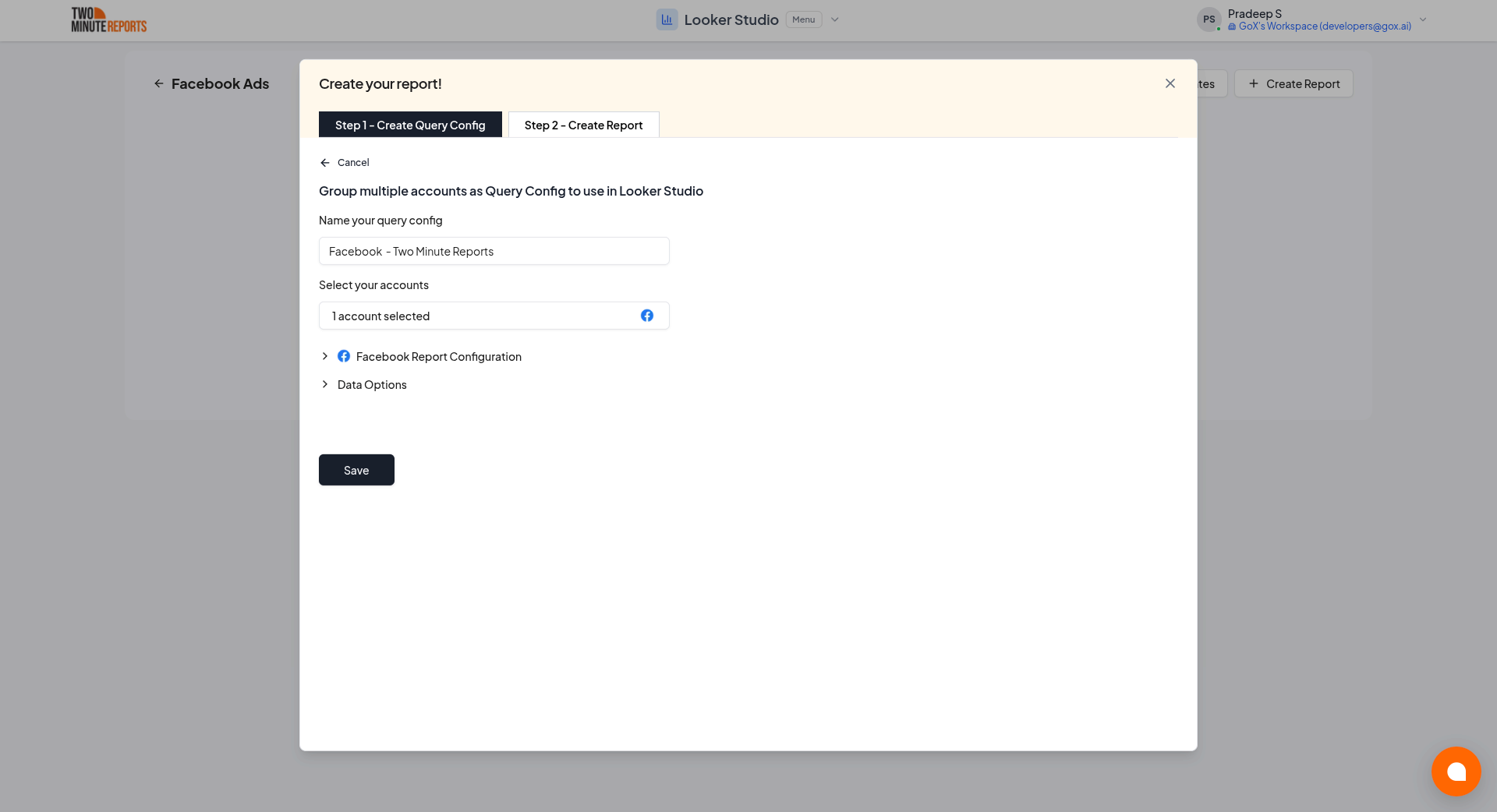
- To create a query config: if you already have one, first select Create new query config in the list. Enter a name in Name your query config, and select the account in Select your account. In Method, select Tables or Custom query. Then select a table, or enter your SQL query. Select Save.
- Select Create from scratch. If templates show under Quick start from a template, you can select one instead.
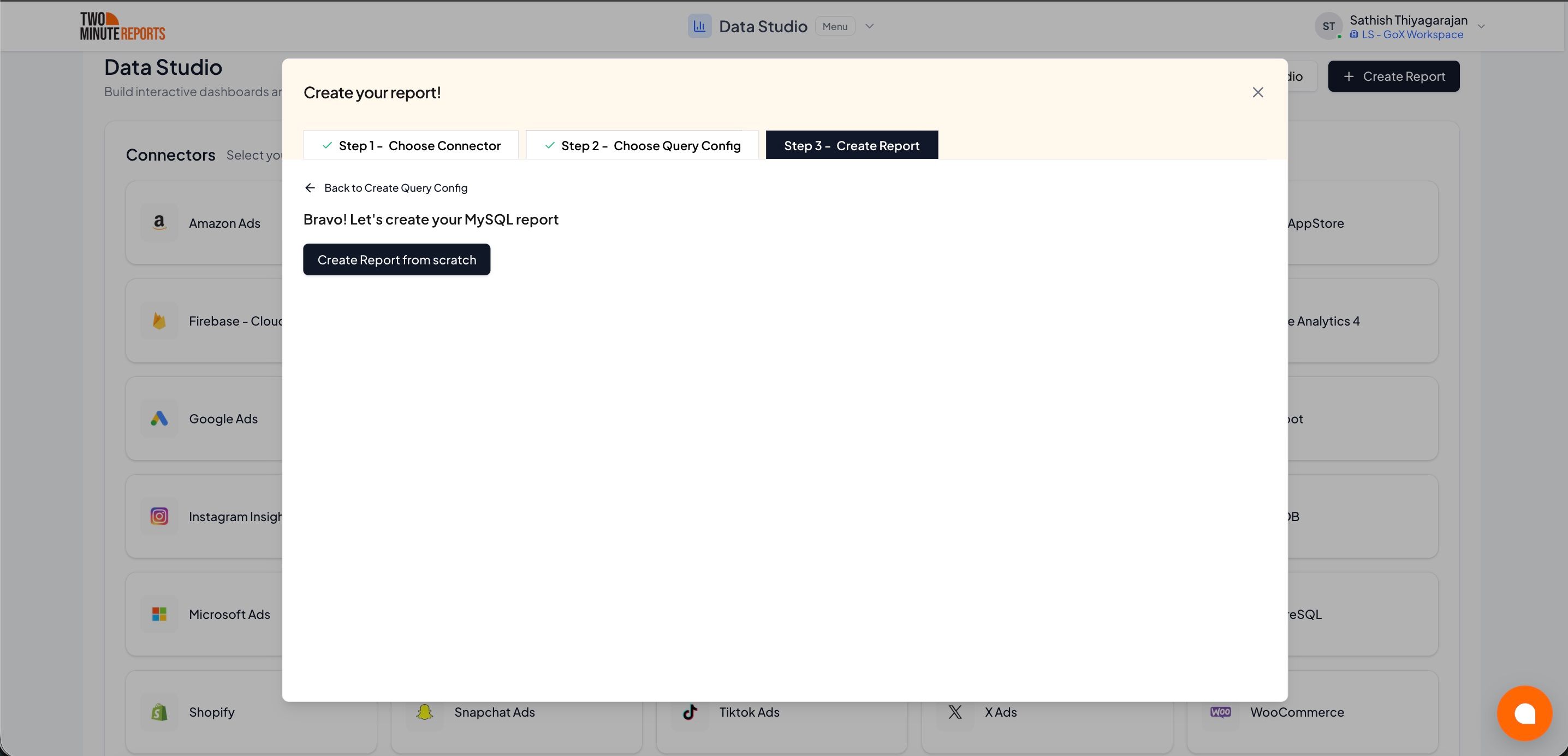
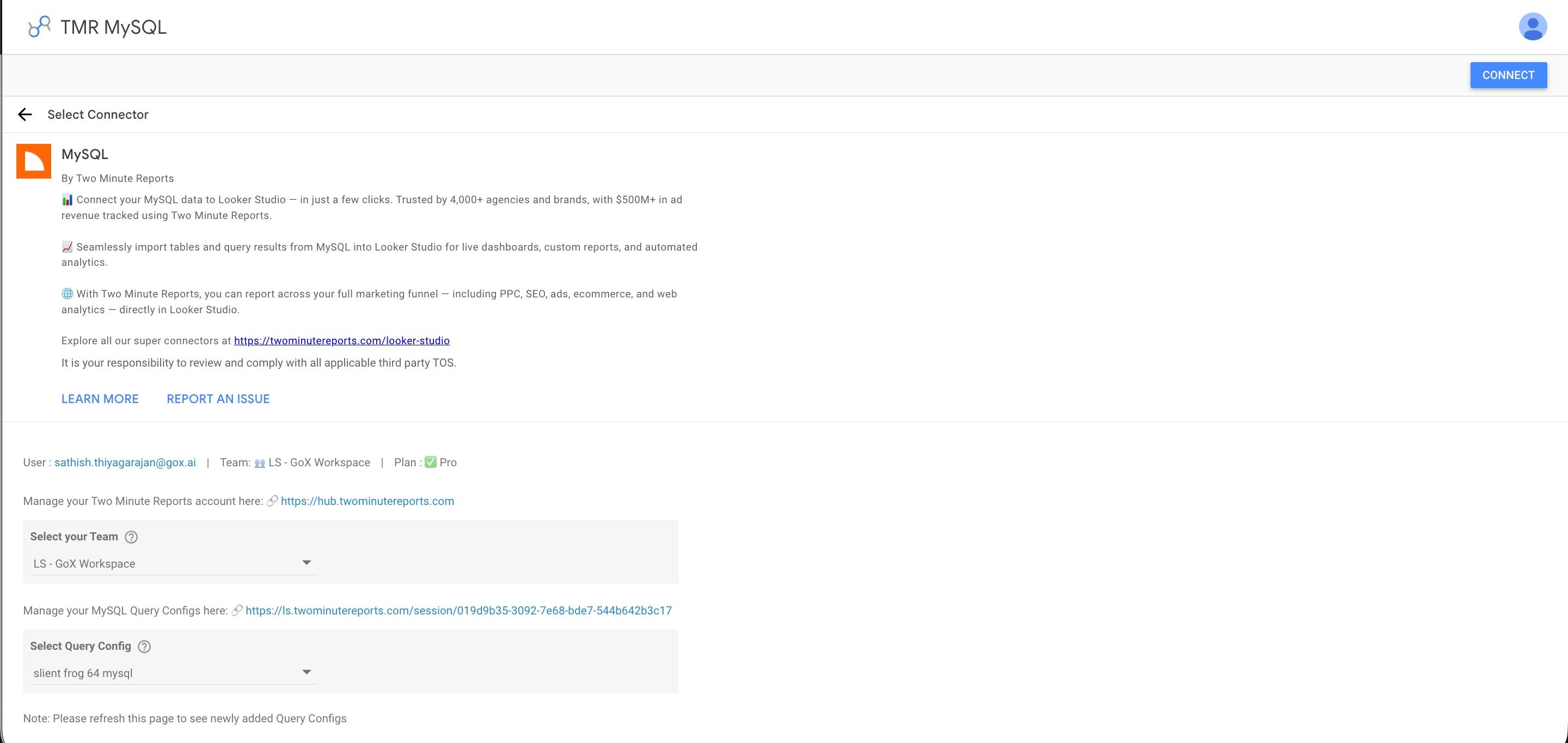
- Looker Studio (formerly Google Data Studio) opens in a new tab, with the Two Minute Reports connector. If you are in more than one team, select your team in Select your Team.
- In Select Query Config, select your query config.
- Select Connect in the top-right corner.
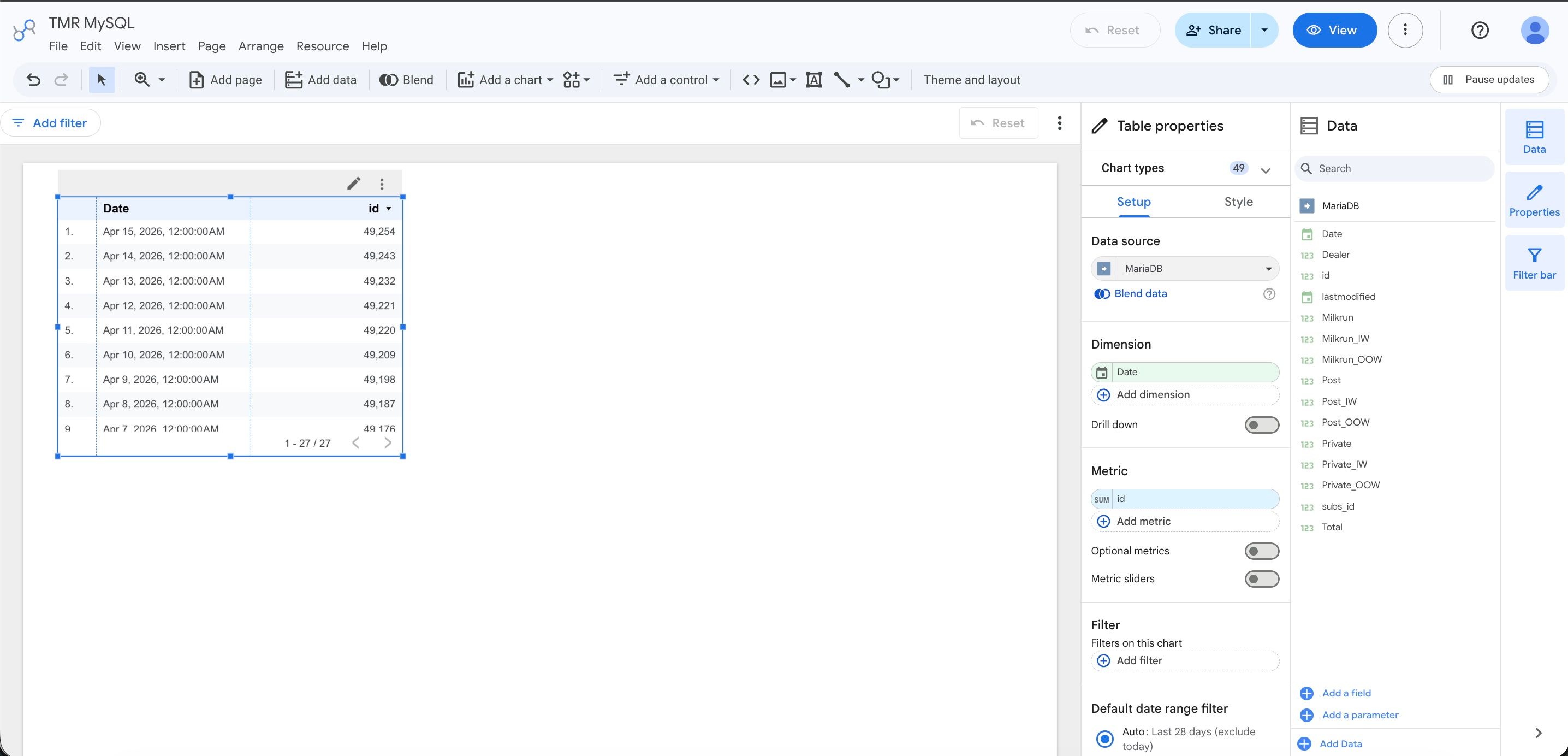
- In your new report, add MySQL metrics and dimensions to the canvas.
Dynamic dates
In Google Data Studio, a query config with a custom SQL query can follow the date range of the report. Put @startdate and @enddate in the WHERE clause instead of fixed dates. Two Minute Reports replaces them with the report's date range each time the report gets data. You don't have to edit the dates in the SQL again.
Example: static query
SELECT * FROM orders
WHERE order_date BETWEEN '2024-01-01' AND '2024-01-31'
Same query with dynamic dates
SELECT * FROM orders
WHERE order_date BETWEEN @startdate AND @enddate
@startdate and @enddate in lowercase, as in the example. These parameters work in Google Data Studio query configs only. Google Sheets queries send the SQL as you wrote it.Dynamic dates also keep reports fast, because the database returns only the rows for the selected dates instead of the full table.
IP whitelisting
Two Minute Reports connects from these fixed IP addresses. Add all 5 to your database firewall or GRANT statements before you create the connection. Allowing only some of them gives you a connection that works until a request leaves from one of the others.
49.13.34.182
5.75.217.220
116.203.164.91
95.216.182.151
91.99.28.86
To grant access in MySQL, run the following for each address (replace your_user and your_password):
GRANT SELECT ON your_database.* TO 'your_user'@'49.13.34.182' IDENTIFIED BY 'your_password';
GRANT SELECT ON your_database.* TO 'your_user'@'5.75.217.220' IDENTIFIED BY 'your_password';
GRANT SELECT ON your_database.* TO 'your_user'@'116.203.164.91' IDENTIFIED BY 'your_password';
GRANT SELECT ON your_database.* TO 'your_user'@'95.216.182.151' IDENTIFIED BY 'your_password';
GRANT SELECT ON your_database.* TO 'your_user'@'91.99.28.86' IDENTIFIED BY 'your_password';
FLUSH PRIVILEGES;
Still blocked after adding all five? See Connection blocked by a firewall or IP allowlist.