Google Data Studio
Use Two Minute Reports in Google Data Studio: create connections and query configs, then build and share reports.
Google Data Studio can be selected as your included destination at sign-up, or added later as the second destination add-on. See Plans and pricing.
The Two Minute Reports connector for Google Data Studio brings data from 30+ advertising, analytics, e-commerce, and marketing platforms into Google Data Studio. You can build reports across channels without code.
Create a connection, group its accounts into a query config, and then build your report in Google Data Studio.
In this section
Prefer to work in spreadsheets? See the Google Sheets section for the add-on setup guide and query documentation.
Build dashboards in Two Minute Reports
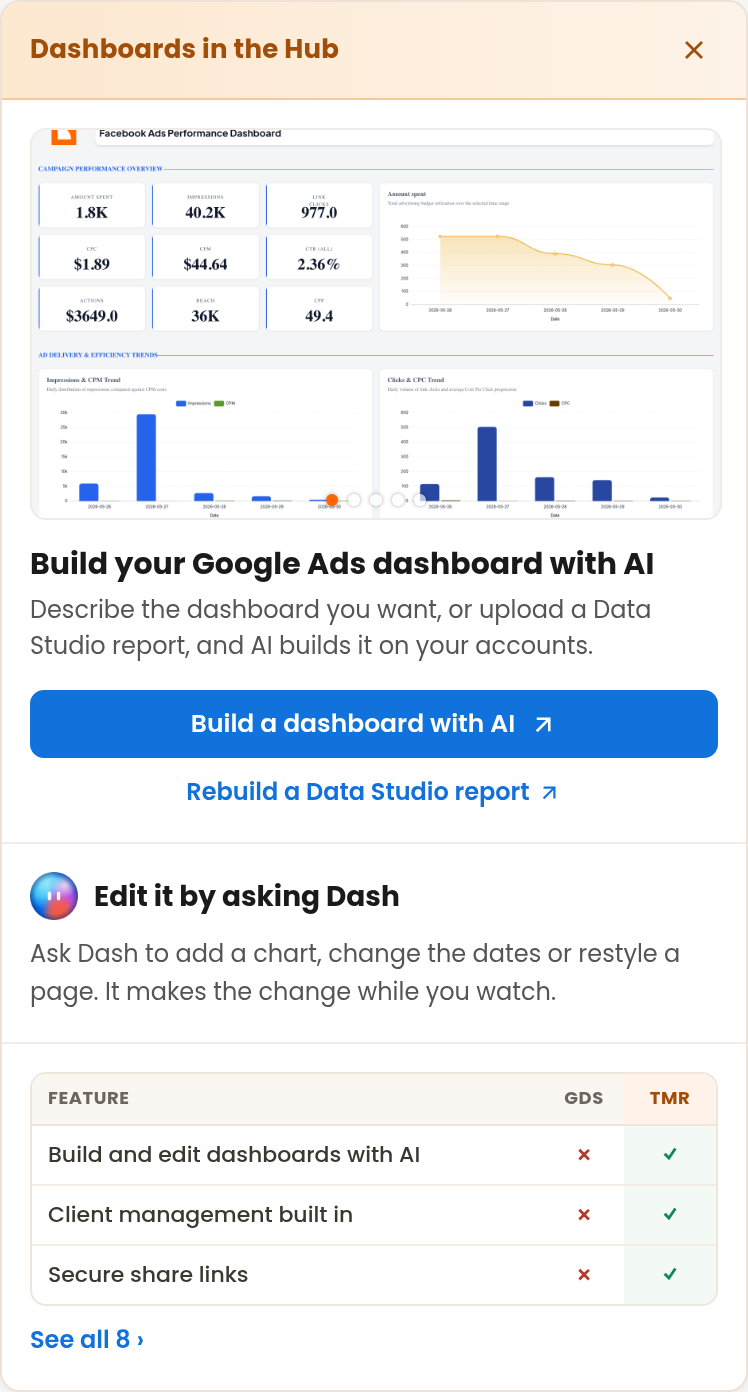
The connections that you create for Google Data Studio also work in Two Minute Reports dashboards, in the Hub. When you manage a connector's accounts from Google Data Studio, the panel at the right has two ways to start a dashboard:
- Build a dashboard with AI opens the Hub's dashboard builder. Describe the dashboard that you want, and Dash builds it on your accounts.
- Rebuild a Data Studio report opens the same builder for an existing report. Upload the report as a PDF or a screenshot, and Dash recreates its layout. See Migrate existing reports.
After the dashboard is built, ask Dash, the AI assistant in the Hub, to change it. See Edit with Dash.
To close the panel, select the close button. The panel does not come back in that browser.