

Microsoft Ads

Two Minute Reports' Microsoft Ads connector lets you access and analyze your data directly in Google Sheets or Google Data Studio. Build custom reports, monitor key metrics, and make data-driven decisions - all without writing any code.
What you can report on
- Campaign, ad group, and keyword performance on Bing
- Impressions, clicks, CTR, and average CPC
- Conversions, conversion rate, and cost per conversion
- Audience targeting and demographic breakdowns
- Impression share and competitive auction insights
Prerequisites
- A Microsoft Advertising (Bing Ads) account
- Advertiser Campaign Manager access or higher on the account(s) you want to report on
- Multi-factor authentication (MFA) enabled on your Microsoft account — this is required by Microsoft's API and cannot be bypassed
- If you sign in with a work or school Microsoft account, your organization's Microsoft Entra tenant needs the Advertising API enabled — see Microsoft Ads: Organization Hasn't Enabled the Advertising API if sign-in is declined
How to create a connection
- Go to https://hub.twominutereports.com/connections
- Select New Connection
- Select Microsoft Ads from the list of connectors
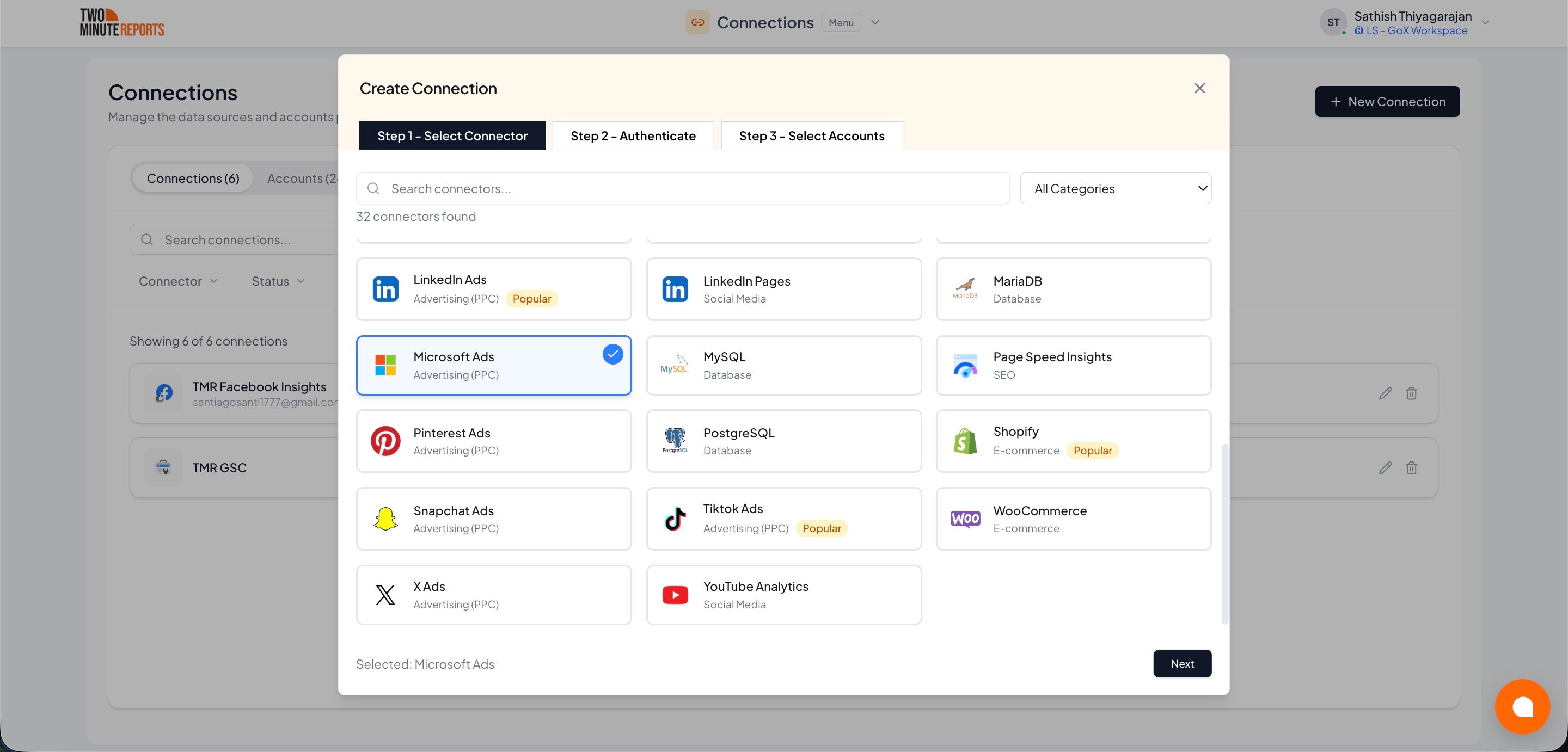
- Name the connection and authorize with your account credentials
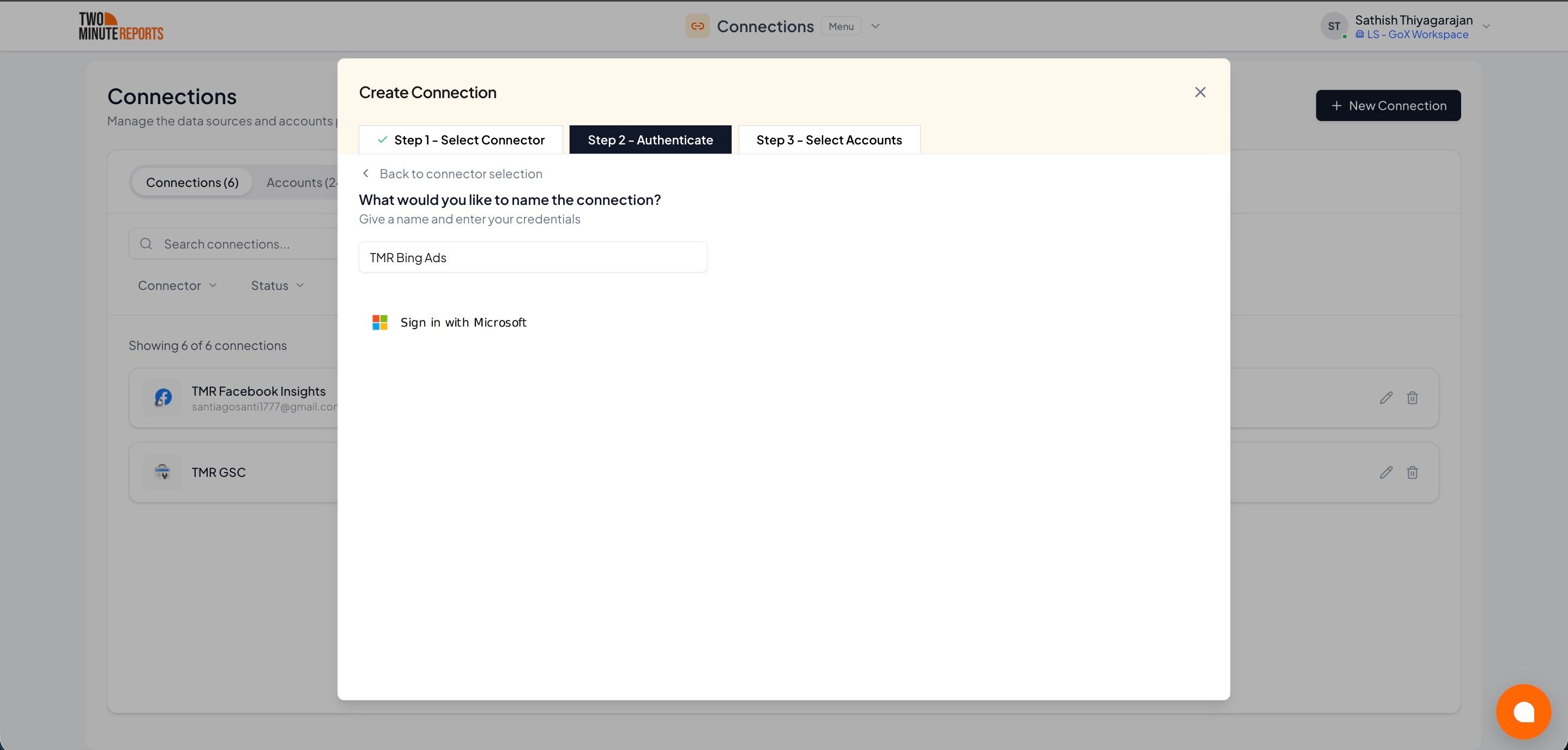
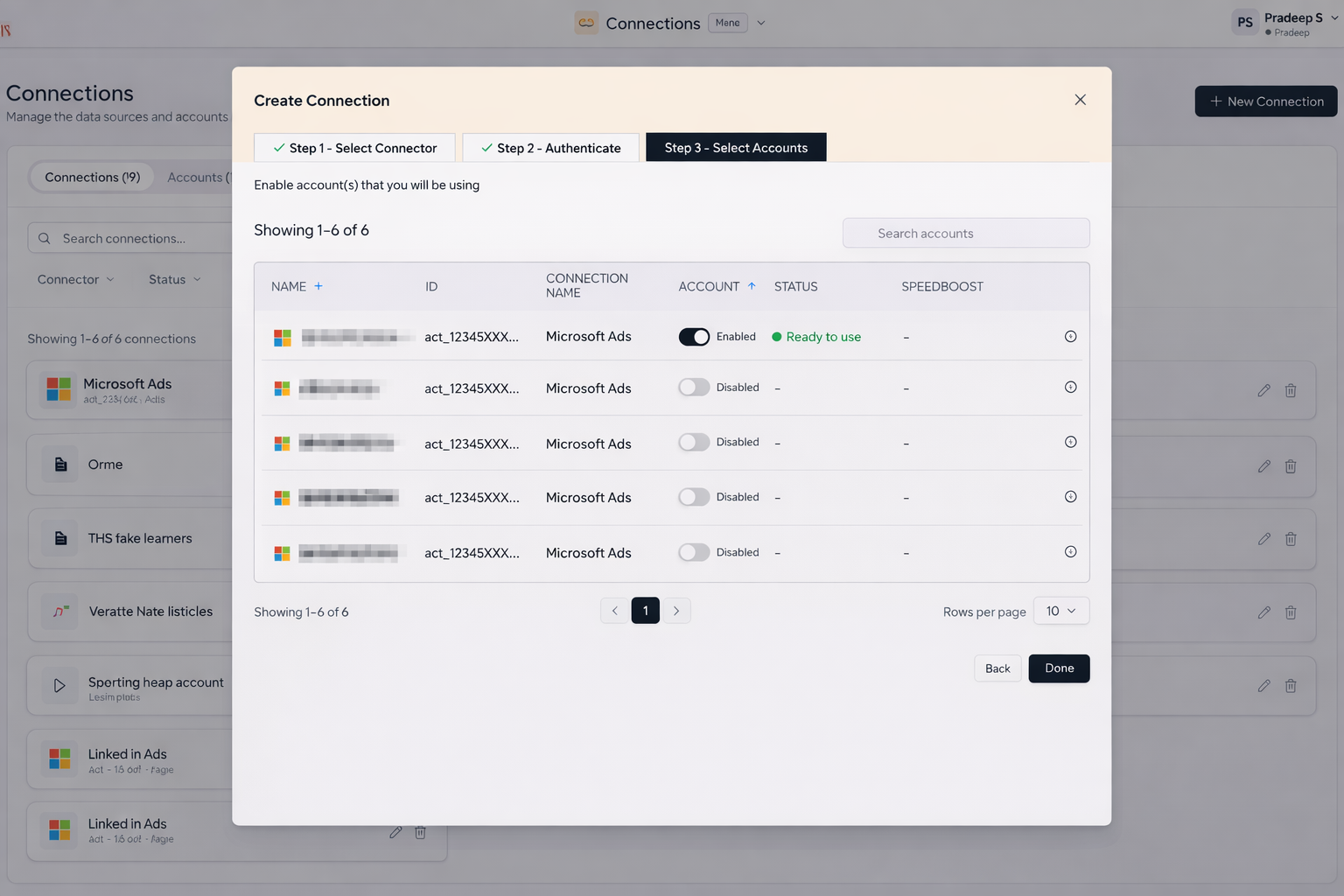
- Enable the accounts you want to report on
How to get Microsoft Ads data into your reports
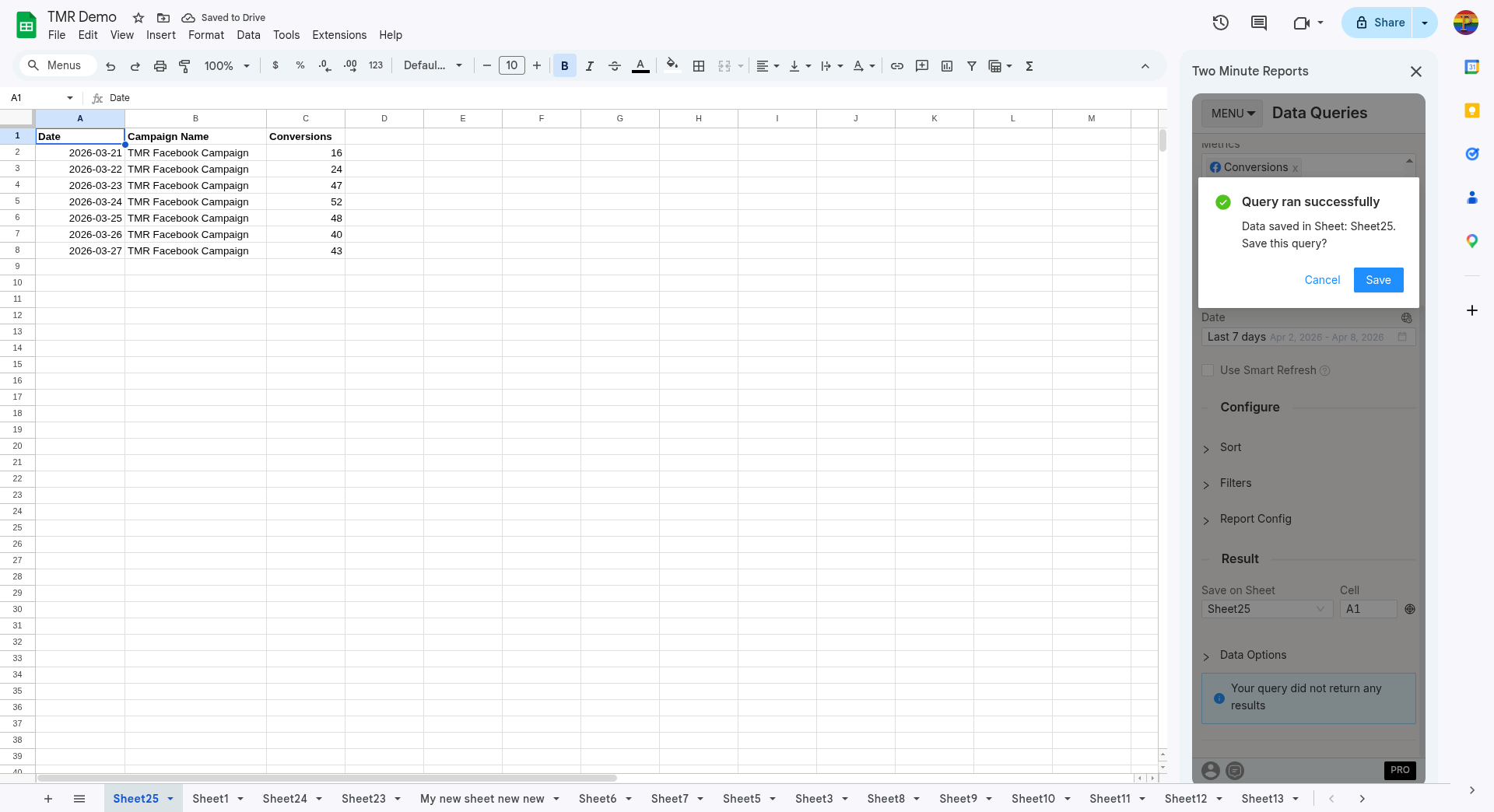
To pull Microsoft Ads data into Google Sheets:
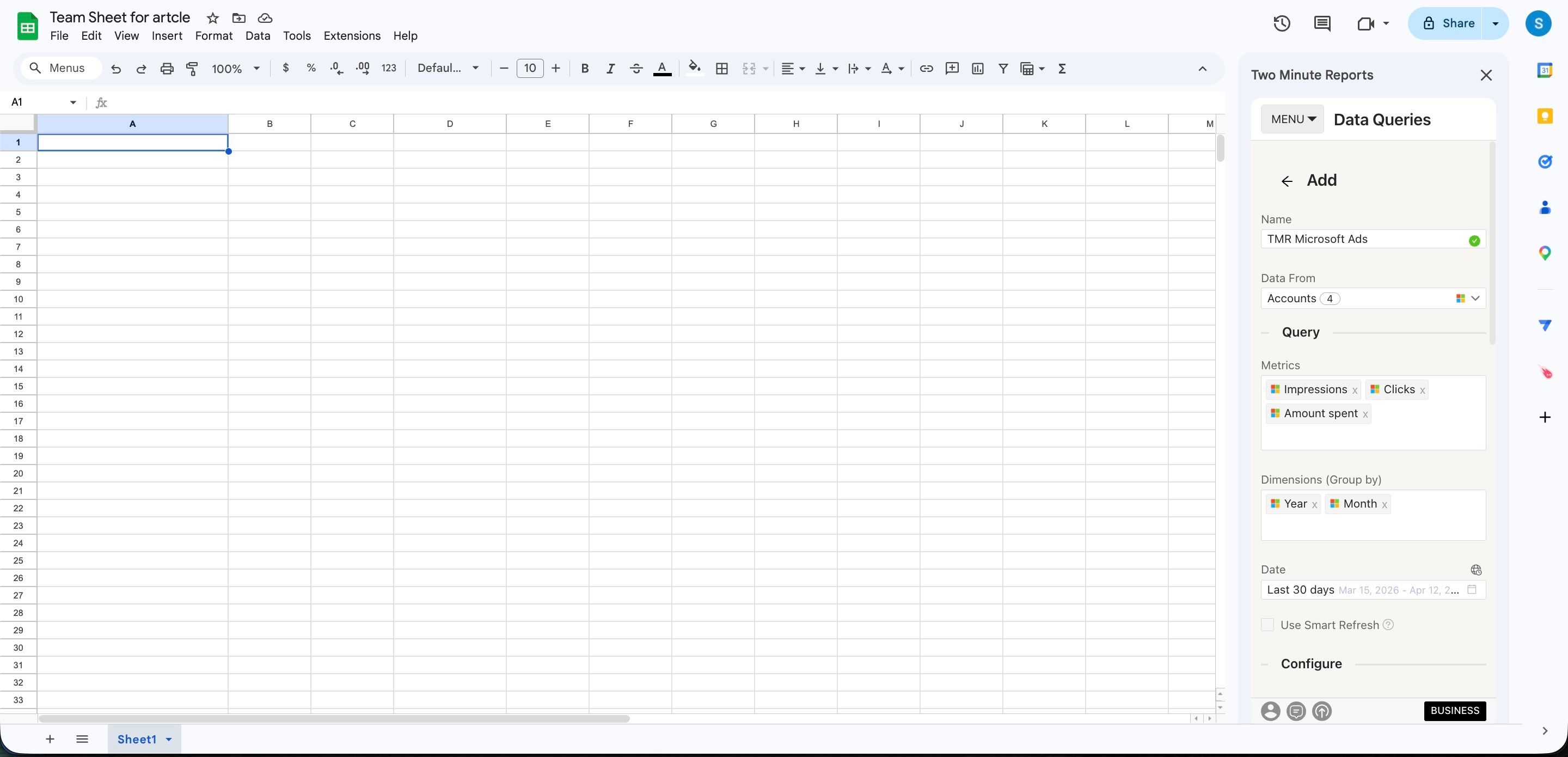
- In the TMR sidebar, go to Data Queries and select Add
- Select the accounts you want to analyze (can select multiple)
- Choose your metrics and dimensions from available options
- Select the date range for your analysis
- Configure sorting and filtering options as needed
- Select Run Query to populate the data into Google Sheets
To pull Microsoft Ads data into Google Data Studio:
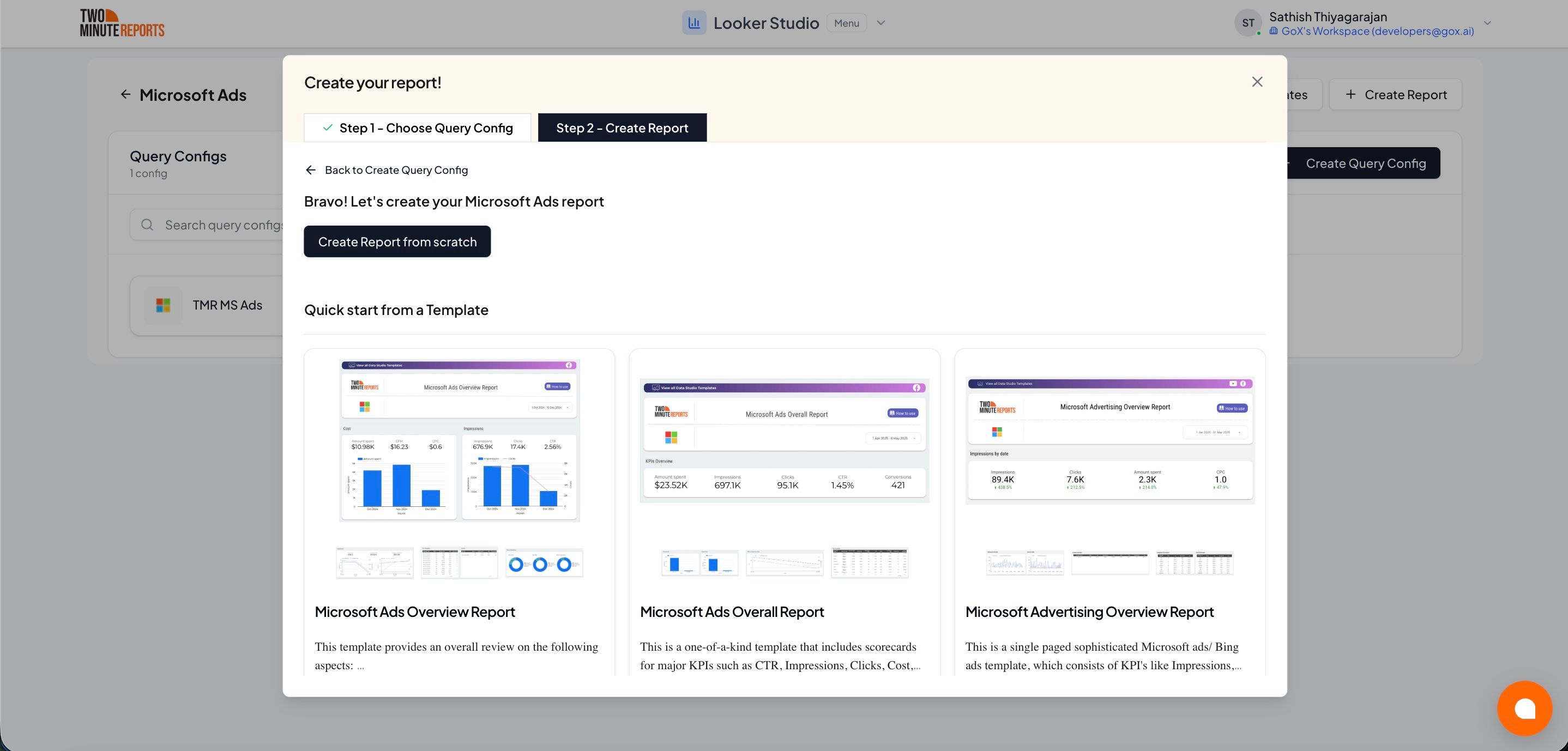
- Select Open in Google Data Studio, then select + Create Report.
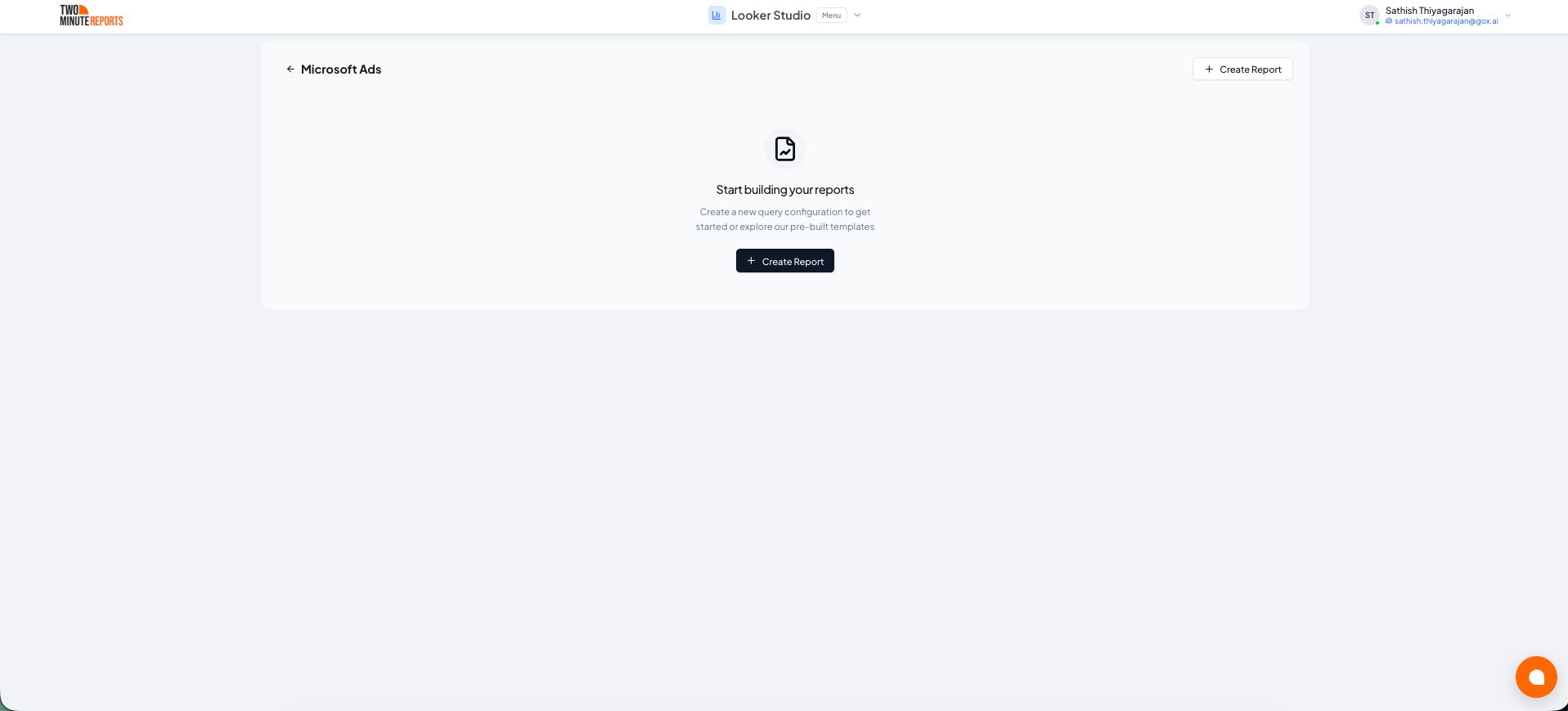
- A query config panel will appear. Do one of the following:
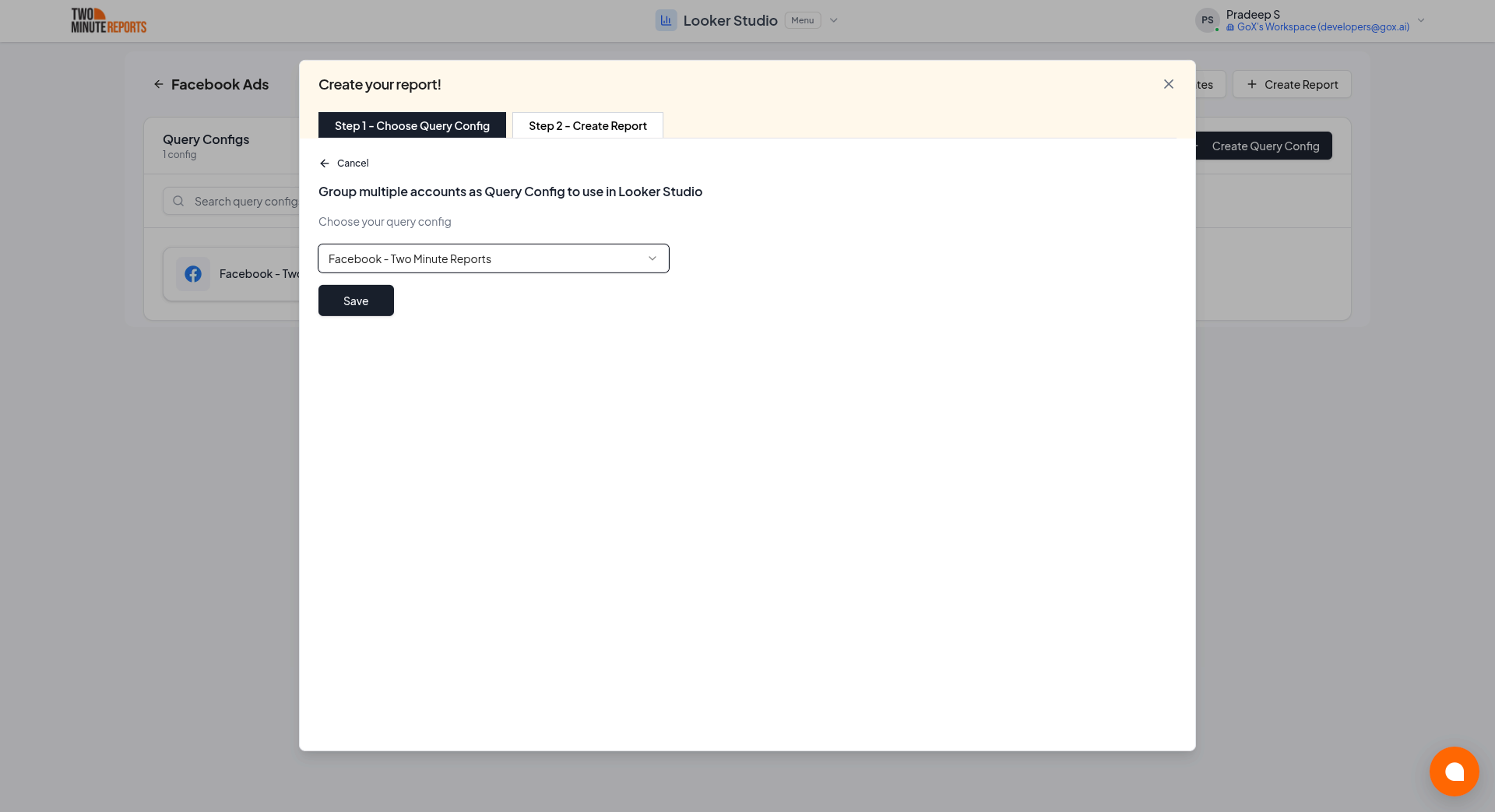
Creating a new query config: Enter a name, select the accounts you want to include from the dropdown, then select Save.
- Choose Create report from scratch to build a custom report, or select one of the pre-built templates to get started quickly.
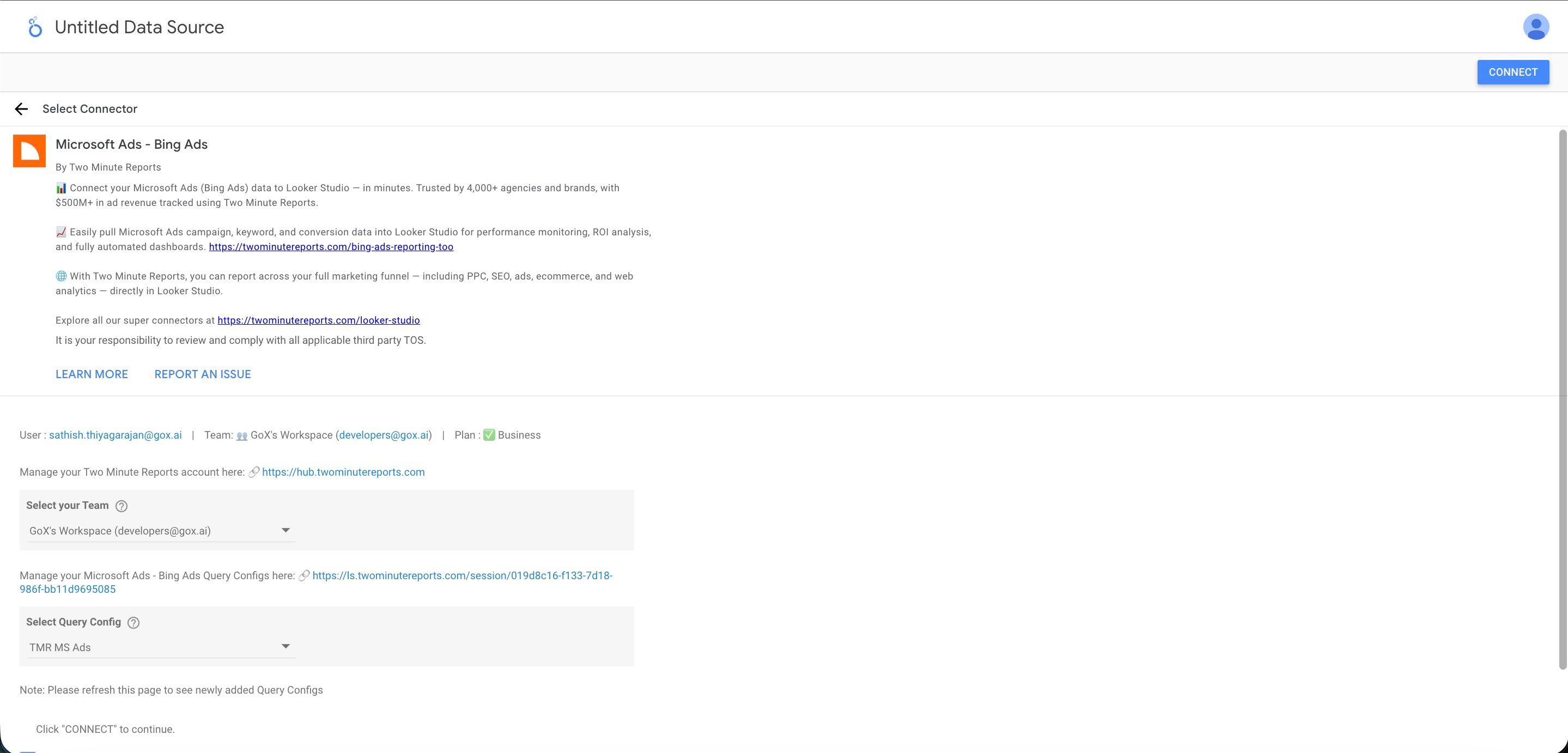
- In the Google Data Studio connector panel, select your team and choose the required query config from the dropdown. Select Connect in the top-right corner.
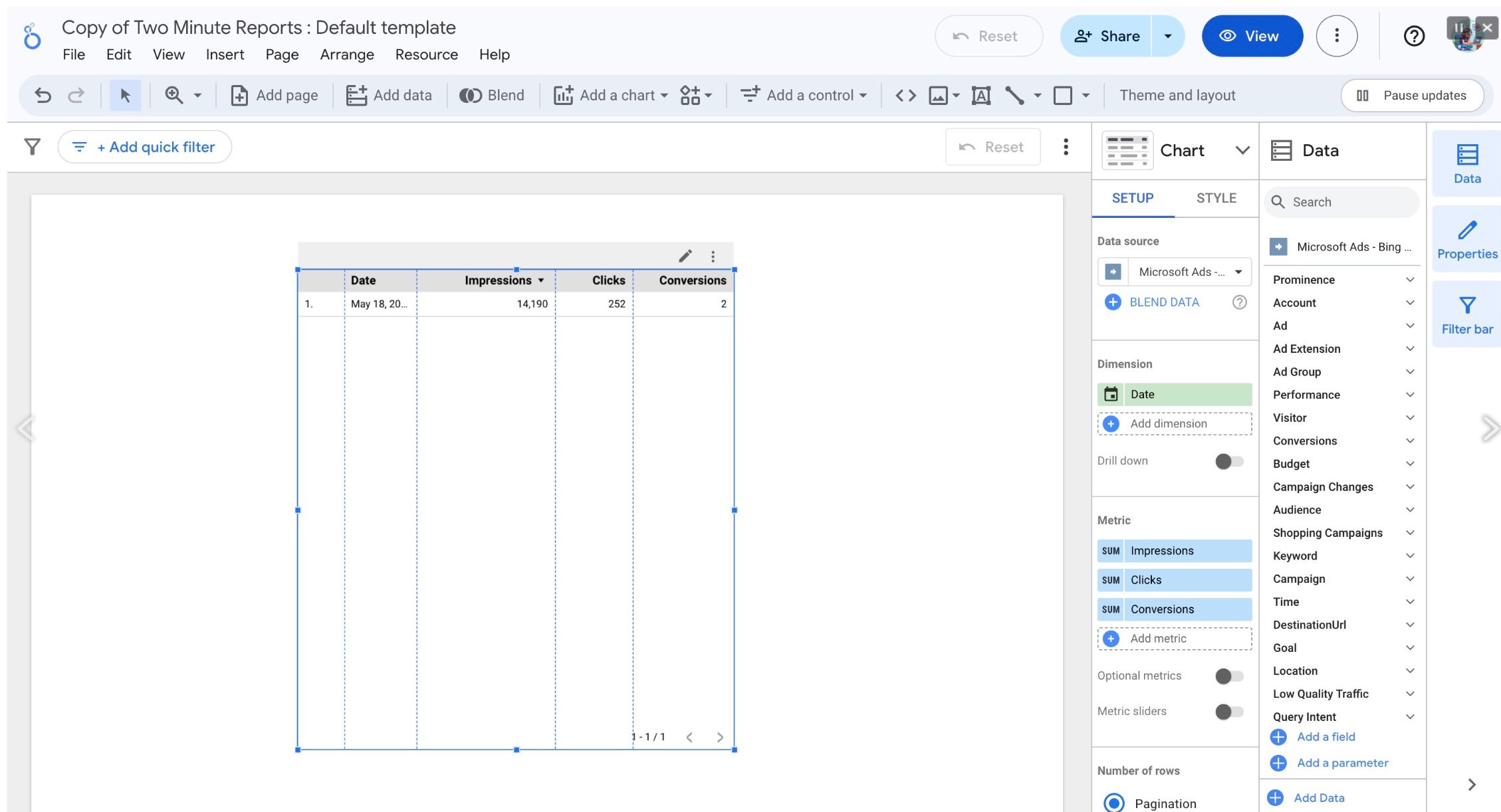
- You'll land on the Google Data Studio dashboard. Drag and drop the available Microsoft Ads metrics and dimensions onto your canvas to start analyzing your data.
Understanding and resolving data discrepancies
The data in Two Minute Reports can be different from the data in Microsoft Advertising. This section gives the usual causes and how to correct each one.
Ad group totals lower than the Overview
Your query can include Ad group name, or another ad group, ad or keyword dimension. Then the spend, clicks and revenue can be lower than on the Overview page in Microsoft Advertising, for the same account and dates.
Performance Max campaigns do not use ad groups. They use asset groups. Microsoft has no ad group for their data, so ad group reports do not include it. The Overview page shows the totals for the account, which include all campaign types. Your Search and Shopping data is correct. The difference is the Performance Max spend.
If you add Campaign name next to Ad group name, the result does not change. While Ad group name is in the query, Two Minute Reports gets the data from the ad group report.
To include Performance Max:
- Remove Ad group name and show the report by Campaign name. Add Campaign type to see which rows are Performance Max.
- For account totals only, use Date or no dimension. These totals agree with the Overview.
- If you also need the ad group data for Search or Shopping, keep that query. Add a second query by Campaign name for your totals.