

Authentication
The Two Minute Reports API authenticates every request with a bearer token — an API key you create from your account. Pass it in the Authorization header:
curl https://api.twominutereports.com/v1/users/me \
  -H "Authorization: Bearer tmrc_live_xxxxxxxxxxxxxxxxxxxxxxxxxxxxxxxx"
There is no cookie- or session-based authentication for the API — the token is the only credential.
Getting an API key
Create the key with the intended use API. The REST API accepts only API keys. A key made for the MCP server does not work with the REST API.
You can create an API key in two places:
- In the Hub, select AI tools, then the Automations tab. In the REST API section, select New key. The section sets the intended use to API.
- Or go to Settings › API keys and select New key. Set Intended use to API.
Configure the key
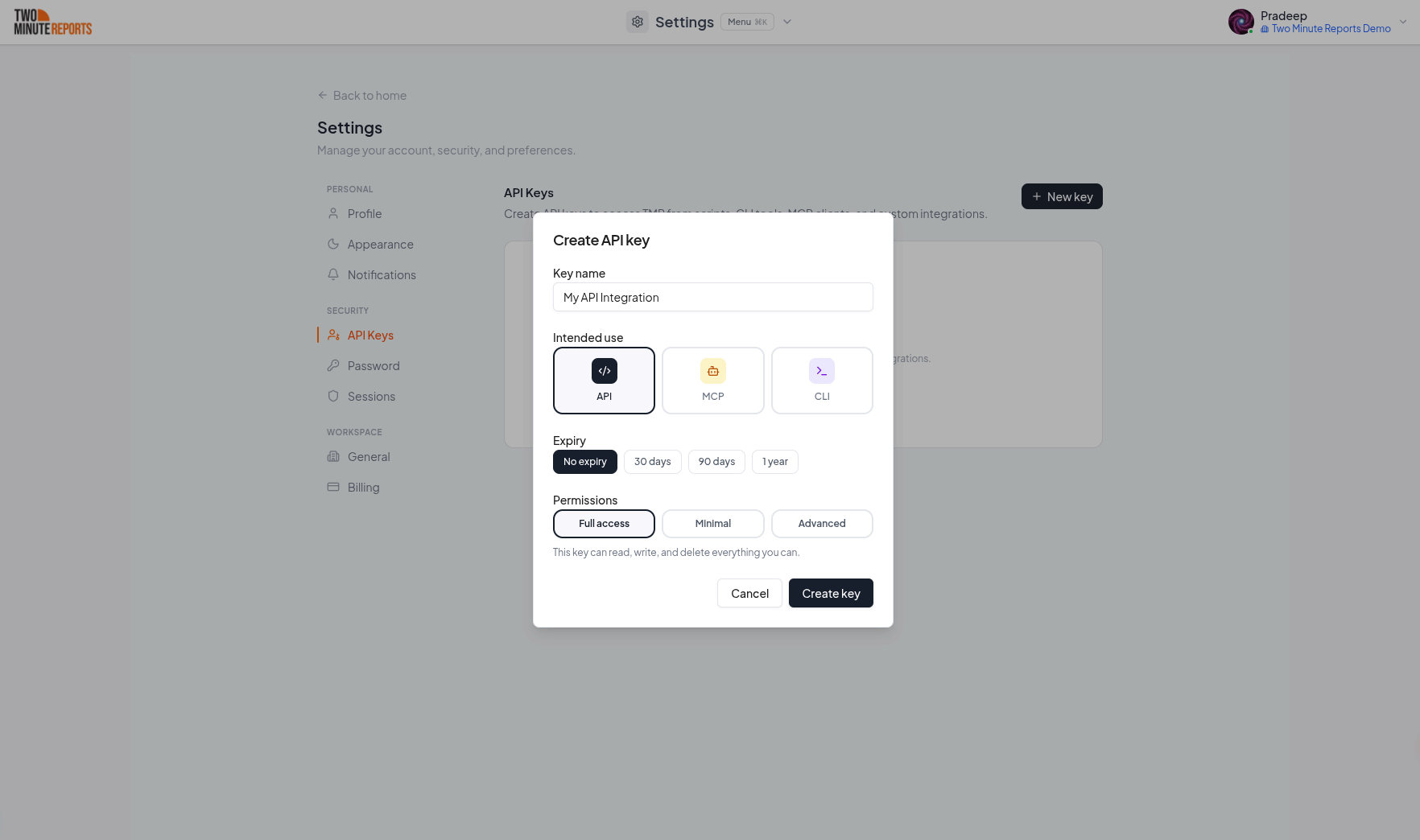
In the Create API key dialog:
- Key name: a name that helps you find the key later, for example Weekly report script.
- Intended use: API.
- Expiry: when the key stops working (No expiry, 30 days, 90 days or 1 year).
- Permissions: Full access, or fewer permissions. See Permissions.
Then select Create key.
Copy your key
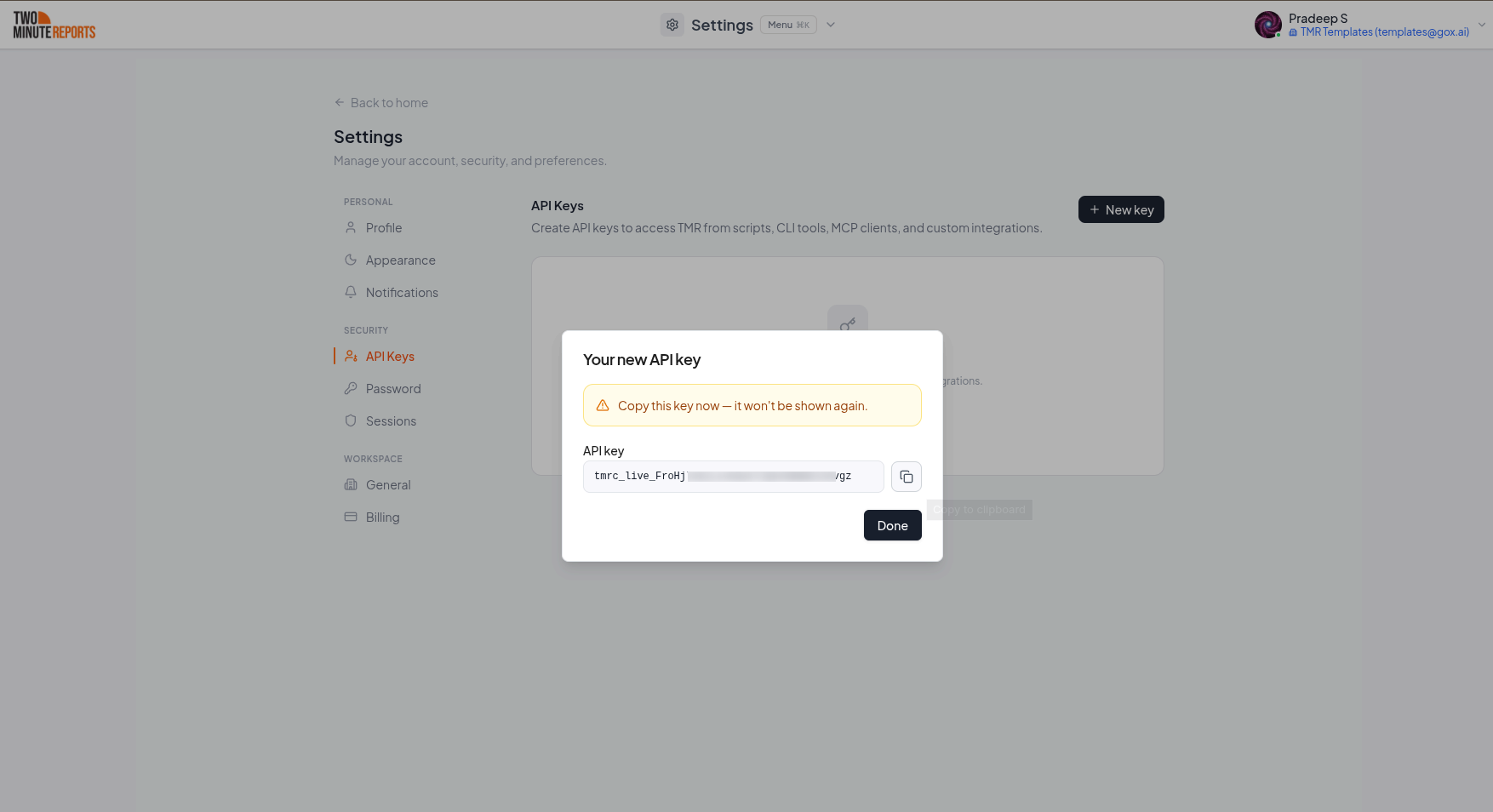
The Hub shows the key one time. Copy it and keep it in a safe place. Then select Done.
If you send a key with a different intended use, the API responds with 403 Forbidden:
{
  "success": false,
  "error": {
    "code": "FORBIDDEN",
    "message": "The Two Minute Reports API accepts API keys only. Create one under Settings → API Keys with intended use \"API\"."
  }
}
For the MCP server, create an MCP key instead. See The MCP server.
Managing keys
To create, edit and revoke keys, use the Automations tab of the AI tools page, or Settings › API keys. The REST API cannot manage keys or sessions.
Permissions
By default an API key has full access — it can do anything you can. When you create (or edit) a
key you can restrict it to a set of scopes, written as <resource>:<action>.
- Actions:
read,write(create/update),delete. - Resources:
account,teams,connections,connectors,clients,data,platform.
Every endpoint page lists the scope it needs as its Permission. A key is allowed if it holds
that scope (or a wildcard such as clients:*, *:read, or *:*). Unrestricted (full-access) keys
are unaffected.
Only these resource/action combinations exist:
| Resource | read | write | delete |
|---|---|---|---|
account | ✓ | ✓ | ✓ |
teams | ✓ | ✓ | ✓ |
connections | ✓ | — | ✓ |
connectors | ✓ | ✓ | — |
clients | ✓ | ✓ | ✓ |
data | ✓ | — | — |
platform | ✓ | — | — |
account scope covers your profile and preferences only. Session and API-key management are
not available through the public API — do that from your
account settings.If a key is missing the scope a route requires, the API responds with 403 Forbidden and names the missing scope (and how to grant it):
{
  "success": false,
  "error": {
    "code": "INSUFFICIENT_PERMISSIONS",
    "message": "This API key is missing the `clients:delete` permission required for this endpoint. Grant it to the key under Settings → API Keys (https://hub.twominutereports.com/settings?tab=user-api-keys), or use a key that has it."
  }
}
Token format
API keys begin with tmrc_live_ followed by 32 random characters — 42 characters in total.
tmrc_live_aB3dEfGhIjKlMnOpQrStUvWxYz123456
Unauthenticated requests
A request fails with 401 Unauthorized if the Authorization header is missing or the key is not valid, has expired, or was revoked.
{
  "success": false,
  "error": {
    "code": "UNAUTHORIZED",
    "message": "Invalid or expired session"
  }
}
The message is Missing bearer token when there is no Authorization header. A key that is not valid, has expired or was revoked gets the same message, so the response does not tell if a key exists.