

LinkedIn Ads

The LinkedIn Ads connector gets your LinkedIn Ads data into Google Sheets and Google Data Studio. Use it to track your key metrics in a spreadsheet or a Google Data Studio report.
What you can report on
- Campaign impressions, clicks, and CTR
- Cost per click (CPC) and cost per lead (CPL)
- Lead Gen Form submissions and conversion tracking
- Audience targeting performance by job title, industry, and company size
- Sponsored Content, Message Ads, and Dynamic Ads metrics
Prerequisites
- A LinkedIn Campaign Manager account
- Report Viewer access or higher on the ad accounts you want to report on
- Admin access to the LinkedIn Company Page, if you want to measure ad content performance: headlines, images, CTAs, and metadata such as impressions and clicks
Revenue Attribution metrics
The Revenue Attribution metrics include Revenue won (USD), ROAS (Revenue attribution) and Open opportunities. LinkedIn gives these metrics only when these conditions are true:
- A LinkedIn Business Manager account must claim the ad account.
- The date range must be 30 days or more.
- The start date must be in the last 366 days.
If a query does not obey these conditions, it shows an error or a warning. See Troubleshooting.
How to create a connection
- In the Hub, open Connections & accounts.
- Select Create connection.
- Select LinkedIn Ads in the connector list.
- Select Next.
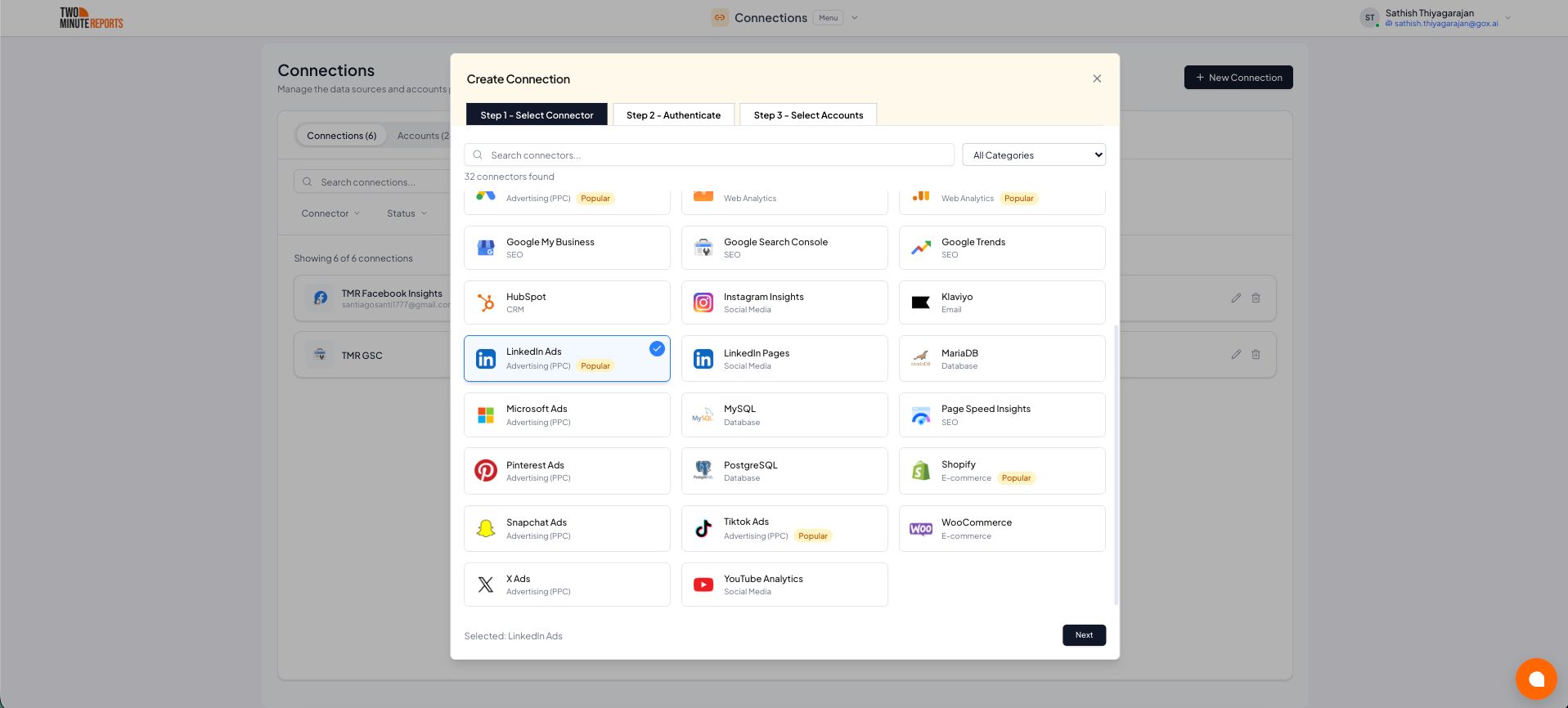
- In Name the connection, enter a name.
- Sign in with LinkedIn. Then allow Two Minute Reports access.
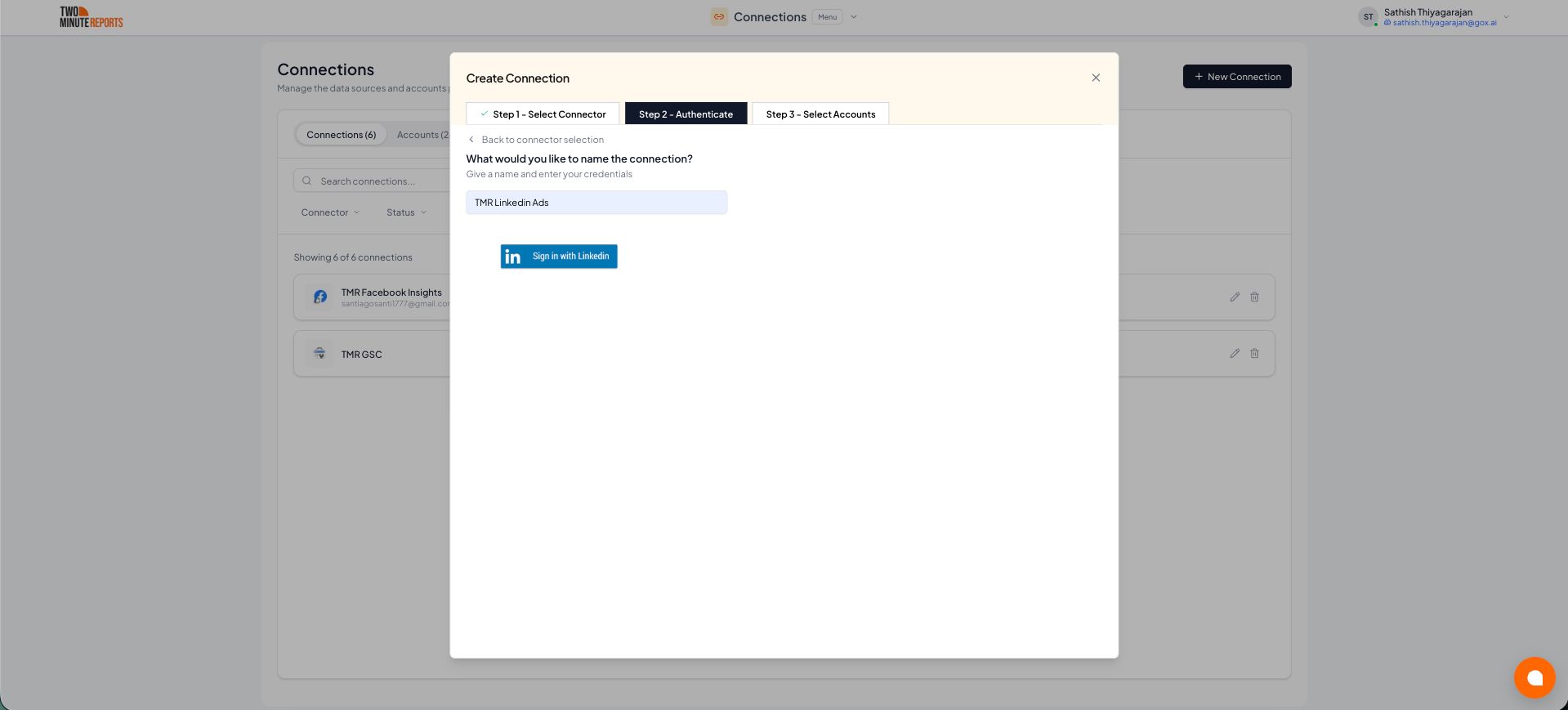
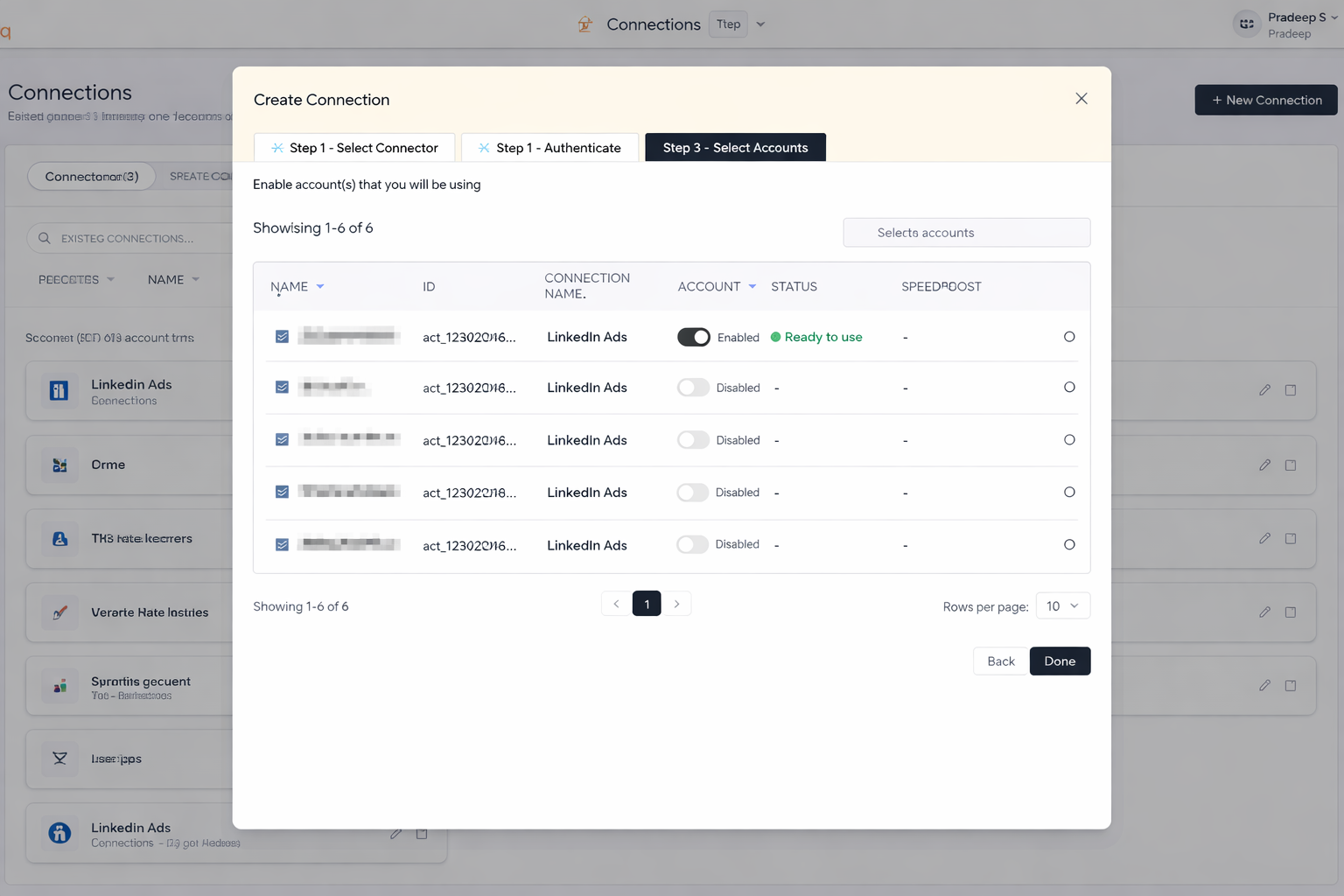
- Enable the accounts you want to report on.
- Select Done.
How to get LinkedIn Ads data into Google Sheets or Google Data Studio
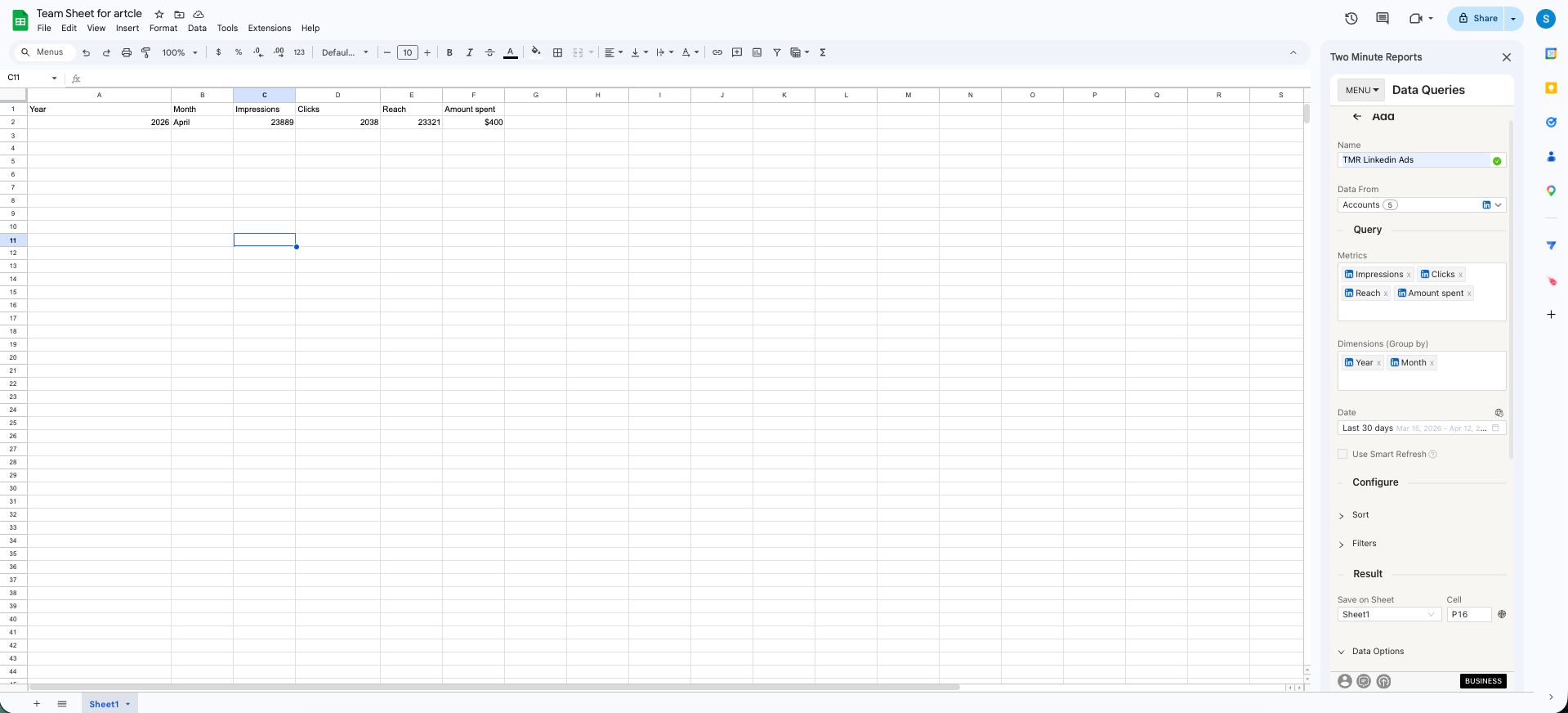
To get LinkedIn Ads data into Google Sheets:
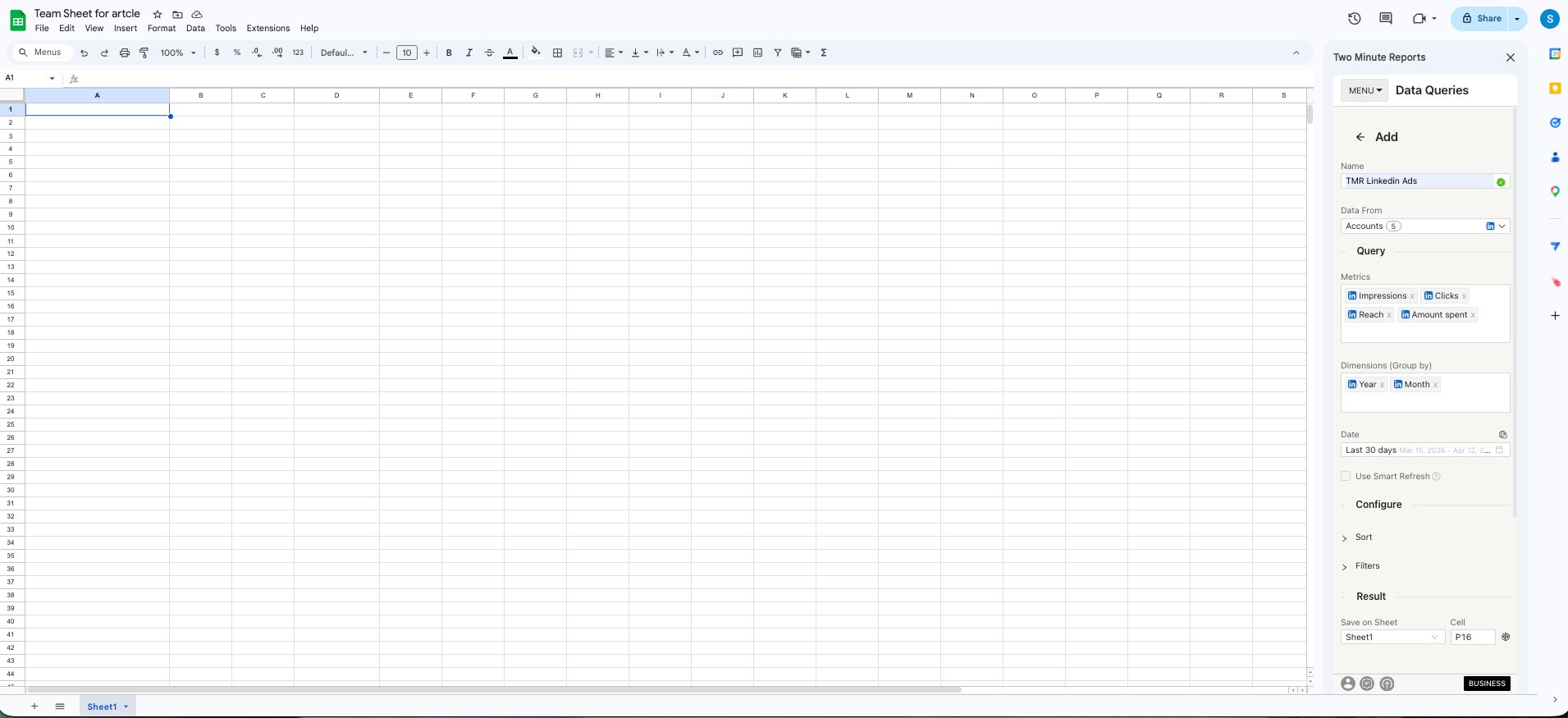
- In the Two Minute Reports sidebar, open Data Queries.
- Select Add.
- Select the accounts you want to report on. You can select more than one.
- Select your metrics and dimensions.
- Select the date range.
- Set sorting and filters if you need them.
- Select Run query. Two Minute Reports adds the data to your sheet.
To get LinkedIn Ads data into Google Data Studio:
- In the Hub, open Google Data Studio › LinkedIn Ads.
- Select Create report.
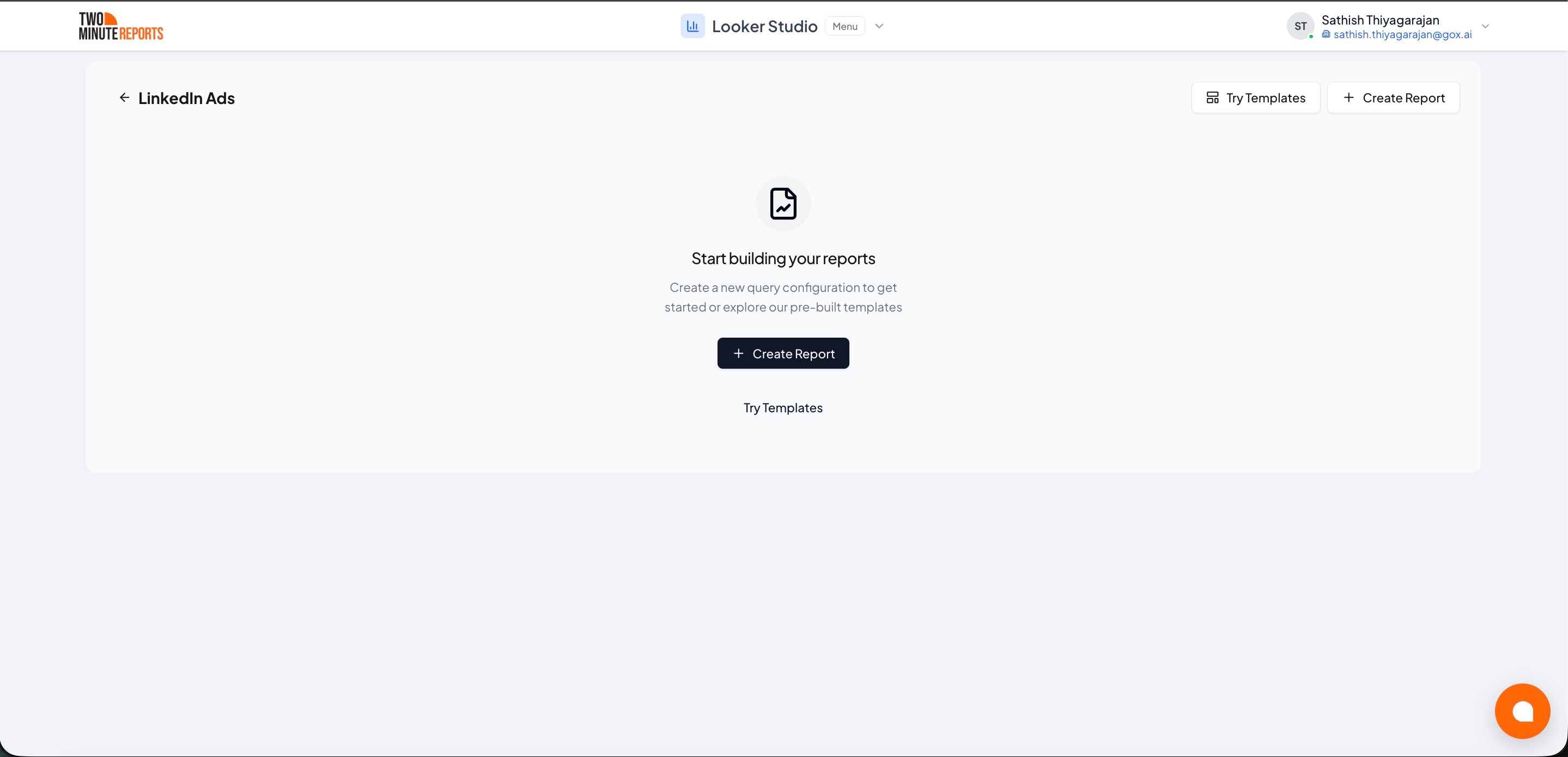
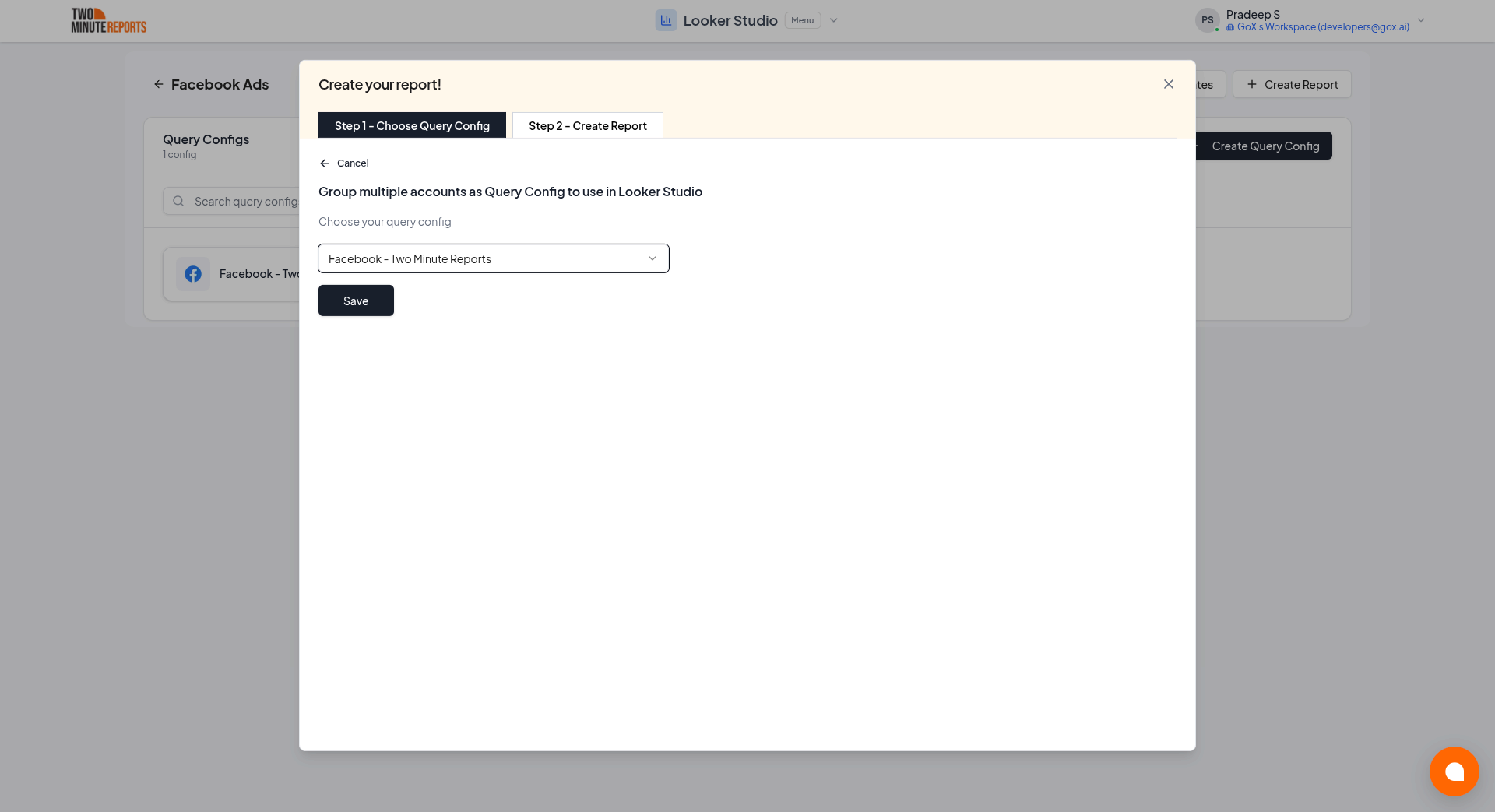
- Select or create a query config:
- To use a query config you have: select it in Choose your query config. Then select Save.
- To create a query config: if you already have one, first select Create new query config in the list. Enter a name in Name your query config, and select the accounts in Select your accounts. Select Save.
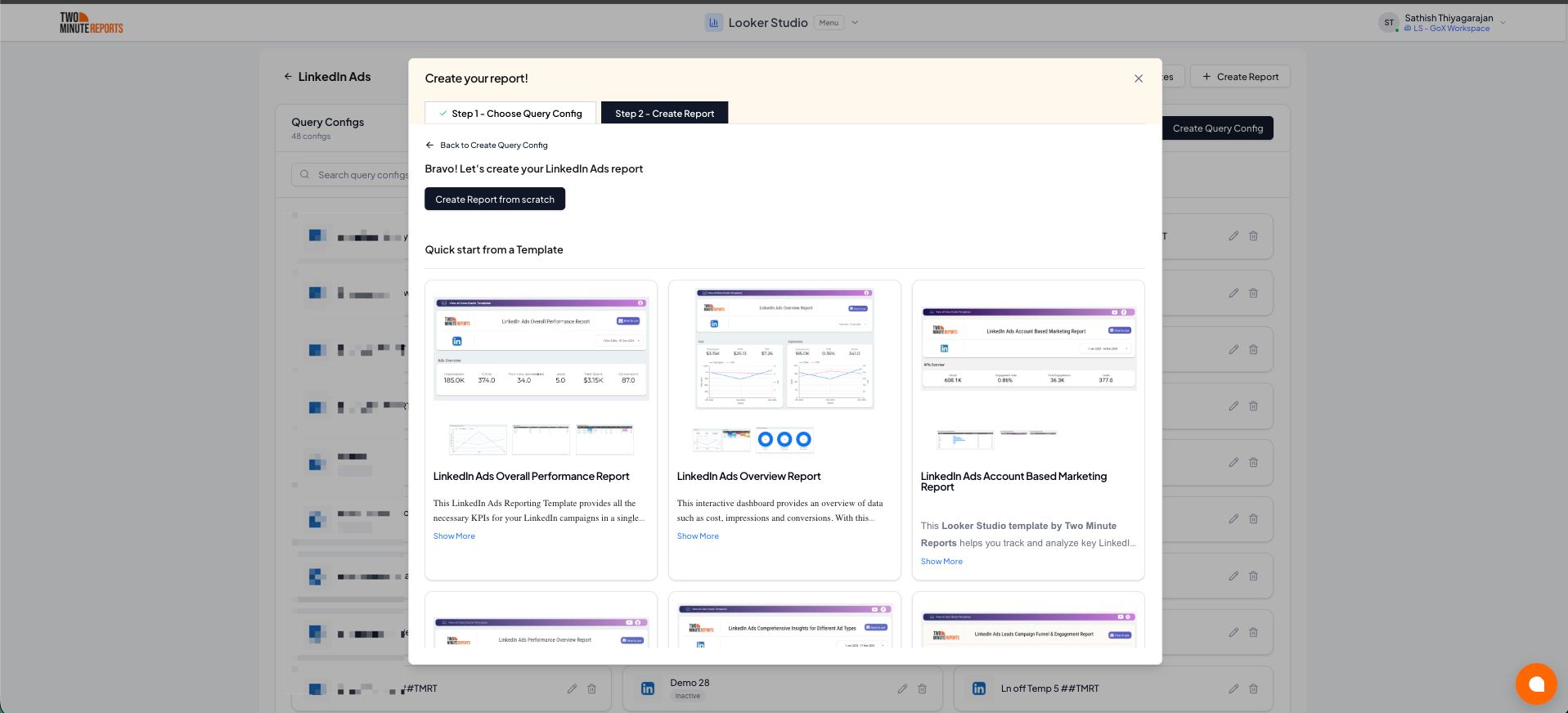
- Select Create from scratch. If templates show under Quick start from a template, you can select one instead.
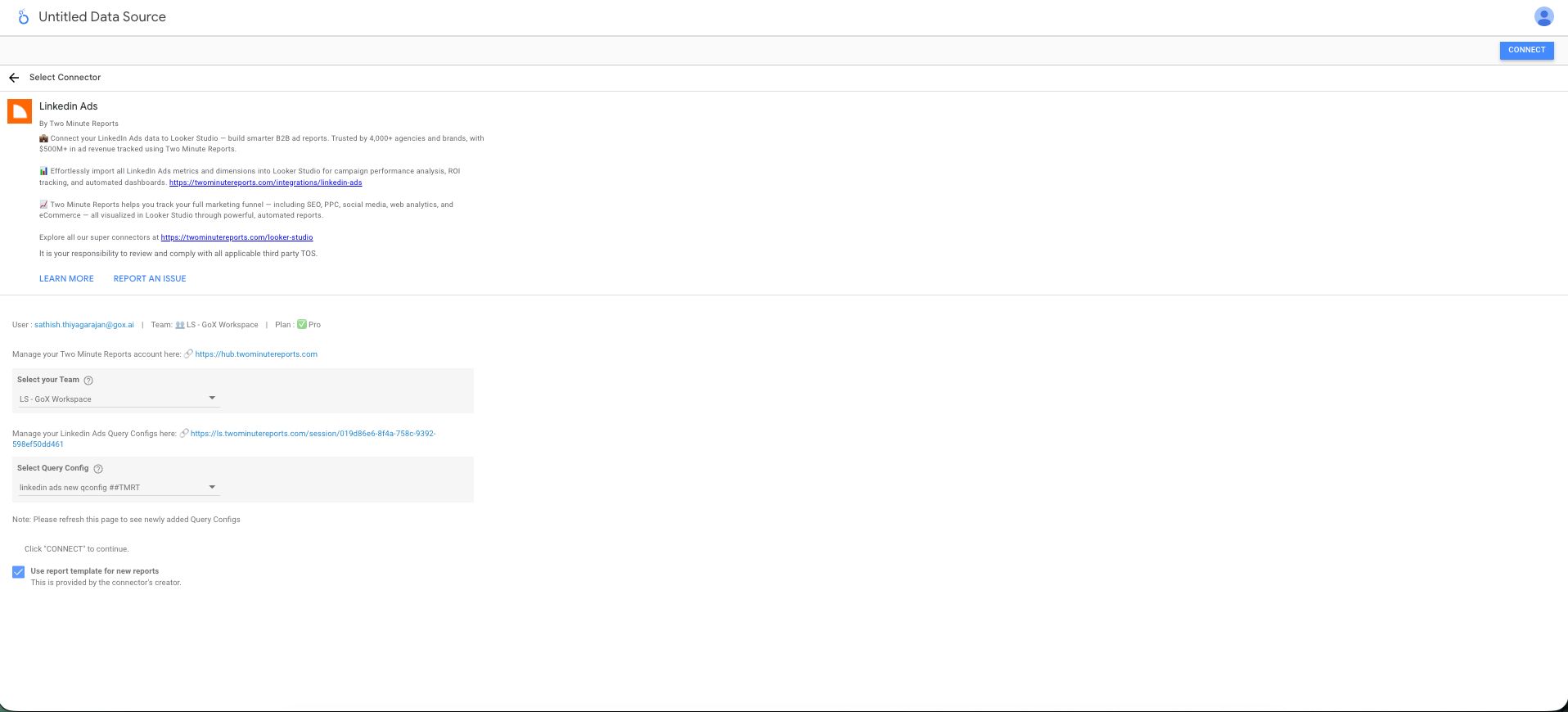
- Looker Studio (formerly Google Data Studio) opens in a new tab, with the Two Minute Reports connector. If you are in more than one team, select your team in Select your Team.
- In Select Query Config, select your query config.
- Select Connect in the top-right corner.
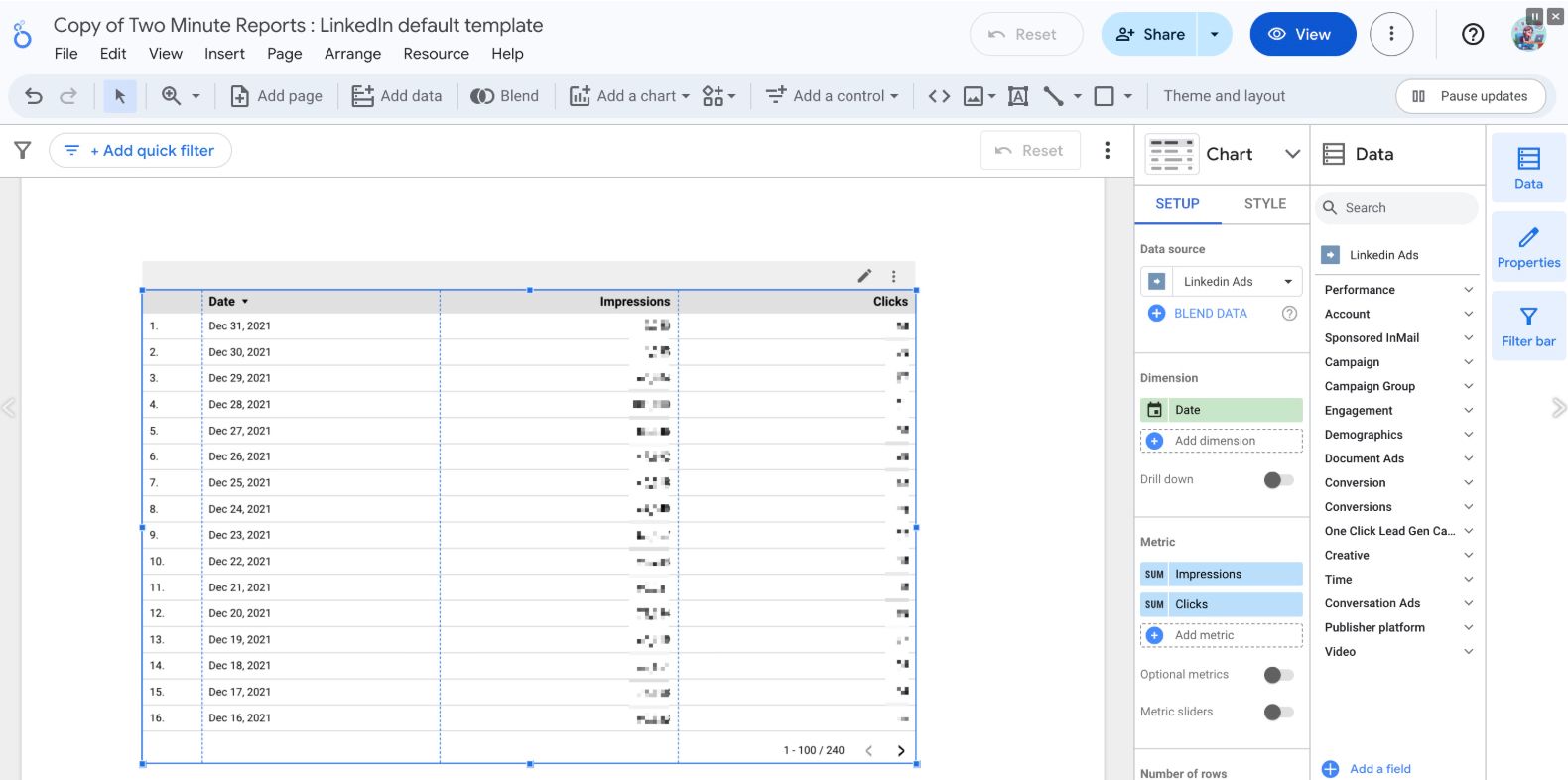
- In your new report, add LinkedIn Ads metrics and dimensions to the canvas.
Troubleshooting
The query fails: the ad account must be linked to a LinkedIn Business Manager
A query with Revenue Attribution metrics fails with this error:
Your ad account (ad account ID) must be linked to a LinkedIn Business Manager account to access Revenue Attribution metrics. Please connect it and try again.
LinkedIn gives these metrics only for an ad account that a LinkedIn Business Manager account claims. To correct the error:
- In LinkedIn Business Manager, link the ad account to your Business Manager account.
- Run the query again.
The query fails: the date range is too short or too old
A query with Revenue Attribution metrics fails with one of these errors:
The Revenue Attributed Metrics can only be queried for more than 30 days. Please adjust your date range and try again.
The Revenue Attributed Metrics can only be queried for the last 366 days. Please adjust your date range and try again.
To correct the error, change the date range of the query:
- Set a date range of 30 days or more. The count includes the start date and the end date, so a range of exactly 30 days is correct.
- Set a start date in the last 366 days.
A warning says that a metric is only available when the end date is today
A query with Opportunity amount (USD) or Open opportunities and an end date before today runs, but it shows a warning such as:
The metric 'Opportunity amount (USD)' is only available when the end date is set to today.
LinkedIn gives these two metrics only for a date range that ends today. To get data for them, set the end date of the query to today. To keep a date range that ends before today, remove these two metrics from the query.