

Custom domain
When you share a dashboard with a client, or send them a link to connect their ad accounts, that link normally opens on hub.twominutereports.com. With a custom domain it opens on an address you own instead:
https://reports.youragency.com/share/dashboard/8f2a41
Your client sees your name, not ours. Nothing else about the dashboard changes.
What a custom domain covers
Two things your clients open, and only those two:
| Surface | What your client sees |
|---|---|
| Shared dashboards | The dashboard you shared, on your domain |
| Setup links | The page where they connect their ad accounts, on your domain |
Everything you use yourself, including the Hub, your dashboards and settings, stays on hub.twominutereports.com. You are signed in there; your clients are not, and they are the only people who see the custom domain.
Before you start
Three things.
The custom domains add-on. This is the one that stops people before they start: until it is on your subscription, Settings shows you the price instead of the form. It is an add-on on every plan, so there is no tier you can move to that includes it. See Pricing below.
A subdomain you own, like reports.youragency.com or clients.youragency.com.
It has to be a subdomain. A domain on its own cannot point to us, whether that is youragency.com or youragency.co.uk. The record we need cannot coexist with the records that run your email and your website, so if you use that domain for anything else, pointing it here would break it.
The ability to add a DNS record for that domain, or to know who can. This is usually your domain registrar (GoDaddy, Namecheap, Cloudflare) or whoever built your website. If that is not you, you can start the setup and send them the record.
Set it up
Step 1. Open White label settings
Go to Settings › White label.
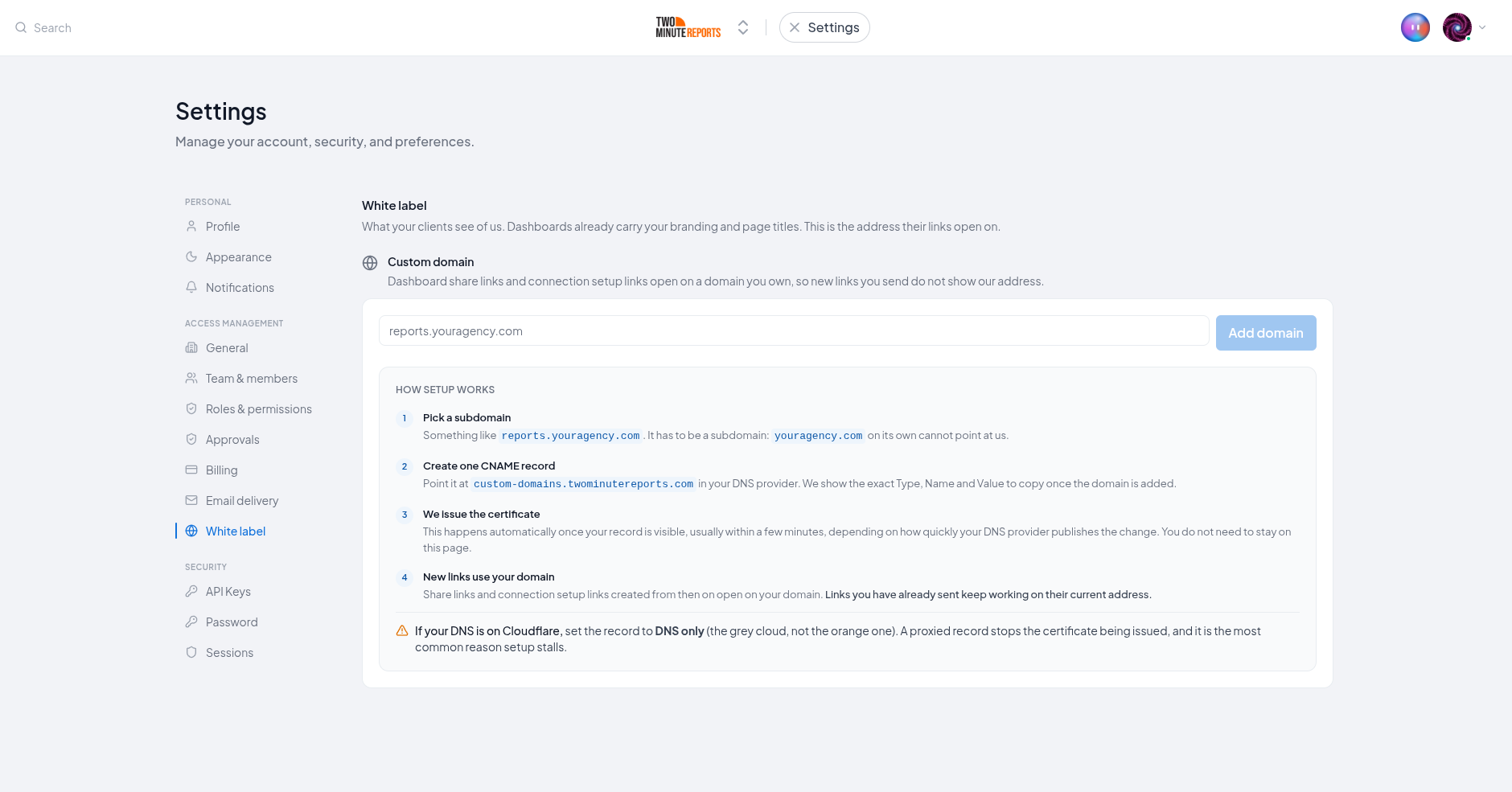
Step 2. Enter your subdomain
Type the full address you want your clients to see, like reports.youragency.com, and select
Add domain.
Nothing is charged and nothing changes for your clients at this point. You are telling us which name to expect.
Step 3. Create the CNAME record
We show you the exact record to create. It is a CNAME record, which is the kind of DNS record that points one address at another. Copy it into your DNS provider.
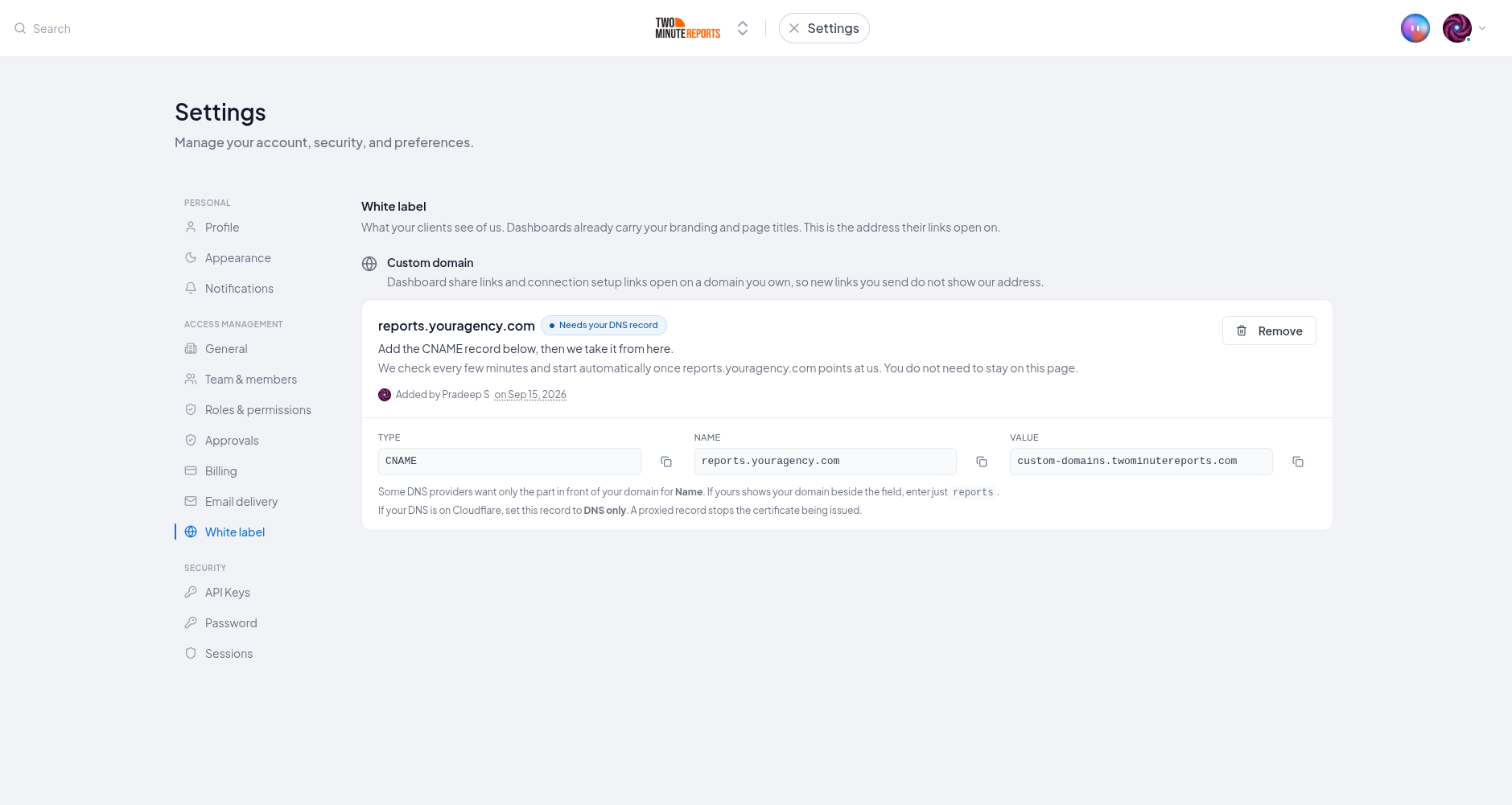
| Field | Value |
|---|---|
| Type | CNAME |
| Name | See the note below. The panel shows your full address; many providers want only reports |
| Value | custom-domains.twominutereports.com |
reports.youragency.com, and that is what the copy button gives you. But many DNS providers
(GoDaddy, Namecheap, the Amazon Route 53 console) want only the part in front of your domain
and add the rest themselves. If the provider shows your domain name beside the field, enter only
reports. Pasting the full address there creates reports.youragency.com.youragency.com, which
points nowhere and gives no error.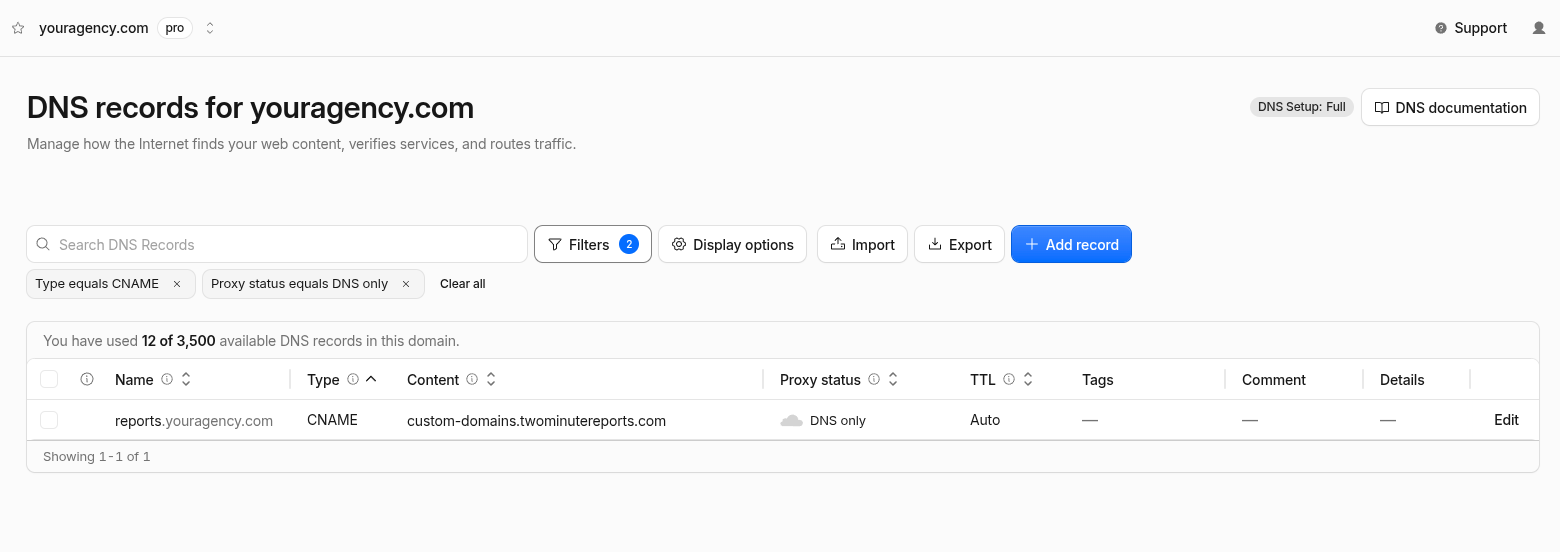
Step 4. Wait for the certificate
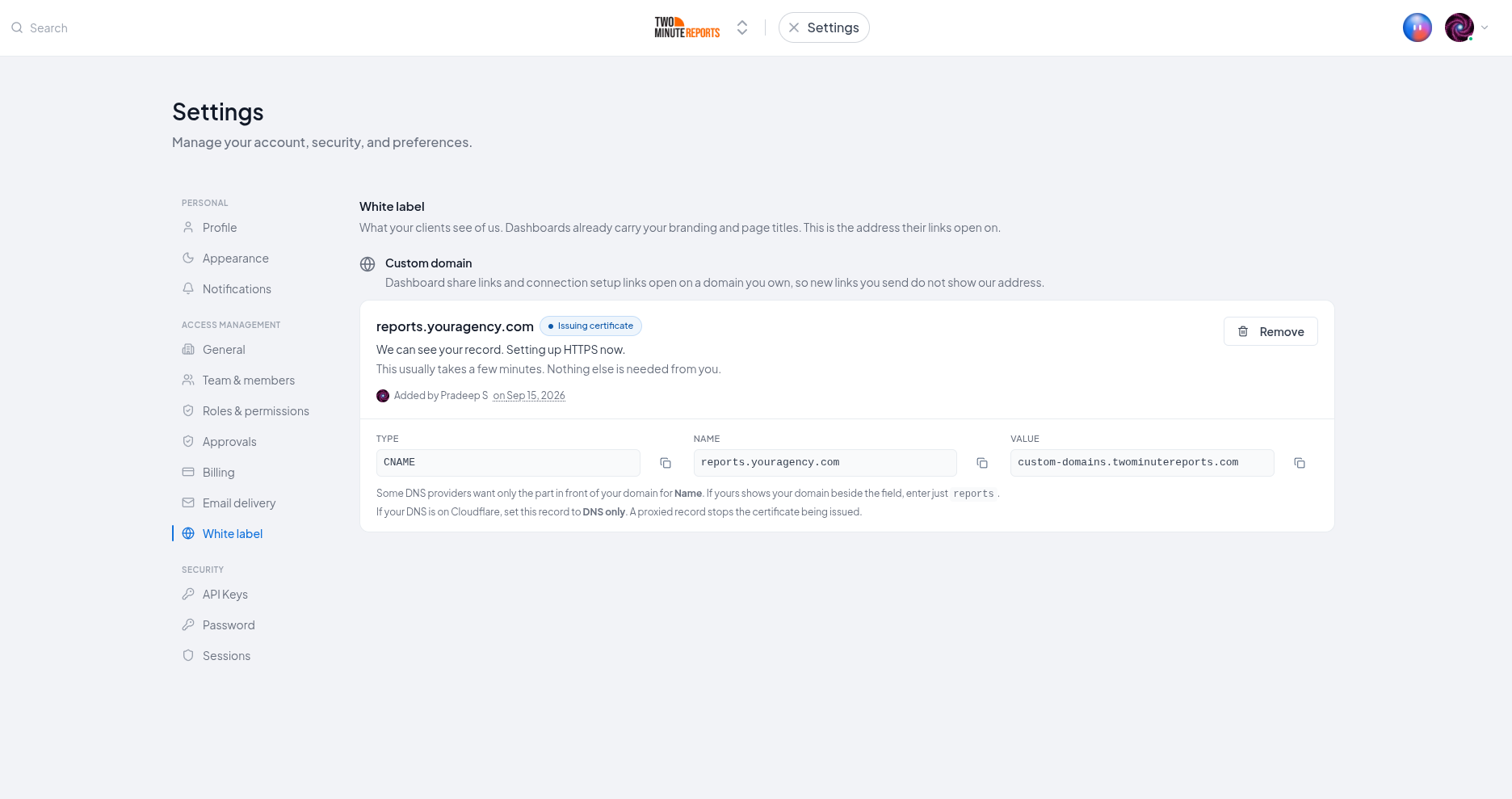
Once the record is visible, we issue the HTTPS certificate that makes your address show the padlock in a browser. This happens automatically, usually within a few minutes, depending on how quickly your DNS provider publishes the change.
You do not need to stay on the page. Setup continues whether the tab is open or not.
Step 5. You are live
When the panel shows Live, new share links and setup links are created on your domain.
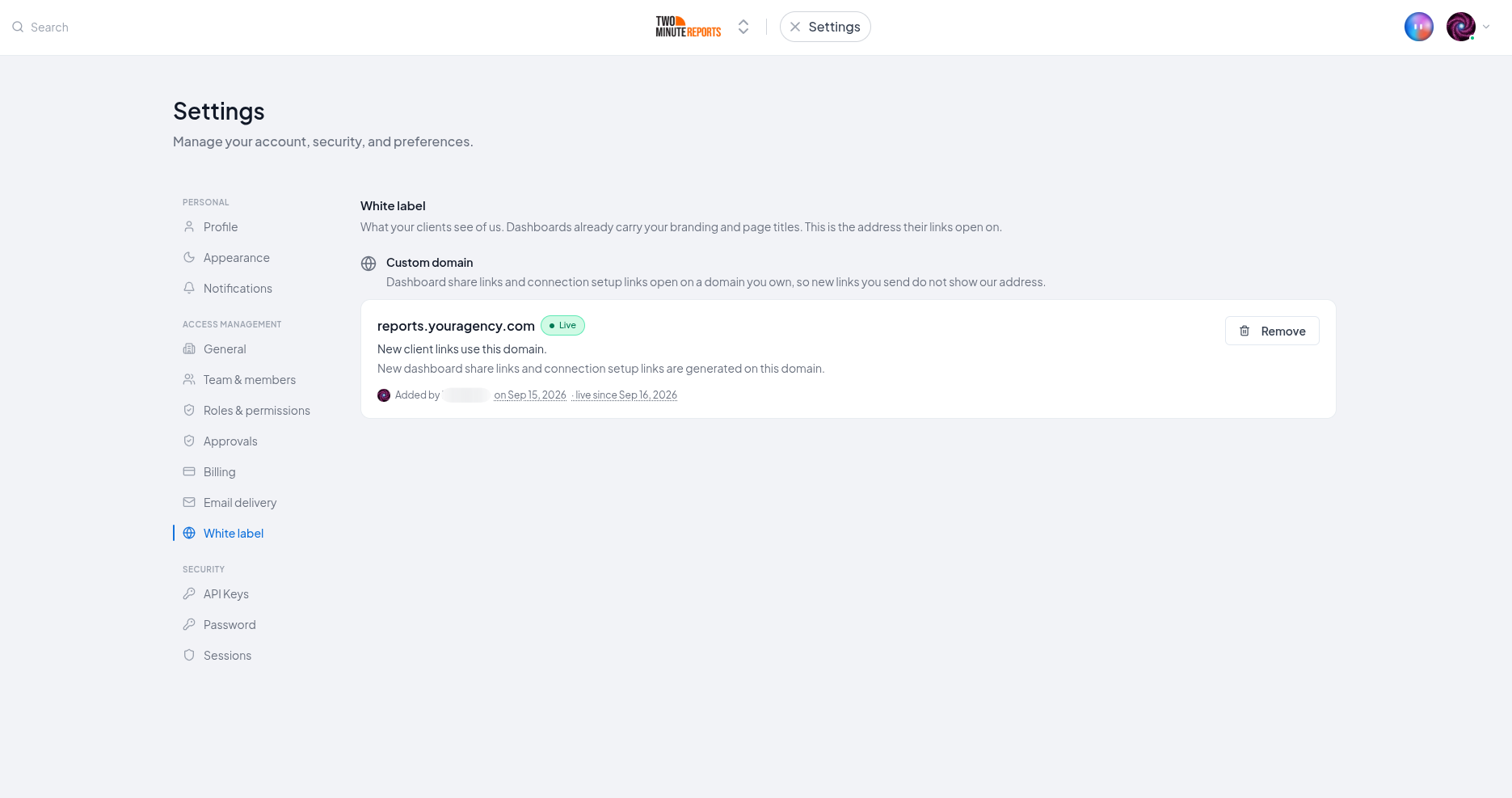
hub.twominutereports.com and do not change. Only links created from now on use your domain.Read the status
The panel tells you which state your domain is in. Read the third column first, because it answers the question your client is asking you. The color of the badge tells you how urgent it is:
- Red: your clients see a Not Found page now.
- Amber: the setup needs you, but nothing was ever live.
- Blue: setup is in progress.
- Gray: setup expired.
| Status | What it means | What your clients see | What to do |
|---|---|---|---|
| Needs your DNS record | We have not seen your CNAME record yet | Nothing is live on your domain yet | Create the record, or check it was saved correctly |
| Issuing certificate | We can see your record and are setting up HTTPS | Not yet live. Wait before sending links | Nothing. This is us, not you |
| Reconnecting | Your domain was live before and we are re-checking the record before switching it back on | Briefly not loading | Nothing. Your certificate is still in place |
| Live | New client links use your domain | Your dashboards, on your address | Nothing |
| Not reachable | The record stopped pointing at us | A Not Found page | Restore the CNAME record |
| Not on your subscription | Custom domains are no longer on your subscription | A Not Found page | Add custom domains back from Billing & usage. Changing plan does not affect it |
| Paused | Your subscription is inactive | A Not Found page | Reactivate the plan and it turns back on by itself |
| Couldn't verify | We saw your record but could not issue a certificate | Not live | Usually a proxied record. Set it to DNS only, then remove the domain and add it again |
| Timed out | No record appeared within 7 days, so setup expired | Nothing was ever live | Remove it and add the domain again when you are ready |
| Turned off | Turned off by us | A Not Found page | Contact support and we can tell you why |
hub.twominutereports.com, because a client who bookmarked your address would silently start seeing
ours. In every one of those states the links themselves are unchanged, so nothing needs re-sending
once the domain is working again.Pricing
Custom domains are an add-on, on every plan. There is no tier that includes one, so moving up a plan will not give you a custom domain and moving down will not take one away.
The price is set in your own currency and on your own billing cycle. Settings › White label shows you the exact price on the button before you add it. The charge goes onto your next invoice, reduced for the part of the billing period already used, so nothing is charged at the moment you add it.
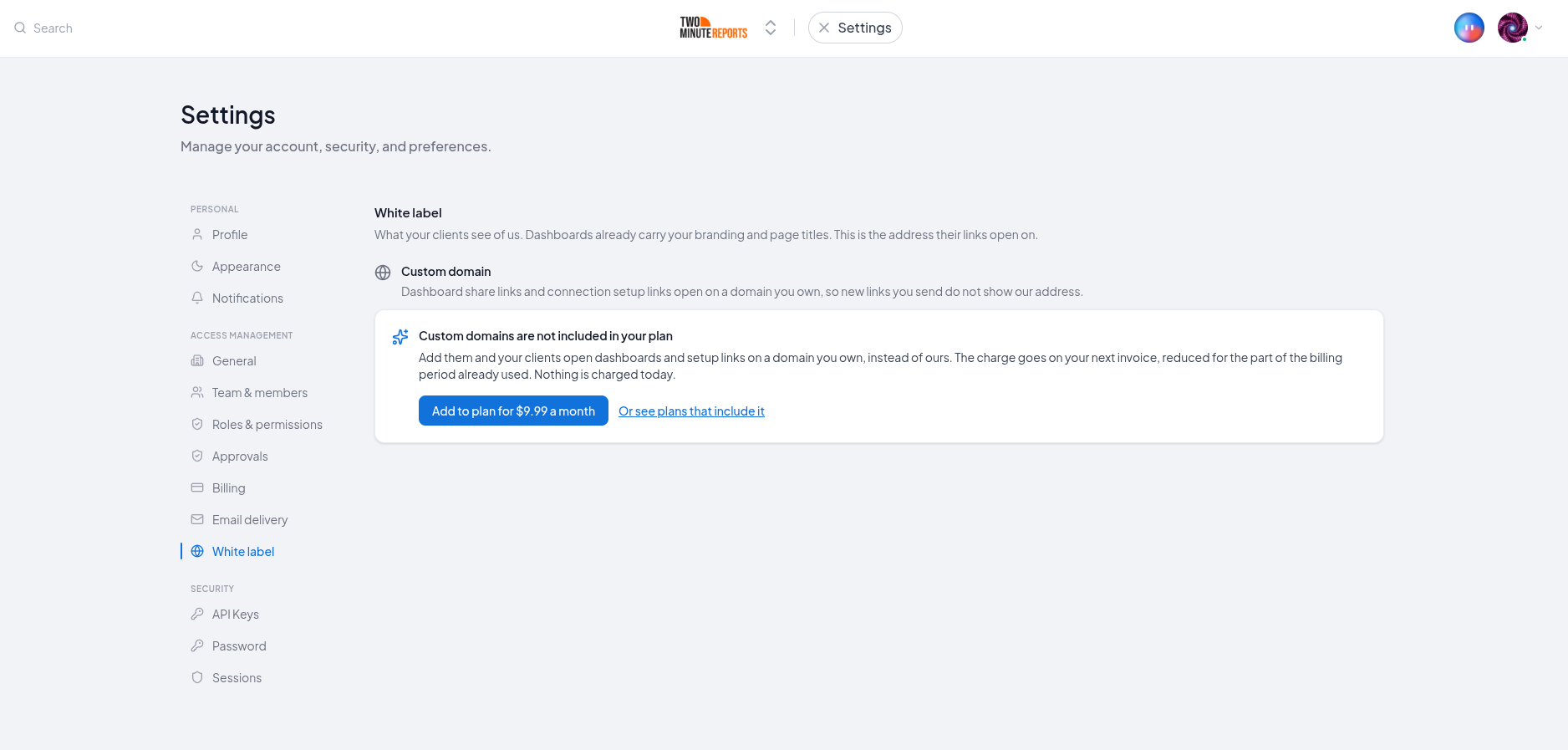
Your custom domain is not tied to your plan, so a plan change never interrupts it. Your clients keep opening the same links throughout.
Who can do what
| Role | Can view the setup | Can add or remove a domain | Can buy the add-on |
|---|---|---|---|
| Owner | Yes | Yes | Yes |
| Admin | Yes | Yes | Yes |
| Deputy Admin | Yes | No | No |
| Data Manager, Editor, Viewer | No | No | No |
A Deputy Admin can see the domain and its status, which is enough to answer "why is our link not working?" without being able to remove a domain and break every link already sent.
Adding or removing a domain needs a seat as well as the permission. An Owner without a seat can still buy the add-on, because paying is always available to whoever pays, but somebody with a seat has to set the domain up.
Change or remove your domain
To use a different subdomain, remove the current one and add the new one.
Removing is not silent. Links your clients already hold on that domain stop working as soon as you remove it. The dashboards themselves are unaffected and stay reachable at their hub.twominutereports.com addresses.
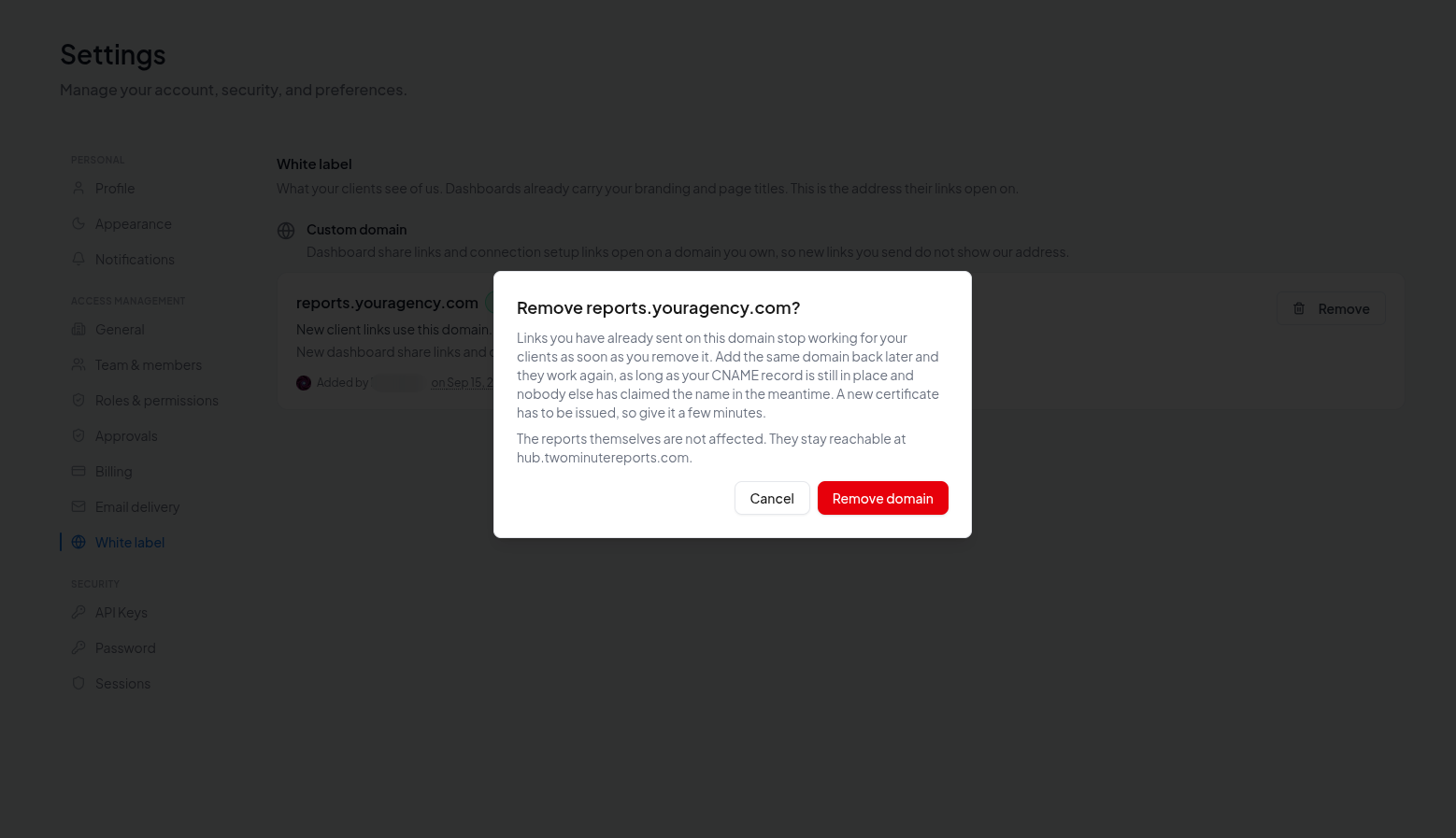
If you remove it by mistake, add the same domain back. Those links start working again, as long as your CNAME record is still in place and nobody else has claimed the name in the meantime. A new certificate has to be issued, so give it a few minutes.
If a client is stuck on a link that has stopped working:
- A dashboard link works on
hub.twominutereports.com. Replace the domain at the front and leave the rest of the address alone. - A setup link has no equivalent, because its address is fixed when the link is created. Send them a new one.
Troubleshooting
It has been stuck on "Needs your DNS record"
- Check the record is a CNAME, not an A record.
- Check the Name field. Most providers want only the subdomain (
reports), not the whole thing (reports.youragency.com). Entering the full name where the provider expects the short one createsreports.youragency.com.youragency.com. - Check the proxy setting if you are on Cloudflare. It must be DNS only, the grey cloud.
- Give it time. Some providers publish changes in seconds, some take an hour.
"That domain is already in use"
Someone else has claimed that exact address.
If they typed the name but never finished setup, you can take it: create the CNAME record first, then add the domain again. The unfinished claim is released to you, because only somebody who controls the DNS can point the name at us.
If the other account did finish setup, the name is theirs and we cannot move it. Contact support.
It says "Couldn't verify"
We can see your CNAME record, but the certificate could not be issued for it.
The usual cause is the record being proxied. On Cloudflare that is the orange cloud; set it to DNS only, the grey cloud.
The other cause is a setting on your domain called a CAA record, which restricts who is allowed to issue certificates for it. Most agencies do not have one. If yours does, whoever manages your domain will need to allow Cloudflare, or contact support and we will tell you the exact value to add.
Once the record is right, remove the domain here and add it again.
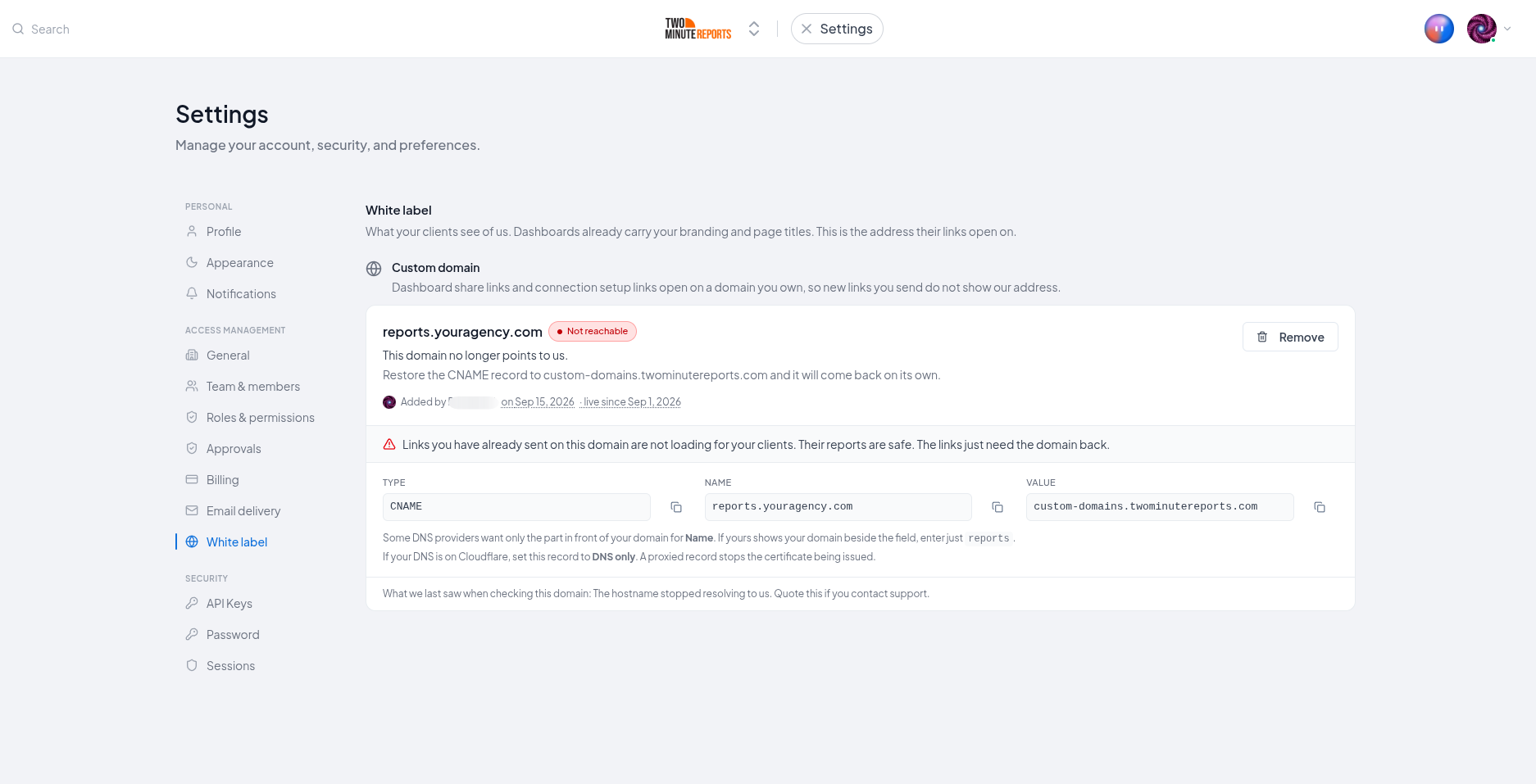
It was working and now says "Not reachable"
The CNAME record no longer points at us. Most often it was changed or removed while someone was working on the domain, or the site moved to a new provider and the records were rebuilt.
Restore the record and it comes back on its own. While it is down, links your clients hold on that domain are not loading. Their dashboards are safe. The links need the domain back.
The panel says it cannot show me the record
"We cannot show you the DNS record to create right now" is a problem on our side, not yours. Contact support and we will give you the value to add.
The copy button did not work
If copying shows an error instead of a tick, the value is selected for you. Press Ctrl+C, or Cmd+C on a Mac. Do not retype it by hand: a single wrong character in a hostname fails silently.
My client sees a security warning
That means the certificate has not been issued yet. Wait for the panel to show Live before sending links on your domain.
What we do not change
- Your dashboards stay reachable at their original addresses. A custom domain adds an address; it does not replace one.
- Emails are not sent from your domain. The dashboard links inside briefings do use your domain, starting with the next briefing sent after it goes live.
- Only client-facing pages are served. Anything else on your domain returns a Not Found page, which is deliberate: your domain serves the two client surfaces and nothing else.
Need help?
If your domain has been stuck for more than an hour, or you are not sure which record to change, contact support with your subdomain and a screenshot of your DNS records and we will tell you what is missing.