

Connectors
Apple App Store
Connect Apple App Store to Google Sheets or Google Data Studio
The Apple App Store connector gets your App Store Connect sales, downloads, and financial data into Google Sheets and Google Data Studio. Use it to track your key metrics in a spreadsheet or a Google Data Studio report.
What you can report on
- App downloads and units sold
- App sales revenue and proceeds
- In-app purchase performance
- Subscription metrics
- Refunds and cancellations
- Regional and storefront breakdowns
Prerequisites
- An Apple Developer account with access to App Store Connect
- Finance access on your App Store Connect account. Two Minute Reports needs this permission to fetch both sales and financial metrics
- An API key (
.p8file) generated from App Store Connect, along with your Issuer ID and Key ID - Your Vendor number from App Store Connect
How to get your credentials
- Go to App Store Connect › Users and Access › Integrations › App Store Connect API.
- Select Generate API Key.
- Give the key a name and set the access level to Finance.
- Download the
.p8key file. You can download it only once, so save it securely. - Note your Issuer ID (shown at the top of the API Keys page) and the Key ID for the key you just created.
- Note your Vendor number. App Store Connect shows it in Payments and Financial Reports.
The
.p8 file can only be downloaded once at the time of creation. If you lose it, you'll need to generate a new key.How to create a connection
- In the Hub, open Connections & accounts.
- Select Create connection.
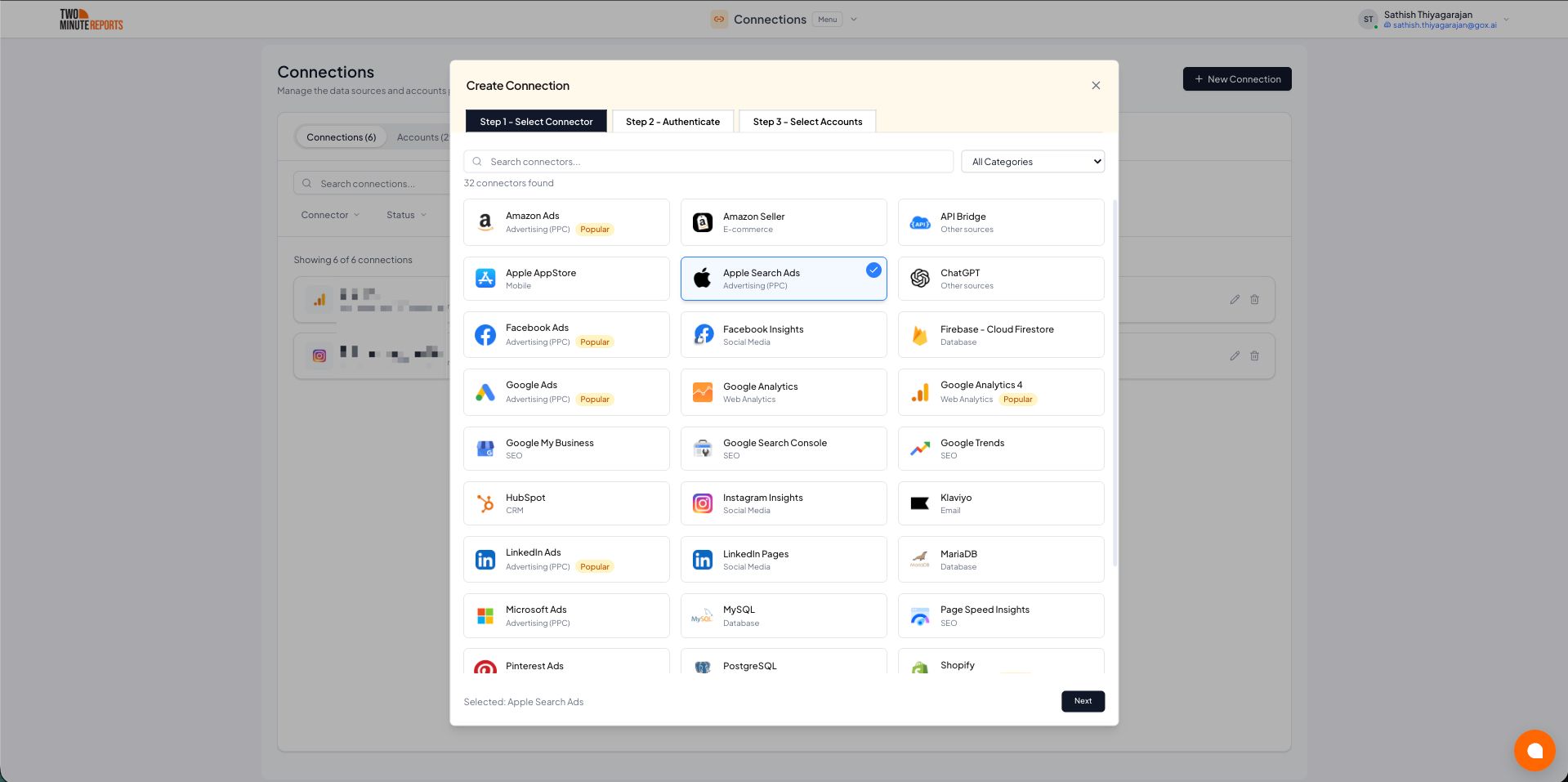
- Select Apple AppStore in the connector list.
- Select Next.
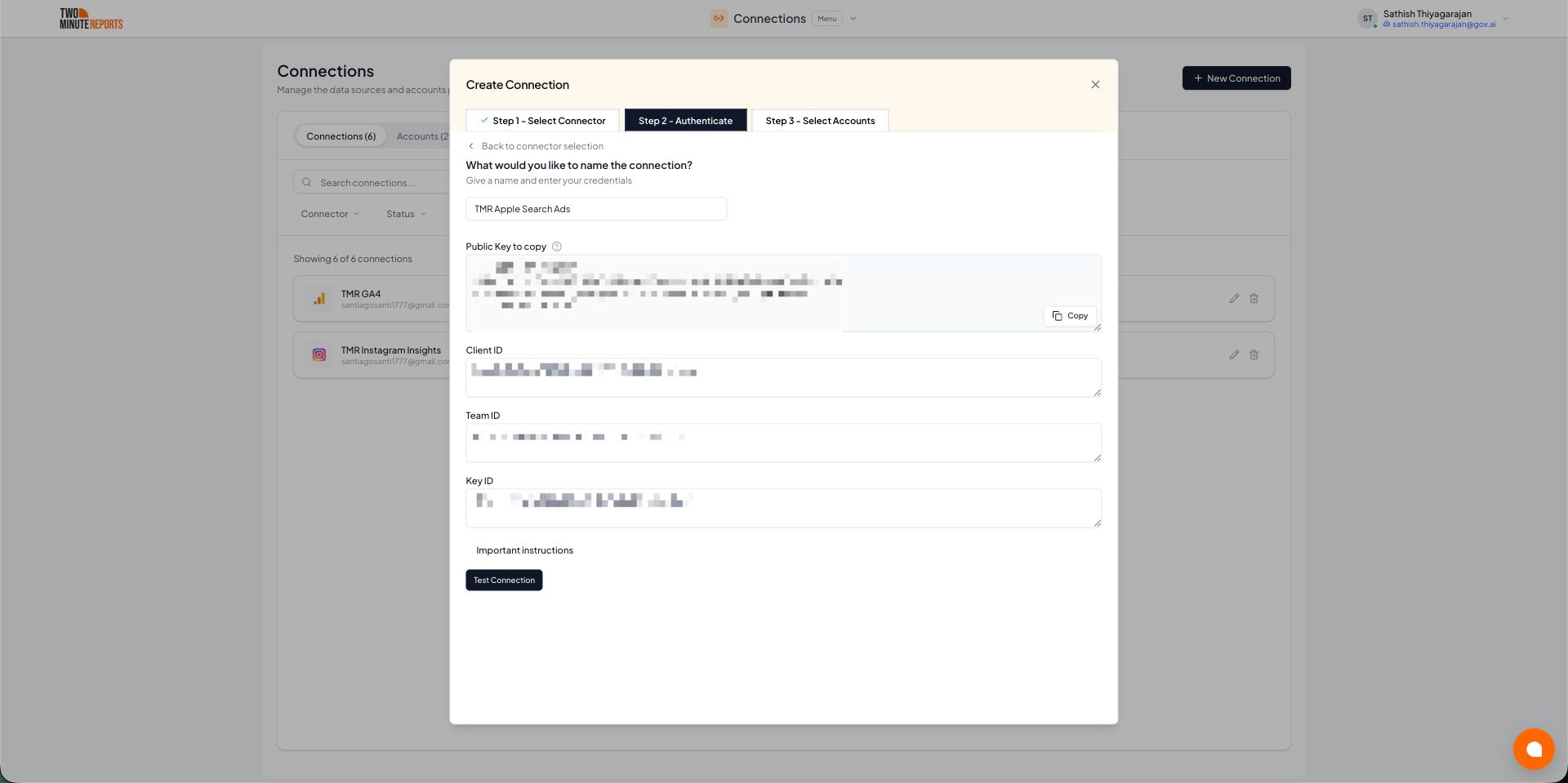
- In Name the connection, enter a name.
- Enter your Key ID, Issuer ID and Vendor number. If you don't have them yet, see How to get your credentials.
- Paste the contents of your
.p8API key file into Key (.p8 file). - Select Test connection.
- Enable the App Store accounts (vendor accounts) you want to use.
- Select Done.
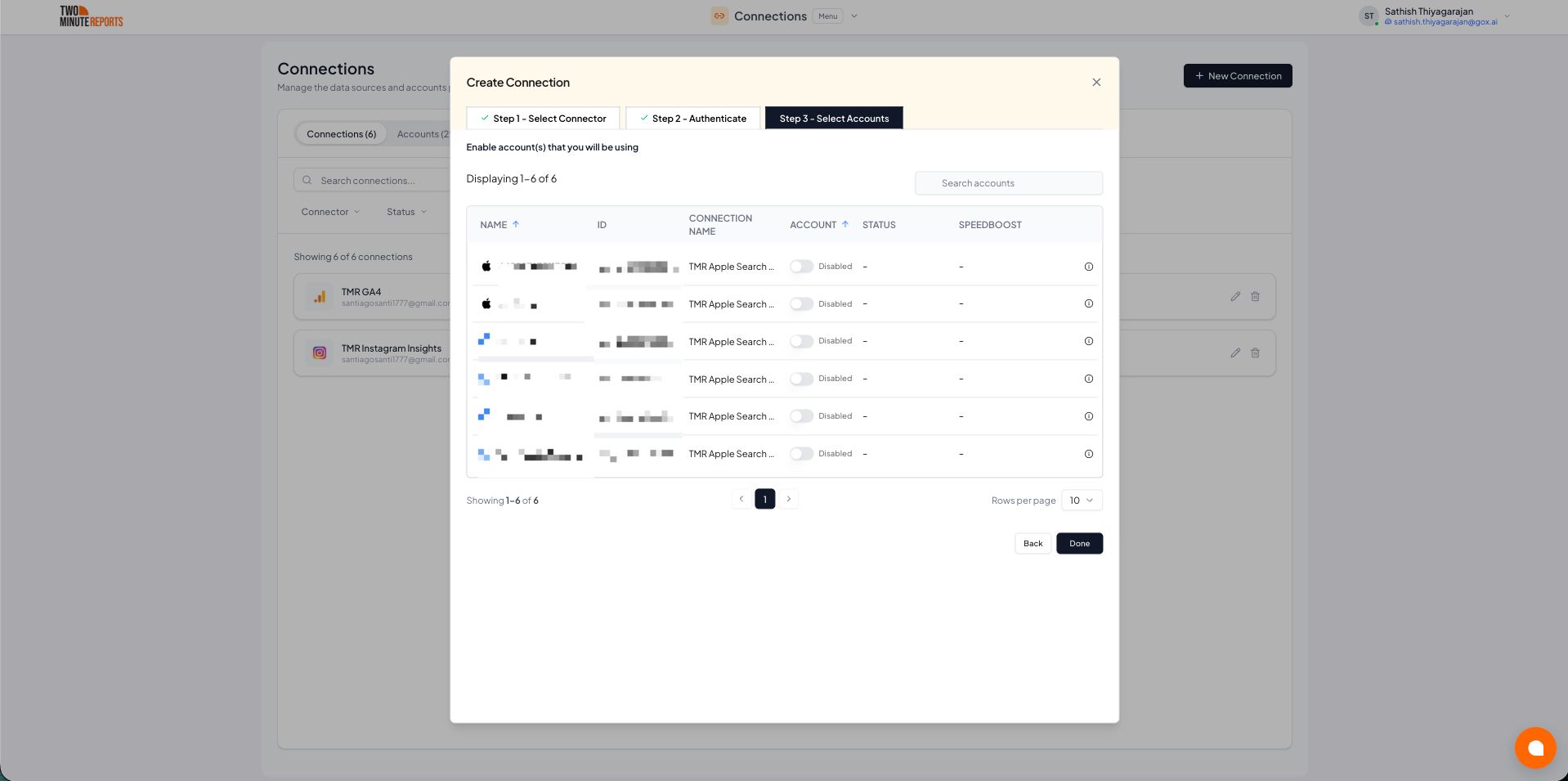
Important: Only enabled accounts can fetch data and count toward your plan usage.
How to get Apple App Store data into Google Sheets or Google Data Studio
To get App Store data into Google Sheets:
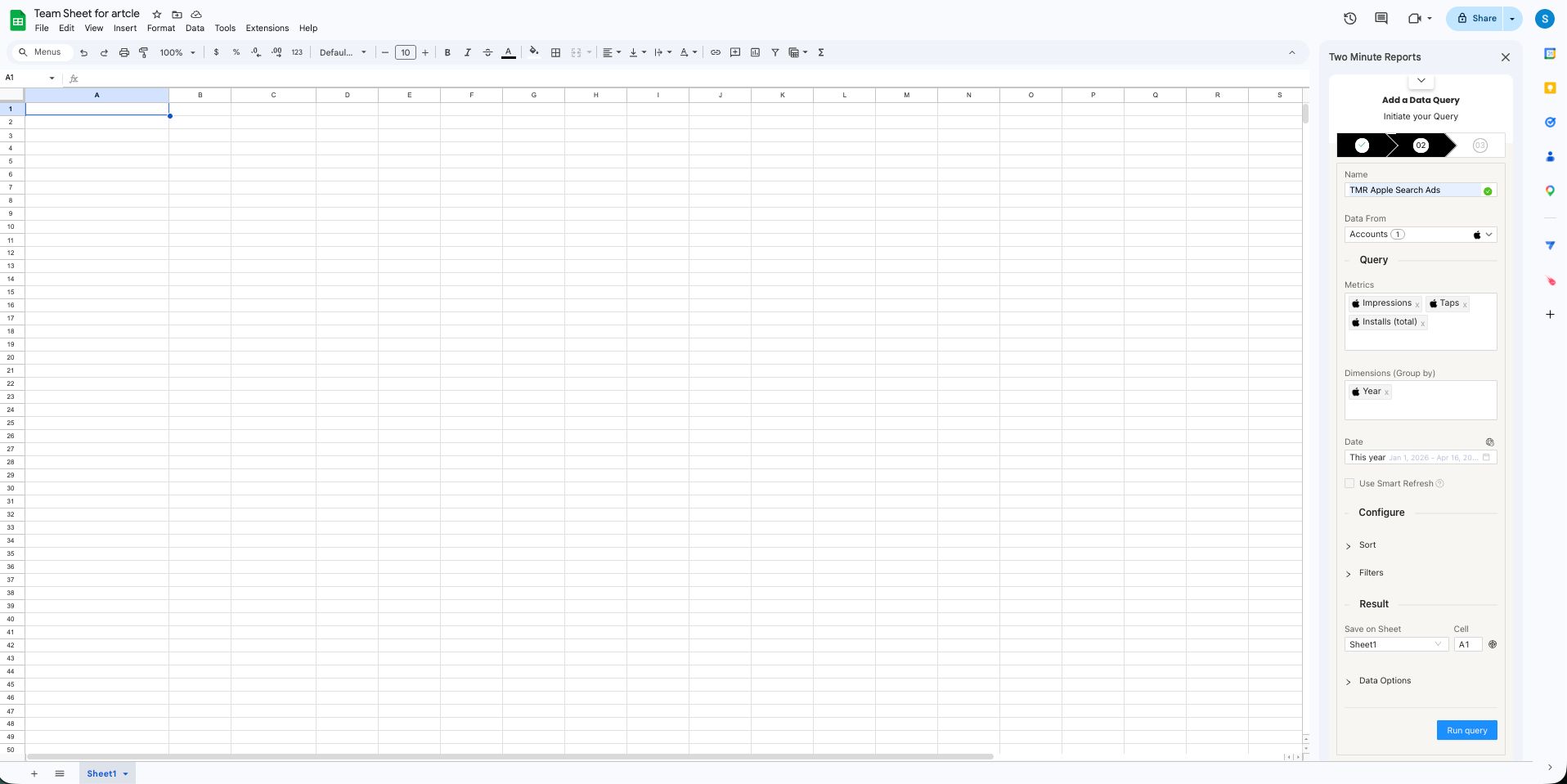
- In the Two Minute Reports sidebar, open Data Queries.
- Select Add.
- Select the App Store account you want to report on. A query uses one account.
- Select your metrics and dimensions.
- Select the date range.
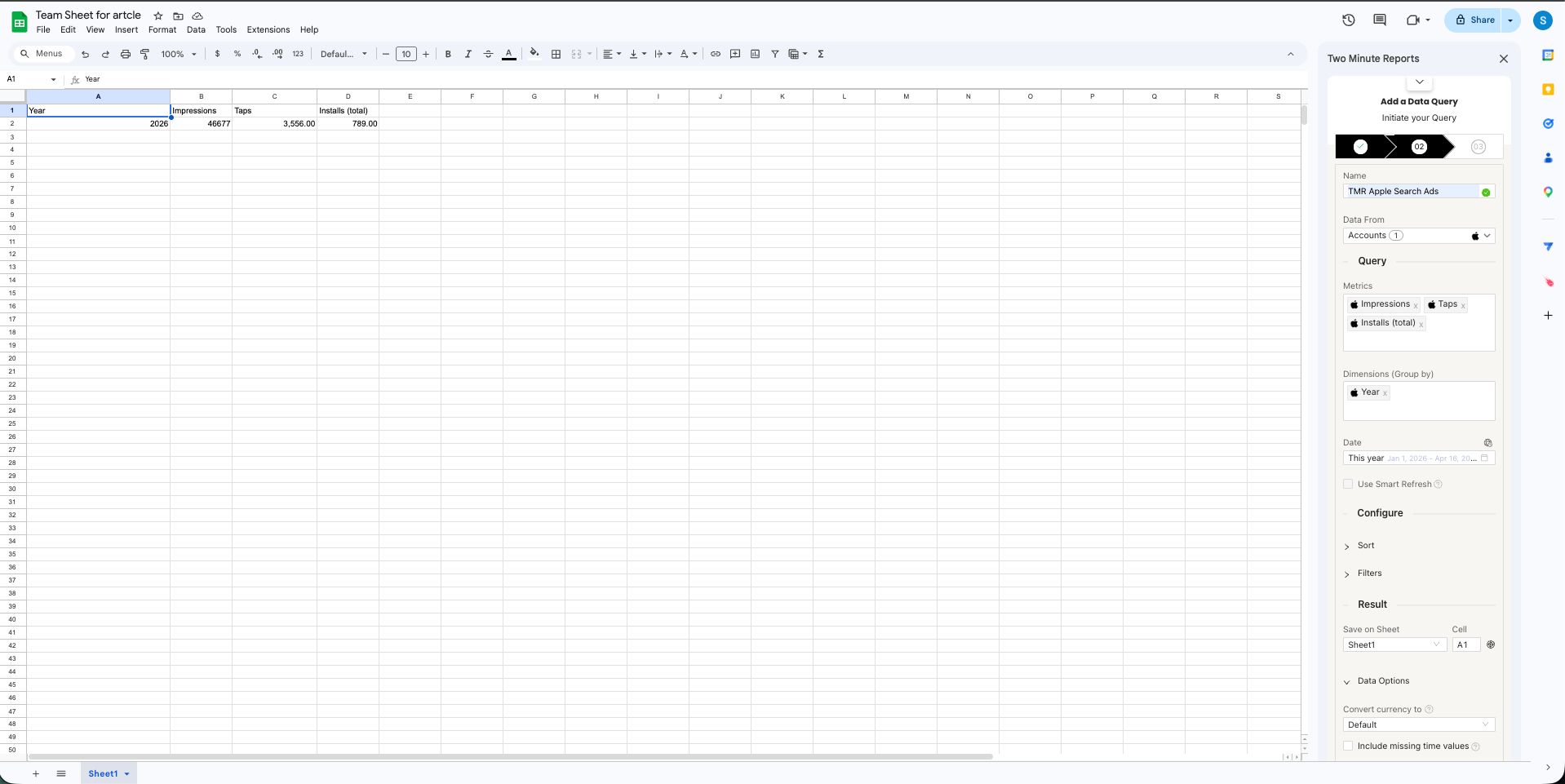
- Select Run query. Two Minute Reports adds the data to your sheet.
Next steps
To get App Store data into Google Data Studio:
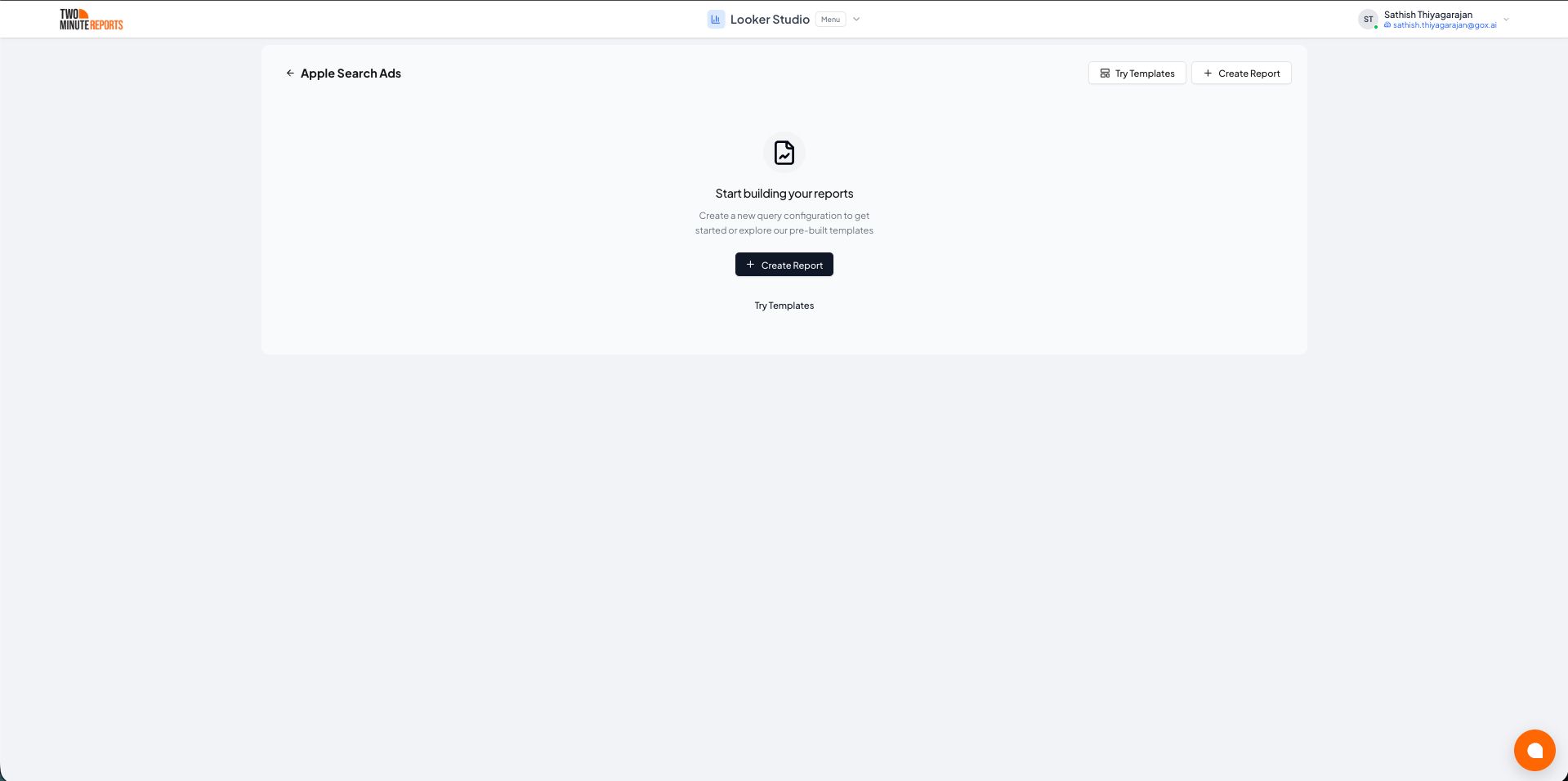
- In the Hub, open Google Data Studio › Apple AppStore.
- Select Create report.
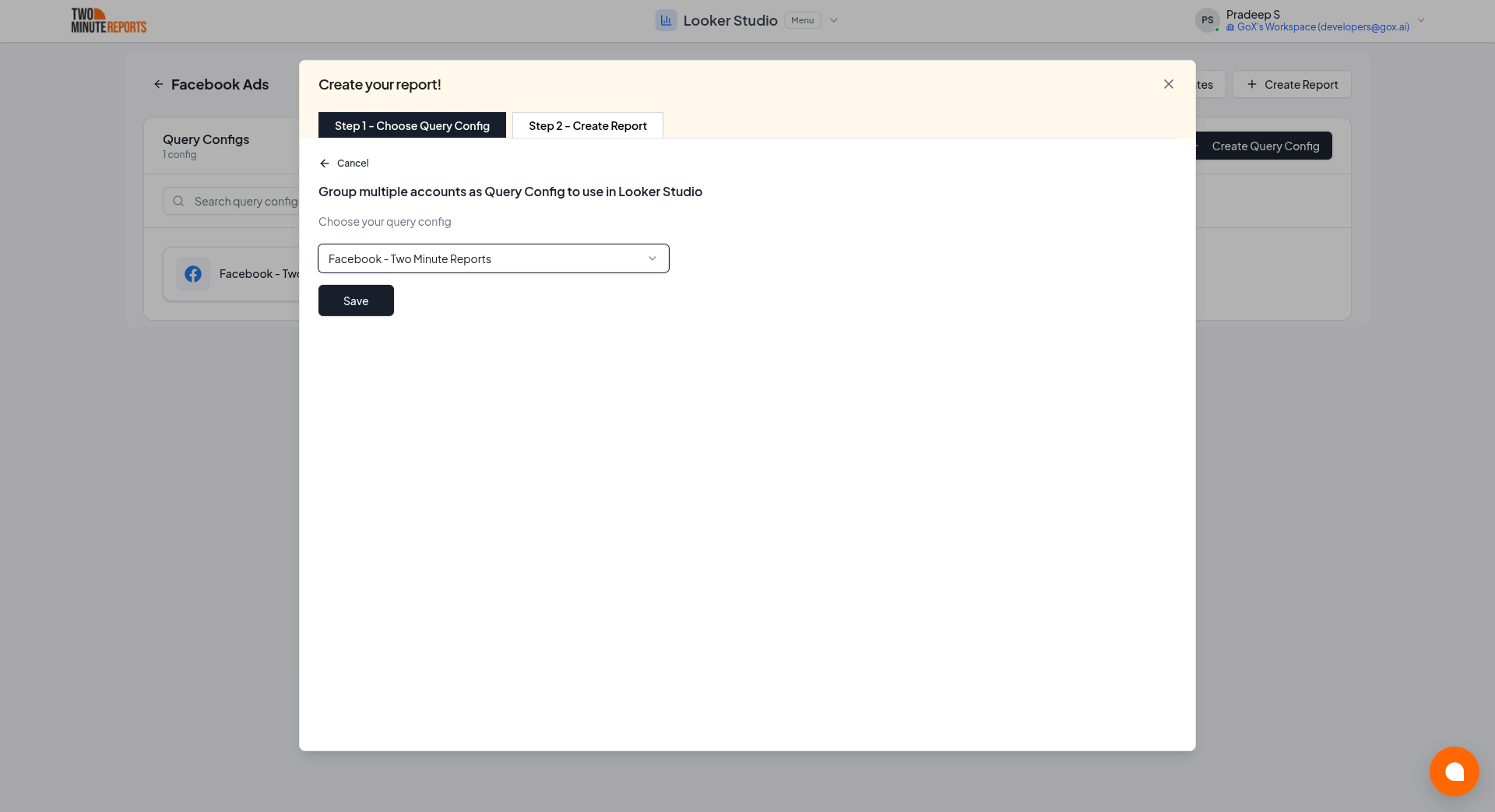
- Select or create a query config:
- To use a query config you have: select it in Choose your query config. Then select Save.
- To create a query config: if you already have one, first select Create new query config in the list. Enter a name in Name your query config, and select the account in Select your account. Select Save.
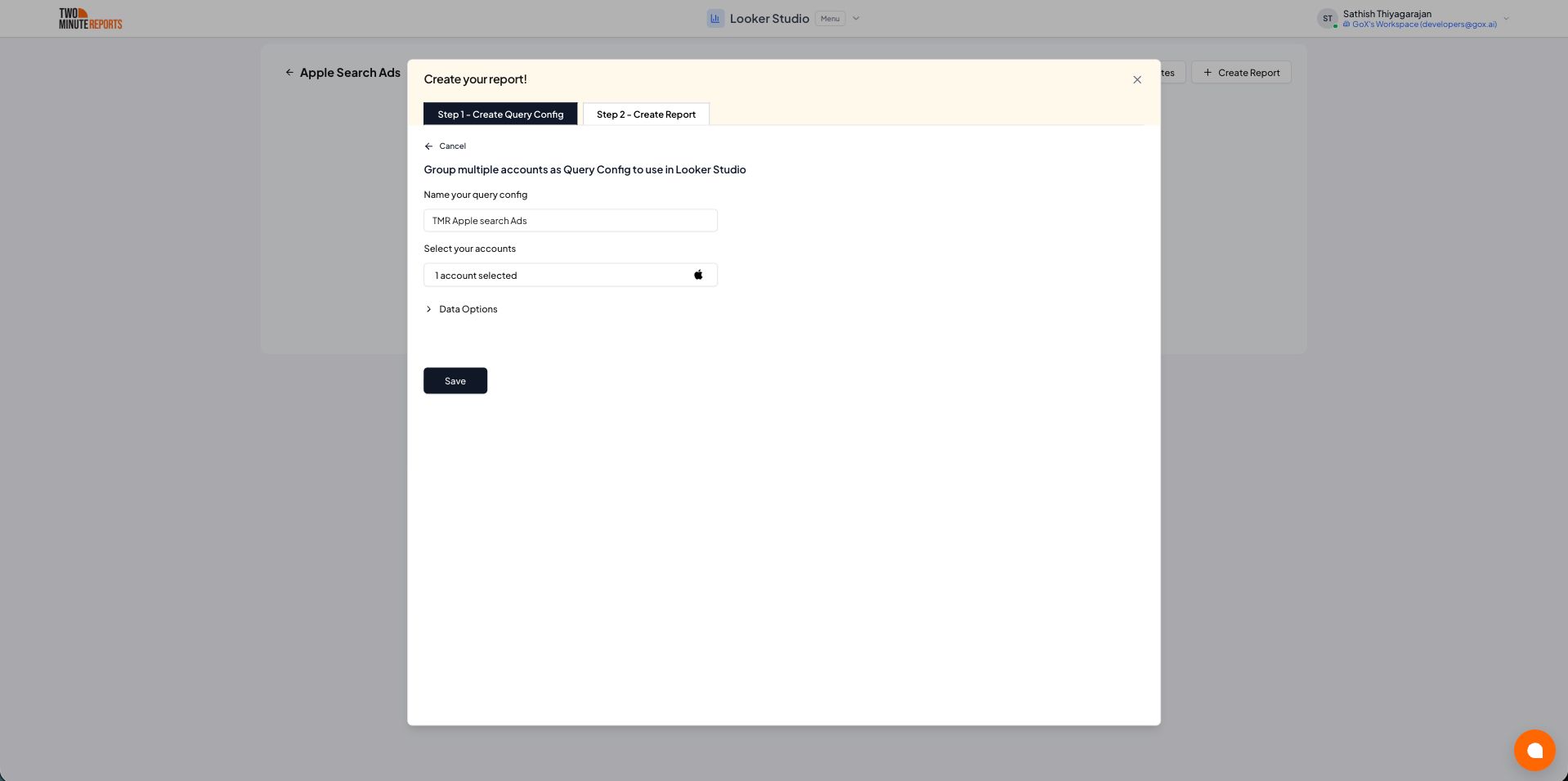
- Select Create from scratch. If templates show under Quick start from a template, you can select one instead.
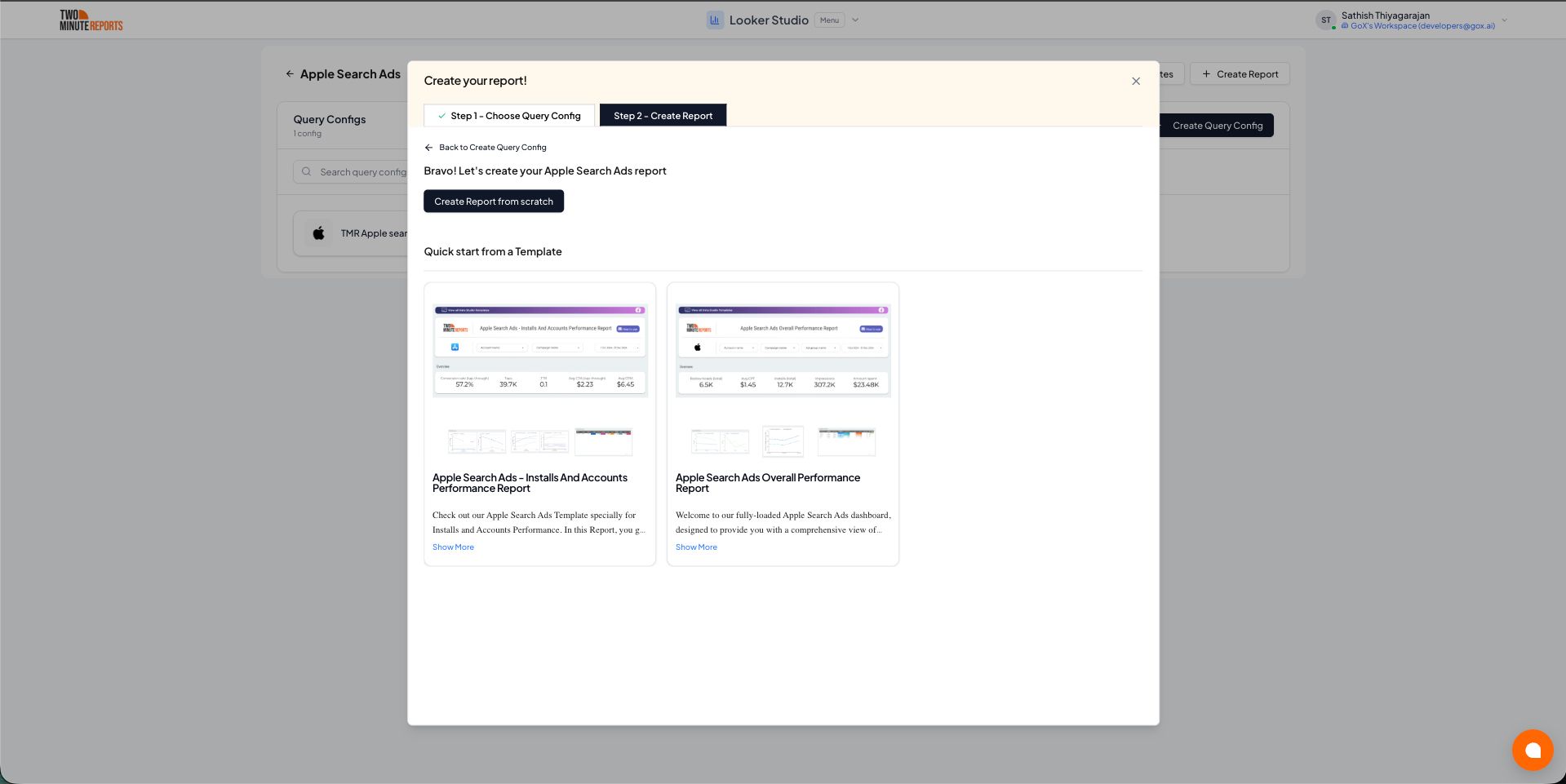
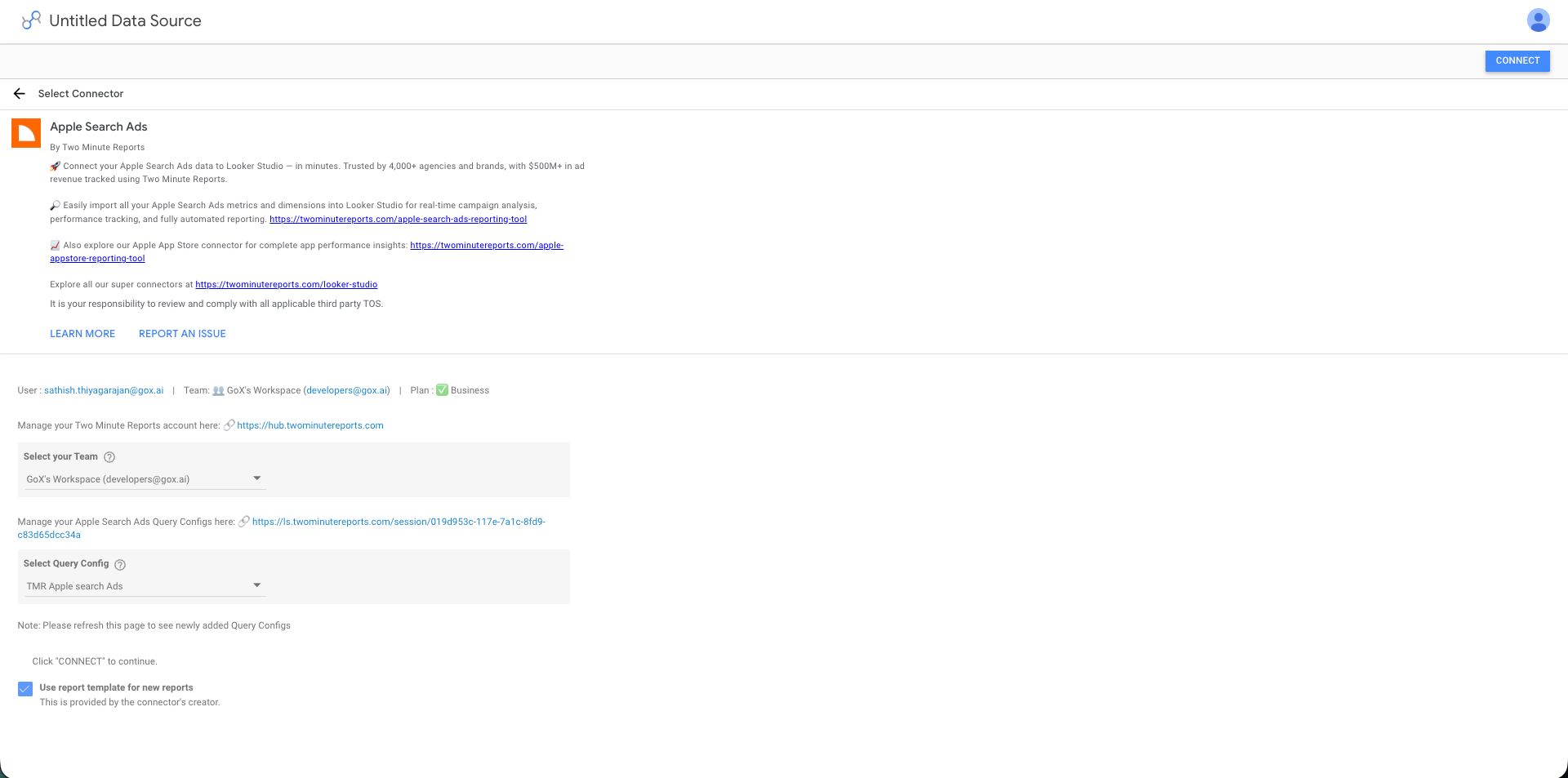
- Looker Studio (formerly Google Data Studio) opens in a new tab, with the Two Minute Reports connector. If you are in more than one team, select your team in Select your Team.
- In Select Query Config, select your query config.
- Select Connect in the top-right corner.
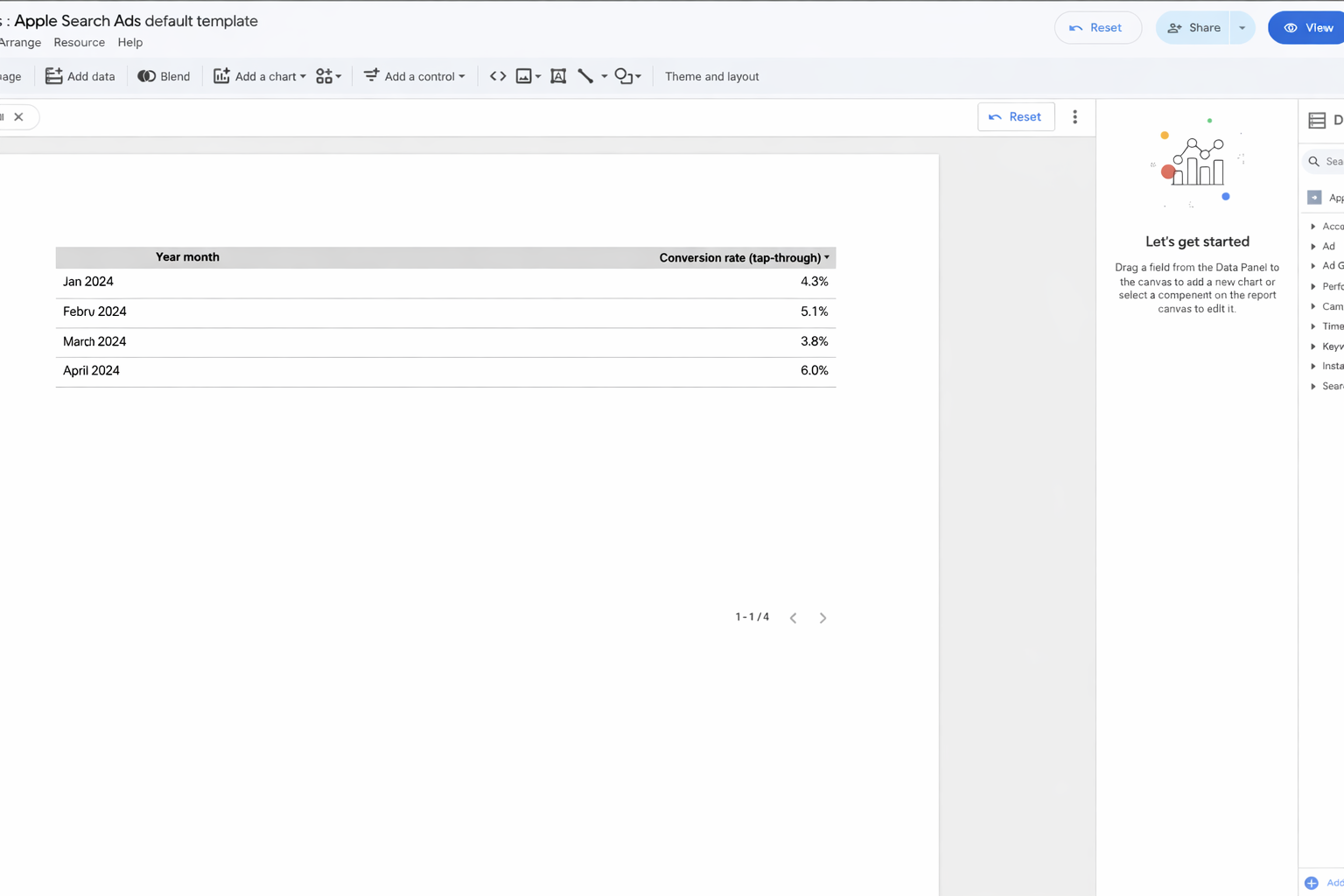
- In your new report, add App Store metrics and dimensions to the canvas.
Next steps
If you need help, contact [email protected] or submit a support ticket.