

AI tools
Claude Code
Add Two Minute Reports to Claude Code with one command, and install every skill as a plugin.

Use your Two Minute Reports data in Claude Code, in your terminal. Ask about your marketing data, run skills, and use the data in scripts and projects.
What you can do
- Ask about your marketing data while you work in a project.
- Run the Two Minute Reports skills.
- Use your data to build scripts, reports and tools.
Before you start
- Claude Code, installed.
- A Two Minute Reports account with at least one connection.
- To run data queries, a role on the team that allows them, such as Editor. See What each person can do.
Connect Two Minute Reports
Did you add the Two Minute Reports plugin in Claude? The plugin also gives Claude Code the connector and the skills, so you can go to Check that it works.
From the AI tools page
- In the Hub, select AI tools.
- On the Connect tab, under More AI tools, select Claude Code.
- Follow the steps in the dialog. They are the same as the steps below.
From Claude Code
- In your terminal, add Two Minute Reports for all your projects:
claude mcp add --transport http --scope user two-minute-reports https://mcp.twominutereports.com/mcp - Start Claude Code and type
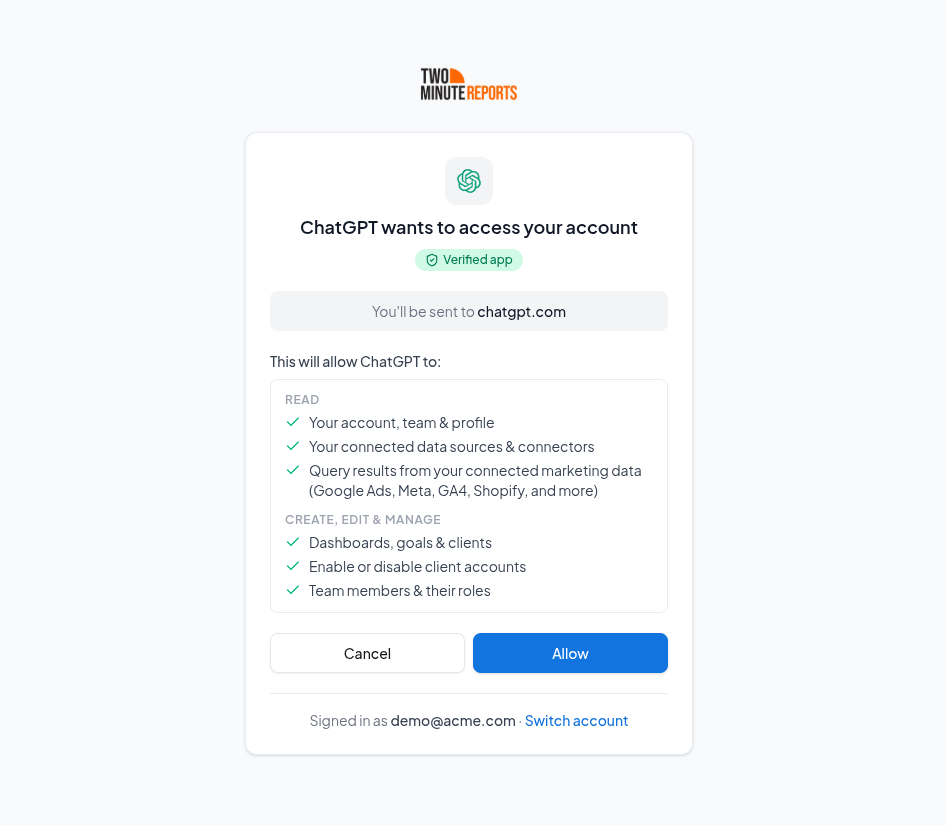
/mcp. Select two-minute-reports, then select Authenticate. - Your browser opens. Sign in to Two Minute Reports, then select Allow. If the browser does not open, copy the link that Claude Code shows into your browser.
Check that it works
In Claude Code, ask:
Which accounts do I have connected in Two Minute Reports?
Claude Code lists your connected accounts.
Install the skills
The Two Minute Reports plugin adds every skill. It also connects Two Minute Reports.
- In Claude Code, add our marketplace:
/plugin marketplace add twominutereports/marketing-skills - Install the plugin:
/plugin install tmr-marketing-skills@marketing-skills - Load the plugin:
/reload-plugins
Claude Code does not update plugins from other marketplaces automatically. To get new skills, run:
/plugin marketplace update marketing-skills
Use Two Minute Reports in Claude Code
Ask about your data
Type your question in plain words. For example:
- "Compare ROAS for Facebook Ads and Google Ads over the last 30 days."
- "Which campaigns spent the most last week with no conversions?"
Run a skill
- Ask for the skill's job, for example "Audit my Google Ads account".
- Or type
/tmr-marketing-skills:and select the skill.
Manage or disconnect
- To disconnect, go to the AI tools page. In Your connections, next to Claude Code, select Sign out.
- To remove the server from Claude Code also, run
claude mcp remove two-minute-reports.
Limits
Each person can make up to 120 requests a minute. See Limits.
Troubleshooting
- The browser does not open when you authenticate. Copy the link that Claude Code shows into your browser.
- The skills do not show after you install the plugin. Run
/reload-plugins.
For problems in all AI tools, see Troubleshooting AI tools.
We checked these steps on 15 October 2026. If Claude Code shows something different, see the Claude Code MCP docs and plugin docs.