Microsoft Ads MCP Server
Connect Microsoft Ads and ask your AI tool about Bing search queries, low quality clicks and Shopping products that trail the benchmark CTR. It reads up to 36 months of campaign, keyword, product and audience data, so you stop building a custom report for every question.
- No credit card required
- Set up in 2 minutes
- Read-only access





Set Up the Two Minute Reports Microsoft/Bing Ads MCP in 3 Simple Steps
Add Two Minute Reports to your AI tool once, then ask about your Microsoft/Bing Ads whenever you need an answer.
Create Your Free Account
Add Two Minute Reports to Your AI Tool
Start Asking Questions
Where Bing Spend Leaks: A Microsoft Ads MCP Check of Match Types, Low Quality Clicks and Product Benchmarks
One question over 30 days of a Microsoft Ads account: match type drift, low quality clicks, lost top impression share, product benchmarks and where searchers were really looking.
 Microsoft/Bing Ads
For the last 30 days, which Bing search queries came in on a looser match type than we bid, how many clicks were flagged low quality, where did we lose top impression share, and which products trail the benchmark CTR?
| Area | What I found | Action |
|---|---|---|
| Match types | 214 queries matched through broad keywords at a $91 CPA, against $38 on exact | Add negatives |
| Low quality clicks | 1,140 clicks flagged low quality, 9% of the total, mostly from two publisher URLs | Exclude publishers |
| Top impression share | Absolute top impression share on brand terms fell to 41%, with most of the loss to rank | Lift ad relevance |
| Shopping products | 12 product IDs in the outdoor category run 40% below benchmark CTR | Rewrite titles |
| Query intent | 18% of spend came from people searching for Chicago while located in other states | Review location settings |
Account summary: Most of the waste came from broad match traffic and two syndicated sites, not from the brand campaign. Add negatives and exclude those publishers first, then rewrite the weak product titles.
Illustrative example
Two Minute Reports Puts Microsoft Ads Spend Next to Low Quality Clicks, Query Intent Location and Product Benchmarks
The Two Minute Reports connector covers 168+ Microsoft Ads fields across performance, prominence, conversions, keywords, Shopping products, audiences and campaign change history.
Quality Score and auction
Quality score, expected CTR, ad relevance, impression share, exact match impression share, impressions lost to budget and to rank, click share, top impression share and absolute top impression share.
Keywords and search queries
Matched search query, keyword status, bidded and delivered match type, current max CPC, keyword conflict level, negative keywords and negative keyword lists.
Low quality traffic
Low quality impressions, clicks and conversions with a rate for each, plus low quality general clicks and low quality sophisticated clicks.
Shopping products
Product ID, title, brand, price, condition, seller name, product category 1 to 5, product type 1 to 5, custom label 0 to 4, benchmark CTR and benchmark bid.
Location and audiences
Query intent country, state, city and metro area, visitor city and postal code, age group, gender, device type, audience name and audience bid adjustment.
Conversions and changes
Conversions, all conversions, assists, revenue, ROAS and goal type, plus campaign changes: changed by, item changed, old value and new value.
Microsoft Ads MCP Options Side by Side: Microsoft's Read-Only Pilot, Self-Hosted Python Code and Two Minute Reports
Microsoft Advertising moved its own MCP server into an open pilot on June 17, 2026, with read-only access to live campaign data. Open-source projects such as microsoft-ads-mcp on GitHub run on your computer with your own developer token and OAuth app.
| Feature | Microsoft Advertising MCP (open pilot) | Open-source servers | Two Minute Reports |
|---|---|---|---|
| Who runs it | Microsoft Advertising, announced June 17, 2026 | Independent developers, for example shinypebble/microsoft-ads-mcp (MIT license) | Two Minute Reports, hosted for you |
| What you need | Azure Active Directory OAuth sign-in; Copilot Studio also needs an app registration and client secret | Python, a Microsoft Ads developer token, an OAuth client ID and a refresh token | OAuth sign-in and one URL |
| Where it runs | A remote endpoint hosted by Microsoft | On your own computer over stdio | Hosted by Two Minute Reports |
| Changes to your account | Read-only during the pilot | Create, update and delete tools are on unless READ_ONLY is set to true | Read-only on your Microsoft Ads account |
| Data covered | Campaigns, ad groups, ads, keywords, audiences, assets, performance and 180 days of change history | Whatever the author wraps; this project lists 66 tools, including a performance report tool | 168+ fields, including low quality traffic, query intent location and Shopping product benchmarks |
| Other sources and reporting | Microsoft Advertising only; Google Ads comparisons need a second integration | Usually Microsoft Ads only | 30+ sources and all client accounts in one workspace, with dashboards and scheduled white-label reports in every TMR plan |
Your Data Is Safe
Security you can explain to your clients, too.
We don't store your advertising data on our servers. Two Minute Reports connects to your data sources using OAuth - your credentials never touch our system. Your AI only reads what you've explicitly connected.
OAuth Authentication
Connects securely to your data sources. No passwords stored. Revoke access anytime from your platform settings.
Read-Only Access
Your AI can only read your data. It cannot create, edit, pause, or delete anything. Your account stays fully in your control.
No Data Training
Your advertising data is never used to train AI models. What's yours stays yours - full stop.
More Two Minute Reports MCP Servers You Can Connect Today
The same server URL works for every data source in your Two Minute Reports account.



















Frequently Asked Questions
Yes. The Keyword group holds both bidded match type and delivered match type, next to the matched search query and cost. Ask for queries where the two differ, sorted by spend. Those rows show which broad or phrase matches need negatives. You can check the exact field names in the Microsoft Ads field list.
Performance Max campaigns use asset groups, so any question grouped by ad group, ad or keyword leaves their spend out. Ask by campaign name and campaign type instead, and your AI keeps Performance Max cost in the totals. The Microsoft Ads connector help page explains which grouping to use.
Yes. The Shopping Campaigns group has benchmark CTR and benchmark bid for each product, next to product ID, brand, title, price, product type 1 to 5 and custom label 0 to 4. Ask for products below the benchmark CTR with the most impressions. Those are the product titles to fix first.
Microsoft moved its MCP server into an open pilot on June 17, 2026, with read-only access to live campaign data. Its docs list campaigns, ad groups, ads, keywords, audiences, assets and 180 days of change history. Our connector also covers low quality traffic, query intent and Shopping benchmark fields, and keeps your other sources in the same workspace.
It helps, since the same keyword can carry a different CPC and conversion rate on each network. Connect both and ask for CPA by keyword side by side. The Google Ads MCP page covers that side, and the Google Ads audit in our PPC Claude Skills can run in the same chat. The skills guide shows how to add one.
Yes. The Low Quality Traffic group has low quality impressions, clicks and conversions, each with its own rate. Clicks are also split into general and sophisticated. Ask your AI to rank campaigns or publisher URLs by low quality click rate. A site with a high rate is a good place to start an exclusion list.
Yes. Query intent country, state, city and metro area show the place someone searched about. Visitor city, state and postal code show where they were at the time. Put the two side by side with conversions, and you can decide whether clicks from outside your service area are worth paying for.
Up to a point. Microsoft Ads keeps report data for the last 36 months only, so a date range older than that returns an error. Inside that window you can compare by year, month, week, date or even hour, since all of them are dimensions in the connector.
Yes. The Campaign Changes group records who made a change, which item and attribute changed, how it changed, and the old and new values. Ask your AI to list changes in the week before a drop in conversions. A lowered bid or a paused keyword can explain the dip quickly.
Recommended Reads
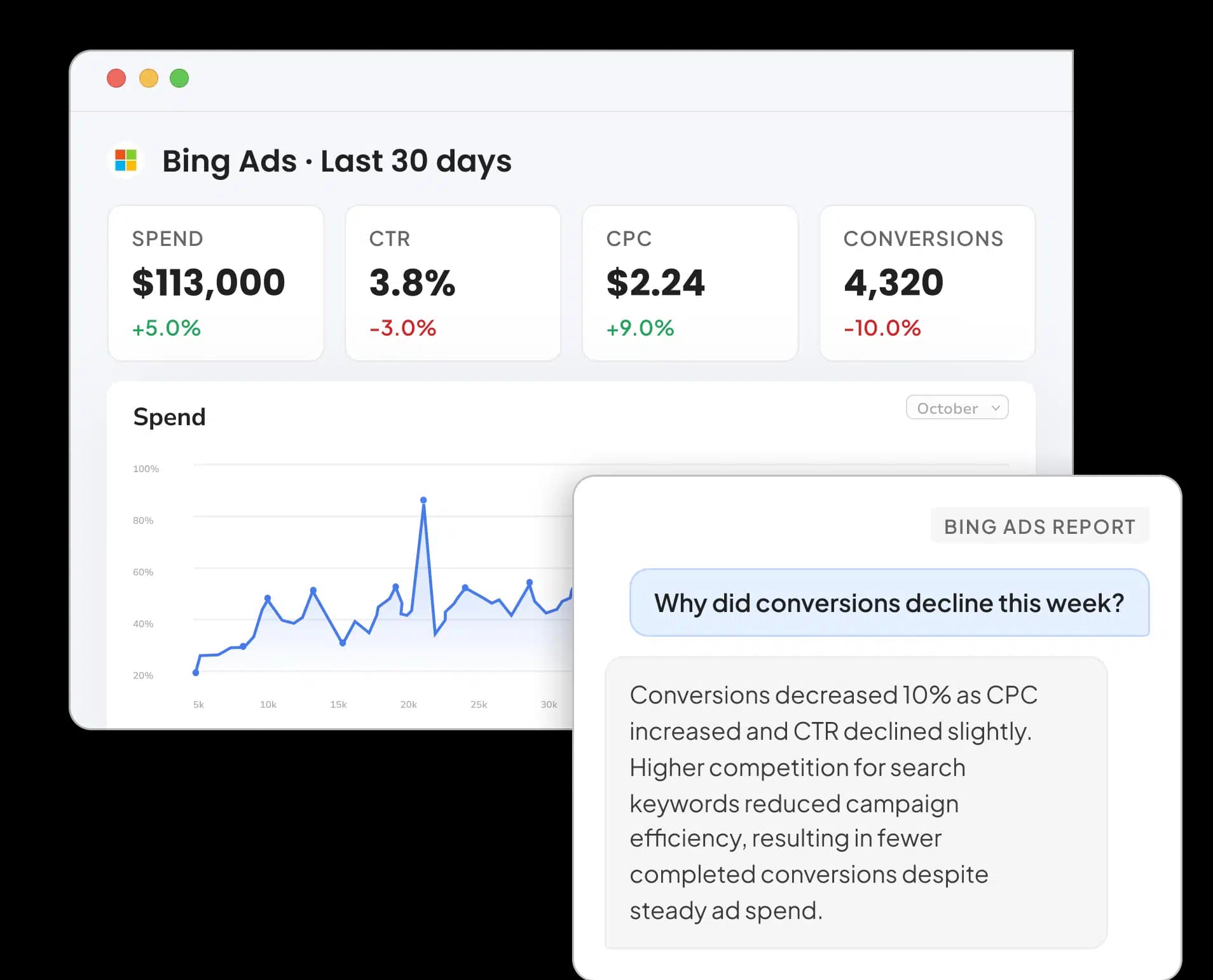
Microsoft Ads Reporting Connector
Connect and visualize your Bing Ads data on Google Data Studio


PPC Audit Guide: Improve Campaigns in Minutes
Take back your time. Wow clients.
Get Two Minute Reports.
Start your free trial todayBuilt by marketers. Built for marketers.